
Serta 500835019-7520
Serta baselogic Level 3 Adjustable Base Bed Frame User Manual
Model: 500835019-7520
1. Introduction
This manual provides essential information for the setup, operation, maintenance, and troubleshooting of your Serta baselogic Level 3 Adjustable Base Bed Frame. Designed for enhanced comfort and convenience, this adjustable base offers head and foot adjustability, a wireless remote with memory presets, a single massage setting, and integrated USB charging ports. Please read this manual thoroughly before assembly and use to ensure proper function and longevity of your product.

The Serta baselogic Level 3 Adjustable Base Bed Frame in a bedroom setting, demonstrating its head and foot adjustability.
2. Setup and Assembly
The Serta baselogic Level 3 Adjustable Base requires assembly. It is recommended that two or more people assist with the setup due to the product's weight (approximately 90.4 pounds for the Twin XL model). An installation manual is included with your product for detailed instructions.
2.1 Unboxing and Placement
Carefully unbox the frame. Ensure you have adequate space for assembly. The foldable design allows for easier transport and storage prior to setup.
2.2 Leg Assembly
The adjustable base features 3-in-1 adjustable legs that can be stacked in 4-inch increments (4", 8", or 12") to achieve your desired bed height. Alternatively, the legs can be removed entirely for a zero-clearance design, allowing the base to fit seamlessly with most platform bed frames.

Illustration of the 3-in-1 adjustable legs, demonstrating the 4-inch, 8-inch, and 12-inch height configurations.

Visual representation of the zero-clearance design, allowing the base to integrate with existing platform bed frames.
2.3 Electrical Connection and Remote Setup
Plug in the electronics of the bed frame. Insert three AAA batteries into the wireless remote control. The remote is pre-paired for immediate use.
3. Operating Instructions
Your Serta baselogic Level 3 Adjustable Base is operated using the included wireless remote control. Familiarize yourself with the remote's functions for optimal use.
3.1 Wireless Remote Functions
- Head and Foot Adjustability: Use the designated buttons to raise or lower the upper body and leg sections independently.
- Zero-Gravity Preset: A one-touch button to position the bed into a zero-gravity posture, designed to relieve pressure points.
- One-Touch Flat Preset: A single button press returns the bed to a completely flat position.
- Memory Presets: Three customizable memory presets allow you to save and recall your favorite positions.
- Single Massage Setting: Activate a whisper-quiet massage feature for relaxation.

The wireless remote control for the Serta baselogic adjustable base, featuring various adjustment and preset buttons.
A user experiencing the zero-gravity preset, designed for optimal pressure relief and comfort.
3.2 Integrated Features
- USB A & C Charging Ports: Conveniently located built-in USB A and C ports allow for easy charging of your electronic devices.
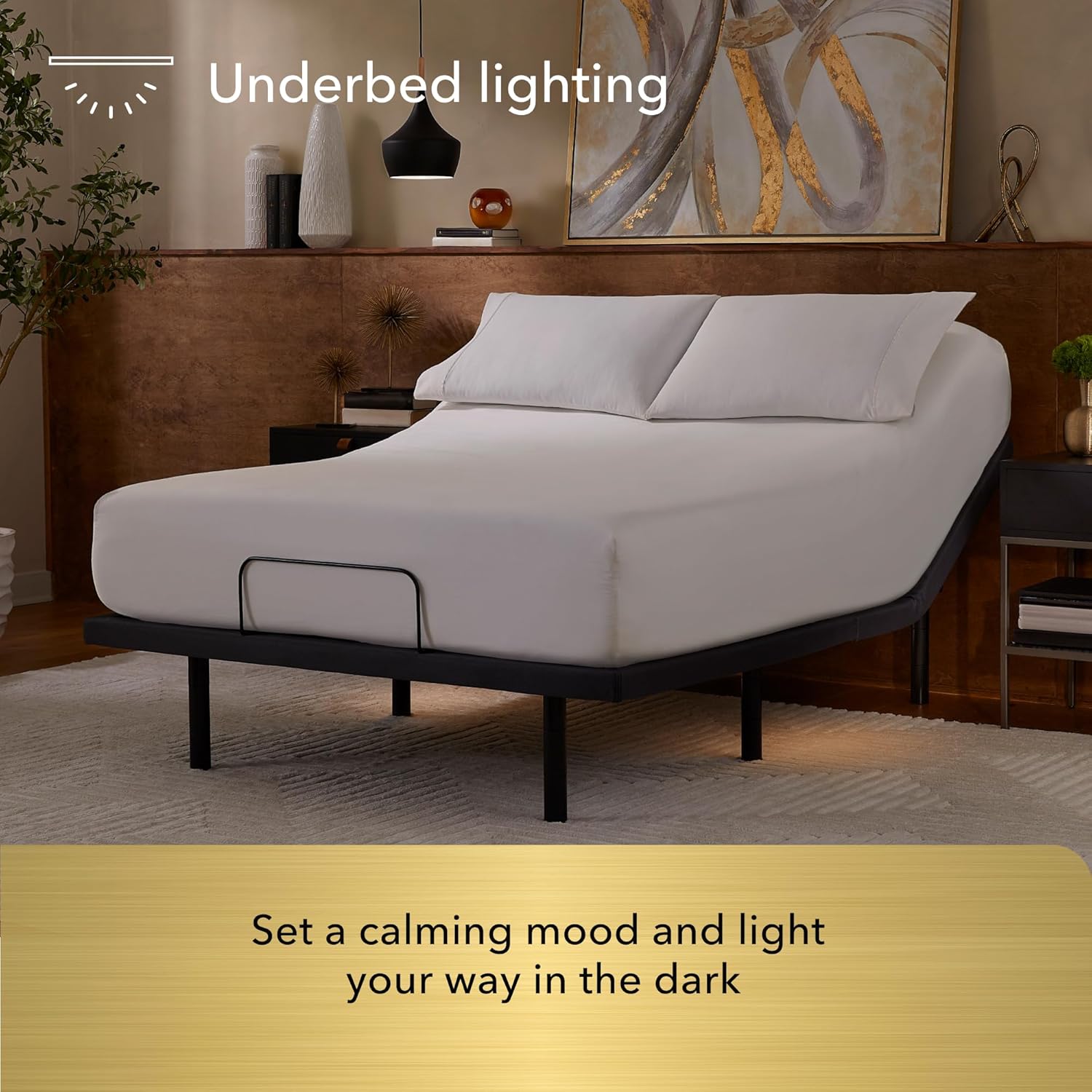
- Underbed Lighting: Activate the underbed lighting feature for soft illumination, aiding navigation in the dark and creating a calming ambiance.

The underbed lighting feature provides gentle illumination for nighttime visibility.

Users enjoying the adjustable base, demonstrating the convenience of integrated features like USB charging ports (not visible in this image, but implied by device use).
4. Maintenance and Care
Proper care will extend the life and appearance of your Serta baselogic Adjustable Base.
4.1 Fabric Care
- To prolong the life of the fabric, protect it from direct sunlight whenever possible.
- Keep the base at a minimum of 12 inches (30 cm) away from direct heat sources.
4.2 Cleaning Instructions
- For deeper cleaning, blot liquid spills immediately with a clean, dry cloth.
- Wipe with a clean cloth dampened with warm water. Do not wet excessively or use abrasive or harsh chemicals.
- A soft bristle brush may be used to remove ingrained soil. Avoid scratching by gentle brushing.
- Wipe with a clean cloth dampened with warm water to remove residues.
- Dry out of direct sunlight and away from direct heat sources.
- If persistent marks remain visible after cleaning, seek professional advice.
- For spot cleaning, wipe the area with a lightly damp sponge or vacuum with a soft brush attachment to remove particles.
5. Troubleshooting
If you encounter any issues with your adjustable base, please refer to the following common troubleshooting steps:
- No Power: Ensure the power cord is securely plugged into a working electrical outlet and the base. Check if the outlet is receiving power.
- Remote Not Responding: Verify that the batteries in the wireless remote are correctly inserted and are not depleted. Replace batteries if necessary. Ensure there are no obstructions between the remote and the base.
- Motor Noise: A slight humming sound from the motor during adjustment is normal. If the noise is excessive or unusual, ensure no objects are obstructing the moving parts of the base.
- Intermittent Operation: Check all cable connections to ensure they are secure.
If the problem persists after attempting these steps, please contact Serta Customer Support for further assistance.
6. Specifications
| Feature | Detail |
|---|---|
| Model Number | 500835019-7520 |
| Size | Twin XL |
| Product Dimensions | 80"L x 38"W x 12"H |
| Item Weight | 90.4 Pounds |
| Color | Grey |
| Fabric Type | Polyester |
| Special Features | Adjustable, Charging Station, Foldable, Remote Control, Zero Gravity Mode |
| Manufacturer | Serta Simmons Bedding, LLC. |
| UPC | 198167032597 |
7. Warranty and Support
Your Serta baselogic Adjustable Base is backed by a 10-year warranty, ensuring peace of mind regarding its quality and durability.
7.1 Customer Support
For any questions, technical assistance, or warranty claims, please contact Serta Customer Support. You can also visit the official Serta Store for additional product information and resources.
7.2 Video Resources
No official product videos with 'Seller' as creator type were found in the provided data to embed in this manual.
Ask a question about this manual
Ask about setup, troubleshooting, compatibility, parts, safety, or missing instructions. Manuals+ will review the question and use this page’s manual context to help answer it.