
Introduction
The Stealth Cam DECEPTOR MAX 2.0 is a high-performance dual-core cellular trail camera designed for advanced wildlife monitoring and security applications. It features 40MP photo resolution and 1440p QHD video with audio, ensuring clear and detailed captures. The dual-core processor allows for simultaneous image capture and upload, enhancing operational efficiency. This manual provides essential information for setting up, operating, maintaining, and troubleshooting your camera.
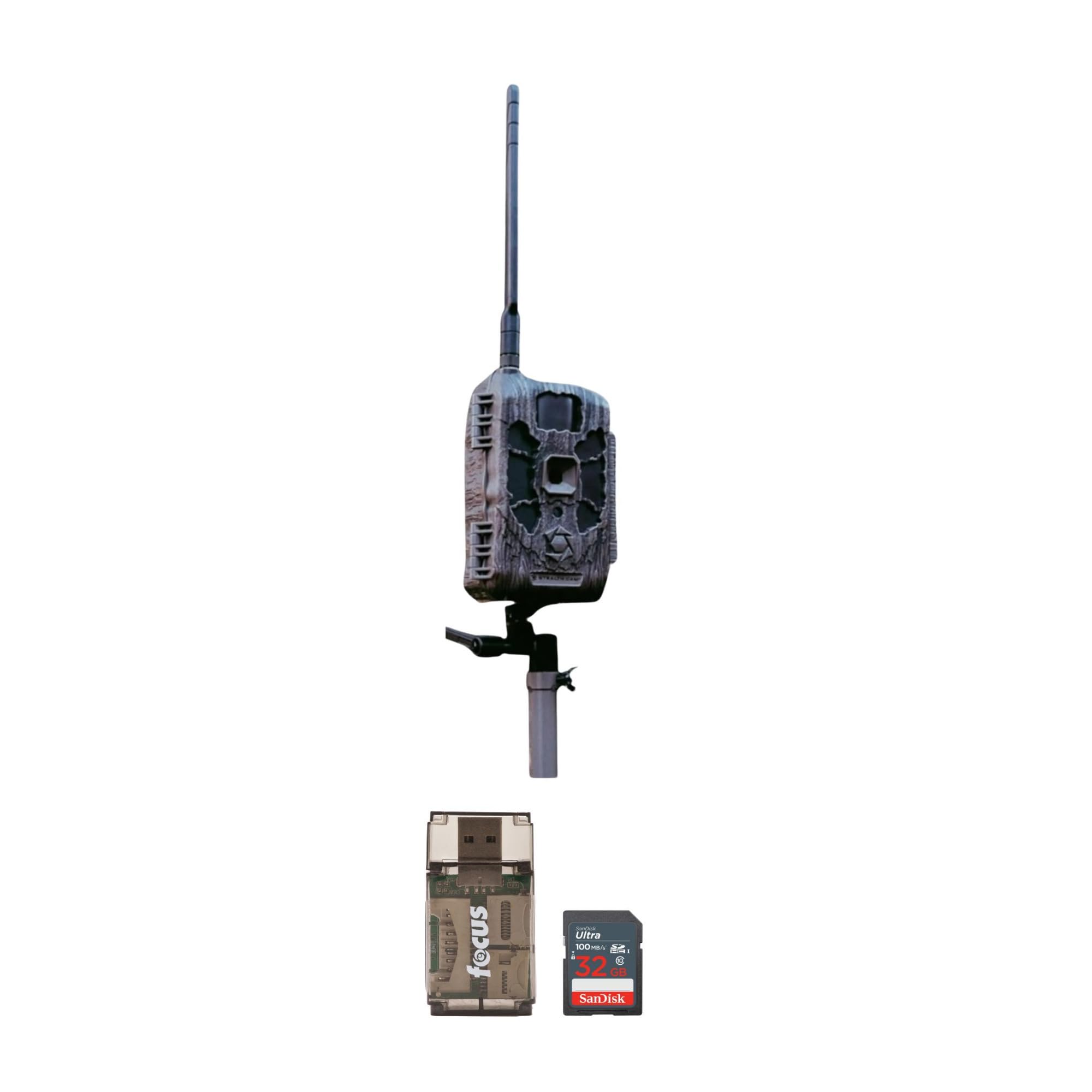
Image: The Stealth Cam DECEPTOR MAX 2.0 Dual-Core Cellular Trail Camera, showcasing its compact design and antenna.
Setup Guide
Unboxing and Components
Before beginning, ensure all components are present:
- Stealth Cam DECEPTOR MAX 2.0 Cellular Trail Camera
- SanDisk 32GB Ultra SDHC UHS-I Memory Card
- Focus All-In-One High Speed Card Reader
Battery Installation
The camera requires batteries for operation. Locate the battery compartment, typically on the bottom or back of the unit. Insert the required number of appropriate batteries into the 16-piece battery tray, ensuring correct polarity. The camera also supports external power via a 12V DC auxiliary jack.
Memory Card Installation
Insert the provided SanDisk 32GB Ultra SDHC memory card into the designated SD card slot. Ensure the card is inserted correctly until it clicks into place. The camera requires a memory card to store photos and videos.

Image: Front view of the Stealth Cam DECEPTOR MAX 2.0, showing the lens and sensor area.

Image: A SanDisk 32GB Ultra SDHC UHS-I Memory Card, used for storing camera data.
Mounting the Camera
The DECEPTOR MAX 2.0 offers flexible mounting options:
- Integrated Multi-Position Mount: Utilize the built-in mount for versatile positioning on trees or posts.
- 1/4-20 Threaded Insert: Attach the camera to standard camera tripods or mounting accessories.
- Python Cable Provision: For added security, use a Python cable (sold separately) to secure the camera to a fixed object.

Image: The Stealth Cam DECEPTOR MAX 2.0 mounted on a tree, demonstrating a typical deployment scenario.
Initial Power-On and App Connection
After installing batteries and the memory card, power on the camera. Download the Stealth Cam Command PRO App to your smartphone. Follow the in-app instructions to pair your camera and complete the initial setup, including network configuration for cellular functionality.
Operating Instructions
Basic Operation Modes
- Photo Mode: Captures 40MP still images. Features customizable photo burst modes (1-9 photos per trigger) and time-out delays for precise control.
- Video Mode: Records 1440p QHD video with audio.
- Trigger Speed: The camera boasts a rapid 0.35-second trigger speed to capture fast-moving subjects.
Cellular Functionality
The dual-core processor enables the camera to upload images simultaneously while capturing new ones. The AIO Carrier Determination feature simplifies cellular setup. Manage your camera remotely, view captured media, and adjust settings using the Command PRO App.
Night Vision and Detection
Equipped with 36pcs 940nm no-glow LEDs, the camera provides discreet illumination for nighttime captures. It features a 100-foot detection and flash range, ensuring clear images and videos even in low-light conditions.
Advanced Settings (via Command PRO App)
Access advanced settings through the Command PRO App to customize your camera's performance:
- Adjust photo burst count and time-out delays.
- Configure panoramic 360-degree and 180-degree photo modes for wide-angle views.
- Manage cellular upload frequency and data usage.
- Utilize built-in GPS for location tracking.
Maintenance
Cleaning the Camera
Regularly clean the camera lens and housing with a soft, dry cloth. Avoid abrasive materials or harsh chemicals that could damage the optics or finish. Ensure the camera is powered off before cleaning.
Battery Management
Monitor battery levels via the Command PRO App. Replace batteries when indicated or when performance degrades. For extended operation, consider using an external 12V DC power source connected to the auxiliary jack.
Memory Card Management
Periodically remove the SD card to transfer captured media to a computer. It is recommended to format the SD card within the camera periodically to maintain optimal performance and prevent data corruption. Use the included Focus All-In-One High Speed Card Reader for efficient data transfer.

Image: The Focus All-In-One High Speed Card Reader, used for transferring data from memory cards.
Firmware Updates
Check the Stealth Cam website or the Command PRO App for available firmware updates. Keeping your camera's firmware up-to-date ensures optimal performance, new features, and bug fixes. Follow the provided instructions carefully when performing updates.
Troubleshooting
Common Issues and Solutions
- Camera not powering on:
Ensure batteries are correctly installed and fully charged. Check if an external power source is properly connected and functional. Try a fresh set of batteries.
- No images or videos captured:
Verify that the SD card is inserted correctly and has sufficient free space. Check camera settings to ensure it is in an active capture mode (photo or video). Confirm the detection range and sensitivity settings are appropriate for the environment.
- Poor image or video quality:
Clean the camera lens to remove any dirt or smudges. Ensure the camera is positioned in an area with adequate lighting. Adjust image/video resolution settings if necessary. For night captures, ensure the flash range is sufficient for the subject distance.
- Cellular connectivity issues:
Check the cellular signal strength indicator on the camera or via the Command PRO App. Ensure your cellular plan is active and has data available. Verify that the camera's cellular settings are correctly configured for your carrier. Relocate the camera to an area with better signal if possible.
- Short battery life:
Ensure you are using high-quality batteries. Reduce the frequency of captures, video length, or cellular uploads in the camera settings. Consider using the 12V DC auxiliary jack with an external power pack for extended battery life.
Specifications
| Feature | Specification |
| Photo Resolution | 40 Megapixels |
| Video Resolution | 1440p QHD with Audio |
| Trigger Speed | 0.35 seconds |
| Detection Range | 100 feet |
| Flash Range | 100 feet |
| LEDs | 36pcs 940nm No-Glow |
| Internal Memory | 32GB |
| External Memory | SDHC card support (up to 32GB included) |
| Power Source | 16-piece battery tray, 12V DC auxiliary jack |
| Connectivity | Cellular, Command PRO App |
| Dimensions (L x W x H) | 10.3 x 8.6 x 6.8 inches |
| Weight | 1.81 Pounds |
Warranty and Support
For detailed warranty information, please refer to the warranty card included with your product purchase. You can also visit the official Stealth Cam website or contact their customer support for assistance with product registration, technical support, or warranty claims. Keep your proof of purchase for any warranty-related inquiries.
