
1. Product Overview
The XAUCY YM509 is a versatile OBD2/EOBD diagnostic scanner designed to read and clear vehicle engine trouble codes, display real-time data, and perform various diagnostic tests. It features a 2.8-inch color screen, multi-language support, and a user-friendly interface for efficient vehicle maintenance.
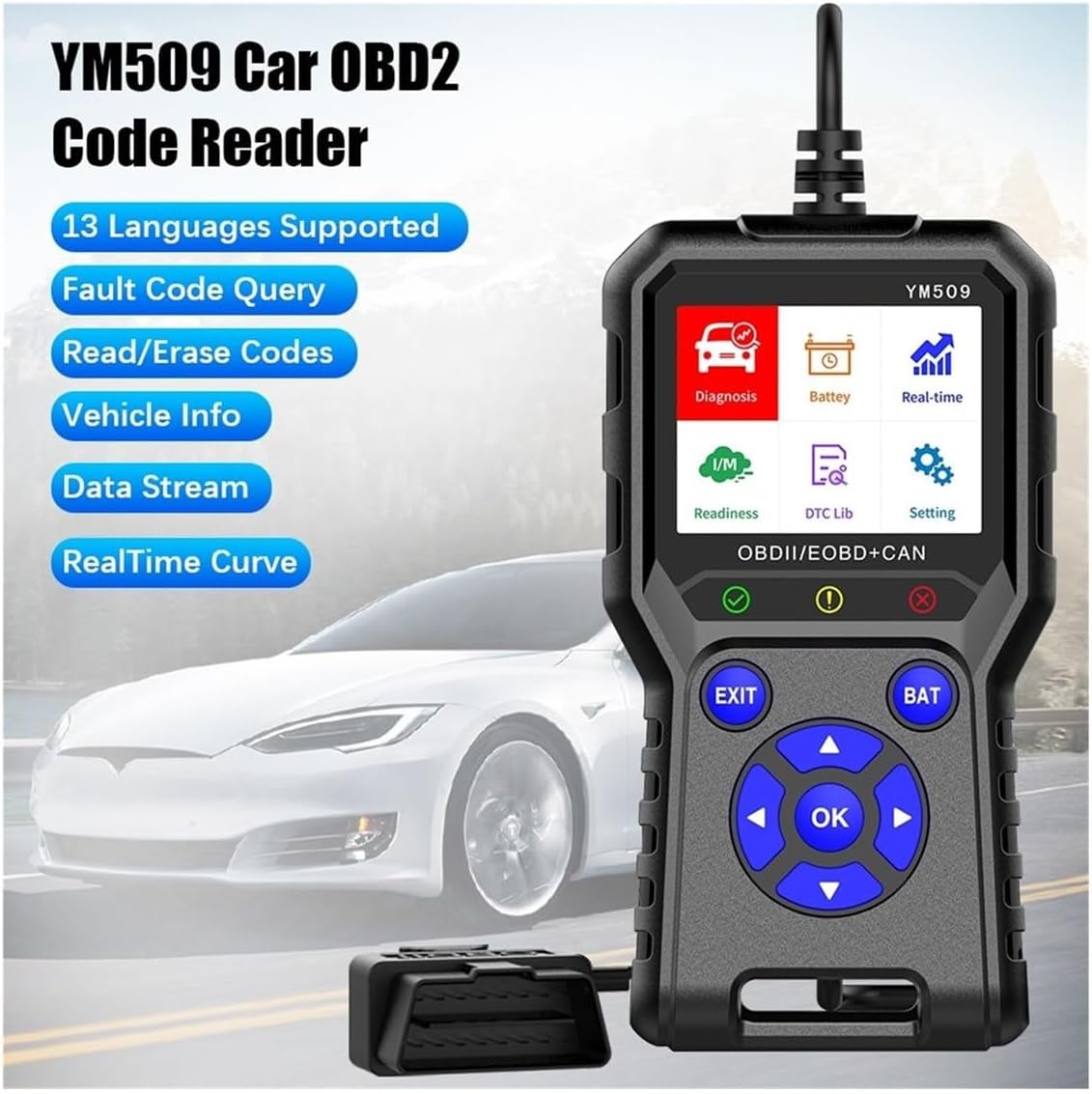
Image 1.1: The XAUCY YM509 OBD2 Code Reader, displaying its main interface with options like Diagnosis, Battery, Real-time, I/M Readiness, DTC Lib, and Setting. The device has a robust design with a cable for vehicle connection.
2. Setup and Initial Use
- Locate the OBD2 Port: The OBD2 port is typically located under the dashboard on the driver's side of the vehicle. Refer to your vehicle's manual if you cannot find it.
- Connect the Scanner: Plug the scanner's OBD2 connector firmly into the vehicle's OBD2 port.
- Turn On Ignition: Turn the vehicle's ignition to the 'ON' position (do not start the engine unless instructed by a specific test). The scanner will power on automatically.
- Select Language: If this is the first use, navigate to the 'Settings' menu to select your preferred language from the 13 available options.
3. Operating Instructions
3.1 Navigating the Interface
Use the directional arrow buttons (Up, Down, Left, Right) to navigate through menus. Press the 'OK' button to confirm a selection. The 'EXIT' button returns to the previous screen, and the 'BAT' button provides quick access to battery voltage information.
3.2 Reading and Clearing Trouble Codes
- From the main menu, select 'Diagnosis'.
- Choose 'Read Codes' to view current, pending, or permanent diagnostic trouble codes (DTCs).
- To clear codes, select 'Clear Codes'. Confirm the action when prompted. Clearing codes will turn off the Check Engine Light (MIL) and erase all diagnostic data.

Image 3.1: The DTC Lookup screen on the YM509, displaying a list of common diagnostic trouble codes (e.g., P1002, P2A05) and their definitions. Users can scroll through the list to understand specific fault codes.
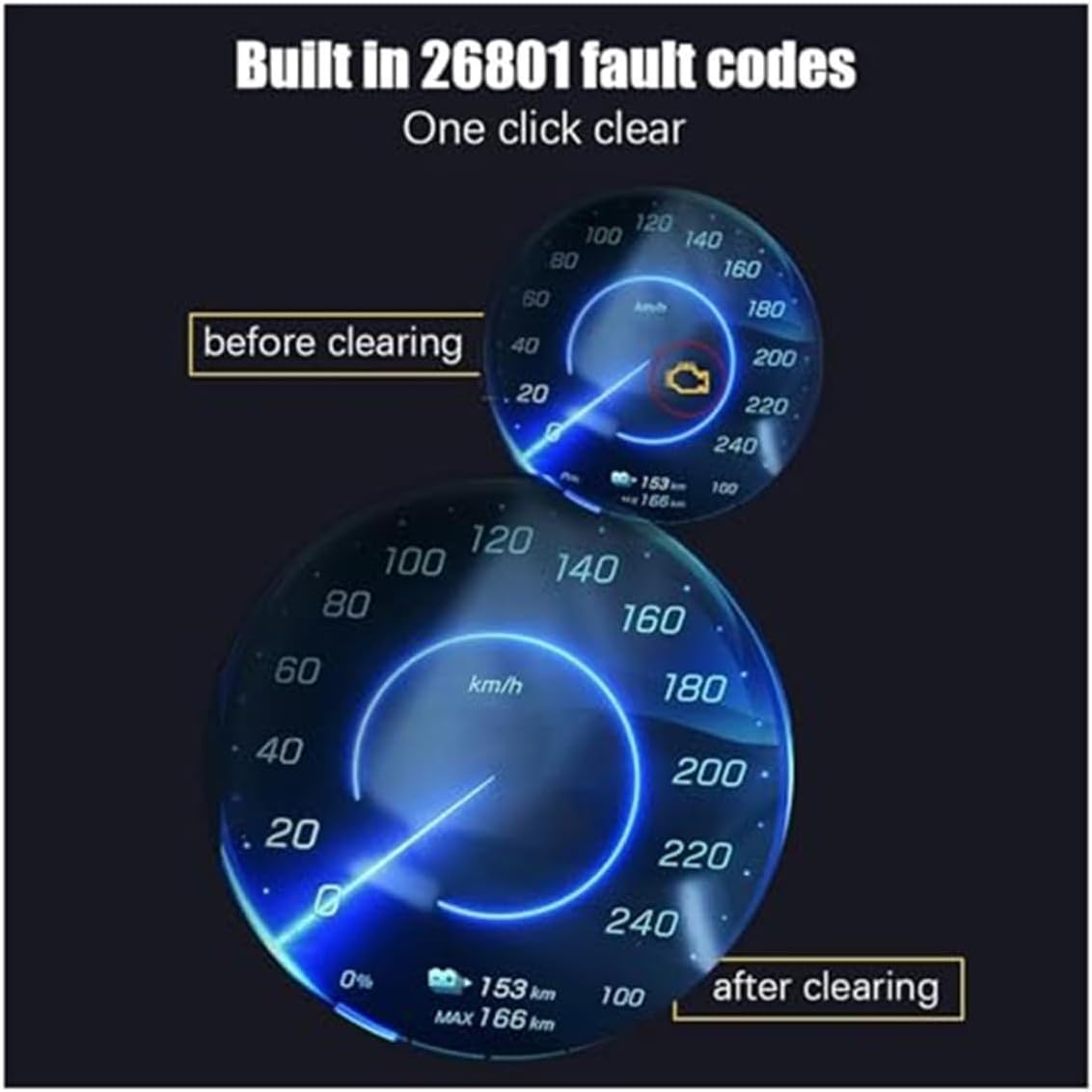
Image 3.2: An illustration demonstrating the effect of clearing fault codes. The 'before clearing' image shows a speedometer with a check engine light illuminated, while the 'after clearing' image shows the same speedometer with the check engine light off, indicating successful code removal.
3.3 Real-time Data Stream
The 'Real-time Data' function allows you to view live sensor data from the vehicle's engine control unit (ECU). This data can be displayed in text format or as graphical curves, providing insights into engine performance and potential issues.
- Select 'Real-time' from the main menu.
- Choose 'Data Stream' to view parameters in text.
- Choose 'Real-time Curve' to view parameters graphically.

Image 3.3: The YM509 displaying real-time data curves. This feature allows users to monitor dynamic engine parameters over time, which is crucial for diagnosing intermittent issues or verifying repairs.
3.4 Battery Voltage Test
The YM509 can measure and monitor your vehicle's battery voltage in real-time, helping you assess the battery's health.
- Select 'Battery' from the main menu or press the 'BAT' button.
- The screen will display the current battery voltage.
- You can also select 'Battery Monitoring' for a real-time graph of voltage fluctuations.

Image 3.4: The YM509's battery monitoring interface. It shows both a static voltage measurement (e.g., 11.5V) and a real-time graph illustrating battery voltage fluctuations, providing a comprehensive view of battery status.
3.5 Other Functions
- I/M Readiness: Checks if the various emissions-related systems on the vehicle are operating correctly and are ready for Inspection and Maintenance testing.
- Freeze Frame Data: Captures a snapshot of sensor data at the moment a fault code was set, providing valuable context for diagnosis.
- Vehicle Information (VIN): Retrieves the Vehicle Identification Number, Calibration ID, and Calibration Verification Number.
- O2 Sensor Test: Monitors and tests the functionality of oxygen sensors.
- EVAP Monitoring Test: Tests the Evaporative Emission Control System.
- Data Recording and Playback: Allows users to record live data streams for later review and analysis.
Video 3.5: An official product video demonstrating the XAUCY YM509 OBD2 Code Reader in operation. The video shows a user navigating through the device's menus, selecting various diagnostic functions, and viewing data on the screen. This provides a visual guide to the scanner's user interface and functionality.
4. Maintenance
- Cleaning: Use a soft, damp cloth to clean the device. Do not use abrasive cleaners or solvents.
- Storage: Store the scanner in a dry, cool place away from direct sunlight and extreme temperatures. Utilize the integrated hooks at the bottom for convenient storage.
- Software Updates: Periodically check the manufacturer's website for available software updates to ensure optimal performance and compatibility with newer vehicles.
5. Troubleshooting
- Device Not Powering On: Ensure the OBD2 connector is securely plugged into the vehicle's port and the vehicle's ignition is in the 'ON' position. Check the vehicle's fuse for the OBD2 port if the issue persists.
- Communication Error: Verify that the vehicle supports the OBD2 protocol. Ensure the ignition is on and the connection is secure. Try the scanner on another OBD2-compliant vehicle to rule out a scanner issue.
- Screen Not Responding: If the screen freezes, disconnect the scanner from the vehicle, wait a few seconds, and reconnect it.
- Inaccurate Readings: Ensure the vehicle's engine is at operating temperature for certain tests (e.g., O2 sensor tests). Consult your vehicle's service manual for expected parameter values.
6. Specifications
6.1 General
- Display: 2.8-inch Color Screen
- Buttons: Silicone with metal dome switches
- Indicator Lights: Three high-brightness indicator lights
- Dimensions: Approximately 157mm (Height) x 86mm (Width) x 26mm (Thickness)
- Weight: 300 Grams

Image 6.1: A diagram illustrating the physical dimensions of the XAUCY YM509 OBD2 Code Reader, showing its height (157mm), width (86mm), and thickness (26mm) for reference.
6.2 Supported Protocols
The YM509 supports the following nine standard OBDII/EOBD protocols:
- SAEJ1850 PWM (41.6Kbaud)
- SAEJ1850 VPW (10.4Kbaud)
- ISO9141-2 (5 baud init, 10.4Kbaud)
- ISO14230-4 KWP (5 baud init, 10.4 Kbaud)
- ISO14230-4 KWP (fast init, 10.4 Kbaud)
- ISO15765-4 CAN (11bit ID, 500 Kbaud)
- ISO15765-4 CAN (29bit ID, 500 Kbaud)
- ISO15765-4 CAN (11bit ID, 250 Kbaud)
- ISO15765-4 CAN (29bit ID, 251 Kbaud)
6.3 Supported Languages
The device supports 13 languages, including:
- Chinese
- English
- Korean
- Japanese
- Russian
- Polish
- Portuguese
- Finnish
- Italian
- French
- Spanish
- Dutch
- German
6.4 Vehicle Compatibility
The YM509 is compatible with most 1996 US-based, 2002 EU-based, and 2008 Asian-based cars, light trucks, and SUVs, as well as newer OBD2 and CAN vehicles (both domestic and foreign). It is not compatible with new energy vehicles or hybrid vehicles.
7. Warranty Information
XAUCY products are manufactured to high-quality standards. This product comes with a standard manufacturer's warranty against defects in materials and workmanship. Please retain your proof of purchase for warranty claims. For specific warranty terms and conditions, refer to the documentation included with your purchase or contact customer support.
8. Support
For technical assistance, troubleshooting, or general inquiries regarding your XAUCY YM509 Car OBD2 Code Reader, please contact XAUCY customer support. Contact details can typically be found on the product packaging or the official XAUCY website.