1. Introduction
This manual provides essential information for the safe operation, maintenance, and troubleshooting of your roborock QV 35A Robot Vacuum and Mop. Please read it thoroughly before using the product and retain it for future reference.
The roborock QV 35A is an advanced robotic cleaning device designed to provide comprehensive floor care. It features dual spinning mops with a 10mm lift function, an all-in-one docking station for automatic dust emptying, water refilling, and mop washing/drying, and Reactive Tech Obstacle Avoidance for efficient navigation.
2. Safety Information
Always adhere to the following safety precautions to prevent injury or damage to the product:
- Do not allow children or pets to play with the robot.
- Ensure the charging dock is placed on a level surface and away from heat sources.
- Do not use the robot in environments with open flames or flammable materials.
- Avoid contact with the spinning brushes and mops during operation.
- Only use the official roborock cleaning solution with the device.
- Unplug the docking station before performing any maintenance.
- Do not immerse the robot or docking station in water.
- Keep hair, loose clothing, fingers, and all parts of the body away from openings and moving parts.
3. Setup and Installation
3.1 Unboxing and Initial Placement
Carefully remove all components from the packaging. Place the all-in-one docking station on a hard, level surface against a wall, ensuring there is sufficient clear space around it for the robot to maneuver.

Figure 3.1: The roborock QV 35A Robot Vacuum, its All-in-One Docking Station, and the Floor Cleaning Solution bottle.
3.2 Connecting the Docking Station
Connect the power cable to the docking station and plug it into a wall outlet. Ensure the power indicator light on the dock illuminates.

Figure 3.2: Overview of the All-in-One Multifunctional Station, highlighting features like mop self-washing, air drying, auto dust emptying, auto tank refilling, detachable base, and faster charging.
3.3 Initial Charging
Place the robot onto the docking station. It will automatically align and begin charging. For first-time use, allow the robot to fully charge before its initial cleaning cycle. The station offers 30% faster charging.
3.4 Filling the Cleaning Solution Tank
Locate the cleaning solution tank within the docking station. Open the cap and carefully pour the roborock Floor Cleaning Solution into the tank. Close the cap securely.

Figure 3.3: Demonstrates the ease of adding the roborock Floor Cleaning Solution to the robot's reservoir.
4. Operating Instructions
4.1 Starting a Cleaning Cycle
Press the power button on the robot or use the roborock app to initiate a cleaning cycle. The robot will automatically map your home and begin cleaning.
4.2 Mopping Functionality
The QV 35A features dual spinning mops that rotate at 200RPM. You can adjust the water level across 30 settings via the app to suit different floor types, from hardwood to tile. The 10mm mop lift feature allows the robot to transition seamlessly from hard floors to low-pile carpets without wetting the carpet.

Figure 4.1: The robot vacuum demonstrating its excellent mopping capability on a kitchen floor, with key features like mop lift and water flow control.
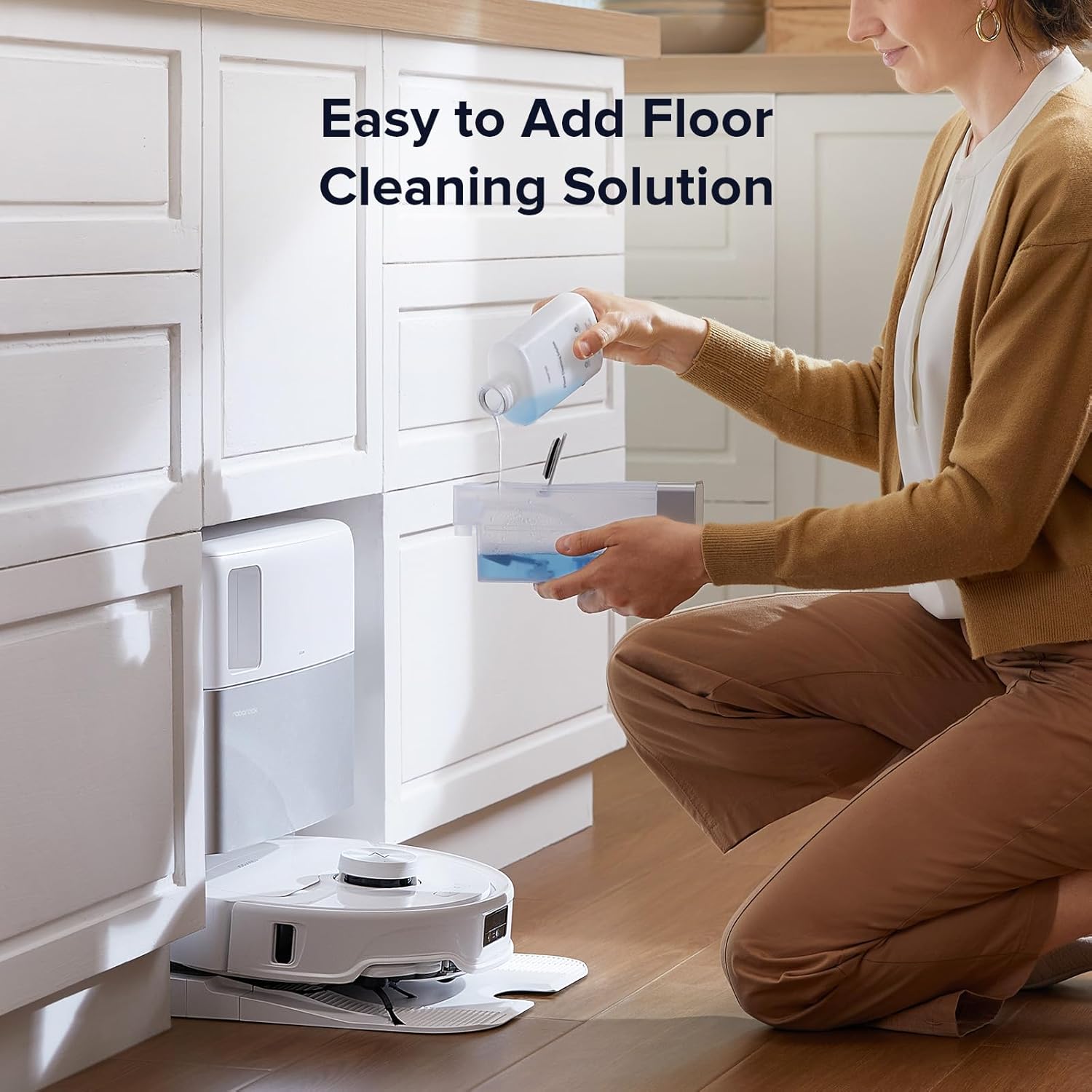
Figure 4.2: Illustrates the liftable mops and carpet cleaning strategies, including carpet boost, deep carpet cleaning, and vacuuming carpet first.
4.3 Suction Power
The robot is equipped with 8000Pa HyperForce suction, capable of effectively removing dirt, debris, pet hair, and crumbs from various surfaces.

Figure 4.3: Visual representation of the 8000Pa HyperForce Suction power, demonstrating its effectiveness on various types of debris.
4.4 Obstacle Avoidance and Navigation
The Reactive Tech system allows the QV 35A to detect and avoid common household obstacles such as furniture, cords, and shoes. It also identifies no-go zones like stairs to prevent getting stuck and ensure uninterrupted cleaning.
5. Maintenance
5.1 Automatic Docking Station Maintenance
The all-in-one docking station performs several automatic maintenance tasks:
- Auto Dust Emptying: The station automatically empties the robot's dustbin into a sealed 2.7L bag, which can hold up to 7 weeks of dust.
- Auto Water Refilling: The station refills the robot's water tank from its 4L reservoir, providing coverage for up to 3552 sqft.
- Mop Self-Washing and Drying: The station thoroughly washes the mopping pads and then dries them to prevent odors and mildew, ensuring they are ready for the next cleaning cycle.
5.2 Manual Cleaning of Components
Periodically inspect and clean the following components:
- Main Brush: Remove hair and debris tangled around the main brush.
- Side Brush: Check for any obstructions and clean if necessary.
- Filters: Tap out dust from the filter or rinse if washable (refer to specific instructions in the app).
- Sensors: Wipe all sensors on the robot and docking station with a clean, dry cloth.
- Mop Pads: While the station self-washes, occasional manual cleaning or replacement of mop pads may be necessary depending on usage.
5.3 Floor Cleaning Solution
The roborock Floor Cleaning Solution is designed to penetrate deep into surfaces, effectively removing dust, dirt, grime, and sticky messes. It is suitable for multiple surfaces including hardwood, vinyl, ceramic tile, laminate floors, marble, and stone.

Figure 5.1: The roborock Floor Cleaning Solution, indicating its compatibility with various floor surfaces.
Figure 5.2: Demonstrates the ease of adding the roborock Floor Cleaning Solution to the robot's reservoir.
One 1L bottle of cleaning solution can last for approximately 3 months, depending on usage habits.

Figure 5.3: Illustrates the approximate 3-month lifespan of one 1L bottle of roborock Floor Cleaning Solution.
6. Troubleshooting
| Problem | Possible Cause | Solution |
|---|---|---|
| Robot does not start. | Low battery; not on charging dock; power switch off. | Place robot on dock; ensure power switch is on; allow to charge fully. |
| Poor cleaning performance. | Dustbin full; brushes tangled; filter clogged; mop pads dirty. | Empty dustbin; clean main/side brushes; clean/replace filter; ensure mop pads are clean. |
| Robot gets stuck frequently. | Obstacles in path; sensors dirty; no-go zones not set. | Clear obstacles; clean sensors; define no-go zones in the app. |
| Mops not wetting floor. | Water tank empty; water level setting too low; mop pads not installed correctly. | Refill water tank; adjust water level in app; reattach mop pads. |
| Docking station not emptying dust. | Dust bag full; dust path blocked. | Replace dust bag; check for blockages in the dust emptying path. |
7. Specifications
- Model: QV 35A
- Brand: roborock
- Suction Power: 8000Pa HyperForce
- Mopping System: Dual Spinning Mops (200RPM)
- Mop Lift: 10mm
- Water Level Settings: 30 adjustable levels
- Dock Dust Bag Capacity: 2.7L (up to 7 weeks)
- Dock Water Tank Capacity: 4L (up to 3552 sqft coverage)
- Obstacle Avoidance: Reactive Tech System
- Charging: 30% Faster Charging
- Cleaning Solution: roborock Floor Cleaning Solution (1L bottle lasts approx. 3 months)
- ASIN: B0F6D5H817
8. Warranty and Support
For detailed warranty information, please refer to the warranty card included with your product or visit the official roborock website. Keep your purchase receipt as proof of purchase.
If you encounter any issues not covered in this manual or require further assistance, please contact roborock customer support:
- Website: www.roborock.com
- Email: Refer to website for support email.
- Phone: Refer to website for support phone number.
You can also visit the Roborock Store on Amazon for more product information and support resources.