
1. Introduction
This manual provides detailed instructions for the safe and efficient operation, maintenance, and troubleshooting of your Fanttik S2 Pro 3.7V Electric Screwdriver and Fanttik E2 Max 3.7V Mini Electric Screwdriver. These tools are designed for a wide range of tasks, from delicate electronic repairs to general household assembly.

Figure 1: Fanttik S2 Pro and E2 Max Electric Screwdrivers. The S2 Pro is on the left, featuring a larger body and an L-adapter, while the E2 Max is on the right, presented in its sleek, compact case.
2. Package Contents
Please verify that all items are present in your package:
- Fanttik S2 Pro Electric Screwdriver
- Fanttik E2 Max Mini Electric Screwdriver
- 20 PCS S2 Steel Bits (5 long, 15 short)
- Extension Rod (60mm)
- 90° Angle Adapter (for S2 Pro)
- Type-C Charging Cable
- User Manual (this document)

Figure 2: Included 20 PCS S2 Steel Bits and 60mm Extension Rod. These bits are designed to fit a 1/4" Hex Shank, providing versatility for various fastening needs.
3. Setup and Charging
3.1 Initial Charging
Before first use, fully charge both screwdrivers. Use the provided Type-C charging cable. The charging indicator will show the charging status.
- Fanttik S2 Pro: Connect the Type-C cable to the charging port.
- Fanttik E2 Max: Connect the Type-C cable to the charging port. The 800mAh battery provides extended power.
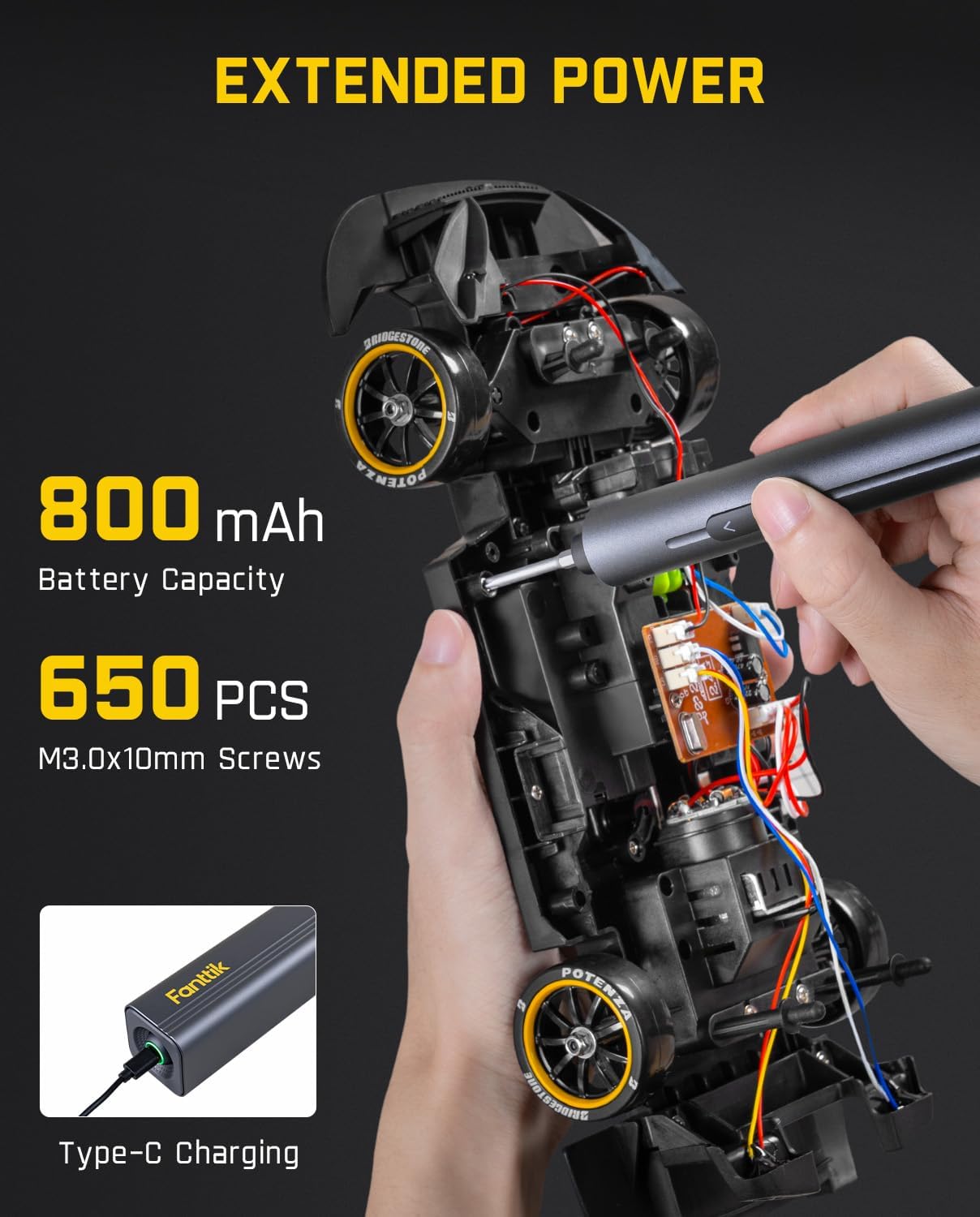
Figure 3: Fanttik E2 Max featuring extended power with an 800mAh battery and convenient Type-C charging. This allows for prolonged use, such as assembling up to 650 M3.0x10mm screws on a single charge.
3.2 Bit Installation
Both screwdrivers feature a magnetic design for easy bit installation and removal.
- Select the appropriate S2 steel bit for your task.
- Insert the bit firmly into the magnetic chuck of the screwdriver until it clicks into place.
- To remove, simply pull the bit out.
For the S2 Pro, the 60mm extension rod can be used for deeper access, and the 90° angle adapter is ideal for tight or awkward spaces.
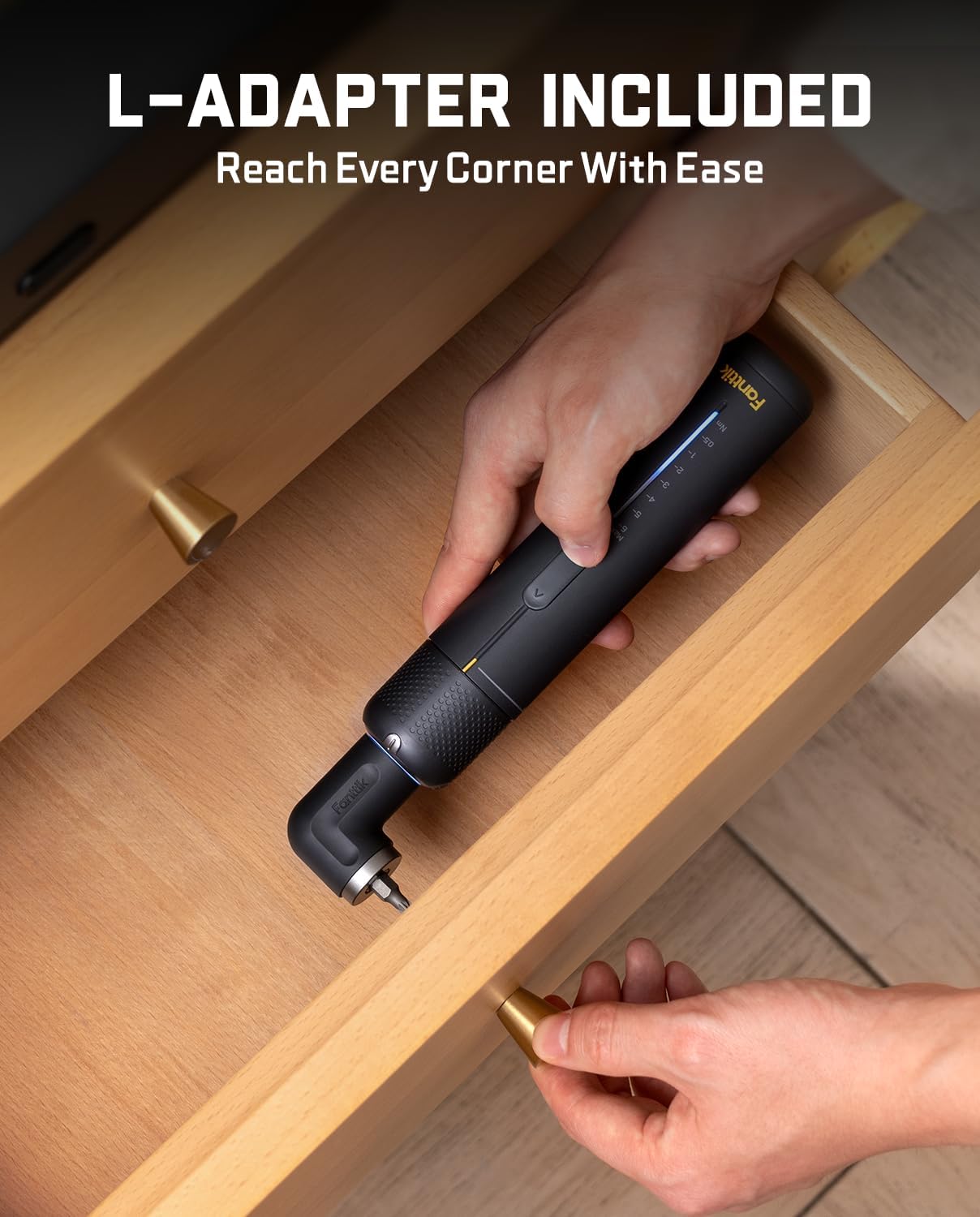
Figure 4: Fanttik S2 Pro with the L-Adapter included, demonstrating its ability to reach screws in confined or angled spaces, such as inside a drawer.
4. Operating Instructions
4.1 Fanttik S2 Pro Electric Screwdriver
The S2 Pro is designed for powerful and precise fastening tasks.
- Power and Speed: Equipped with a 250 RPM high-magnetic motor.
- Torque Control: Features a mechanical-electronic hybrid torque control system with 7 adjustable settings (0.5, 1, 2, 3, 4, 5, 6N·m). Adjust the torque by rotating the collar or using the electronic controls.
- Applications:
- 0.5N·m: Ideal for delicate electronic repairs.
- 1-6N·m: Suitable for computer assembly, furniture installation, and home appliance repairs.
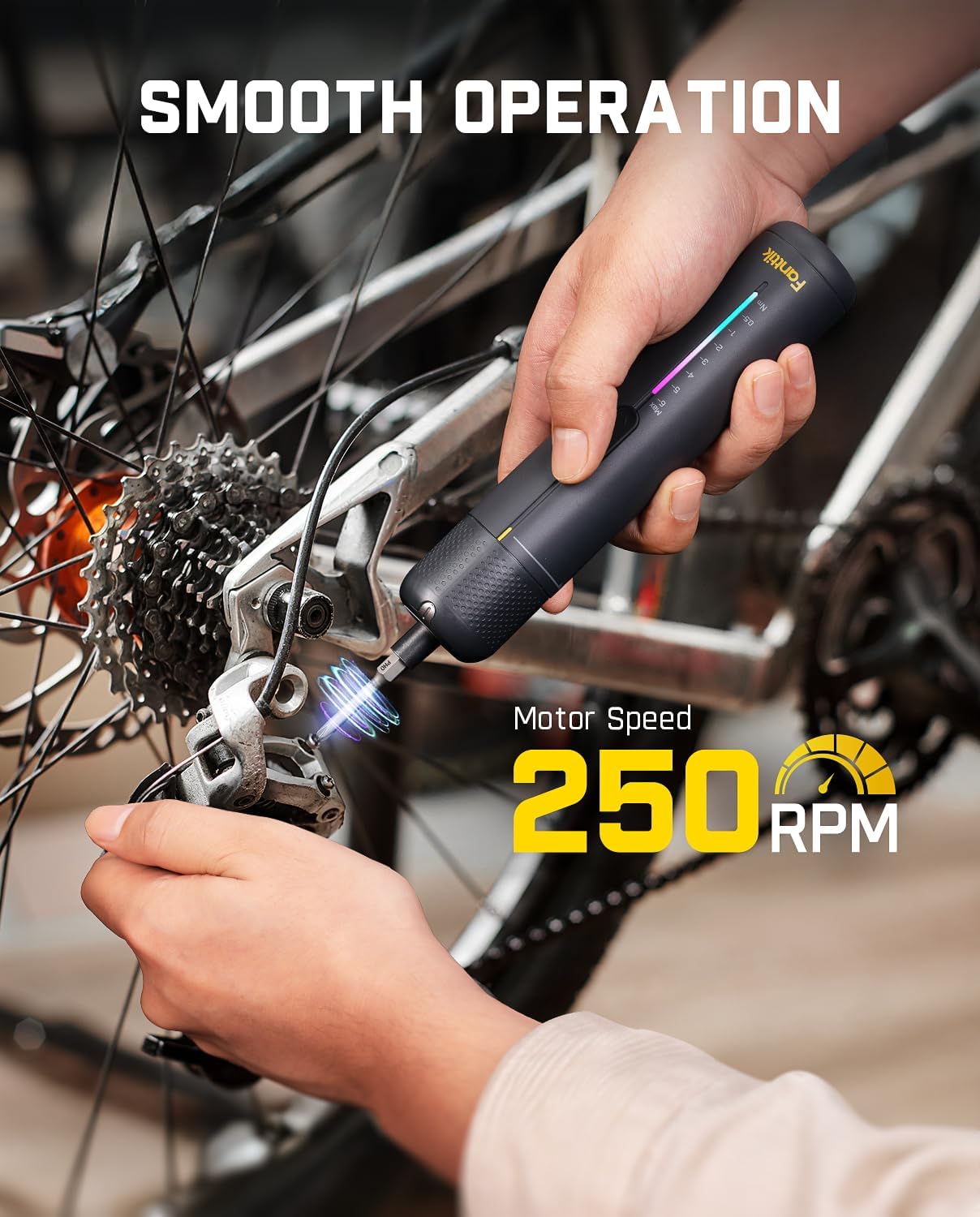
Figure 5: Fanttik S2 Pro in operation, demonstrating its smooth performance with a motor speed of 250 RPM, suitable for tasks like bicycle maintenance.

Figure 6: Examples of Fanttik S2 Pro applications with recommended torque settings: 1.0 N·m for Bluetooth Speakers, 2.0 N·m for 3D Printers, 3.0 N·m for Home Appliances, 4.0 N·m for Wiggle Cars, 5.0 N·m for Cabinets, and 6.0 N·m for Bed Frames.
4.2 Fanttik E2 Max Mini Electric Screwdriver
The E2 Max is designed for precision tasks and delicate equipment.
- Power and Speed: Advanced 220 RPM motor.
- Torque Control: Offers 3 torque settings (0.05/0.2/0.4N.m) in electric mode. It provides up to 0.4 N.m in electric mode and a maximum of 3 N.m in manual mode.
- Applications: Perfect for working with precision screws without damaging delicate equipment.
- Tablets
- Mobile phones
- Watches
- Electronic bracelets
- Game controllers
- Cameras
- Customized keyboards

Figure 7: Fanttik E2 Max demonstrating its enhanced torque, providing a maximum of 0.4 N·m in electric mode, suitable for precision tasks like working on computer components. Manual mode allows up to 3 N·m.

Figure 8: Fanttik E2 Max showcasing its elevated speed with a motor speed of 220 RPM, ideal for quick and efficient fastening in electronic devices like speakers.

Figure 9: Fanttik E2 Max is ideal for precision tasks, as demonstrated by its use on a game controller, camera, watches, and customized keyboards, where delicate handling and precise torque are required.
5. Maintenance
Proper maintenance ensures the longevity and optimal performance of your Fanttik screwdrivers.
- Cleaning: Wipe the screwdrivers and bits with a clean, dry cloth after each use to remove dust and debris. Do not use abrasive cleaners or solvents.
- Storage: Store the screwdrivers and accessories in their integrated storage case in a cool, dry place, away from direct sunlight and extreme temperatures.
- Battery Care:
- Avoid fully discharging the battery frequently.
- Charge the battery regularly, even if not in use, to maintain battery health.
- If storing for an extended period, charge the battery to approximately 50% capacity.
- Bit Inspection: Periodically inspect the bits for wear or damage. Replace worn bits to ensure proper screw engagement and prevent stripping.
6. Troubleshooting
If you encounter issues with your Fanttik screwdrivers, refer to the following common problems and solutions:
| Problem | Possible Cause | Solution |
|---|---|---|
| Screwdriver does not turn on. | Battery is depleted. | Charge the screwdriver fully using the Type-C cable. |
| Insufficient torque/power. | Low battery or incorrect torque setting. | Recharge the battery. For S2 Pro, increase the torque setting. For E2 Max, ensure it's in electric mode or use manual mode for higher torque. |
| Bits slip or strip screws. | Incorrect bit size, worn bit, or excessive/insufficient torque. | Ensure the correct bit size is used. Replace worn bits. Adjust torque setting appropriately for the screw and material. |
| Screwdriver overheats. | Prolonged heavy use. | Allow the screwdriver to cool down before resuming use. Avoid continuous operation under heavy load. |
If the problem persists after attempting these solutions, please contact Fanttik customer support for further assistance.
7. Specifications
| Feature | Fanttik S2 Pro | Fanttik E2 Max |
|---|---|---|
| Model | S2 Pro | E2 Max |
| Power Source | Battery Powered | |
| Voltage | 3.7 Volts (DC) | |
| Material | Acrylonitrile Butadiene Styrene (ABS), Plastic | |
| Motor Speed | 250 RPM | 220 RPM |
| Electric Torque | 0.5 - 6 N·m (7 settings) | 0.05 / 0.2 / 0.4 N·m (3 settings) |
| Manual Torque | Up to 6 N·m (mechanical) | Up to 3 N·m |
| Battery Capacity | Not specified (rechargeable) | 800mAh (rechargeable) |
| Charging Port | Type-C | |
| Included Bits | 20 PCS S2 Steel Bits (5 long, 15 short) | |
| Accessories | Extension Rod, 90° Angle Adapter | Extension Rod |
8. Warranty and Support
Fanttik is committed to providing high-quality products. For warranty information, product registration, or technical support, please visit the official Fanttik website or contact their customer service directly.
You can find more information and support at the Fanttik Store on Amazon.