
Lefant M310 Ultra
Lefant M310 Ultra Robot Vacuum and Mop User Manual
Model: M310 Ultra
Introduction
Thank you for choosing the Lefant M310 Ultra Robot Vacuum and Mop. This intelligent cleaning device is designed to provide efficient and thorough cleaning for your home, combining powerful vacuuming with effective mopping capabilities. Equipped with advanced ToF LiDAR navigation and precise obstacle avoidance, the M310 Ultra ensures comprehensive coverage and intelligent movement. Please read this manual carefully before using the product to ensure proper operation and maintenance.
Important Safety Information
Always follow basic safety precautions when using electrical appliances. This includes, but is not limited to:
- Read all instructions before use.
- Do not allow children to operate the robot. Supervise children and pets when the robot is operating.
- Use only the charging dock and power adapter supplied by the manufacturer.
- Do not use the robot in wet environments or on wet surfaces.
- Remove any loose cables, small objects, or fragile items from the floor before cleaning.
- Do not use the robot to pick up large debris, liquids, or burning/smoking materials.
- Ensure the robot is turned off and unplugged before performing any maintenance.
Package Contents
Please check the package contents upon opening to ensure all items are present:
- Lefant M310 Ultra Robot Vacuum and Mop
- Charging Dock
- Power Adapter
- Side Brushes (2 pairs)
- Mop Cloths (multiple, typically 1-2 installed, 1-2 spare)
- Dustbin
- Water Tank
- Cleaning Tool
- User Manual
Product Overview
Familiarize yourself with the components of your Lefant M310 Ultra.

Figure 1: The Lefant M310 Ultra robot vacuum and mop, shown with its charging dock, a smartphone displaying the Lefant app interface, and a blue microfiber mop pad. This image highlights the main unit's sleek design, the app's control capabilities, and the mopping accessory.

Figure 2: An illustration demonstrating the compact 3-inch ultra-slim design of the Lefant M310 Ultra (M310U) compared to other robot vacuums. The image shows how its low profile allows it to effortlessly reach under furniture and into narrow spaces for thorough cleaning.

Figure 3: A visual representation of the Lefant M310 Ultra's all-in-one vacuum, sweep, and mop solution. The diagram illustrates the robot performing vacuum-only cleaning on carpet, combined vacuum and mop on hard floors, and mop-only cleaning, highlighting its versatility with a 500ml dustbin and 200ml water tank.
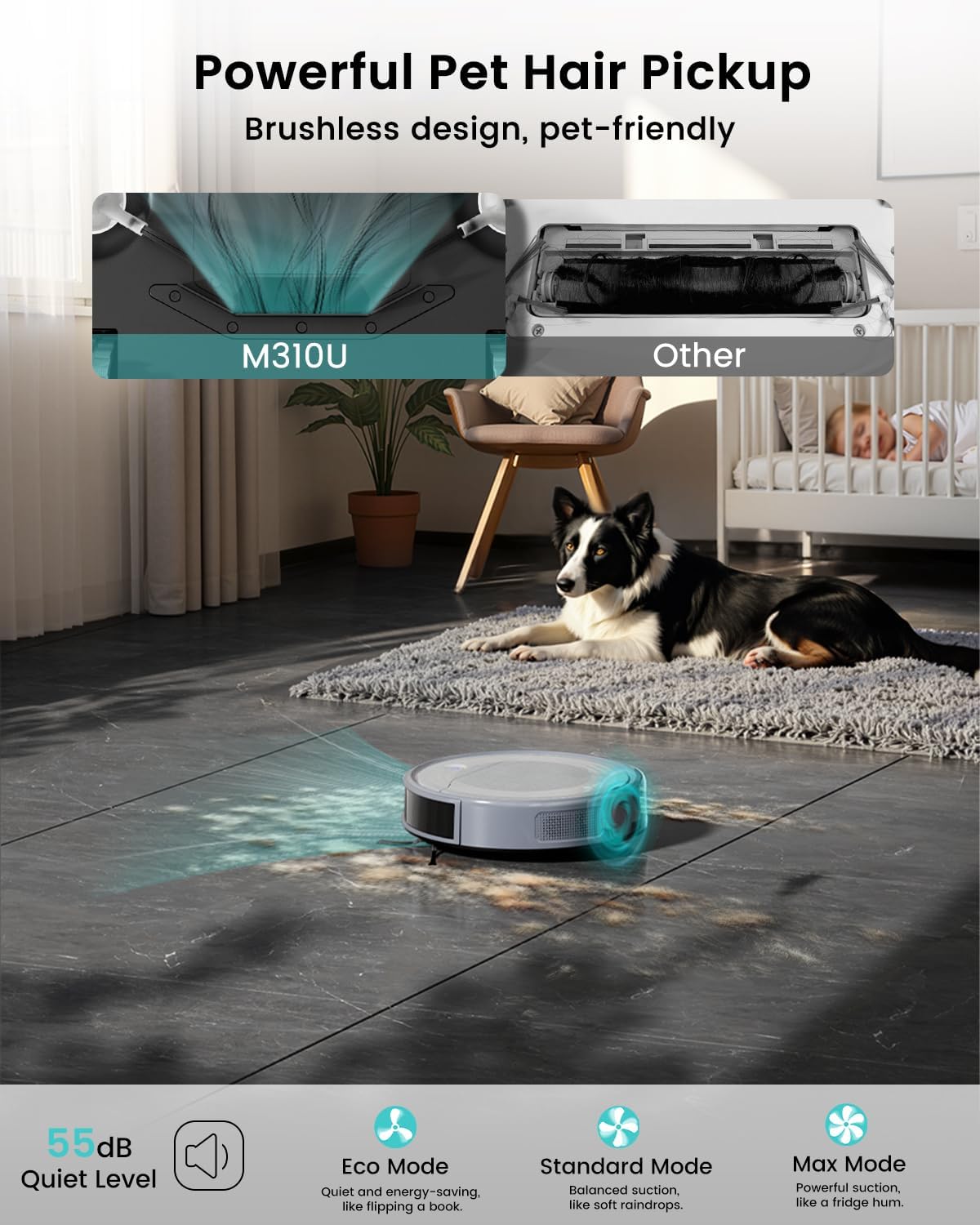
Figure 4: This image demonstrates the powerful pet hair pickup capability of the Lefant M310 Ultra, featuring a brushless design that is pet-friendly. It also highlights the quiet operation level at 55dB and different suction modes: Eco, Standard, and Max, suitable for various cleaning needs.
Setup
1. Charging Dock Placement
Place the charging dock against a wall in an open, uncluttered area. Ensure there is at least 0.5 meters (1.6 feet) of clear space on both sides of the dock and 1.5 meters (4.9 feet) in front of it. Plug the power adapter into the dock and then into a wall outlet. Ensure the indicator light on the dock is on.
2. Initial Charging
Place the robot onto the charging dock, ensuring the charging contacts align. The robot will begin charging automatically. For first-time use, fully charge the robot for at least 6 hours. A full charge provides up to 170 minutes of cleaning runtime.

Figure 5: This composite image highlights several key features: the two side brushes for efficient cleaning, the 500ml trash box for easy debris collection, the 2600mAh battery providing 170 minutes of runtime, and the automatic recharge function where the robot returns to its dock when the battery is low.
3. App Connection (Lefant App / Voice Control)
Download the "Lefant" app from your smartphone's app store. Follow the in-app instructions to connect your M310 Ultra to your home's 2.4GHz Wi-Fi network. Once connected, you can control the robot, schedule cleanings, and monitor its status from anywhere. The robot also supports voice control via Amazon Alexa and Google Assistant.

Figure 6: This image illustrates the convenience of controlling the Lefant M310 Ultra via the Lefant App on a smartphone and through voice commands using Amazon Alexa or Google Assistant. It shows a user interacting with the app and another user giving a voice command to the robot, emphasizing its smart home integration.
Operating Instructions
Cleaning Modes
The Lefant M310 Ultra offers various cleaning modes to suit your needs, accessible via the Lefant App:
- Plan Mode: The robot cleans in a systematic, planned path using its ToF LiDAR navigation for comprehensive coverage.
- Random Mode: The robot cleans randomly, suitable for smaller areas or quick clean-ups.
- Along the Wall Mode: The robot cleans along the edges of rooms and around furniture.
- Fixed Point Mode: The robot cleans a specific concentrated area, ideal for heavily soiled spots.

Figure 7: This image illustrates the "Matrix Clean Technology" of the Lefant M310 Ultra, which utilizes ToF Navigation to clean in a precise grid pattern, ensuring no spots are missed. It contrasts this with traditional navigation methods that can leave missed spots.
Obstacle Avoidance
The M310 Ultra is equipped with advanced ToF laser technology and 190° all-round millimeter-level obstacle avoidance, using PSD technology to prevent collisions and navigate effectively even in dark environments. This ensures the robot avoids furniture, toys, and other obstacles.
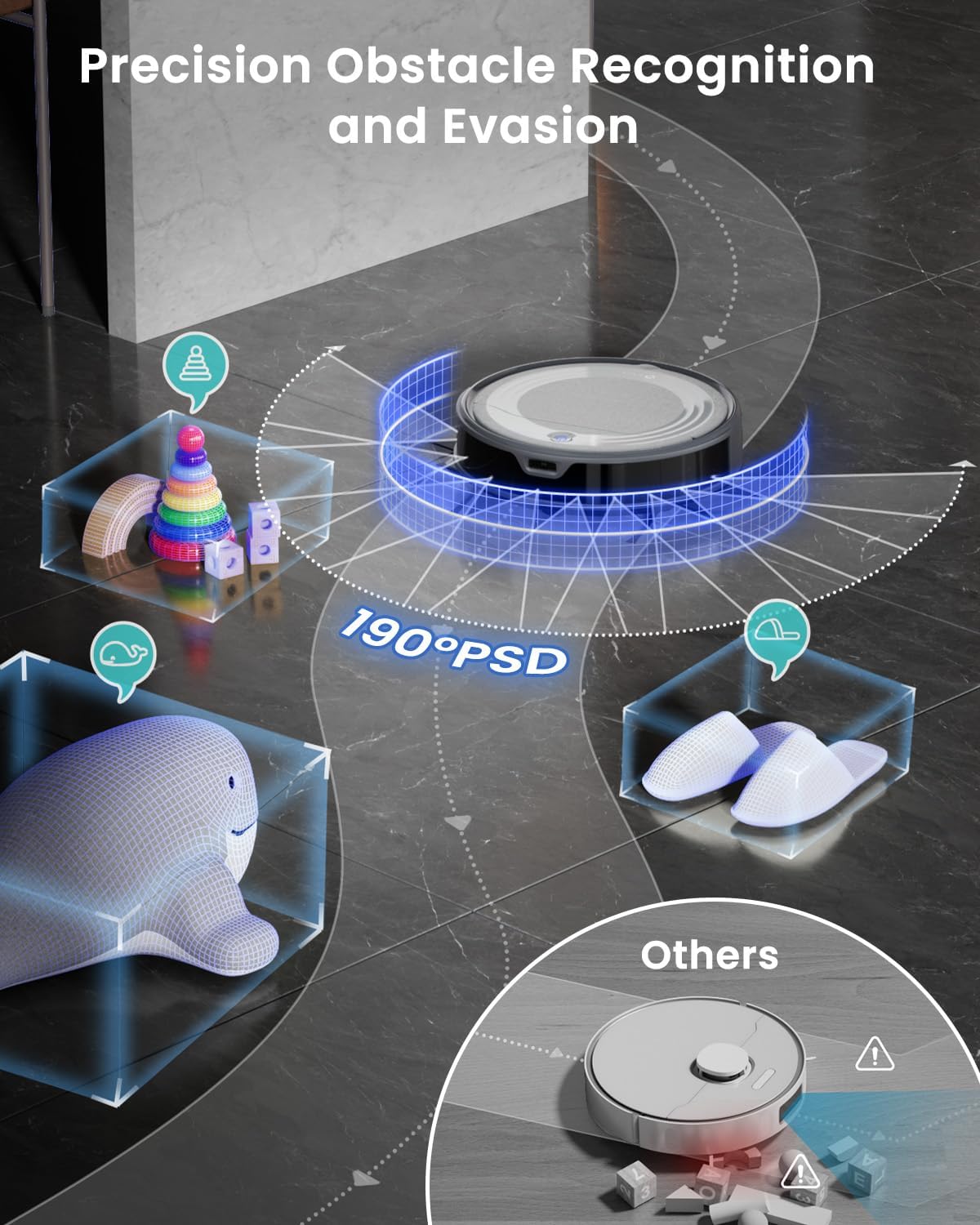
Figure 8: A visual explanation of the Lefant M310 Ultra's precision obstacle recognition and evasion capabilities. It highlights the 190-degree PSD (Position Sensitive Detector) technology that allows the robot to detect and avoid various objects like toys and slippers, preventing collisions and ensuring smooth navigation.
Carpet Detection & Auto-Boost
The robot features advanced carpet detection. When the mop holder is installed, it will intelligently avoid carpets to prevent water stains. When the mop holder is removed, the suction power automatically increases to maximum for a deep clean on carpets and other surfaces.

Figure 9: This image demonstrates two key features: the effortless carpet cleaning with boosted suction (up to +30% Max) when carpet is detected via infrared technology, and the anti-fall technology that prevents the robot from falling down stairs or ledges, ensuring safe operation.
Maintenance
Regular maintenance ensures your Lefant M310 Ultra operates at peak performance.
1. Emptying the Dustbin
Press the dustbin release button, pull out the dustbin, and empty its contents into a trash can. It is recommended to empty the dustbin after each cleaning cycle, especially if you have pets.
2. Cleaning the Filter
Remove the filter from the dustbin. Tap the filter gently to remove dust. The filter can be rinsed with water; ensure it is completely dry before reinserting. Replace the filter every 3-6 months depending on usage.
3. Cleaning the Water Tank and Mop Cloth
Remove the water tank and empty any remaining water. Rinse the tank thoroughly. Detach the mop cloth and wash it by hand or machine. Allow the mop cloth to air dry completely before reattaching.
4. Cleaning Side Brushes
Check the side brushes regularly for tangled hair or debris. Use the cleaning tool provided to cut and remove any tangled material. If brushes are worn, replace them with new ones.
5. Cleaning Sensors and Charging Contacts
Wipe the anti-drop sensors, obstacle avoidance sensors, and charging contacts on both the robot and the charging dock with a clean, dry cloth. This ensures proper navigation and charging.
Troubleshooting
If your Lefant M310 Ultra encounters issues, refer to the following common problems and solutions:
| Problem | Possible Cause | Solution |
|---|---|---|
| Robot does not turn on. | Low battery; Power switch off. | Charge the robot; Ensure the main power switch is on. |
| Robot cannot charge. | Charging contacts dirty; Dock not powered. | Clean charging contacts; Ensure dock is plugged in and powered. |
| Robot gets stuck frequently. | Too many obstacles; Sensors dirty. | Clear floor of clutter; Clean sensors. |
| Poor cleaning performance. | Dustbin full; Filter clogged; Brushes tangled. | Empty dustbin; Clean/replace filter; Clean side brushes. |
| App connection issues. | Incorrect Wi-Fi (not 2.4GHz); Router too far. | Ensure 2.4GHz Wi-Fi; Move robot closer to router; Re-pair device. |
Specifications
- Brand: Lefant
- Model Name: M310 Ultra
- Special Feature: Vacuums, Mops, ToF LiDAR Navigation, Obstacle Avoidance, App/Voice Control, Carpet Detection & Auto-Boost
- Color: Gray
- Product Dimensions: 11"L x 11"W x 3"H
- Suction Power: 6000Pa (Max)
- Battery Capacity: 2600mAh
- Runtime: Up to 170 minutes
- Dustbin Capacity: 500ml
- Water Tank Capacity: 200ml
- Navigation: ToF LiDAR
- Connectivity: 2.4GHz Wi-Fi
Warranty and Customer Support
Lefant provides excellent customer service to address any questions or concerns you may have. For technical support, warranty claims, or further assistance, please contact Lefant customer service. Refer to the product packaging or the official Lefant website for the most up-to-date contact information.
Note: Lefant provides 24/7 professional customer service (Monday to Friday) to solve your questions, so you can buy with confidence and get full support.
Related documentsM310 Ultra


Ask a question about this manual
Ask about setup, troubleshooting, compatibility, parts, safety, or missing instructions. Manuals+ will review the question and use this page’s manual context to help answer it.