
Introduction
The Mondeer Electric Height Adjustable Standing Desk (Model FSDK17) is designed to provide a versatile and ergonomic workspace, allowing users to easily switch between sitting and standing positions. This manual provides detailed instructions for the assembly, operation, maintenance, and troubleshooting of your desk to ensure safe and efficient use.
Safety Instructions
- Read all instructions carefully before assembly and initial use.
- Keep children and pets away from the desk during operation to prevent injury.
- Ensure all connections, including power cables and frame components, are securely fastened before operating the desk.
- Do not overload the desk. The maximum load capacity is 80 kg (176 lbs).
- Avoid placing liquids directly on the control panel or near electrical components.
- Unplug the desk from the power outlet before cleaning or performing any maintenance.
- Operate the desk only on a level and stable surface.
- Do not attempt to modify or disassemble the motor or control system. Contact customer support for service.
Package Contents
Please verify that all components are present before beginning assembly. If any parts are missing or damaged, contact customer service.
- Desk Tabletop (2 sections)
- Desk Frame (Legs, Crossbar, Feet)
- Electric Motor and Control Box
- Control Panel with Memory Functions
- Power Adapter and Cable
- Assembly Hardware (Screws, Bolts, Washers)
- Assembly Tool (Allen Wrench)
- Cable Management Grommet
- Headphone Hook
- Cup Holder
- User Manual
Setup and Assembly
Assembly is designed to be straightforward, with detailed instructions and a dedicated tool included. It is recommended to assemble the desk in the area where it will be used.
- Unpack Components: Carefully remove all parts from the packaging and lay them out on a clean, soft surface to prevent scratches.
- Assemble Desk Frame: Attach the desk legs to the crossbar using the provided hardware. Ensure all screws are tightened securely.
- Attach Tabletop: Place the two tabletop sections onto the assembled frame. Align the pre-drilled holes and secure the tabletop to the frame using the appropriate screws.
- Install Control Panel and Motor: Mount the control panel to the underside of the tabletop in the designated location. Connect the motor and control panel cables to the control box, ensuring a snug fit.
- Connect Power: Plug the power adapter into the control box, then plug the power cable into a standard electrical outlet.
- Attach Accessories: Install the cable management grommet, headphone hook, and cup holder as desired.

Image: The Mondeer Electric Standing Desk assembled and ready for use in a home office setting.

Image: Detailed view of integrated features: a cable management grommet, a convenient headphone hook, a cup holder, and a stable foot pad.
Operating Instructions
Your Mondeer standing desk features an intuitive control panel for easy height adjustment and memory presets.
Height Adjustment
- Raise Desk: Press and hold the Up Arrow (^) button to raise the desk to your desired standing height.
- Lower Desk: Press and hold the Down Arrow (v) button to lower the desk to your desired sitting height.
- The desk height can be adjusted smoothly between 72 cm and 114 cm.

Image: Visual representation of the desk's adjustable height range, from a minimum of 72 cm to a maximum of 114 cm.
Memory Presets
The control panel allows you to save up to three preferred heights for quick adjustments.
- Adjust to Desired Height: Use the Up (^) or Down (v) arrows to move the desk to the height you wish to save.
- Activate Memory Mode: Press the 'S' button. The LED display will show 'S' or flash.
- Save Preset: Within 5 seconds, press one of the memory buttons (1, 2, or 3). The display will show the corresponding number, indicating the height is saved.
- Recall Preset: To move the desk to a saved height, simply press the corresponding memory button (1, 2, or 3). The desk will automatically move to that height.

Image: The control panel, highlighting the LED display, height adjustment arrows, and memory preset buttons for customized desk positions.
Quiet Operation
The desk operates with a motor that produces less than 50 decibels, ensuring a quiet adjustment process that minimizes disruption to your work or study environment.
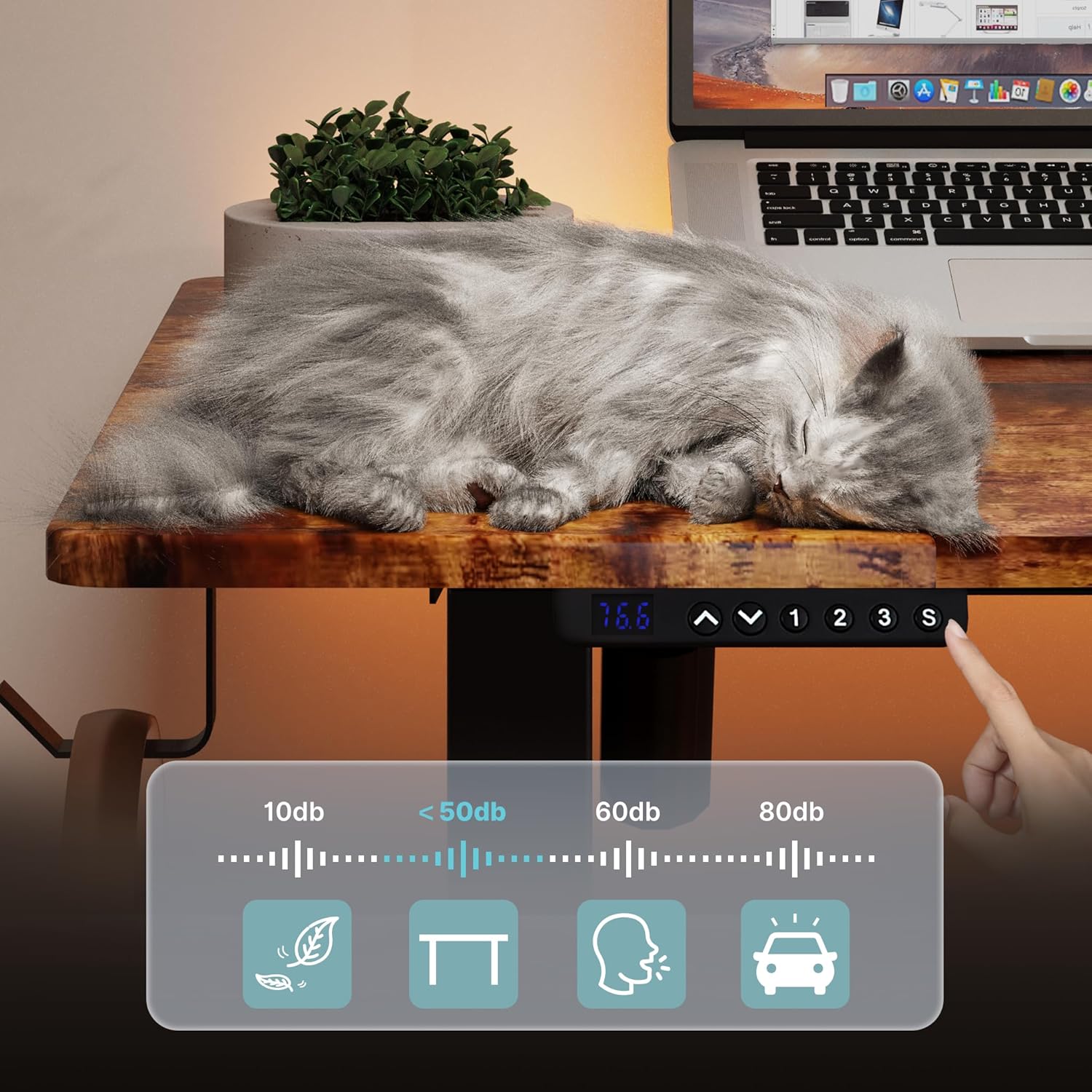
Image: A visual representation of the desk's quiet operation, demonstrating minimal noise during height adjustments.
Maintenance
Regular maintenance helps ensure the longevity and optimal performance of your desk.
- Cleaning: Wipe the desk surfaces with a soft, damp cloth. Avoid using abrasive cleaners, harsh chemicals, or solvents that could damage the finish.
- Connection Checks: Periodically check all screws and connections to ensure they remain tight. Retighten if necessary.
- Cable Management: Ensure power and control cables are not pinched or tangled, which could affect operation or cause damage.
- Obstruction Clearance: Keep the area around the desk clear of obstructions that could impede its movement.
Troubleshooting
If you encounter any issues with your Mondeer standing desk, refer to the following common solutions:
- Desk Not Moving:
- Check if the power cable is securely plugged into both the desk and the wall outlet.
- Ensure all cables connecting the motor, control box, and control panel are properly connected.
- Try unplugging the desk for 10 seconds and then plugging it back in to reset the system.
- Uneven Movement or Desk Tilting:
- Verify that the desk is placed on a level surface.
- Check for any obstructions under or around the desk legs.
- Ensure all frame screws are tightened evenly.
- Error Codes on Display:
- If an error code appears, try resetting the desk by unplugging it for 10 seconds.
- Consult the full product manual (if provided separately) for specific error code meanings.
- If the issue persists, contact customer support.
- Desk Stops Mid-Movement:
- The desk may have reached its maximum load capacity. Remove some weight and try again.
- The motor may have overheated from continuous use. Allow it to cool down for 20 minutes before attempting to operate again.
Specifications
| Brand | Mondeer |
| Model Number | FSDK17 |
| Color | Rustic Brown and Black |
| Dimensions (L x W x H) | 120 x 60 x 72-114 cm |
| Weight | 29.19 kg (64.35 lbs) |
| Material | Particle Board and Steel |
| Features | Ergonomic, Height Adjustable, Electric, Memory Presets |
| Maximum Load Capacity | 80 kg (176 lbs) |
Warranty and Support
For warranty information, technical assistance, or to inquire about replacement parts, please contact Mondeer customer service through the retailer where the product was purchased or visit the official Mondeer website. Please have your model number (FSDK17) and purchase date available when contacting support.