
1. Introduction
This manual provides essential instructions for the safe and effective operation, maintenance, and troubleshooting of your Tecnock Amphibious Remote Control Car Boat. Please read this manual thoroughly before first use and retain it for future reference.

Figure 1: Tecnock Amphibious Remote Control Car Boat with both control options.
2. Safety Information
WARNING: CHOKING HAZARD - Small Parts. Not for children under 3 years.
- Always supervise children during operation.
- Do not operate near people, pets, or obstacles to prevent injury or damage.
- Ensure the magnetic charging port is clean and dry before charging.
- Do not attempt to modify or disassemble the product, as this may cause damage or injury and void the warranty.
- Avoid extreme temperatures and direct sunlight.
- Do not immerse the remote control or gesture watch band in water. Only the car boat is designed for amphibious use.
3. What's in the Box
Carefully unpack all components and ensure all items are present:

Figure 2: Included components.
- Tecnock Amphibious Remote Control Car Boat (1)
- Remote Controller (1)
- Gesture Watch Band (1)
- 3.7V 1200mAh Lithium Battery (built-in) (1)
- Magnetic Charging Cable (1)
- Screwdriver (1)
- User Manual (1)
4. Setup
4.1 Charging the Car Boat Battery
- Locate the magnetic charging port on the car boat. Ensure it is clean and dry.
- Connect the magnetic charging cable to the port. The magnetic connection will secure it in place.
- Plug the USB end of the charging cable into a compatible USB power adapter (not included).
- The charging indicator on the cable will illuminate during charging and turn off or change color when fully charged.
- A full charge provides approximately 60 minutes of playtime.

Figure 3: Magnetic charging connection.
4.2 Installing Remote Control Batteries
- Use the included screwdriver to open the battery compartment on the back of the remote controller.
- Insert 2 x AAA batteries (not included), ensuring correct polarity (+/-).
- Close the battery compartment and secure it with the screw.
5. Operating Instructions
5.1 Powering On/Off
- To power on the car boat, press the power button located on the top of the vehicle. The LED lights will illuminate.
- To power on the remote controller, slide the power switch to the 'ON' position.
- The car boat and remote will automatically pair.
- To power off, reverse these steps.
5.2 Control Modes
The Tecnock Amphibious RC Car Boat offers two control methods: standard remote control and hand gesture sensing.
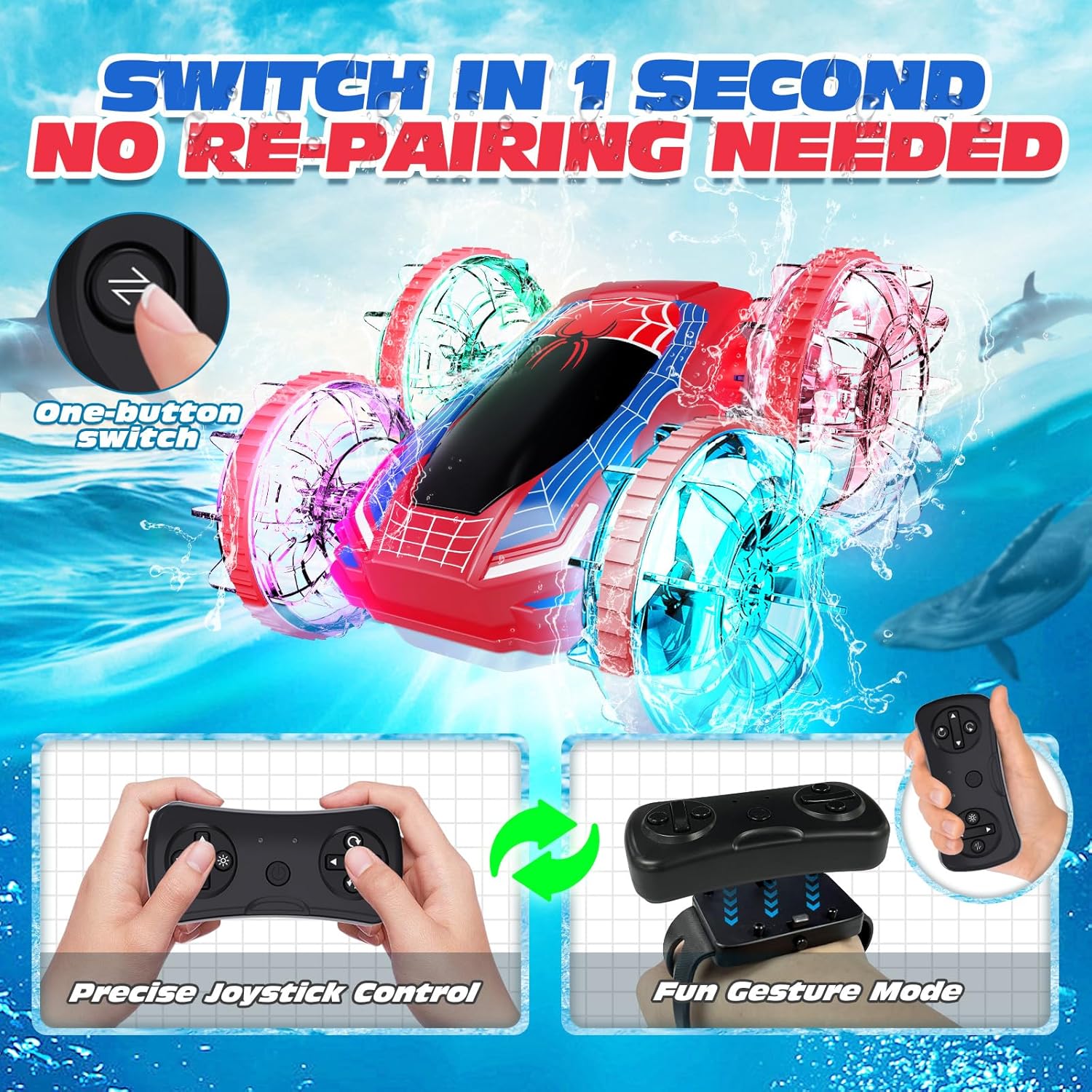
Figure 4: Dual control modes.
5.2.1 Standard Remote Control
Use the joysticks and buttons on the remote controller for precise movement:
- Left Joystick: Controls forward/backward movement.
- Right Joystick: Controls left/right steering.
- Refer to the remote's markings for specific stunt buttons (e.g., 360-degree spins, flips).
5.2.2 Hand Gesture Sensing
Attach the remote controller to the gesture watch band. Control the car boat with hand movements:
- Wear the watch band securely on your wrist.
- Move your hand forward/backward to control the car's direction.
- Tilt your hand left/right to steer the car.
- A dedicated button on the remote allows for one-button switching between standard and gesture control modes without re-pairing.
5.3 Land and Water Operation
The car boat is designed for both land and shallow water environments.

Figure 5: All-terrain amphibious design.
- Land Mode: Operates on various surfaces including grass, concrete, and dirt.
- Water Mode: Suitable for shallow water, puddles, and pools. The sealed design prevents water ingress.
- The car can perform 360-degree spins and flips on both land and water.
5.4 LED Lights
The car boat is equipped with dynamic, multicolor LED lights for enhanced visual appeal, especially in low-light conditions.

Figure 6: Colorful LED light effects.
The lights activate automatically when the car boat is powered on.
6. Maintenance
- After use in water, rinse the car boat with fresh water and wipe it dry with a soft cloth.
- Ensure the magnetic charging port is completely dry before charging.
- Clean the wheels and chassis regularly to remove dirt, sand, or debris that may affect performance.
- Store the car boat and accessories in a cool, dry place away from direct sunlight.
- Remove batteries from the remote control if not in use for extended periods to prevent leakage.
7. Troubleshooting
| Problem | Possible Cause | Solution |
|---|---|---|
| Car boat does not respond to remote. | Low battery in remote or car; not paired; out of range. | Charge car boat battery; replace remote batteries; ensure car and remote are powered on and within 2.4GHz range; re-pair if necessary (power cycle both). |
| Poor performance in water. | Water too deep; debris in wheels. | Operate in shallow water only; clean wheels of any obstructions. |
| LED lights not working. | Car boat battery low; internal fault. | Charge car boat battery fully. If problem persists, contact customer support. |
| Magnetic charging not working. | Port or cable dirty/wet; cable damaged. | Ensure port and cable are clean and dry; try a different USB power source; inspect cable for damage. |
8. Specifications
- Product Dimensions: 6.69 x 6.1 x 2.95 inches
- Item Weight: 1.1 pounds
- Battery: 3.7V 1200mAh Lithium (built-in)
- Playtime: Up to 60 minutes (approx.)
- Recommended Age: 6 years and up
- Control Frequency: 2.4GHz
- Manufacturer: Tecnock
9. Warranty and Support
Tecnock products are designed for quality and performance. For warranty information, technical support, or any questions regarding your product, please visit the official Tecnock store or contact customer service.
Tecnock Store: Visit Tecnock Store on Amazon