
Product Overview
The SwitchBot S20 is an advanced robot vacuum and mop designed to provide comprehensive floor cleaning. It features powerful suction, intelligent navigation, and automated maintenance capabilities to simplify your cleaning routine. This manual provides essential information to help you get the most out of your device.

Figure 1: SwitchBot S20 Robot Vacuum and Mop with its multi-clean station and companion app interface.
What's Included
Verify that all components are present in the package:
- 1 x Robotic vacuum cleaner
- 1 x Multi-clean Station
- 2 x Side Brushes
- 1 x Cleaning Brush
- 1 x Cleaning Tool
- 1 x Moisture-Proof Mat
- 1 x Diatom Mud Pad
- 1 x 150mL Floor Cleaning Solution
- 1 x Quick Start Guide
- 1 x User Manual
Setup
Unpacking
Carefully remove all components from the packaging. Ensure all protective films and shipping materials are removed from the robot and the multi-clean station.
Charging Station Placement
Place the multi-clean station against a wall in an open area, ensuring there is sufficient space around it for the robot to dock and maneuver. Connect the power cord to the station and plug it into a power outlet. Ensure the moisture-proof mat and diatom mud pad are correctly placed in front of the station.

Figure 2: The optional SwitchBot Water Station can be installed for automated water refill and drainage.
Initial Charge
Place the SwitchBot S20 robot onto the charging contacts of the multi-clean station. Ensure the robot is properly aligned. The robot will begin charging automatically. Allow for a full charge before the first use.
Operating Instructions
Powering On/Off
Press and hold the power button on the robot or use the SwitchBot app to power the device on or off.
Connecting to the App
Download the SwitchBot app from your device's app store. Follow the in-app instructions to connect your S20 robot. Note that the device only supports 2.4GHz Wi-Fi networks; 5GHz Wi-Fi is not supported.

Figure 3: The SwitchBot app interface showing the S20 robot's status and home map.
Mapping Your Home
The S20 uses advanced AI navigation and LIDAR technology to quickly map your home. During the first cleaning cycle, the robot will create a detailed map. You can then use the app to customize rooms, set no-go zones, and schedule cleaning tasks for specific areas.

Figure 4: The S20 robot utilizing LIDAR for efficient home mapping and navigation.
Vacuuming Modes
The robot offers up to 10,000Pa of suction power. Select the appropriate suction mode via the app for different cleaning needs, from quiet cleaning to deep carpet cleaning with auto-boost suction.
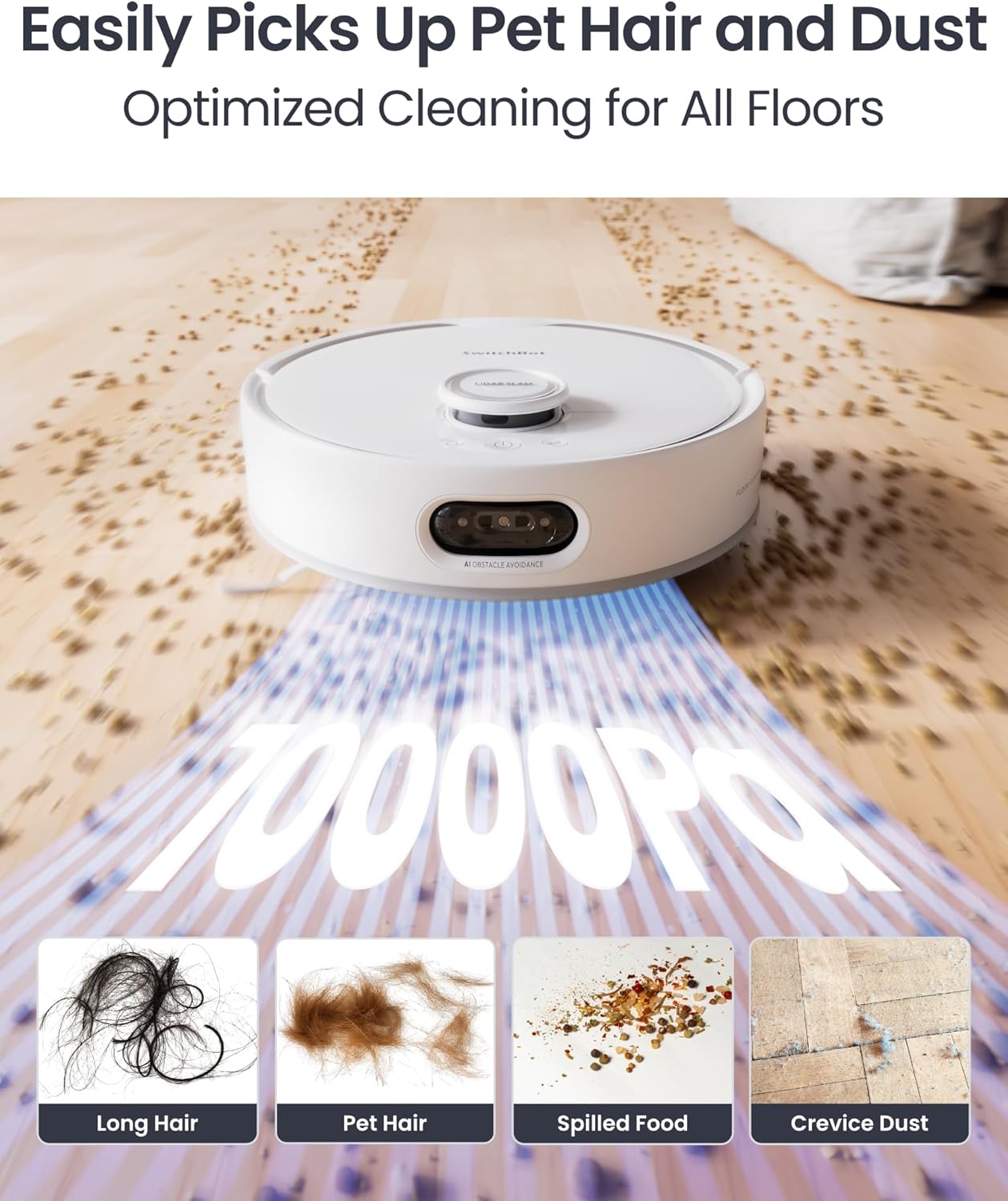
Figure 5: Illustration of the S20's 10,000Pa suction effectively picking up long hair, pet hair, spilled food, and crevice dust.
Mopping Function
The S20 features a RevoRoll roller mop with RinseSync technology for real-time self-cleaning during mopping. It applies 1kg of downward pressure and operates at 300 cycles per minute for effective cleaning. After each session, the mop is dried with 50°C hot air to prevent odors.

Figure 6: The RevoRoll roller mop of the SwitchBot S20 is shown self-cleaning, contrasting with traditional disc mops that can spread dirt.
Video 1: This video demonstrates the difference in cleaning effectiveness between a roller mop and a disc mop, showcasing the roller mop's ability to clean more thoroughly without spreading dirt.
Obstacle Avoidance
Equipped with advanced AI visual obstacle avoidance, the S20 identifies and avoids over 100 types of household clutter, ensuring hassle-free navigation and preventing collisions with furniture or objects.

Figure 7: The S20 robot vacuum uses AI to smoothly navigate around various obstacles in a cluttered space.
Smart Home Integration
The S20 supports Matter, allowing seamless control with Apple Home, Alexa, Google Assistant, or Apple Watch. It also integrates with other SwitchBot devices for enhanced smart routines.

Figure 8: The S20 robot vacuum is Matter compatible, allowing integration and control through Apple Home and other smart home platforms.
Maintenance
Emptying the Dust Bag
The multi-clean station features a 4L dust bag that can hold up to 90 days of dirt and debris, minimizing the frequency of manual emptying. When the bag is full, replace it according to the instructions provided with the dust bags.

Figure 9: The multi-clean station provides hands-free maintenance, including auto drainage, mop cleaning, waste collection, and mop drying.
Cleaning the Roller Mop
The RevoRoll roller mop is self-cleaning. The station provides deep cleaning of the roller mop with 10x water volume. Regularly check the roller mop for any entangled hair or debris and remove it using the provided cleaning tool.
Water Tank Management
The S20 is equipped with a 2.7L clean water tank and a 2.5L dirty water tank. Ensure the clean water tank is filled before mopping cycles. Empty the dirty water tank as needed. For fully automated water management, consider pairing with the optional SwitchBot Water Station (sold separately).

Figure 10: The optional SwitchBot Water Station automates water supply and drainage for the S20 robot vacuum.
Brush Maintenance
The anti-tangle rubber brush and side brush should be inspected periodically for hair entanglement or wear. Use the cleaning tool to remove any hair or debris from the brushes to maintain optimal cleaning performance.
Troubleshooting
- Robot not connecting to Wi-Fi: Ensure your Wi-Fi network is 2.4GHz. Reset the robot and try connecting again.
- Robot getting stuck: Clear obstacles from the cleaning path. Use the app to set no-go zones around areas with loose cables or furniture the robot cannot clear.
- Poor suction: Check if the dust bag is full and replace it if necessary. Clean the main brush and side brushes.
- Ineffective mopping: Ensure the clean water tank is filled and the dirty water tank is empty. Check if the roller mop needs cleaning or replacement.
- Loud noise during self-emptying: This is normal due to the powerful suction used to empty the dustbin.
Specifications
| Feature | Detail |
|---|---|
| Brand | SwitchBot |
| Model Name | W6602000 |
| Suction Power | 10,000Pa |
| Battery Life | 180 minutes |
| Dust Bag Capacity | 4 Liters (up to 90 days) |
| Clean Water Tank Capacity | 2.7 Liters |
| Dirty Water Tank Capacity | 2.5 Liters |
| Product Dimensions | 17.7"L x 19.68"W x 17.12"H |
| Item Weight | 33 pounds |
| Connectivity | 2.4GHz Wi-Fi (5GHz not supported) |
| Smart Home Compatibility | Matter, Apple Home, Alexa, Google Home |
Warranty and Support
The SwitchBot S20 Robot Vacuum and Mop comes with a 1-Year Warranty. For technical assistance, troubleshooting, or warranty claims, please contact SwitchBot customer support through their official website or the SwitchBot app. You may also refer to the detailed user manual included in your package for further information.


