
1. Introduction
This manual provides essential information for the safe and effective use of your Acdctek USB-C Charging Cable. This cable is designed to provide reliable power delivery to compatible JYX Karaoke Machine Portable Speaker Systems.
2. Safety Information
Your Acdctek USB-C Charging Cable is equipped with multiple safety protection mechanisms to ensure safe operation and protect your devices. These include:
- OVP (Over Voltage Output Protection): Prevents damage from excessive voltage output.
- OCP (Over Current Output Protection): Safeguards against damage from excessive current output.
- SCP (Short Circuit Output Protection): Protects against short circuits.
Always use the cable as intended and avoid exposing it to extreme conditions.
3. Compatibility
This USB-C charging cable is compatible with the following JYX Karaoke Machine Portable Speaker Systems:
- JYX-66
- JYX-66BT
- JYX-65
- JYX-65BT
- JYX63
- JYX-63BT
- JYX62
- JYX-62BT
- JYX61
- JYX-61BT
Note: Please double-check your device's output requirements and connector dimensions to ensure full compatibility before use.
4. Setup and Usage
4.1 Connecting the Cable
To charge your compatible JYX device:
- Locate the USB-C charging port on your JYX Karaoke Machine.
- Insert the USB-C end of the Acdctek cable firmly into the device's charging port.
- Insert the standard USB-A end of the cable into a compatible USB power adapter (not included) or a powered USB port.
- Ensure the power adapter is plugged into a working electrical outlet.
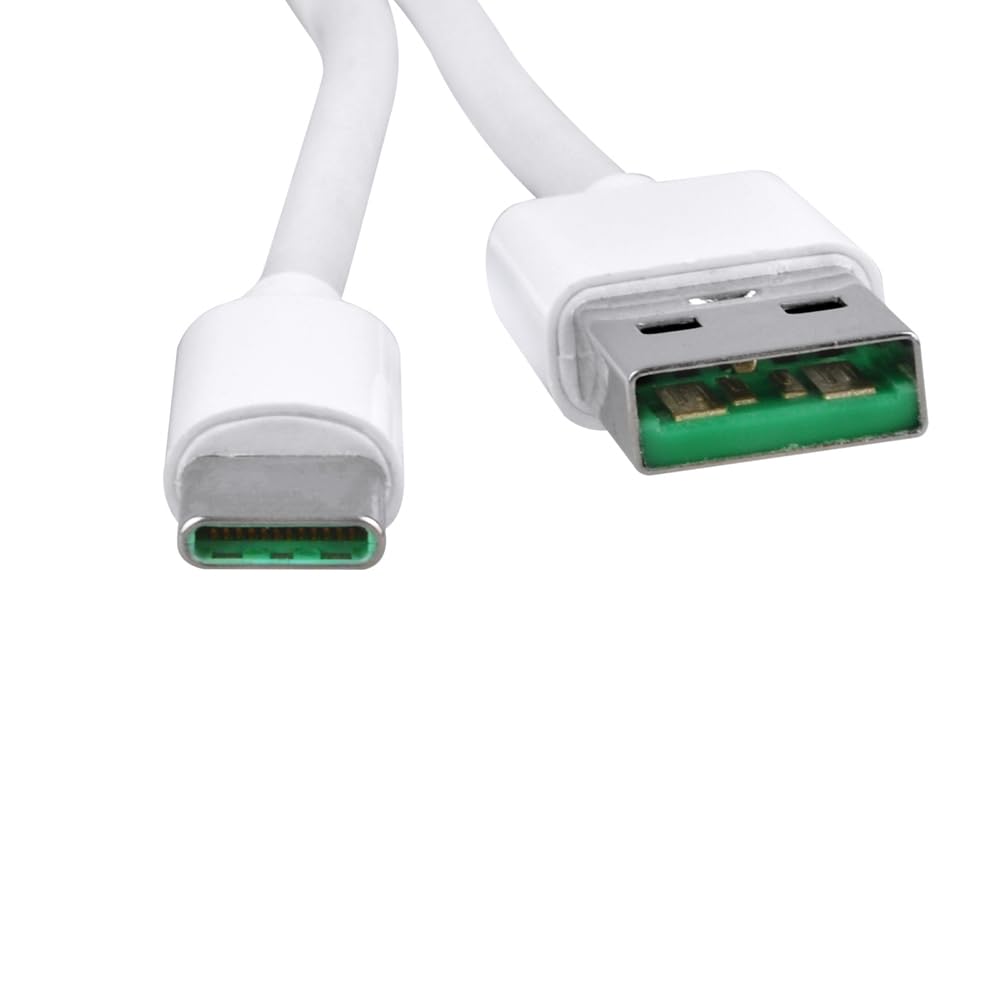
Image: Close-up of the USB-C and USB-A connectors, showing their distinct shapes for proper connection.
4.2 Charging Process
Once connected, your JYX device should begin charging. Refer to your JYX device's user manual for specific charging indicators (e.g., LED lights) and expected charging times.
5. Maintenance
To ensure the longevity and optimal performance of your Acdctek USB-C Charging Cable, follow these maintenance guidelines:
- Storage: Store the cable in a cool, dry place away from direct sunlight and extreme temperatures.
- Handling: Avoid sharp bends, kinks, or excessive pulling on the cable, especially near the connectors, as this can damage internal wires.
- Cleaning: If necessary, gently wipe the cable with a soft, dry cloth. Do not use harsh chemicals or abrasive cleaners.
- Inspection: Periodically inspect the cable and connectors for any signs of wear, fraying, or damage. Discontinue use if damage is observed.

Image: A white USB-C charging cable, neatly coiled, demonstrating proper storage to prevent damage.
6. Troubleshooting
If you encounter issues with your charging cable, consider the following:
- Device Not Charging:
- Ensure both ends of the cable are securely connected.
- Try a different USB power adapter or USB port.
- Verify that the power outlet is functional.
- Check your JYX device's charging port for any debris or damage.
- Loose Connection:
- Ensure the connectors are fully inserted. If the connection remains loose, the port or cable may be damaged.
- Cable Damage:
- If the cable shows signs of fraying, cuts, or bent pins, discontinue use immediately to prevent potential hazards.
7. Specifications
| Feature | Description |
|---|---|
| Brand | Acdctek |
| Connector Type | USB Type C (Male) to USB Type A (Male) |
| Cable Type | USB Charging Cable |
| Connector Gender | Male-to-Male |
| Number of Items | 1 |
| Safety Features | OVP, OCP, SCP Protection |

Image: A full view of the Acdctek USB-C charging cable, showcasing both connector types.
8. Warranty and Support
For warranty information or technical support, please refer to the product packaging or contact Acdctek customer service directly. Contact details can typically be found on the manufacturer's official website or through your point of purchase.