
1. Product Overview
The E GATE Atom 2X Smart Projector is a portable home cinema device designed for versatile entertainment. It features an Android operating system, allowing direct access to streaming applications, and offers flexible projection options with its 180-degree rotatable stand and automatic keystone correction.

Image 1.1: Front view of the E GATE Atom 2X Smart Projector.
2. What's in the Box
Please check the package contents upon unboxing to ensure all items are present:
- E GATE Atom 2X Smart Projector
- Power Cord
- Remote Control
- Warranty Card

Image 2.1: E GATE Atom 2X Projector with its remote control.
3. Key Features
The E GATE Atom 2X Smart Projector offers a range of features for an enhanced viewing experience:
- 180° Built-in Stand: Allows for flexible multi-angle projection, enabling projection onto ceilings or walls from various positions.
- High Brightness & Resolution: Features 200 ISO brightness with support for 4K video decoding and a native resolution of 1280 x 720 pixels.
- Advanced Processor: Powered by an Amologic T950S Quad Core Processor with ARM Cortex 450 GPU, 1GB RAM, and 8GB ROM for smooth performance.
- Integrated Android TV AOSP: Built-in Android operating system provides access to over 9000 apps, including pre-loaded Netflix, Prime Video, YouTube, and Sonyliv, eliminating the need for external streaming devices.
- Wireless Connectivity: Equipped with Dual Band WiFi 6 (2.4GHz + 5GHz) and Bluetooth 5.0 for seamless streaming and connection to external audio devices.
- Automatic Keystone Correction: Features automatic 4P 4D digital keystone control for quick and precise image alignment.
- Screen Mirroring: Supports screen mirroring from compatible devices.

Image 3.1: The projector's 180-degree rotation feature.
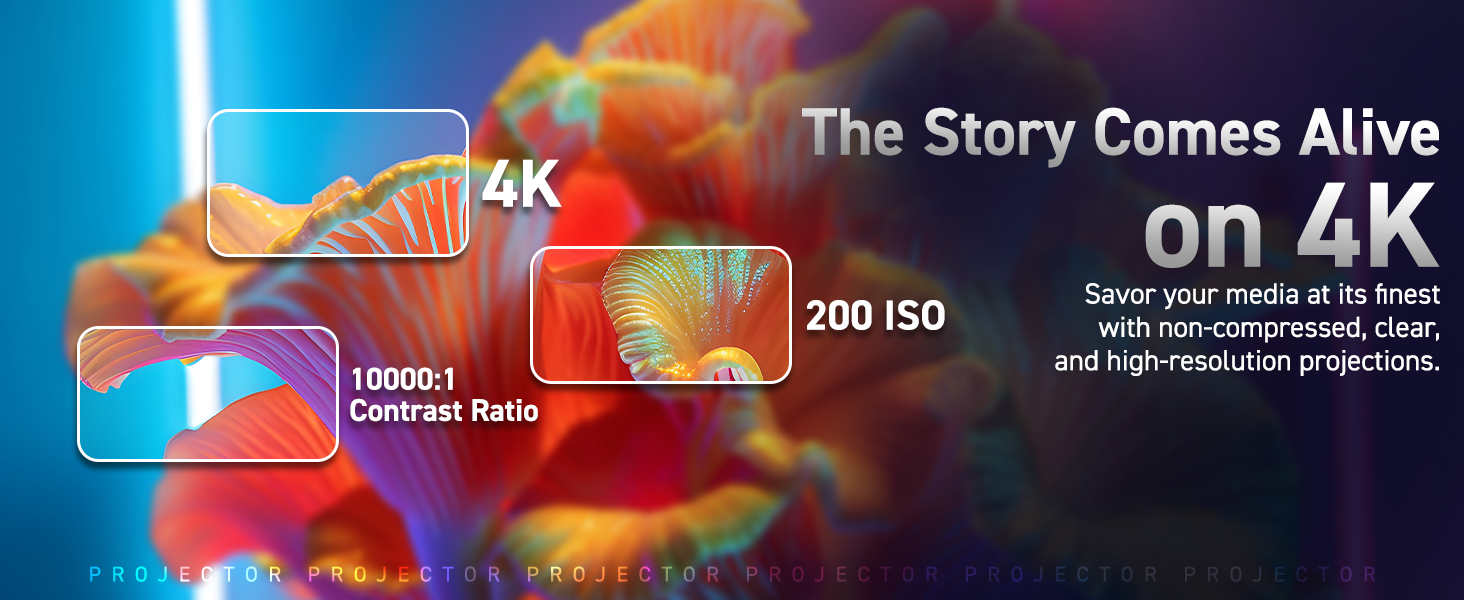
Image 3.2: Android TV AOSP interface with various application icons.
4. Setup Guide
4.1 Initial Placement
- Choose a Surface: Place the projector on a stable, flat surface. The integrated stand allows for projection at various angles, including ceilings.
- Determine Projection Distance: The optimal projection distance ranges from 4 feet (for a 40-inch image) to 12 feet (for a 180-inch image). Adjust the projector's distance from the wall or screen to achieve your desired image size.
- Angle Adjustment: Utilize the 180-degree rotation feature to direct the projection as needed.

Image 4.1: Recommended throw distances and corresponding screen sizes.
4.2 Power Connection
- Connect the provided power cord to the projector's power input port.
- Plug the other end of the power cord into a suitable electrical outlet.
4.3 Initial Power On
- Press the power button on the projector or the remote control to turn on the device.
- The projector will boot up and display the Android TV AOSP interface.
5. Operating Instructions
5.1 Navigation and Interface
- Use the remote control to navigate the Android TV AOSP interface. The directional buttons, OK button, and Back button are essential for control.
- Access pre-installed applications like Netflix, Prime Video, and YouTube directly from the home screen.
- Connect to the internet via Wi-Fi to download additional apps from the app store.
5.2 Focus Adjustment
For a clear image, adjust the focus using the precision focus wheel located on the projector. Rotate the wheel until the projected image appears sharp and clear.
5.3 Keystone Correction
The Atom 2X features automatic keystone correction. If the image appears trapezoidal, the projector will automatically adjust it to a rectangular shape. For fine-tuning, use the 4P 4D digital control options in the settings menu.
5.4 Connectivity
- HDMI: Connect external devices such as laptops, gaming consoles, or Blu-ray players using an HDMI cable. The HDMI port is located on the side of the projector.
- Bluetooth: Pair Bluetooth-enabled audio devices (e.g., headphones, speakers) with the projector via the Bluetooth settings menu for wireless audio output.
- Wi-Fi: Connect to your home Wi-Fi network through the network settings to access online content and streaming services.
- Screen Mirroring: Use the built-in screen mirroring function to cast content from your smartphone or tablet. Refer to your device's manual for specific screen mirroring instructions.
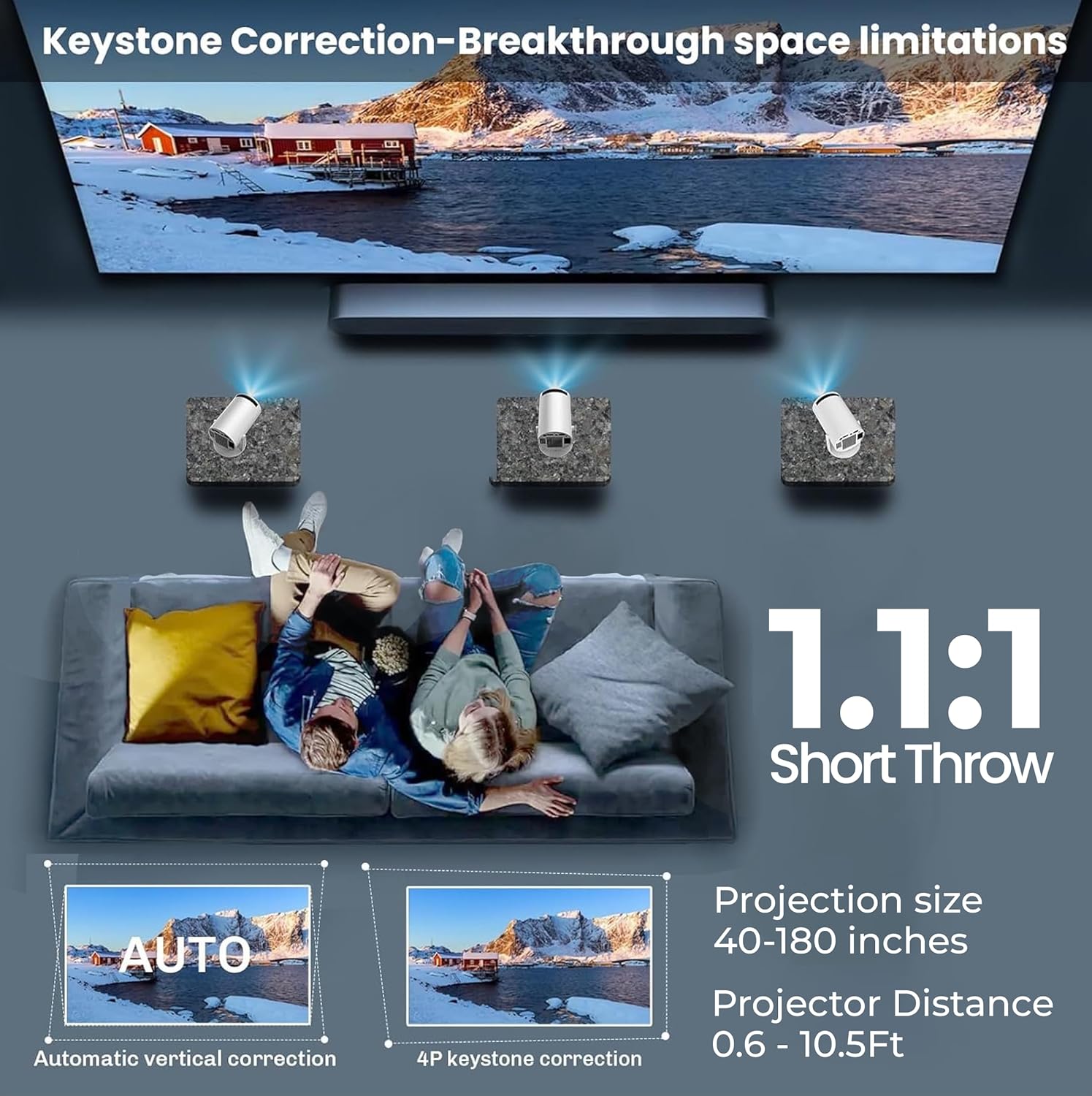
Image 5.1: Connectivity ports on the E GATE Atom 2X Projector.

Image 5.2: Wireless connectivity options including Bluetooth and Wi-Fi 6.
6. Maintenance
Proper maintenance ensures the longevity and optimal performance of your projector.
- Cleaning the Lens: Use a soft, lint-free cloth specifically designed for optical lenses to gently wipe the projector lens. Avoid abrasive materials or harsh chemicals.
- Cleaning the Exterior: Wipe the projector's exterior with a soft, dry cloth. Do not use liquid cleaners directly on the device.
- Ventilation: Ensure the projector's ventilation openings are clear and not obstructed to prevent overheating. Avoid placing the projector in enclosed spaces.
- Storage: When not in use for extended periods, store the projector in a cool, dry place, away from direct sunlight and excessive dust.
7. Troubleshooting
If you encounter issues with your E GATE Atom 2X Projector, refer to the following common problems and solutions:
| Problem | Possible Cause | Solution |
|---|---|---|
| No Power | Power cord not connected, power outlet issue. | Ensure power cord is securely connected to both projector and outlet. Test outlet with another device. |
| Blurry Image | Incorrect focus, improper keystone correction, projector too close/far. | Adjust the focus wheel. Check automatic keystone correction or manually adjust in settings. Adjust projector distance. |
| No Sound | Volume too low, external audio device not connected, sound muted. | Increase volume. Check Bluetooth connection for external speakers. Ensure sound is not muted in settings. |
| Remote Not Responding | Low battery, obstruction, remote malfunction. | Replace remote batteries. Ensure no objects block the signal path. If issue persists, contact support. |
| Cannot Connect to Wi-Fi/Bluetooth | Incorrect password, out of range, device interference. | Verify Wi-Fi password. Move projector closer to router. Restart projector and router. |
| Apps Not Working/Outdated Android | Software version discrepancy, app compatibility. | Ensure projector software is updated. Check app store for app updates. Some apps may require specific Android versions. |
8. Technical Specifications
| Feature | Specification |
|---|---|
| Brand | E GATE |
| Model Name | Atom 2X |
| Model Number | Ei9027 |
| Display Type | LCD |
| Native Resolution | 1280 x 720 Pixels |
| Maximum Display Resolution | 1920 x 1080 Pixels (4K Support) |
| Brightness | 200 ISO Lumens (200 ANSI Lumens) |
| Operating System | Android 13.0 (AOSP) |
| Processor | Amologic T950S Quad Core |
| RAM/ROM | 1GB RAM / 8GB ROM |
| Connectivity | Bluetooth 5.0, HDMI, Dual Band Wi-Fi 6 (2.4GHz + 5GHz) |
| Keystone Correction | Automatic & 4P 4D Digital Control |
| Projection Size | 40 - 180 Inches |
| Throw Distance | 4 - 12 Feet |
| Form Factor | Portable |
| Item Dimensions (L x W x H) | 11.8L x 21.8W x 15.5H Centimeters |
| Item Weight | 600 Grams |
9. Warranty and Support
9.1 Warranty Information
The E GATE Atom 2X Smart Projector comes with a 1-year warranty provided by EGate from the date of purchase. To avail warranty benefits, it is mandatory to register your product.
During the warranty period, EGate offers a free home pickup & drop service for repairs. For more details and to register your product, please visit the official EGate website.
9.2 Contact Support
For technical assistance, warranty claims, or any product-related inquiries, please contact:
- Importer: Optroniq India
- Packer: Egate Infotel Pvt Ltd, 503, SG Alpha Tower-II, Sector-9, Vasundhara, Ghaziabad, Uttar Pradesh 201012
Please have your product model number (Ei9027) and purchase details ready when contacting support.
