
1. Introduction
Thank you for purchasing the KYEKIO T070 Rechargeable Motion Sensor Ceiling Light. This manual provides essential information for the safe and efficient use of your new lighting product. Please read these instructions carefully before installation and operation, and retain them for future reference.
Package Contents:
- 2 x KYEKIO Rechargeable Motion Sensor Ceiling Lights
- 2 x Adhesive Metal Plates
- 2 x USB-C Charging Cables
- 2 x Remote Controls
- 2 x Screw Packs (for optional mounting)
- 1 x User Manual

This image illustrates the diverse applications of the KYEKIO ceiling light, suitable for areas like closets, pantries, sheds, and showers, providing convenient lighting where wiring is not feasible.
2. Safety Information
- Do not disassemble, repair, or modify the product. This may cause electric shock, fire, or damage.
- Keep the device away from water and high humidity environments to prevent electric shock.
- Do not expose the product to direct sunlight or high temperatures.
- Use only the provided USB-C cable for charging.
- Ensure the installation surface is clean, dry, and flat for optimal adhesive plate adhesion.
- This product is designed for indoor use only.
3. Product Overview
The KYEKIO T070 is a versatile, rechargeable ceiling light featuring a motion sensor, adjustable color temperatures, dimmable brightness, and remote control functionality. Its magnetic design allows for easy installation in various indoor locations.
Key Features:
- Motion Sensor: Detects motion within 10-20 feet and a 120° angle, with Day, Night, and Always On modes.
- Rechargeable Battery: Built-in large capacity battery, charged via USB-C.
- Adjustable Lighting: 3 color temperatures (Cool White, Warm White, Natural White) and stepless dimming (50%-100%).
- Magnetic Installation: Easy attachment to metal surfaces or via included adhesive metal plates.
- Remote Control: Conveniently adjust settings from a distance.
4. Setup
4.1 Charging the Device
Before first use, fully charge the light. Connect the provided USB-C cable to the charging port on the light and to a standard USB power adapter (not included).
- The indicator light will be red while charging.
- The indicator light will turn green when fully charged.
- A full charge typically takes 3-4 hours.
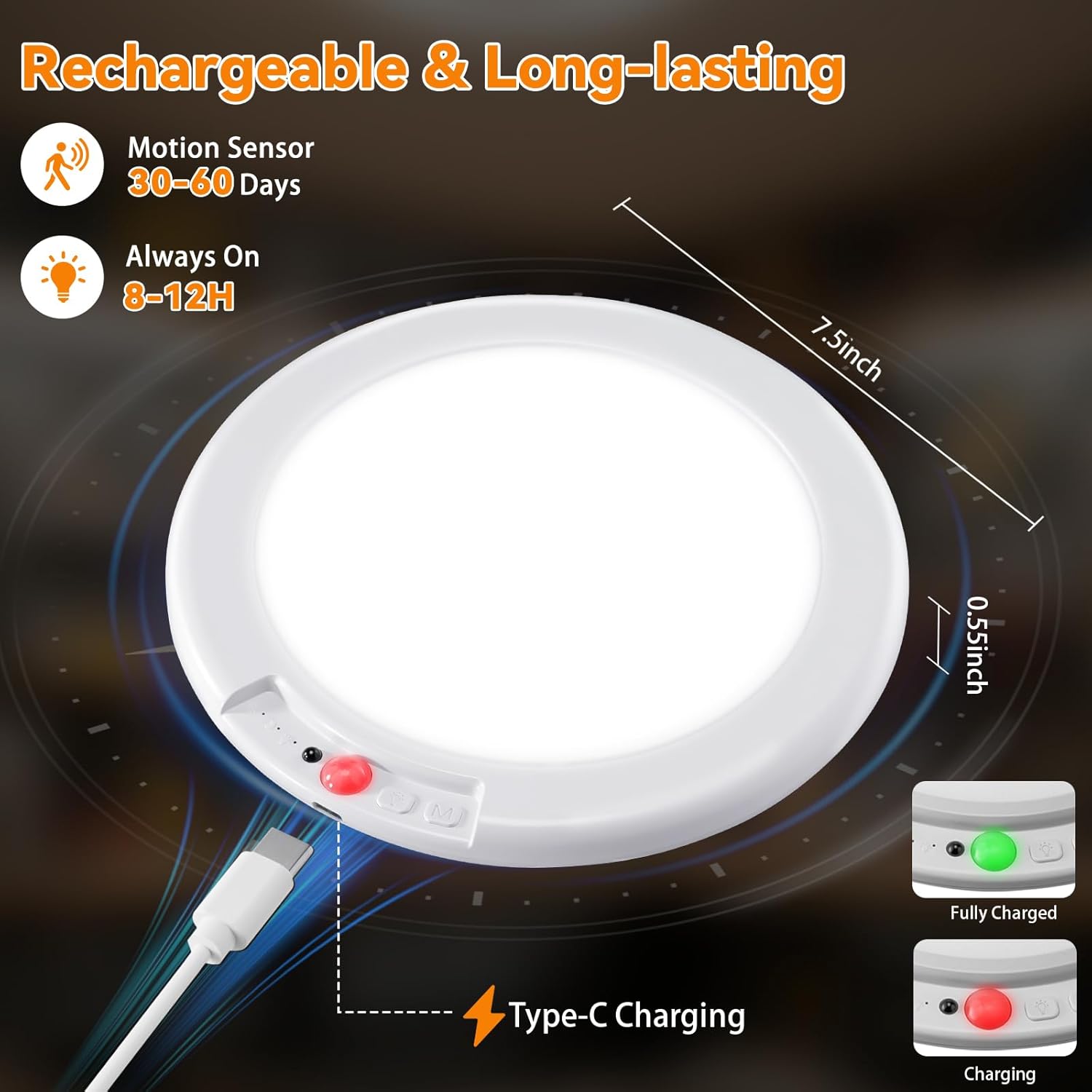
This image illustrates the USB-C charging port and the LED indicators for charging status. A red light indicates charging, and a green light indicates a full charge. The light has a diameter of 7.5 inches and a thickness of 0.55 inches.
4.2 Installation
The KYEKIO T070 light offers flexible installation options:
- Magnetic Attachment: The light has strong built-in magnets. Simply attach it directly to any suitable metal surface.
- Adhesive Metal Plate: For non-metal surfaces, peel off the protective film from one side of the adhesive metal plate and firmly press it onto a clean, dry, and flat surface. Wait for 24 hours for maximum adhesion, then attach the light magnetically to the metal plate.
- Screw Mounting (Optional): The adhesive metal plates also have screw holes. If a more permanent installation is desired, use the included screw packs to secure the metal plate to the surface, then attach the light magnetically.
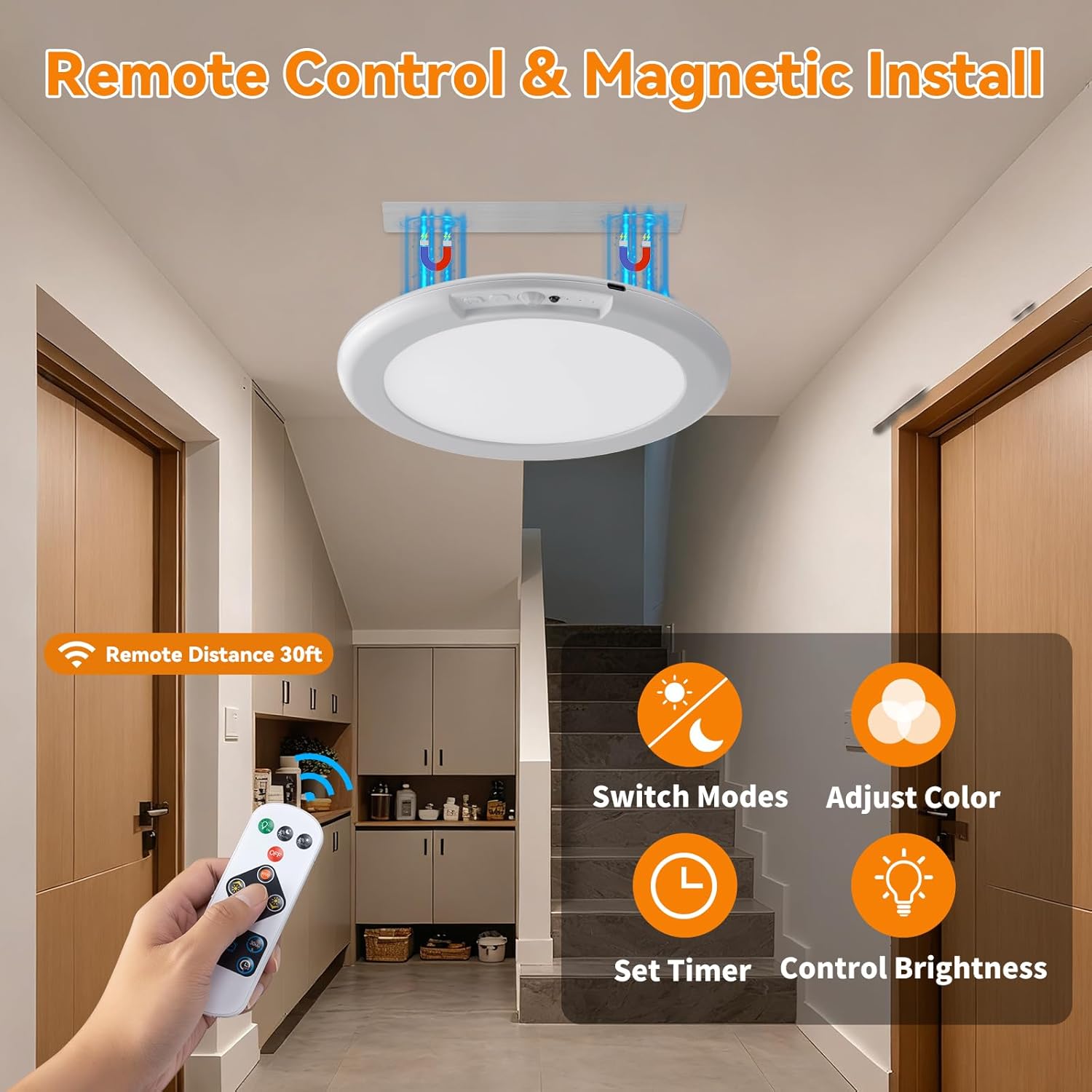
This image demonstrates the magnetic installation method for the light. It also shows the remote control, which can be used to switch modes, adjust color temperature, control brightness, and set a timer from up to 30 feet away.
5. Operating Instructions
5.1 Powering On/Off
Locate the power button on the side of the light. Press it once to turn the light on or off. Alternatively, use the remote control's power button.
5.2 Motion Sensor Modes
The light features three operating modes, selectable via the button on the light or the remote control:
- Daytime Sensing Mode: The motion sensor is active regardless of ambient light. The light will turn on when motion is detected and turn off approximately 20 seconds after motion ceases.
- Nighttime Sensing Mode: The motion sensor is only active in low-light or dark conditions. The light will turn on when motion is detected in the dark and turn off approximately 20 seconds after motion ceases.
- Always On Mode: The light remains continuously on, bypassing the motion sensor.
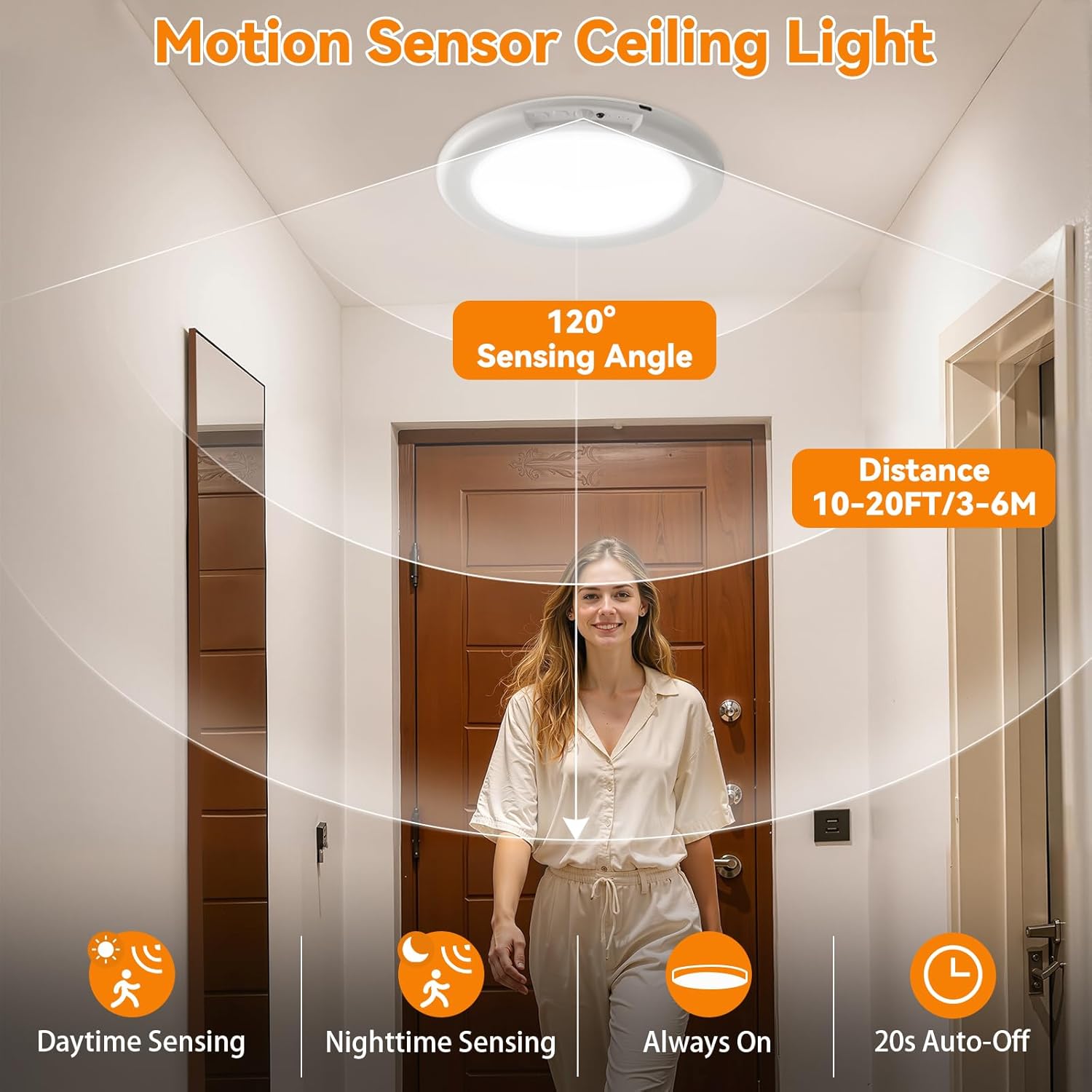
This image highlights the motion sensor's detection range and angle. The light detects motion within 10-20 feet and a 120-degree angle, automatically turning on and off after 20 seconds of no motion. It supports Daytime Sensing, Nighttime Sensing, and Always On modes.
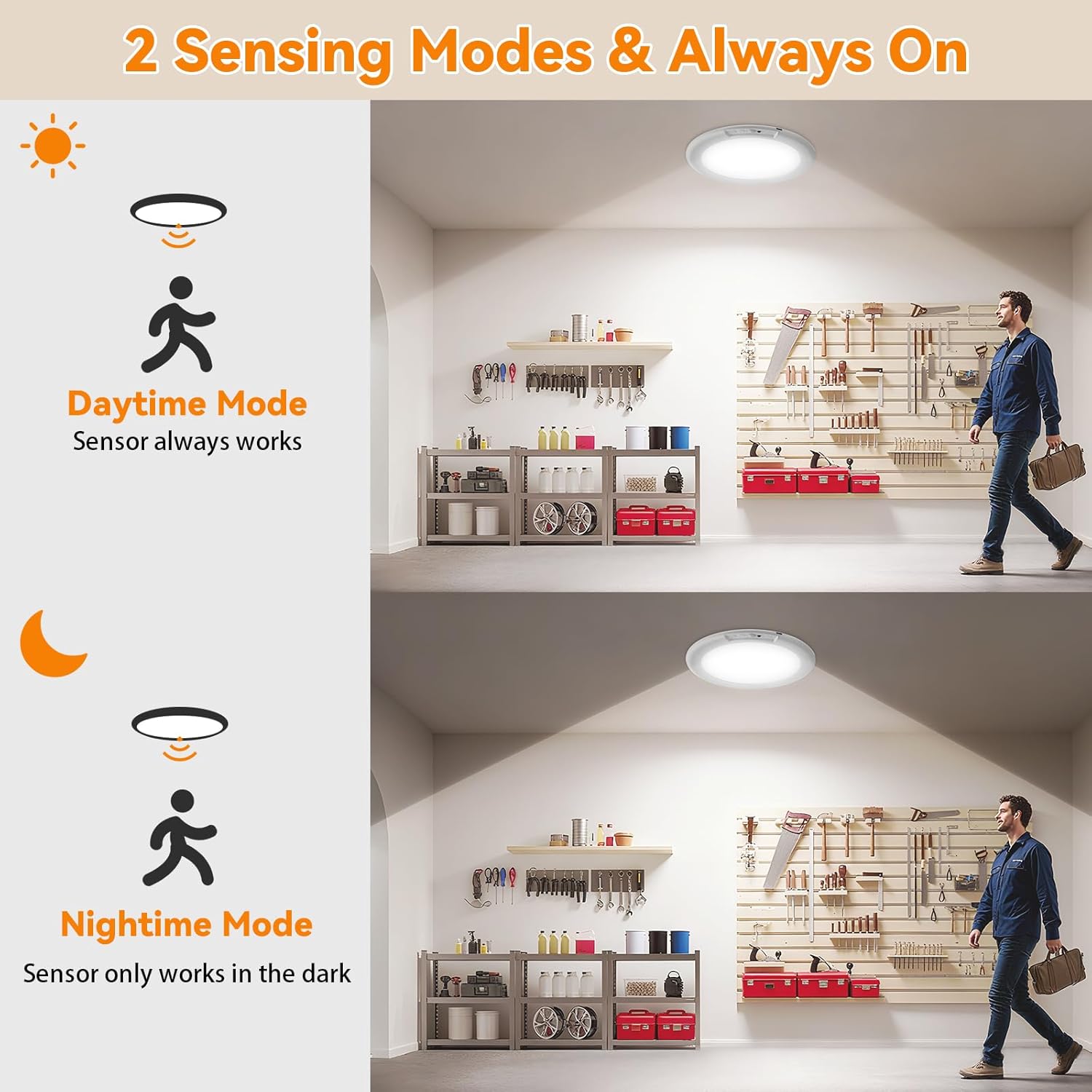
This image differentiates between the Daytime Mode, where the sensor is always active, and Nighttime Mode, where the sensor only activates in dark conditions. This allows for flexible use based on ambient light.
5.3 Color Temperature and Brightness Adjustment
Use the remote control to adjust the light's color temperature and brightness:
- Color Temperature: Cycle through Cool White, Warm White, and Natural White options.
- Brightness: Adjust brightness steplessly from 50% to 100% to suit your preference.
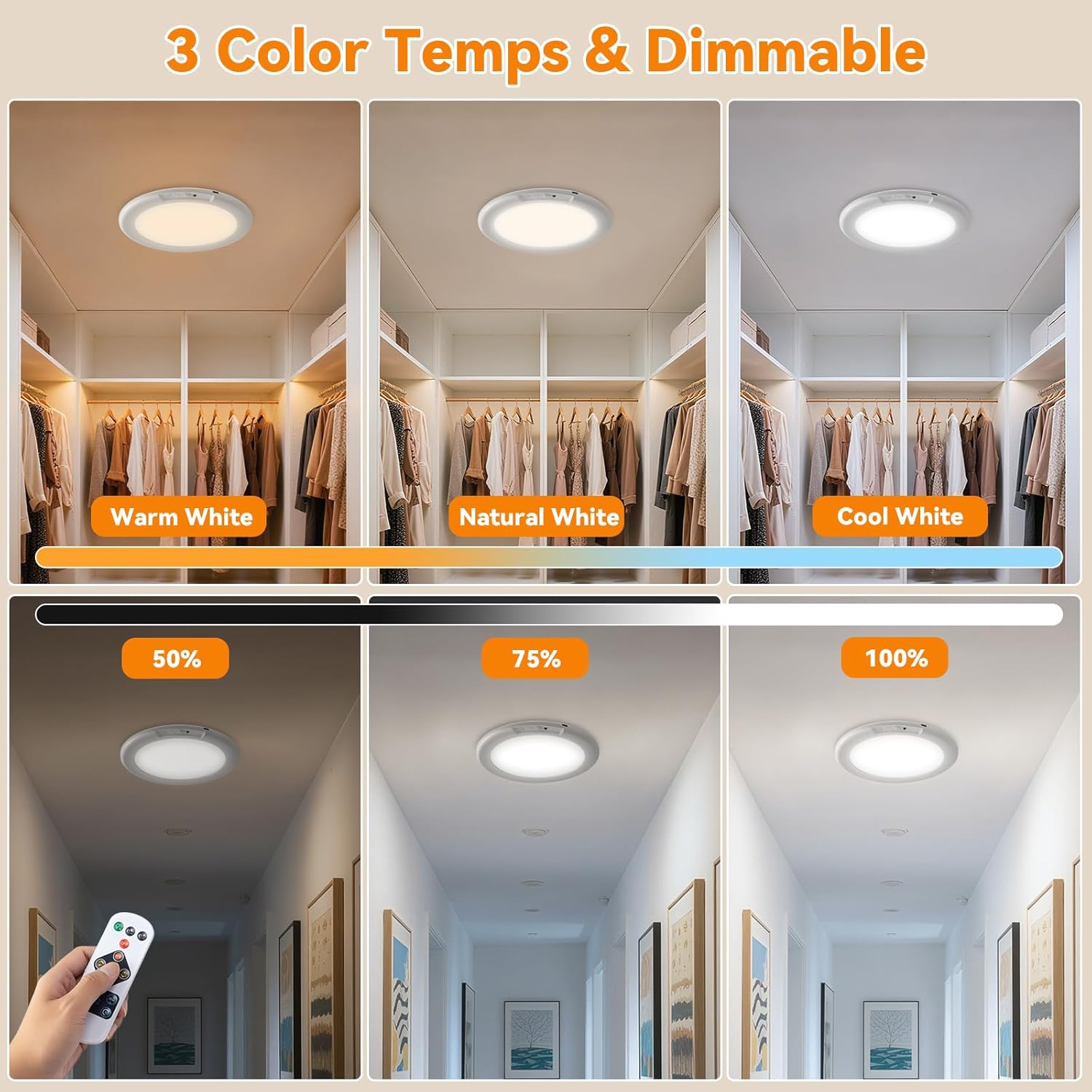
This image demonstrates the light's versatility with three color temperature options: Warm White, Natural White, and Cool White. It also shows the stepless dimming capability, allowing brightness adjustment from 50% to 100%.
5.4 Remote Control Functions
The included remote control provides convenient access to all light functions:
- Power Button: Turn the light On/Off.
- Mode Selection: Switch between Daytime Sensing, Nighttime Sensing, and Always On modes.
- Color Temperature: Adjust between Cool White, Warm White, and Natural White.
- Brightness Control: Increase or decrease light intensity.
- Timer Function: Set an auto-off timer (specific timer options may vary, refer to remote markings).
6. Maintenance
- Cleaning: Wipe the light with a soft, dry cloth. Do not use abrasive cleaners or solvents.
- Battery Care: To prolong battery life, avoid fully discharging the light frequently. Recharge when the light dims noticeably. If storing for an extended period, charge the battery every 3-6 months.
- Storage: Store the light in a cool, dry place away from direct sunlight.
7. Troubleshooting
| Problem | Possible Cause | Solution |
|---|---|---|
| Light does not turn on. | Battery is depleted. | Recharge the light using the USB-C cable. |
| Motion sensor not working. | Incorrect mode selected (e.g., Always On). Insufficient darkness in Nighttime Sensing Mode. Obstruction blocking sensor. | Switch to a motion sensing mode (Daytime or Nighttime). Ensure ambient light is low enough for Nighttime Sensing. Clear any obstructions from the sensor's path. |
| Remote control not responding. | Remote battery depleted. Too far from the light. Obstruction between remote and light. | Replace the remote control battery (CR2025, not included). Move closer to the light (within 30 feet). Ensure a clear line of sight. |
| Light is dim or flickers. | Low battery. | Recharge the light. |
8. Specifications
| Brand: | KYEKIO |
| Model Number: | T070 |
| Manufacturer: | KERUN Technology |
| Product Dimensions: | 19 x 19 x 1.4 cm (7.5 x 7.5 x 0.55 inches) |
| Color: | White/Warm/Natural (Adjustable) |
| Material: | Plastic |
| Style: | USB Rechargeable & Magnetic Suction |
| Light Fixture Form: | Ceiling |
| Indoor/Outdoor Usage: | Indoor |
| Power Source: | Battery Powered |
| Motion Sensor Range: | 10-20 feet, 120° angle |
| Battery Life (Always On): | 8-12 hours |
| Battery Life (Motion Detection): | 35-65 days (depending on usage) |
9. Warranty and Support
KYEKIO products are designed for reliability and performance. This product comes with a standard manufacturer's warranty against defects in materials and workmanship. For specific warranty details, please refer to the product packaging or contact our customer support.
Customer Support:
If you encounter any issues or have questions regarding your KYEKIO T070 light, please contact our customer support team through the retailer's platform or via the contact information provided on our official website. Please have your model number (T070) and purchase details ready when contacting support.