
INIU B0F6BY25CK
INIU 100W 3-Port GaN Charger and Qi2 Certified 3-in-1 MagSafe Compatible Charging Station Combo User Manual
Model: B0F6BY25CK | Brand: INIU
Introduction
This manual provides detailed instructions for the safe and efficient use of your INIU 100W 3-Port GaN Charger and Qi2 Certified 3-in-1 MagSafe Compatible Charging Station Combo. This innovative product combines a powerful 100W GaN wall charger with a versatile 3-in-1 foldable wireless charging station, designed to keep your iPhone, Apple Watch, and AirPods fully charged and organized. Please read this manual thoroughly before operation and retain it for future reference.

Image: The INIU 100W 3-Port GaN Charger and the 3-in-1 MagSafe Compatible Charging Station.
What's Included
Please check the package contents to ensure all items are present:
- 1 x INIU 100W 3-Port GaN Wall Charger
- 1 x INIU Qi2 Certified 3-in-1 MagSafe Compatible Charging Station
- 1 x USB-C to USB-C Charging Cable (approx. 4.9ft)
- 1 x User Manual (this document)

Image: Visual representation of the INIU 100W Wall Charger, 3-in-1 MagSafe Charging Station, and USB-C cable, highlighting their portability.
Setup Instructions
Follow these steps to set up your charging system:
- Connect the GaN Wall Charger: Plug the INIU 100W 3-Port GaN Wall Charger into a standard AC power outlet. Ensure the outlet is easily accessible.
- Connect the Charging Station: Use the provided USB-C to USB-C cable to connect the 3-in-1 MagSafe Compatible Charging Station to one of the USB-C output ports (C1 or C2) on the 100W GaN Wall Charger.
- Unfold the Charging Station: The charging station is designed to be foldable for portability. Gently unfold the station to its operational position. The MagSafe compatible charging pad for iPhone will stand upright, and the Apple Watch charging puck will extend.
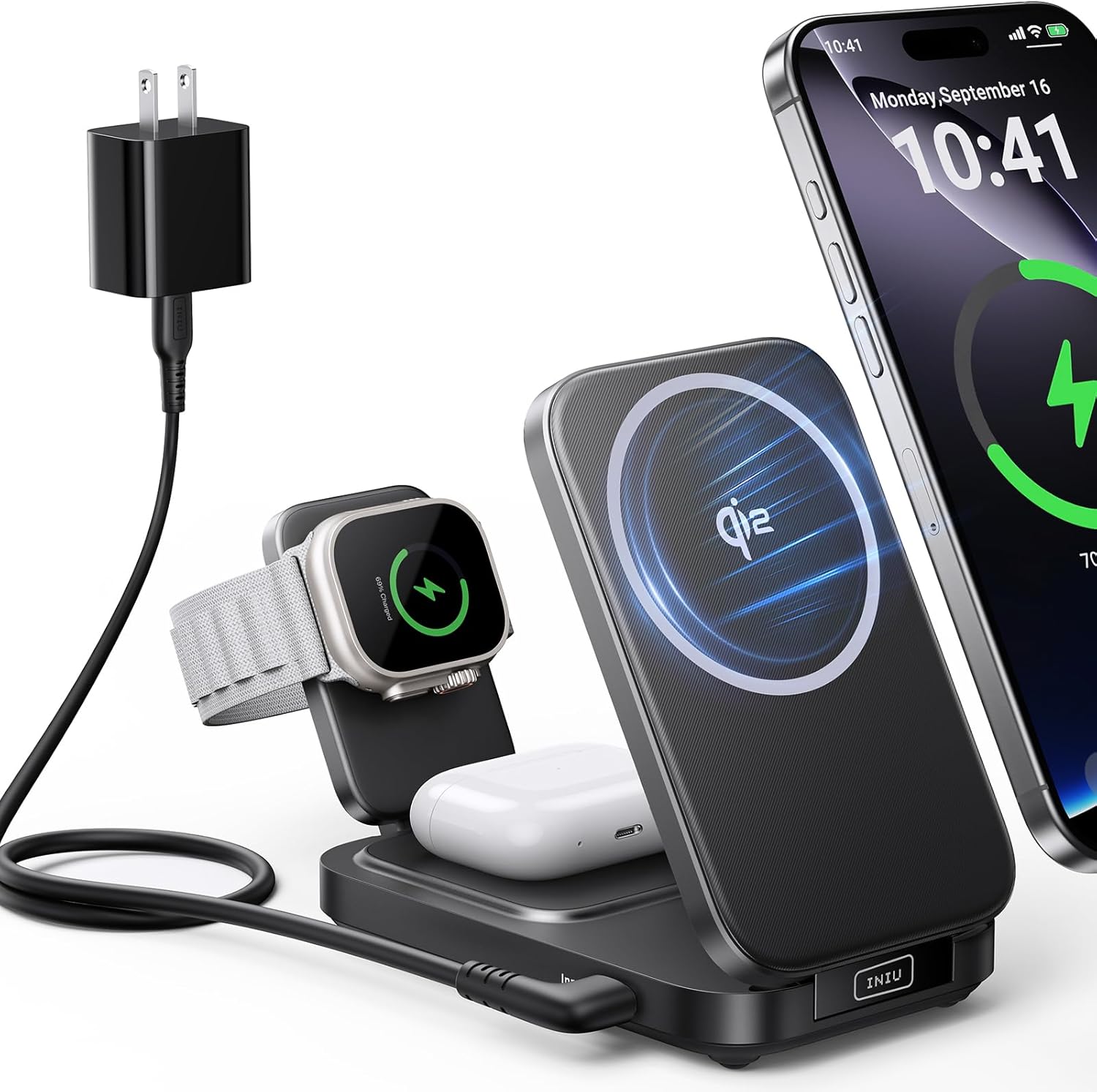
Image: The 3-in-1 MagSafe Compatible Charging Station set up with an iPhone, Apple Watch, and AirPods, demonstrating its compact and organized charging capabilities.
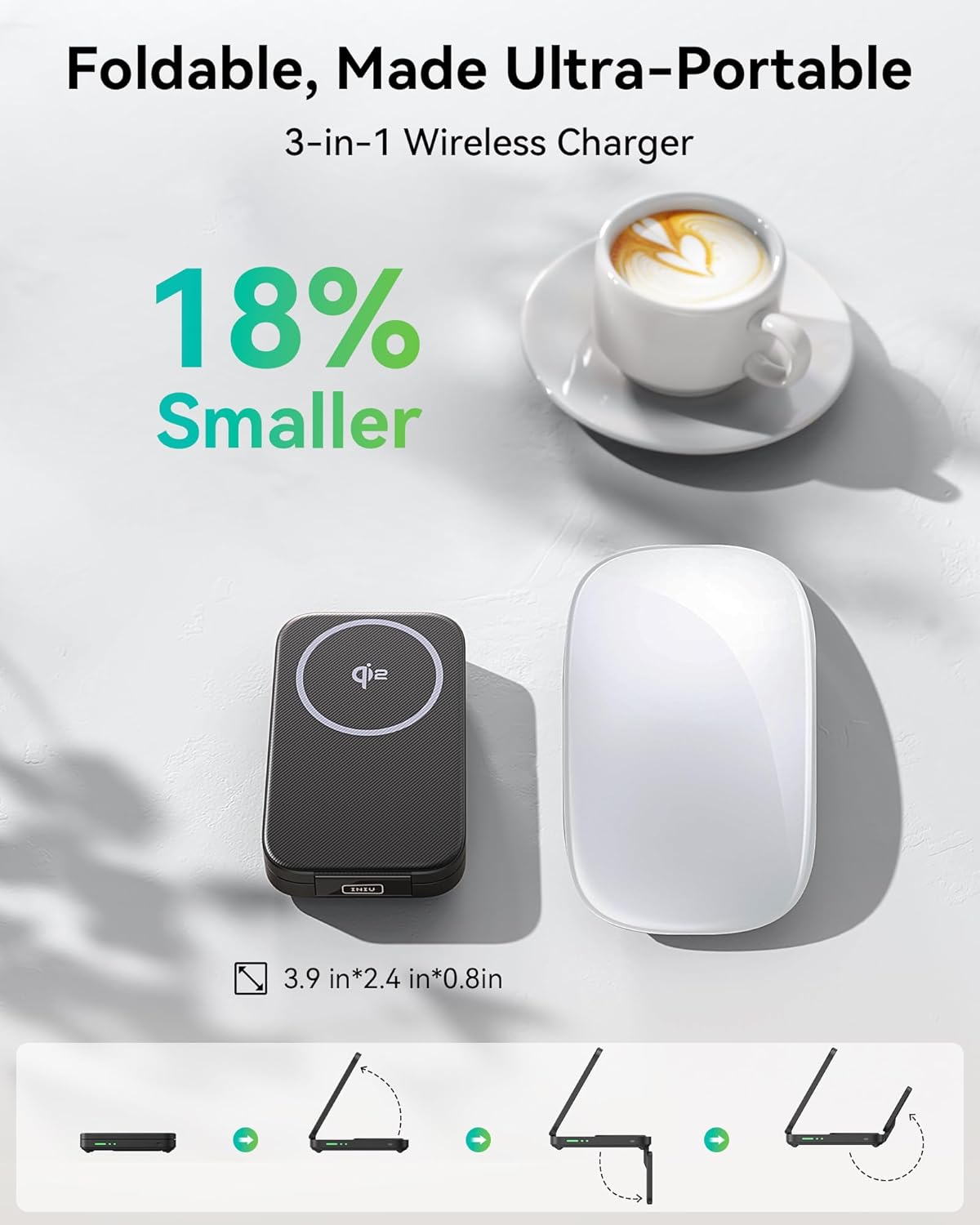
Image: Illustration of the 3-in-1 wireless charger's foldable design, emphasizing its ultra-portable nature and compact dimensions (3.9in x 2.4in x 0.8in).
Operating Instructions
Using the 3-in-1 Wireless Charging Station
The charging station allows simultaneous wireless charging of your iPhone, Apple Watch, and AirPods.
- For iPhone (12-16 series): Place your MagSafe-compatible iPhone directly onto the upright magnetic charging pad. The phone will snap into place, ensuring optimal alignment for 15W Qi2 certified fast wireless charging. Ensure your iPhone is using a MagSafe compatible case for proper magnetic attachment and charging.
- For Apple Watch (Series 6-10): Place your Apple Watch onto the dedicated charging puck. It supports up to 5W fast charging for Apple Watches.
- For AirPods (4/3/Pro 2/Pro 1): Place your AirPods charging case onto the flat charging area at the base of the station.

Image: Demonstrates the 15W Qi2 certified wireless charging for iPhone, showing faster charging speeds compared to standard 7.5W chargers.

Image: Illustrates the 5W fast charging capability for Apple Watch, indicating significantly faster charging times compared to standard 2.5W chargers.

Image: A compatibility chart showing supported iPhone models (12-16 series), Apple Watch models (Series 1-10), and AirPods models (4/3/Pro 2/Pro 1), along with a note on the necessity of a MagSafe compatible case for iPhones.
Using the 100W 3-Port GaN Wall Charger
The 100W GaN charger features three output ports (2 x USB-C, 1 x USB-A) for charging other devices simultaneously.
- USB-C Ports (C1, C2): These ports deliver high power output, ideal for laptops (e.g., MacBook Pro/Air, Pixelbook, ThinkPad, Dell XPS), tablets (e.g., iPad Pro), and fast-charging smartphones.
- USB-A Port: This port is suitable for charging a wide range of USB-A compatible devices, such as older smartphones, power banks, or other accessories.
The charger intelligently distributes power based on the connected devices. For optimal performance, refer to your device's charging requirements.

Image: The INIU 100W 3-Port GaN Charger, showcasing its two USB-C ports (C1, C2) and one USB-A port, along with a USB-C charging cable.
Care and Maintenance
- Cleaning: Disconnect the charger and charging station from power before cleaning. Use a soft, dry, lint-free cloth to wipe the surfaces. Do not use liquid cleaners, aerosols, or abrasive cleaning agents.
- Storage: When not in use, store the device in a cool, dry place away from direct sunlight and extreme temperatures. The charging station can be folded for compact storage.
- Handling: Avoid dropping or subjecting the device to strong impacts. Do not disassemble or attempt to repair the product yourself, as this will void the warranty and may cause damage or injury.
- Environment: Do not expose the product to water, moisture, or high humidity. Keep away from heat sources and flammable materials.
Troubleshooting
If you encounter issues with your INIU charging system, please refer to the following common problems and solutions:
| Problem | Possible Cause | Solution |
|---|---|---|
| Device not charging wirelessly. |
|
|
| Slow charging. |
|
|
| Charger or device getting warm. |
|
|
If the problem persists, please contact INIU customer support.
Specifications
| Feature | Detail |
|---|---|
| Brand | INIU |
| Model Number | B0F6BY25CK |
| Charger Type | 100W 3-Port GaN Wall Charger |
| Charging Station Type | Qi2 Certified 3-in-1 MagSafe Compatible Wireless Charging Station |
| Total USB Ports (Charger) | 3 (2 x USB-C, 1 x USB-A) |
| Max Wattage (Charger) | 100 Watts |
| Wireless Output (iPhone) | 15W (Qi2 Certified) |
| Wireless Output (Apple Watch) | 5W |
| Wireless Output (AirPods) | 5W |
| Compatible iPhone Models | iPhone 12 series, iPhone 13 series, iPhone 14 series, iPhone 15 series, iPhone 16 series |
| Compatible Apple Watch Models | Apple Watch Series 1-10, SE/SE2/Ultra/Ultra 2 |
| Compatible AirPods Models | AirPods 4/3/Pro 2/Pro 1 |
| Dimensions (Charging Station, Folded) | Approx. 3.9in x 2.4in x 0.8in |
| Power Source | AC |
| Connectivity Technologies | USB Type C, MagSafe |
Warranty and Customer Support
INIU is committed to providing high-quality products and excellent customer service. Your INIU 100W 3-Port GaN Charger and Qi2 Certified 3-in-1 MagSafe Compatible Charging Station Combo comes with an industry-leading 3-year INIU care warranty.
For any product inquiries, technical support, or warranty claims, please contact INIU customer support through the official INIU website or your purchase platform. You can also visit the official INIU store on Amazon for more information and support resources:
Ask a question about this manual
Ask about setup, troubleshooting, compatibility, parts, safety, or missing instructions. Manuals+ will review the question and use this page’s manual context to help answer it.