
Introduction
This instruction manual provides detailed guidance for the safe and effective use of your SWEETFULL S70 Neck Fan. Please read this manual thoroughly before operating the device and retain it for future reference.
Product Overview
The SWEETFULL S70 Neck Fan is a portable, hands-free cooling device designed for personal comfort. It features a unique 3-motor system providing 360° surrounding airflow, an LED display for battery and speed indication, and a long-lasting 5200mAh rechargeable battery.
- 3 Turbo Motors: Delivers powerful 360° airflow for comprehensive cooling.
- 4 Speed Settings: Customize your cooling experience from a gentle breeze to a strong gust.
- LED Display: Clearly shows battery level and current fan speed.
- 5200mAh Battery: Provides extended usage time on a single charge.
- Ergonomic Neck Support: Designed for comfortable, hands-free wearing with a universal fit.
- Bladeless Design: Ensures safety and operates at a quiet 25-45 dB.

Image: The SWEETFULL S70 Neck Fan in black, showcasing its sleek design and ergonomic shape.

Image: An X-ray view illustrating the three internal turbo motors and the 360-degree cooling system.

Image: A close-up of the smart digital display screen, showing battery percentage and fan speed.
Setup
Unpacking
Carefully remove the neck fan and all accessories from the packaging. The package includes the neck fan, a USB-C charging cable, and this user manual.
Initial Charging
Before first use, fully charge the device. Connect the provided USB-C cable to the charging port on the fan and plug the other end into a compatible USB power adapter (not included). The LED display will indicate the charging status and battery level. A full charge takes approximately 3 hours and provides up to 9 hours of use depending on the speed setting.

Image: An illustration of the large 5200mAh battery integrated within the neck fan, highlighting its capacity.
Wearing the Fan
Place the neck fan around your neck. The flexible design and ergonomic neck support allow for a comfortable and secure fit. Adjust the fan to ensure the airflow vents are positioned optimally for cooling. The unique hinge technology allows it to fit various neck sizes.
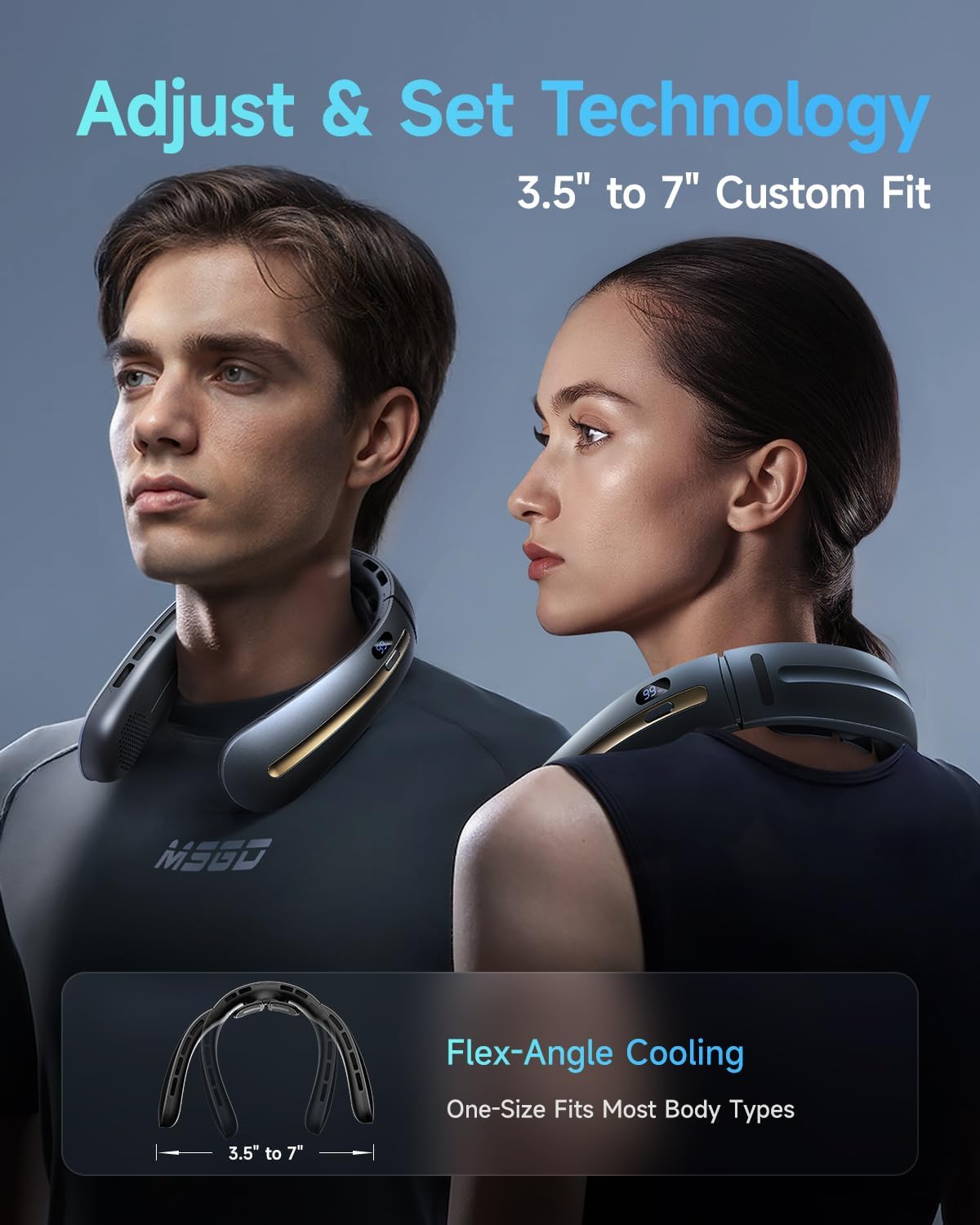
Image: Two individuals wearing the neck fan, demonstrating its adjustable and custom fit for different neck sizes.

Image: A detailed view of the upgraded soft silicone neck support, designed for comfort and to prevent sweating.
Operating Instructions
Power On/Off
Locate the power button on the side of the fan. Press the button once to turn the fan on. The LED display will light up, showing the current fan speed and battery percentage. To turn the fan off, cycle through all speed settings until the display turns off, or press and hold the power button for a few seconds.
Adjusting Fan Speeds
Once powered on, short press the power button to cycle through the 4 available speed settings (F1, F2, F3, F4). Each press will increase the fan speed. The LED display will update to show the selected speed.
Bladeless Design & Quiet Operation
The SWEETFULL S70 features a patented bladeless system that maintains strong airflow while operating at a low noise level (25-45 dB), comparable to library quietness. This design also prevents hair from getting caught, enhancing safety and comfort.
Video: An official demonstration of the SWEETFULL S70 Neck Fan, including unboxing, charging, wearing, and cycling through its four speed settings. This video highlights the fan's quiet operation and effective cooling.
Maintenance
Cleaning
To clean the fan, gently wipe the exterior surfaces with a soft, dry cloth. Do not use abrasive cleaners or immerse the device in water. Ensure the air inlets and outlets are free from dust and debris for optimal performance.
Storage
When not in use, store the neck fan in a cool, dry place away from direct sunlight and extreme temperatures. It is recommended to fully charge the battery before long-term storage to preserve battery health.
Troubleshooting
- Fan not turning on:
Check the battery level on the LED display. Recharge the fan if the battery is low. Ensure the power button is pressed and held correctly for a few seconds to activate the device.
- Weak airflow:
Inspect the air inlets and outlets for any obstructions like dust or lint. Clean them if necessary. Ensure the fan is fully charged, as low battery can affect performance. Increase the fan speed setting to a higher level.
- Battery not holding charge:
Verify that the USB-C charging cable and the power adapter are functioning correctly. Try using a different cable or adapter if available. If the issue persists, the battery may require service.
- Unusual noise during operation:
While the fan is designed for quiet operation, check for any foreign objects that might have entered the air vents. Ensure the fan is placed correctly around your neck and not obstructed.
Specifications
| Brand | SWEETFULL |
| Model Name | S70 |
| Color | Black |
| Power Source | Battery Powered |
| Battery Capacity | 5200mAh |
| Product Dimensions | 3.2"D x 4"W x 10"H |
| Item Weight | 12 ounces |
| Noise Level | 25 dB (minimum) |
| Number of Power Levels | 4 |
| Connector Type | USB Type C |
| Special Features | Portable, Neck Support, Quiet Operation, Bladeless, Digital Display |
Warranty and Support
Your SWEETFULL S70 Neck Fan comes with a standard manufacturer's warranty. For detailed warranty information, product support, or technical assistance, please refer to the contact information provided in the original product packaging or visit the official SWEETFULL website. Always purchase from authorized retailers to ensure valid warranty coverage.
For further assistance, you may also refer to the SWEETFULL Store on Amazon.

