1. Introduction and Overview
The Polk Audio Monitor XT70 is a 2-way floorstanding speaker designed to deliver high-resolution, lifelike audio for an immersive home entertainment experience. It features a combination of drivers engineered to provide a wide frequency response, ensuring clarity and depth across various audio content.
This manual provides essential information for setting up, operating, and maintaining your Monitor XT70 speakers, along with troubleshooting tips and product specifications.

Image: The Polk Audio Monitor XT70 floorstanding speaker shown with the included surge protector, colorful cable ties, and a black fiber cleaning cloth.
2. Package Contents
Please verify that all items listed below are included in your package:
- Polk Audio Monitor XT70 2-Way Floorstanding Speaker (1 unit)
- Surge Protector (1 unit)
- Cable Ties (set)
- Fiber Cloth (1 unit)
If any items are missing or damaged, please contact your retailer or Polk Audio customer support.
3. Setup
3.1 Speaker Placement
Optimal speaker placement is crucial for achieving the best sound quality. Consider the following guidelines:
- Stereo Setup: Place the speakers equidistant from your primary listening position, forming an equilateral triangle.
- Distance from Walls: Position speakers a few inches away from walls to prevent excessive bass resonance. Experiment with distance to find the best balance.
- Toe-in: Slightly angle the speakers inward towards the listening position (toe-in) to improve imaging and soundstage.
- Level Surface: Ensure speakers are placed on a stable, level surface to prevent vibrations and ensure acoustic stability.
3.2 Connecting to Your Amplifier/Receiver
The Monitor XT70 speakers are equipped with nickel-plated binding posts for secure and lossless connection to your audio system.
- Power Off: Ensure your amplifier or receiver is turned off and unplugged before making any connections.
- Identify Terminals: Locate the positive (+) and negative (-) terminals on both your speaker and your amplifier/receiver. The positive terminal is typically red, and the negative is black.
- Connect Speaker Cables: Connect the positive (+) terminal of the speaker to the positive (+) terminal of the corresponding amplifier channel. Similarly, connect the negative (-) terminal of the speaker to the negative (-) terminal of the amplifier. Maintain correct polarity for optimal sound.
- Secure Connection: Tighten the binding posts firmly but do not overtighten. Ensure no stray wire strands are touching other terminals, which could cause a short circuit.
- Surge Protection: Connect your amplifier/receiver and other audio components to the included surge protector to safeguard against power fluctuations.
- Cable Management: Use the provided cable ties to neatly organize your speaker wires and power cords, reducing clutter and potential interference.
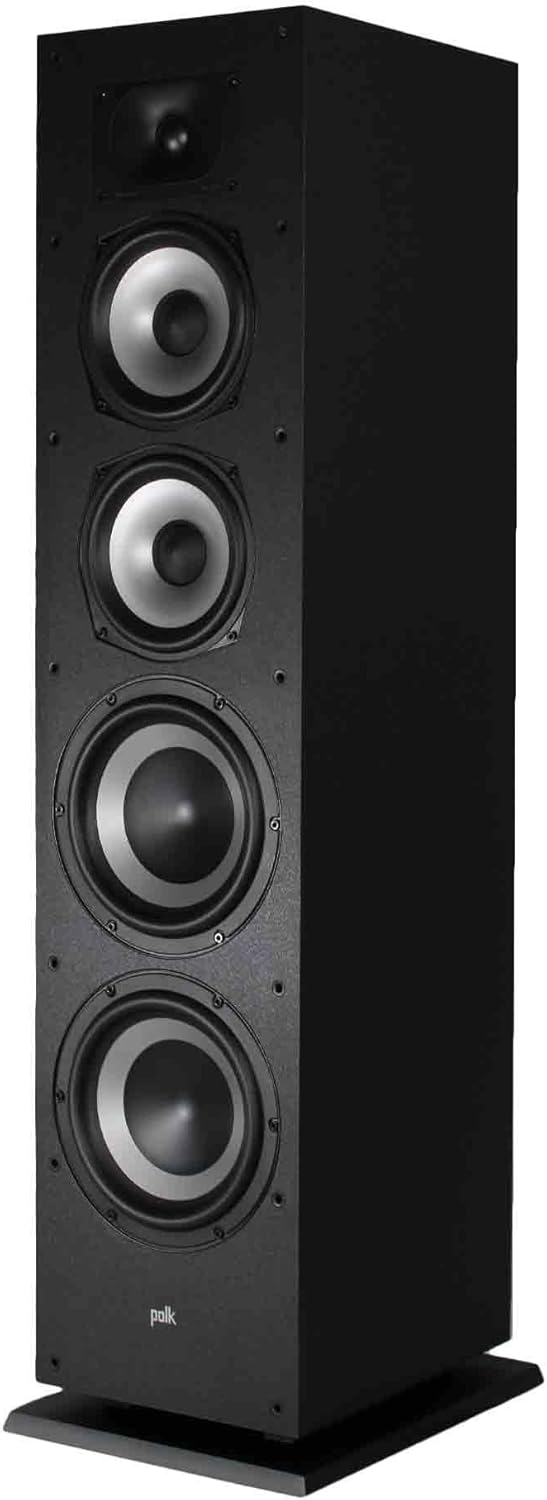
Image: An angled view of the Monitor XT70 speaker, revealing its driver configuration including the tweeter, two mid-range woofers, and two larger passive radiators.

Image: A detailed close-up of the Monitor XT70's speaker components, highlighting the 1-inch Terylene dome tweeter, 6.5-inch Dynamic Balance woofers, and 8-inch passive radiators.
4. Operating Your Speakers
Once properly connected, your Polk Audio Monitor XT70 speakers are ready for use. The XT70 is designed to deliver a wide soundstage with clear highs, rich mids, and deep bass, suitable for various audio content.
- Power On: Turn on your amplifier/receiver and select the appropriate input source.
- Volume Control: Start with a low volume level and gradually increase it to a comfortable listening level. Avoid excessively high volumes that may cause distortion or damage to the speakers or your hearing.
- Audio Sources: Play audio from your preferred sources, such as a turntable, CD player, streaming device, or television.
- Break-in Period: Like many high-fidelity speakers, the XT70 may benefit from a "break-in" period of 50-100 hours of normal use. During this time, the drivers will loosen up, and the sound quality may improve further.
5. Maintenance
Proper care will ensure the longevity and performance of your Polk Audio Monitor XT70 speakers.
- Cleaning the Cabinet: Use the provided fiber cloth or a soft, dry, lint-free cloth to gently wipe the speaker cabinet. Avoid using harsh chemicals, abrasive cleaners, or excessive moisture, as these can damage the finish.
- Cleaning the Grilles: The precision-fit grilles are removable. If they accumulate dust, gently vacuum them with a soft brush attachment or wipe them with a slightly damp cloth. Ensure they are completely dry before reattaching.
- Driver Care: Avoid touching the speaker drivers (tweeter, woofers, passive radiators) directly, as this can cause damage.
- Environmental Factors: Keep speakers away from direct sunlight, extreme temperatures, and high humidity. Ensure adequate ventilation around the speakers.
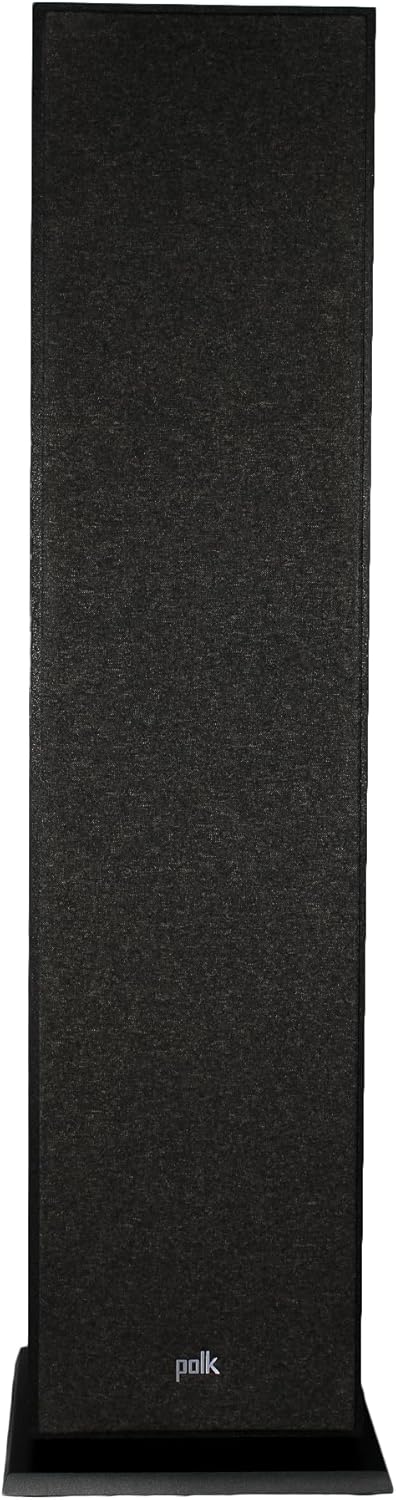
Image: The Monitor XT70 floorstanding speaker with its black protective grille in place, showcasing its refined aesthetic.
6. Troubleshooting
If you encounter issues with your Monitor XT70 speakers, refer to the following common troubleshooting steps:
| Problem | Possible Cause / Solution |
|---|---|
| No Sound |
|
| Distorted Sound |
|
| Weak Bass |
|
If the problem persists after trying these steps, please contact Polk Audio customer support.
7. Specifications
| Feature | Detail |
|---|---|
| Model Number | 300145-01-00-005 |
| Product Dimensions (H x W x D) | 36.4 x 7.5 x 9.9 inches (92.46 x 19.05 x 25.15 cm) |
| Item Weight | 36.9 pounds (16.74 kg) |
| Brand | Polk Audio |
| Mounting Type | Floor Standing |
| UPC | 094148716046 |
| Woofer Configuration | Two 6.5" Dynamic Balance woofers |
| Tweeter Configuration | One 1" Terylene dome tweeter |
| Passive Radiators | Two 8" passive radiators |
| Cabinet Material | Critically braced MDF cabinet |
8. Warranty and Support
For warranty information and detailed support, please refer to the official Polk Audio website or contact their customer service directly. Keep your purchase receipt as proof of purchase.
You can visit the official Polk Audio store on Amazon for more information and support resources: Polk Audio Store


