
1. Overview
The Anker Prime Power Bank (Model A110A) is a high-capacity portable charger designed to provide efficient power to multiple devices. With a 26,250mAh capacity and a total output of 300W, it features two USB-C ports and one USB-A port, enabling simultaneous charging of up to six devices when used with its fast charging base. This power bank is flight-safe and includes smart display and app control functionalities for enhanced user experience.
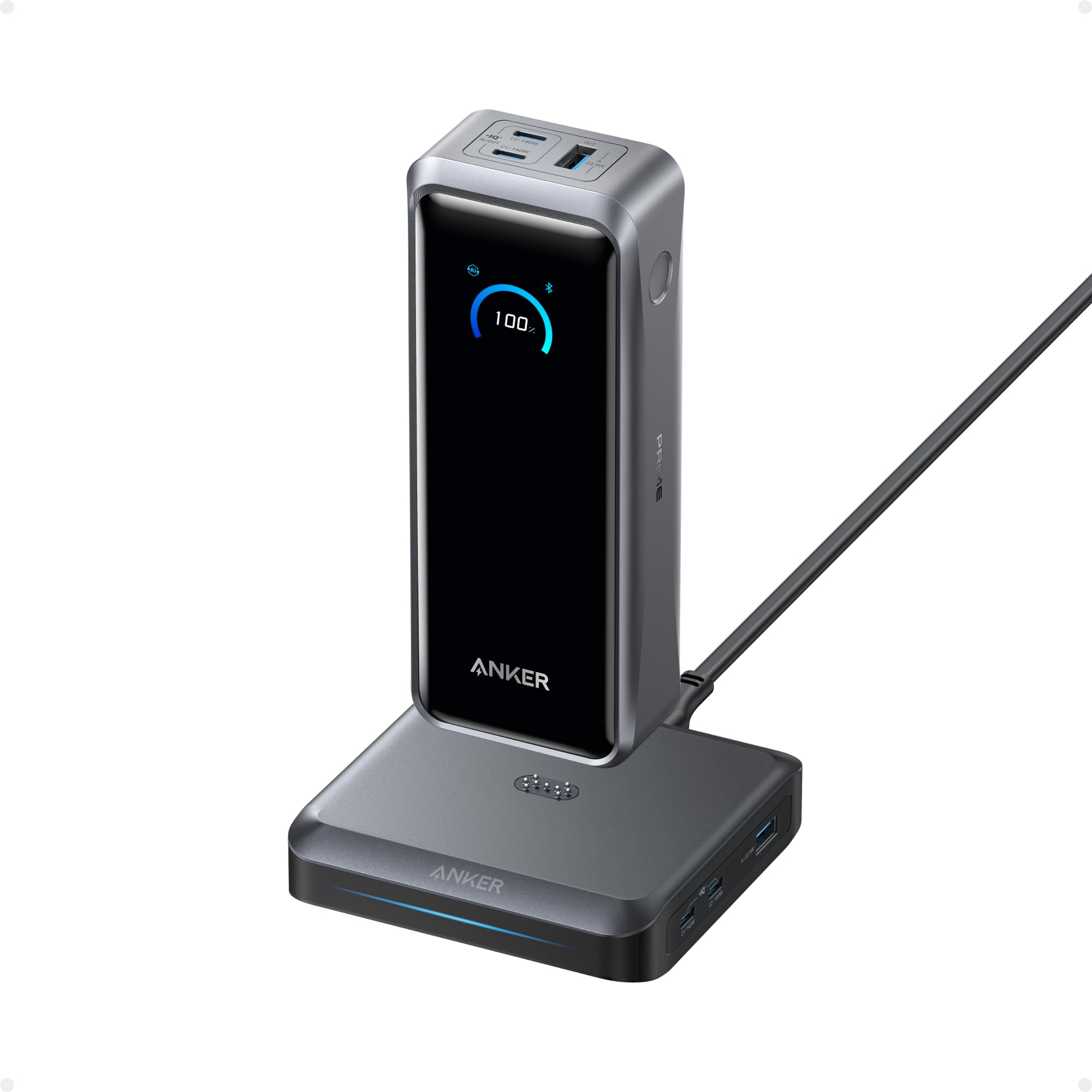
Image: The Anker Prime Power Bank with its dedicated charging base.
2. Setup Guide
2.1 Package Contents
Ensure all items are present in your package:
- Anker Prime Power Bank (26K, 300W)
- 3.3 ft USB-C to USB-C charging cable (240W)
- Travel pouch
- Welcome guide
2.2 Initial Charging
Before first use, fully charge your Anker Prime Power Bank. The power bank supports up to 250W max input power using both USB-C ports for rapid recharging. When placed on the charging base, it recharges at up to 150W.

Image: The power bank recharging on its base, illustrating fast charging capabilities.
2.3 App Installation and Pairing
Download the Anker app from your device's app store to access smart features. Follow these steps to pair your devices:
- Open the Anker app and tap "Add Devices".
- Select "150W Prime Charging Base" from the device list.
- Press the reset button on the back of the base to pair via Bluetooth. Then tap "Wi-Fi" at the bottom of the page to complete setup.
- Make sure the base is connected to Wi-Fi. Place the power bank on it.
- Once loading is complete, the base and power bank will be grouped successfully.

Image: Visual guide for setting up the Anker app and pairing the charging base.
3. Operating Instructions
3.1 Charging Devices
The power bank features two USB-C ports (up to 140W max output each) and one USB-A port (up to 22.5W max output). Connect your devices using appropriate cables. When the power bank is on the charging base, the base provides additional ports: one USB-C (140W max), one USB-C (100W max), and one USB-A (22.5W max), allowing you to charge up to six devices simultaneously.

Image: The Anker Prime Power Bank and Charging Base connected to and charging multiple devices like laptops, phones, and cameras.
3.2 Recharging the Power Bank
Recharge the power bank using the included USB-C to USB-C cable connected to a compatible wall charger, or by placing it on the charging base. For fastest recharging (up to 250W), use both USB-C input ports with 5A cables and a 140W charger.

Image: The power bank being recharged via dual USB-C inputs, highlighting its 250W max fast recharging capability.
3.3 Smart Display and App Control
The integrated smart display provides real-time charging information, including battery percentage, input/output wattage, and estimated recharge/discharge times. The Anker app allows for remote monitoring and control:
- Real-Time Stats: View detailed charging information for the power bank and charging base.
- Adjustable Power Settings: Manually adjust output power for each port.
- Power Saving Mode: Protect devices and optimize battery life.
- Customization: Set screen saver options and charging modes.

Image: The power bank's smart display showing various charging metrics and customization options.

Image: A smartphone screen displaying the Anker app interface with real-time input/output power and battery temperature.

Image: Screenshots of the Anker app showing options to choose charging modes, set input/output settings, and customize screen saver options.
Video: A demonstration of the Anker power bank charging base in use, highlighting its functionality.
Video: A review showcasing the ultimate fast charging capabilities and digital display of the power bank.
4. Maintenance
To ensure optimal performance and longevity of your Anker Prime Power Bank and Charging Base, follow these maintenance guidelines:
- Cleaning: Use a soft, dry cloth to clean the surfaces of the power bank and charging base. Avoid using harsh chemicals or abrasive materials.
- Storage: Store the device in a cool, dry place away from direct sunlight and extreme temperatures. If storing for extended periods, ensure the power bank has at least a 50% charge.
- Avoid Drops: Protect the device from drops and impacts, which can damage internal components.
5. Troubleshooting
If you encounter issues with your Anker Prime Power Bank, refer to the following common problems and solutions:
- Device Getting Warm: It is normal for the power bank to become slightly warm during high-power charging or discharging. If it becomes excessively hot, disconnect all devices and allow it to cool down. The ActiveShield 4.0 technology monitors temperature to prevent overheating.
- Charging Not as Expected: Ensure you are using the provided 240W USB-C cable and a compatible high-wattage wall charger for optimal charging speeds. Check that all connections are secure.
- Capacity Seems Lower: Battery capacity can be affected by usage patterns and environmental factors. Ensure the power bank is fully charged before use.
- Compatibility Questions: Refer to the product specifications for a list of compatible devices. If your device is not listed, ensure it supports USB Power Delivery (PD) or Quick Charge (QC) protocols for fast charging.
- Performance Concerns: If performance issues persist, try resetting the power bank (refer to the welcome guide for specific instructions) or contact customer support.

Image: A visual representation of common troubleshooting topics and how to seek support.
6. Specifications
| Feature | Detail |
|---|---|
| Model Number | A110A |
| Brand | Anker |
| Battery Capacity | 26,250 mAh (99.75Wh) |
| Total Output Power | 300W Max |
| USB-C Output (Power Bank) | Up to 140W per port |
| USB-A Output (Power Bank) | Up to 22.5W |
| USB-C Output (Charging Base) | 140W Max, 100W Max |
| USB-A Output (Charging Base) | 22.5W Max |
| Max Input Power | 250W (Dual USB-C), 150W (Charging Base) |
| Connector Type | USB Type A, USB Type C |
| Special Features | Digital Display, Fast Charging, App Control |
| Item Weight | 1.3 pounds (365 g battery weight) |
| Item Dimensions | 6.3"L x 2.5"W x 1.5"Th |
| Battery Cell Type | Lithium Polymer |
| UPC | 194644239336 |
7. Warranty and Customer Support
The Anker Prime Power Bank (Model A110A) comes with a 24-month warranty, ensuring peace of mind regarding product quality and performance.
For technical assistance, warranty claims, or any product-related inquiries, please contact AnkerDirect customer service. Refer to the welcome guide included in your package for specific contact details or visit the official Anker support website.


