
1. Introduction
This manual provides detailed instructions for replacing the motor gear on your OSTBA SL-518 Meat Slicer. The replacement gear (Model: SL518-Gear) is designed for precise compatibility and is constructed from durable PA66+30% glass fiber for high strength and stability, ensuring smooth and quiet slicing performance. Please read all instructions carefully before proceeding with the replacement.
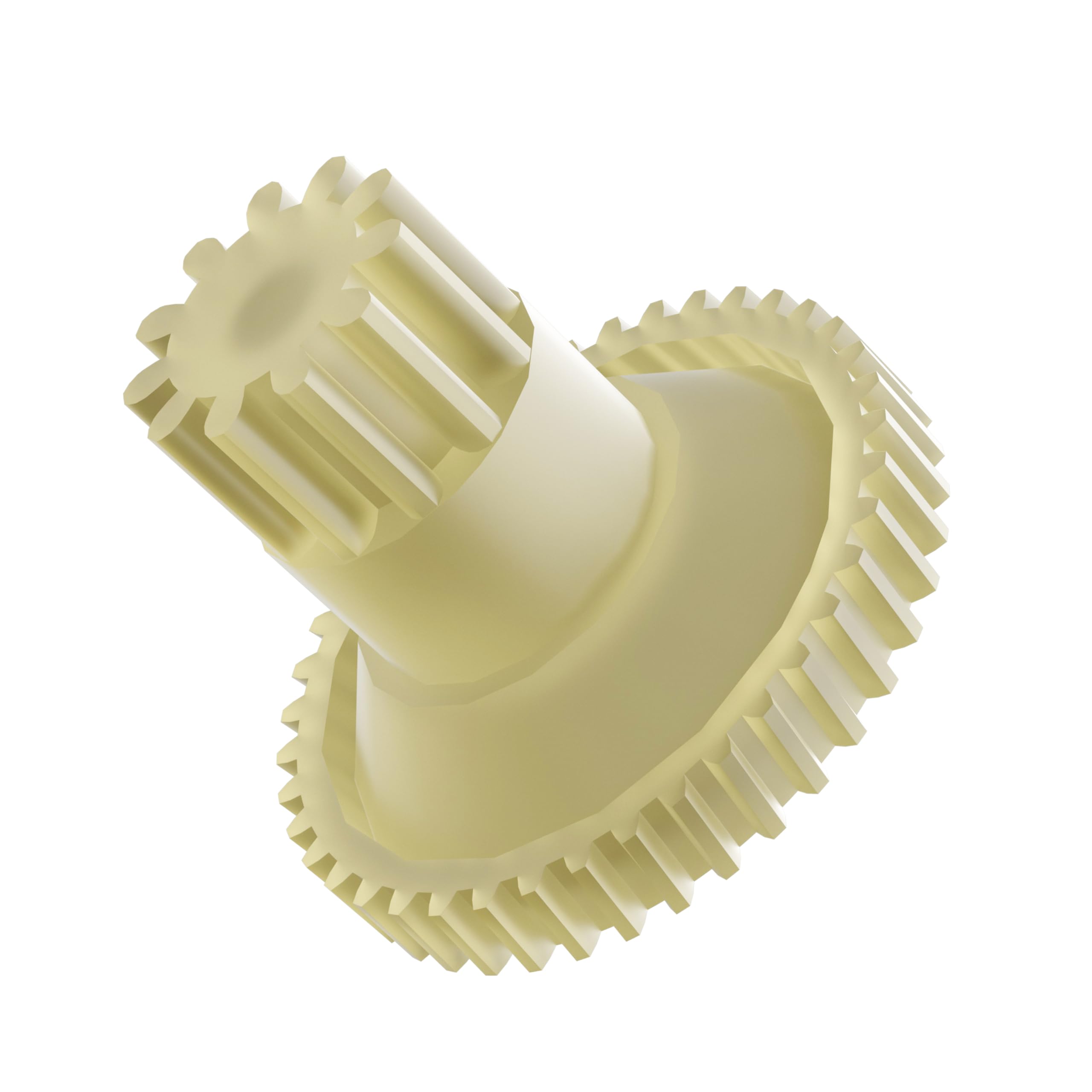
Image 1: A close-up view of the yellow replacement motor gear for the OSTBA SL-518 Meat Slicer.
2. Safety Information
- Always unplug the meat slicer from the power outlet before attempting any maintenance, cleaning, or part replacement.
- Wear appropriate safety gloves to protect your hands from sharp edges, especially when handling the slicer blade.
- Keep all small parts away from children.
- Ensure the work area is clean, well-lit, and free from obstructions.
- If you are unsure about any step, consult a qualified technician or contact OSTBA customer support.
3. Package Contents
Verify that all components are present and undamaged upon opening the package.
- 1 x OSTBA Motor Gear Replacement (Model: SL518-Gear)
4. Installation (Gear Replacement)
Follow these steps to replace the motor gear in your OSTBA SL-518 Meat Slicer. A Phillips head screwdriver is required for this procedure.
- Unplug the Slicer: Ensure the meat slicer is completely unplugged from the power source before beginning.
- Access the Motor Compartment: Carefully locate and remove the screws securing the motor compartment cover on your SL-518 meat slicer. The exact location may vary slightly, but it is typically on the underside or rear of the unit.
- Identify the Old Gear: Once the cover is removed, identify the motor gear that needs replacement. It will be connected to the motor shaft and engage with other gears or the blade mechanism.
- Remove the Old Gear: Gently detach the old gear. This may involve unscrewing a retaining screw or carefully prying it off the shaft. Note its orientation for correct installation of the new gear.
- Install the New Gear: Align the new OSTBA SL518-Gear with the motor shaft and press it firmly into place. Ensure it is seated correctly and engages properly with any adjacent components. Secure it with any retaining screws removed earlier.
- Test Movement: Manually rotate the blade or associated components to ensure the new gear moves freely and without obstruction.
- Reassemble: Replace the motor compartment cover and secure it with the screws.
- Final Check: Plug the slicer back in and perform a brief test run to ensure smooth and quiet operation.

Image 2: The OSTBA motor gear replacement, designed for the SL-518 meat slicer. This image helps visualize the component being installed.
5. Operating Considerations
Once the new motor gear is installed, your OSTBA SL-518 Meat Slicer should operate with renewed efficiency. The high-strength PA66+30% glass fiber material of the gear is designed to provide a durable and reliable connection between the motor and the slicing mechanism, contributing to a smooth and quiet slicing experience. If you notice any unusual noises or resistance after installation, refer to the troubleshooting section.
6. Maintenance
Proper maintenance of your meat slicer, including the newly installed gear, ensures longevity and optimal performance.
- Regular Cleaning: After each use, ensure the slicer is unplugged and clean any food debris from around the gear and motor compartment area. Use a damp cloth and mild detergent if necessary, then dry thoroughly.
- Avoid Overloading: Do not force the slicer to cut items that are too large or hard, as this can put excessive strain on the motor and gears.
- Inspection: Periodically inspect the gear for any signs of wear, cracks, or damage. Replace if necessary.

Image 3: General blade care tips for your OSTBA slicer. While this image focuses on the blade, proper maintenance of all slicer components, including the gear, contributes to overall device longevity.
7. Troubleshooting
If you encounter issues after replacing the motor gear, consider the following:
| Problem | Possible Cause | Solution |
|---|---|---|
| Slicer not operating or making grinding noise. | Gear not properly seated or misaligned. | Unplug the slicer. Re-open the motor compartment and ensure the gear is correctly aligned and fully seated on the motor shaft and with other components. |
| Slicer operates but blade movement is sluggish or inconsistent. | Obstruction in the gear mechanism or incorrect installation. | Unplug the slicer. Check for any debris or foreign objects obstructing the gear's movement. Verify all screws are tightened appropriately. |
| Unusual vibration or excessive noise. | Loose components or improper reassembly. | Unplug the slicer. Inspect all internal components for looseness. Ensure the motor compartment cover is securely fastened. |
8. Specifications
- Model: SL518-Gear
- Compatibility: OSTBA SL-518 Meat Slicer
- Material: PA66+30% Glass Fiber
- Dimensions (L x W x H): 1.73" x 1.73" x 1.25"
- Color: Yellow
- Included: 1 Motor Gear Replacement
9. Warranty Information
For specific warranty details regarding your OSTBA Motor Gear Replacement, please refer to the original product packaging or contact OSTBA customer support directly. Warranty terms typically cover manufacturing defects and material flaws under normal use conditions.
10. Customer Support
If you have any questions, require assistance with installation, or need further troubleshooting, please contact OSTBA customer support. You can typically find contact information on the official OSTBA website or through the retailer where you purchased the product.
Online Resources: Visit the OSTBA Store on Amazon for additional product information and support.

