
Product Overview
The FREEWOLF M75 is a versatile wireless gaming keyboard designed for optimal performance and user experience. It features dual-mode connectivity, a smart OLED display with a multi-functional knob, gradient PBT keycaps, and anti-ghosting technology, making it suitable for both gaming and professional use.

Image: Overview of the FREEWOLF M75 Wireless Gaming Keyboard, highlighting its compact design and RGB backlighting.
Key Features
- Dual-Mode Wireless Connectivity: Bluetooth 5.1/5.2 and ultra-stable 2.4GHz wireless for seamless switching across multiple operating systems.
- Smart OLED Display & Multi-functional Knob: Provides real-time battery, connection mode, and charging status. The knob controls volume and backlight settings.
- Gradient PBT Keycaps: World's first membrane keyboard with fade-resistant, double-shot PBT keycaps for ergonomic comfort and durability.
- 82-Key Compact Layout: 75% layout retains essential functions while saving desk space.
- Anti-Ghosting: 26-key rollover technology ensures accurate input during complex commands.
- 2000mAh Long-Lasting Battery: Offers extended usage with up to 150 hours (backlight off) on a single charge.
- Rainbow Backlit: Customizable RGB lighting modes and brightness levels.
Setup & Connectivity
Dual-Mode Wireless Connection
The M75 keyboard supports both 2.4GHz wireless and Bluetooth connectivity, allowing you to connect to various devices and operating systems.
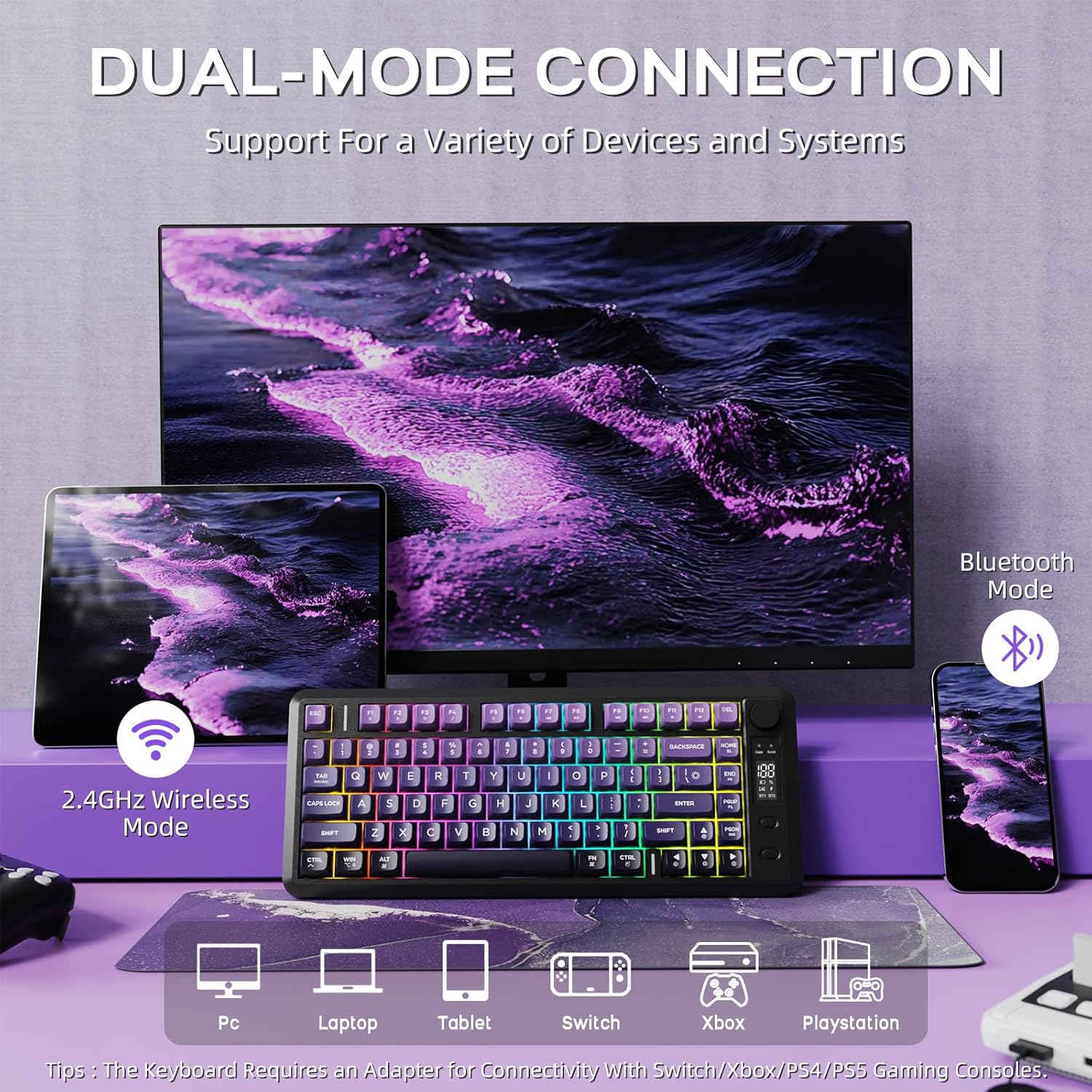
Image: The FREEWOLF M75 keyboard connected to multiple devices via 2.4GHz wireless and Bluetooth mode.
2.4GHz Wireless Mode:
- Locate the 2.4GHz USB receiver (dongle) stored in the keyboard's back compartment.
- Plug the USB receiver into an available USB port on your computer or device.
- Ensure the keyboard's mode switch (located on the side/back) is set to 2.4G mode. The keyboard should automatically connect.
Bluetooth Mode:
- Ensure the keyboard's mode switch is set to BT (Bluetooth) mode.
- On your device (PC, Mac, Tablet), go to Bluetooth settings and search for new devices.
- Select 'FREEWOLF M75' or a similar name from the list of available devices to pair.
- The OLED display will indicate the successful connection.
Wired Connection:
For a direct connection or while charging, use the provided USB-C cable to connect the keyboard to your device. The keyboard will function in wired mode and charge simultaneously.
Operating Instructions
Smart OLED Display & Multi-functional Knob
The M75 features an OLED display and a multi-functional knob for quick adjustments and status checks.
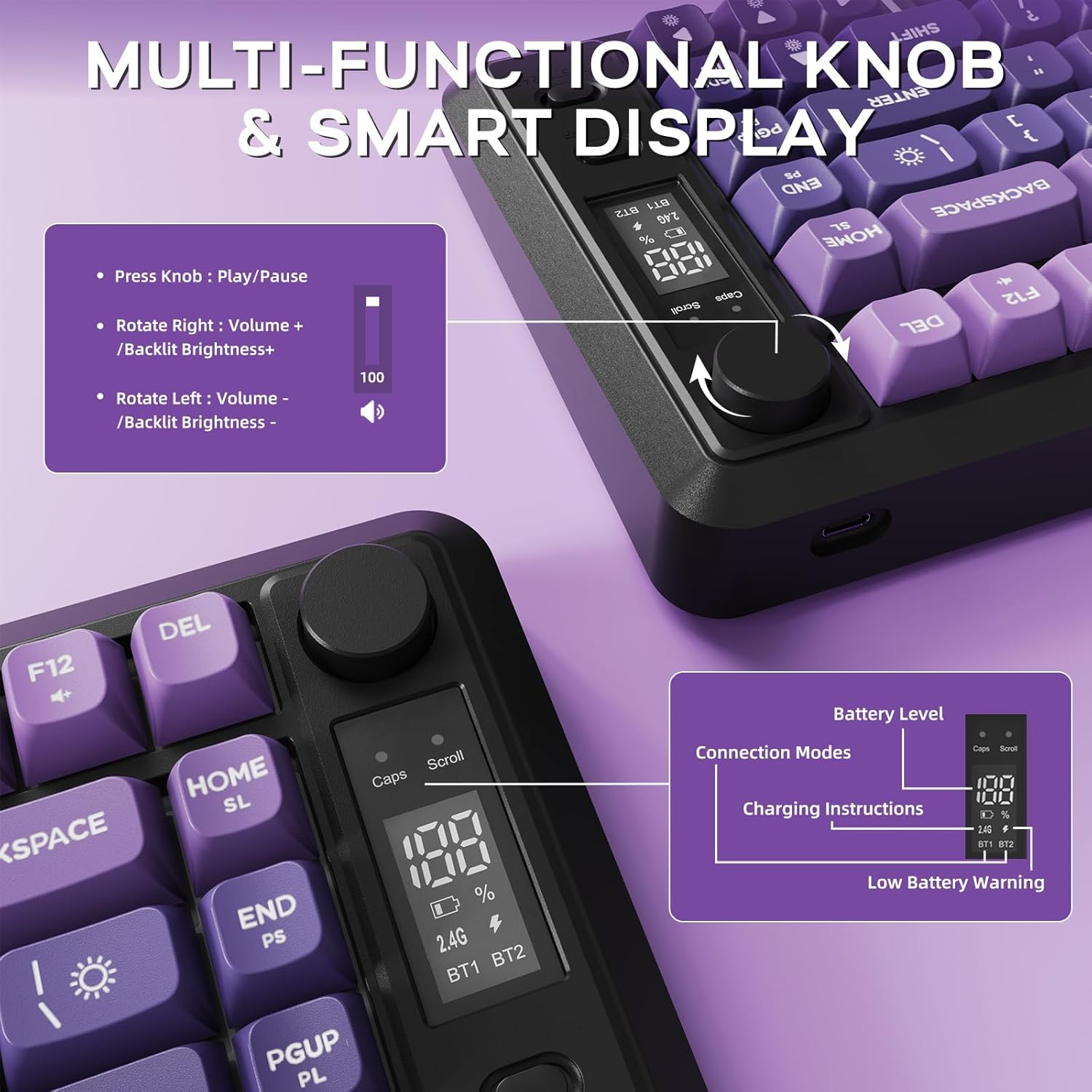
Image: Close-up of the OLED display showing battery level and connection modes, along with the multi-functional knob and its controls.
- Knob Functionality:
- Rotate left/right to adjust volume.
- Press down for 5 seconds to adjust backlight settings.
- OLED Display: Shows real-time battery percentage, current connection mode (2.4G, BT1, BT2), and charging status.
Backlight Control
The keyboard features vibrant rainbow backlighting with adjustable settings.
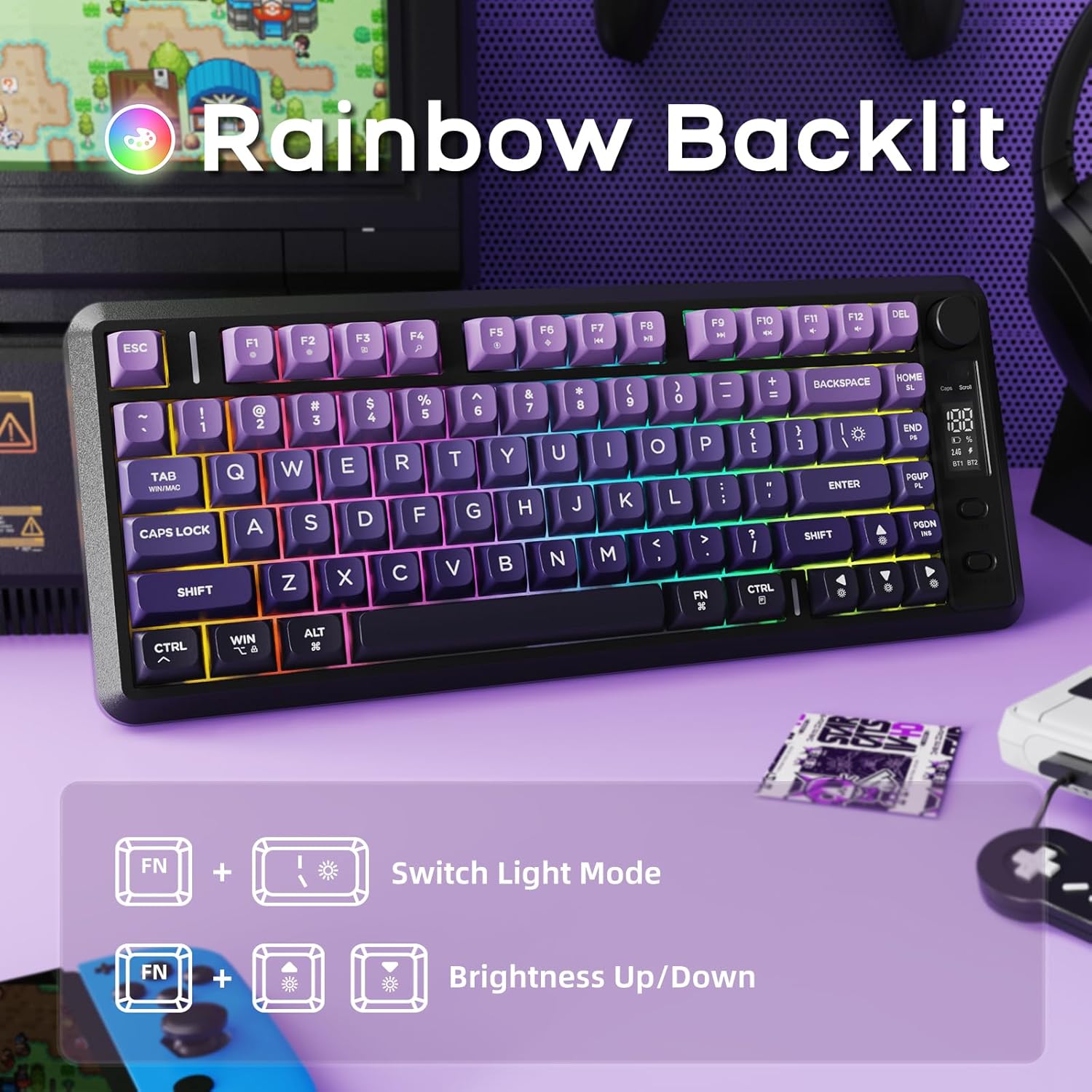
Image: Illustration of Fn key combinations for switching light modes and adjusting brightness on the FREEWOLF M75 keyboard.
- Switch Light Mode: Press Fn + I to cycle through different lighting effects.
- Adjust Brightness: Press Fn + ↑ (Up Arrow) to increase brightness, and Fn + ↓ (Down Arrow) to decrease brightness.
- Note: The keycaps are opaque, meaning the light illuminates around the keys, not through the legends.
Battery Management
The M75 keyboard is equipped with a robust 2000mAh rechargeable battery.
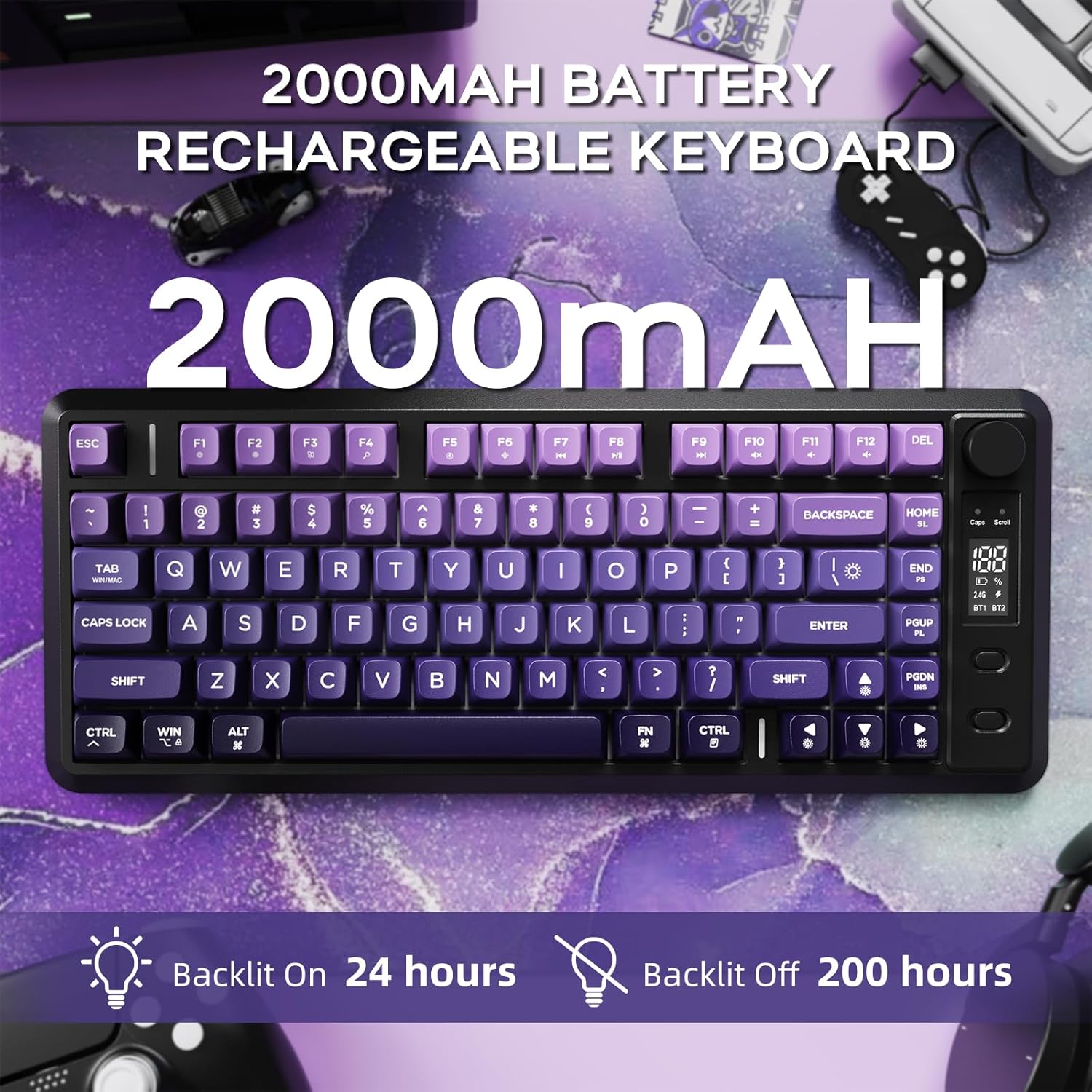
Image: The FREEWOLF M75 keyboard highlighting its 2000mAh battery and estimated battery life with backlight on (24 hours) and off (200 hours).
- Battery Capacity: 2000mAh.
- Runtime: Up to 150 hours with backlight off, or approximately 24 hours with backlight on (lab-tested).
- Charging: Connect the keyboard using the provided USB-C cable to a power source. The OLED display will show charging status.
- Low Battery Warning: The OLED display will indicate when the battery is low.
Keycap & Layout Details
Gradient PBT Keycaps
The keyboard features durable and comfortable PBT keycaps.
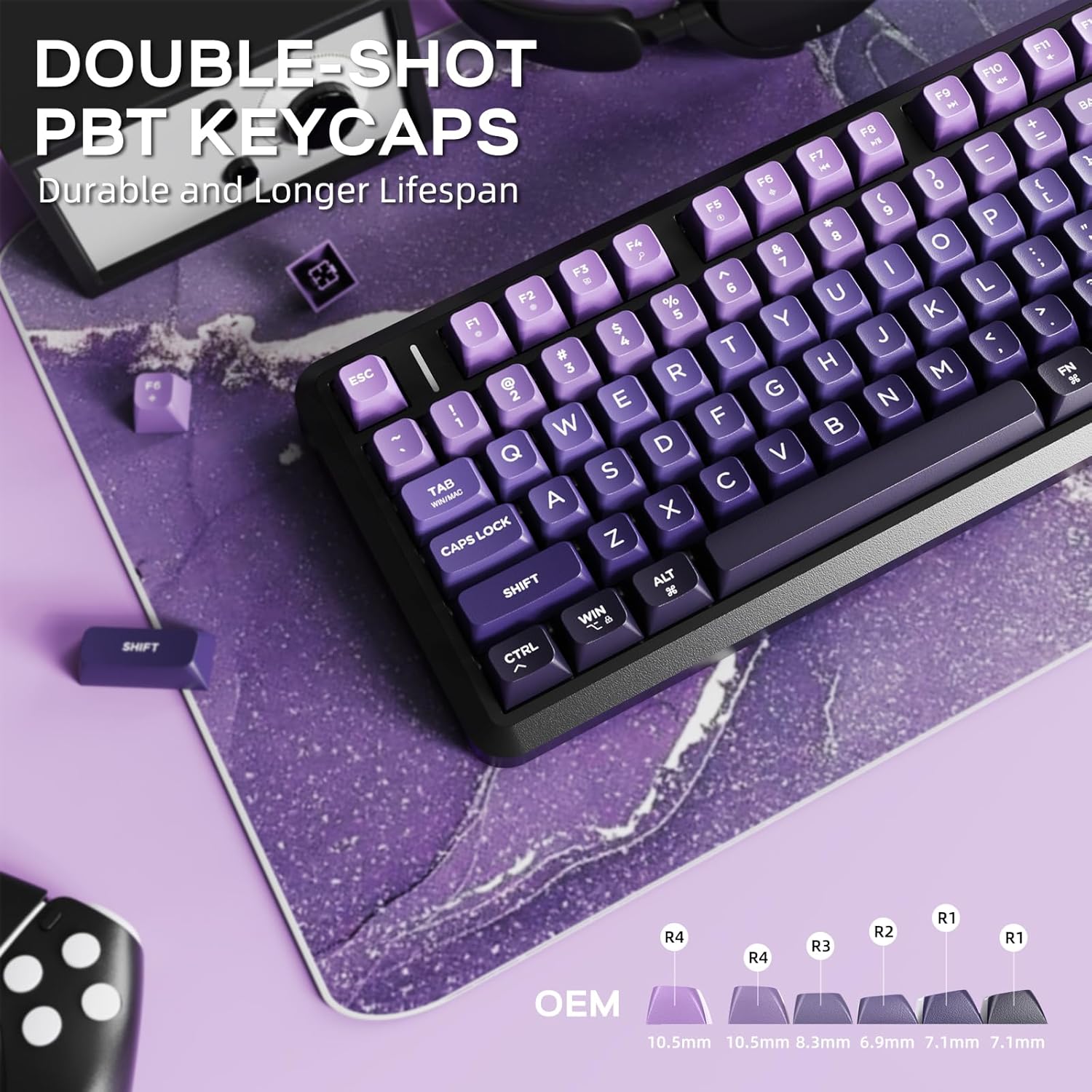
Image: Close-up of the FREEWOLF M75 keyboard's double-shot PBT keycaps, showing their gradient color and OEM profile.
- Material: Double-shot PBT (Polybutylene Terephthalate) for enhanced durability.
- Design: Gradient colors and spherical concave design for ergonomic comfort.
- Resistance: Resistant to oils, fading, and yellowing, ensuring a longer lifespan compared to ABS alternatives.
82-Key Compact Layout & Anti-Ghosting
The 75% layout provides essential keys in a compact form factor, complemented by anti-ghosting technology.
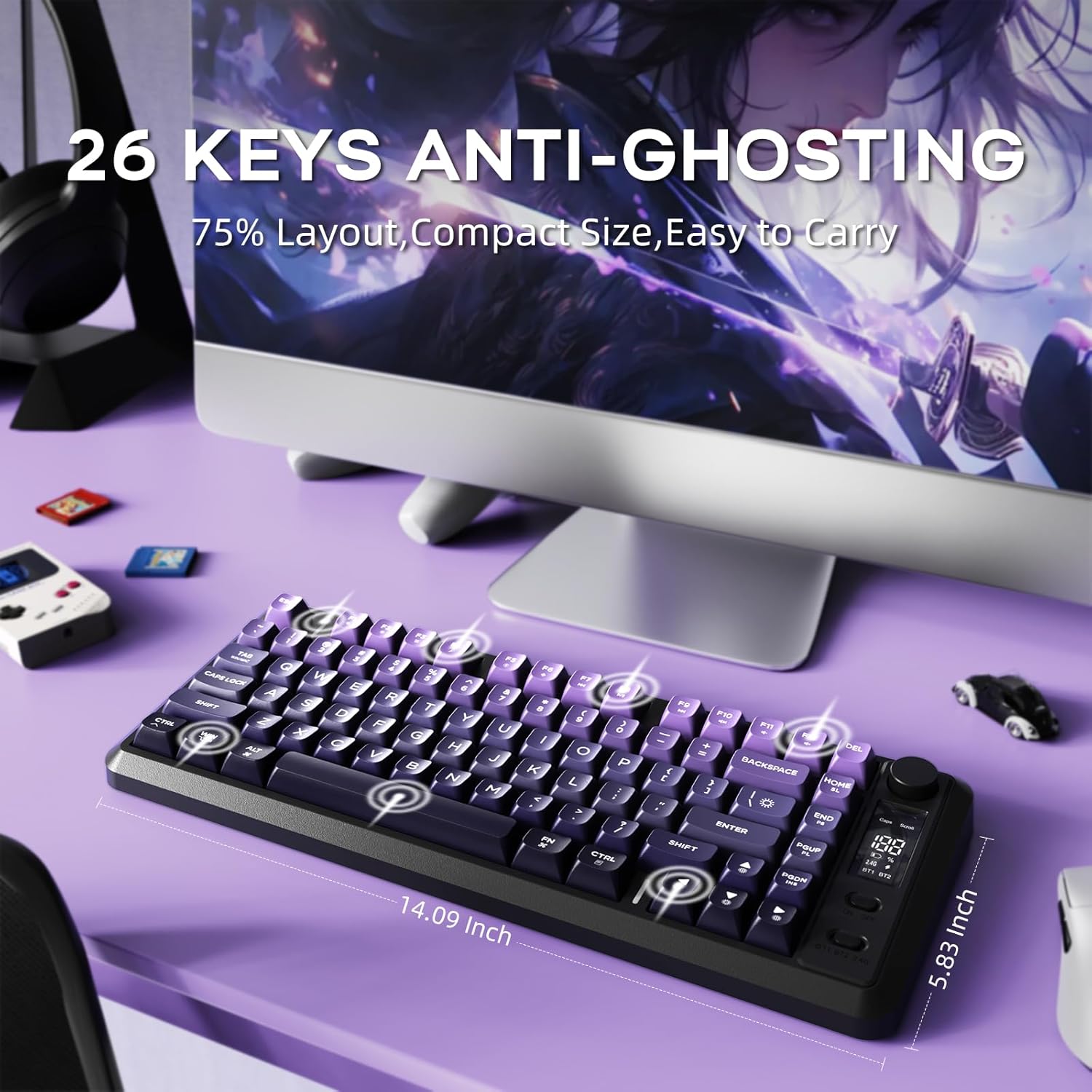
Image: The FREEWOLF M75 keyboard on a desk, illustrating its 75% layout and the concept of 26-key anti-ghosting.
- Layout: 82-key compact layout (75%) for space efficiency without sacrificing functionality.
- Anti-Ghosting: 26-key rollover technology prevents missed key presses during rapid or simultaneous inputs, crucial for gaming.
Maintenance
- Cleaning: Use a soft, dry cloth to wipe the keyboard surface. For deeper cleaning, use compressed air to remove debris between keycaps. Avoid harsh chemicals.
- Keycap Removal: If necessary, use a keycap puller to carefully remove keycaps for cleaning. Reinstall by pressing firmly until they click into place.
- Storage: Store the keyboard in a cool, dry place away from direct sunlight and extreme temperatures.
Troubleshooting
- Keyboard Not Connecting:
- Ensure the keyboard is charged.
- Verify the mode switch (2.4G or BT) matches your connection method.
- For 2.4GHz, ensure the USB receiver is securely plugged in.
- For Bluetooth, ensure Bluetooth is enabled on your device and the keyboard is paired correctly. Try re-pairing if issues persist.
- Backlight Not Working/Dim:
- Check battery level on the OLED display; low battery can affect backlight performance.
- Adjust brightness using Fn + Up/Down Arrow keys.
- Keys Not Responding:
- Ensure the keyboard is properly connected.
- Try connecting via a different mode (e.g., wired if using wireless) to isolate the issue.
- Restart your device and the keyboard.
Specifications
| Brand | FREEWOLF |
| Model | M75 |
| Connectivity Technology | 2.4G Wireless, Bluetooth |
| Keyboard Description | Membrane, Wireless |
| Compatible Devices | Laptop, PC, Tablet |
| Special Feature | Backlit, Ergonomic, Rechargeable, Silent, Volume Roller |
| Color | Purple (for this variant) |
| Material | Plastic, Polybutylene Terephthalate |
| Power Source | Battery Powered |
| Item Weight | 1.65 pounds |
| Package Dimensions | 15.75 x 6.02 x 1.89 inches |
Package Contents
The FREEWOLF M75 Wireless Gaming Keyboard package includes the following items:
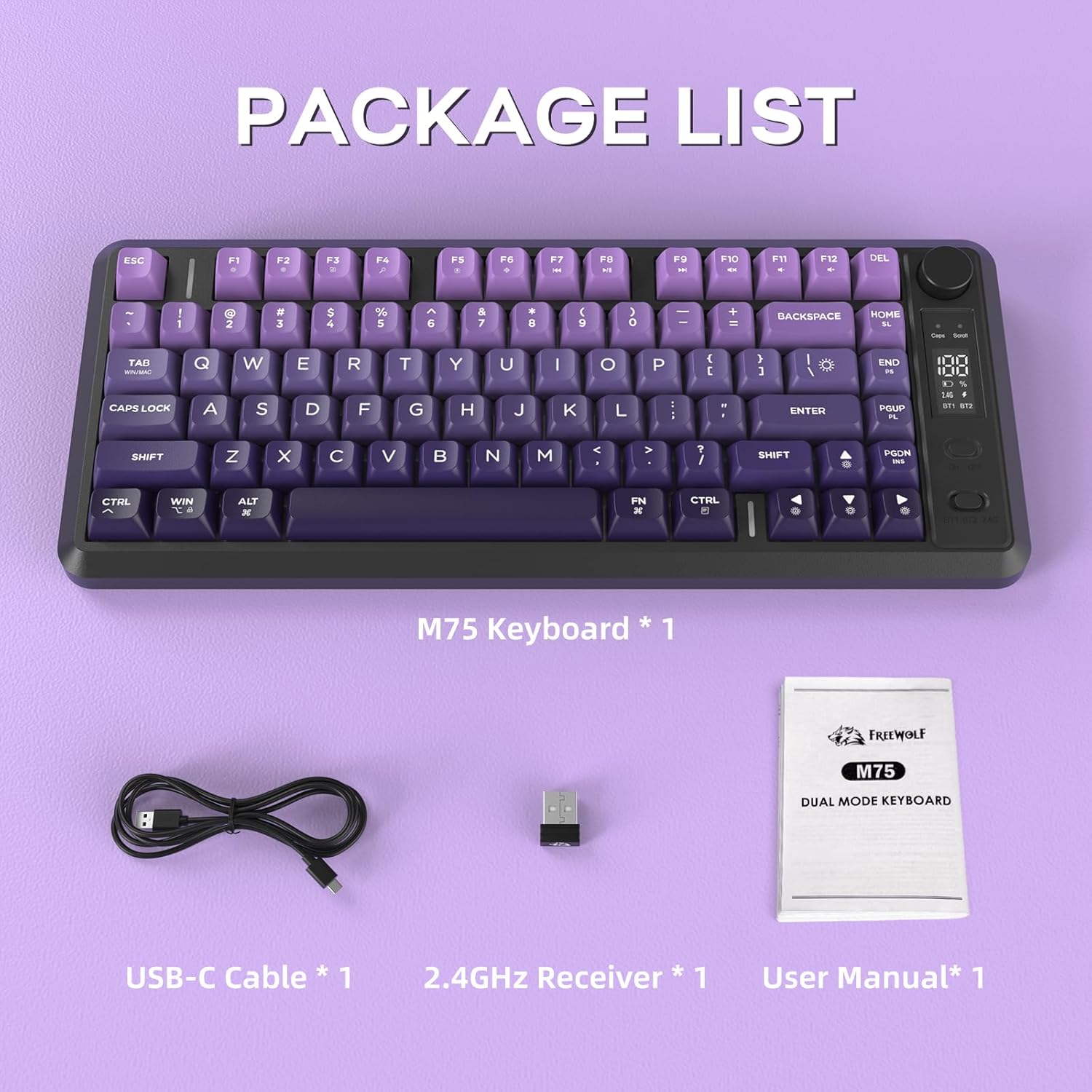
Image: The FREEWOLF M75 keyboard, USB-C cable, 2.4GHz receiver, and user manual laid out as package contents.
- M75 Keyboard x 1
- USB-C Cable x 1
- 2.4GHz Receiver x 1
- User Manual x 1


