
1. Setup
1.1 What's in the Box
- CMF by Nothing Watch 3 Pro Smart Watch (Dark Grey)
- Charging Cable
- User Manual
- Watch Band
1.2 Initial Charging
Before first use, fully charge your CMF Watch 3 Pro. Connect the provided charging cable to the watch's charging port and a compatible USB power adapter. The watch display will indicate charging status.
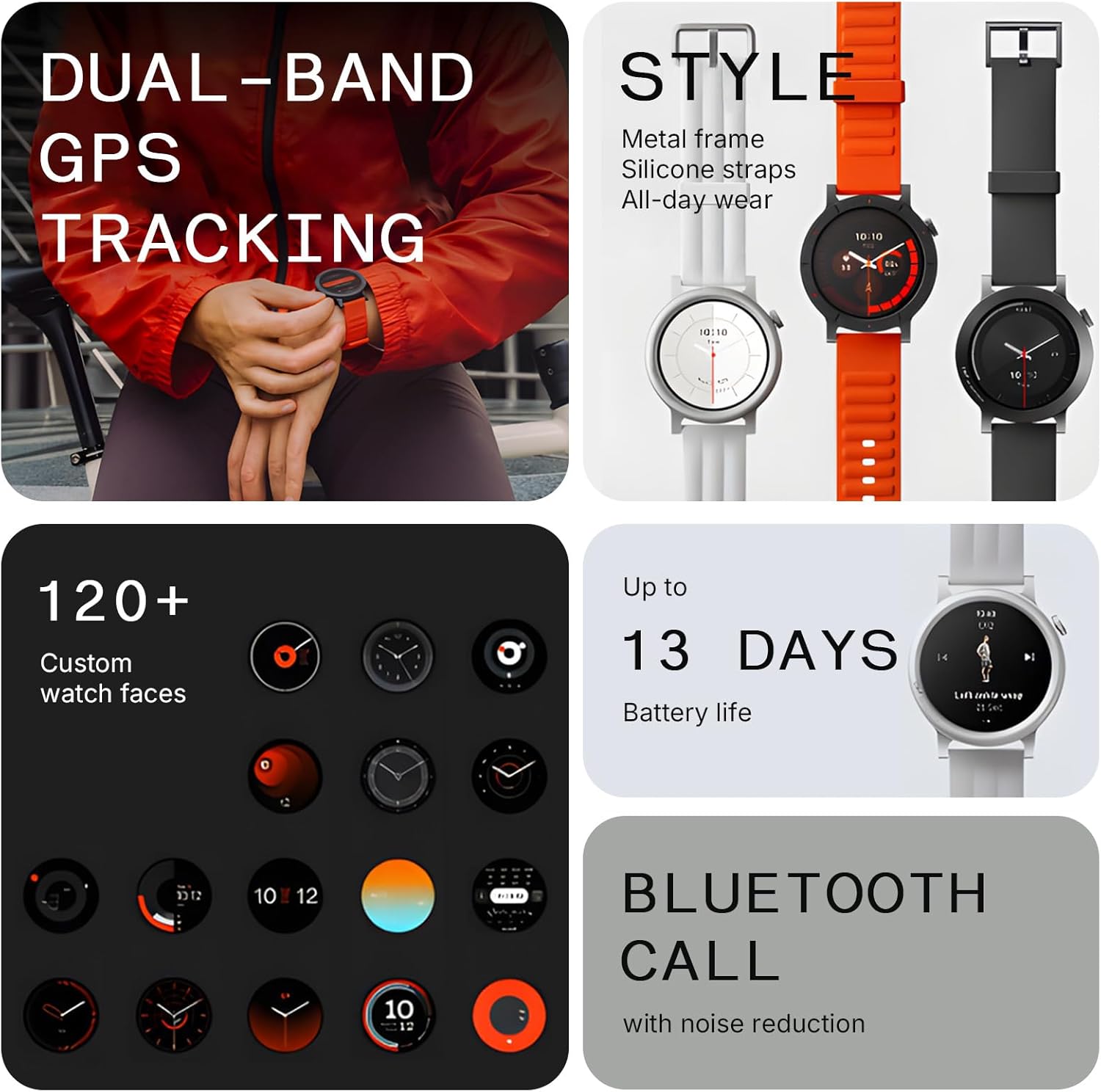
Image: The CMF Watch 3 Pro in Dark Grey, showing the watch face and strap. This image illustrates the overall design of the smartwatch.
1.3 App Installation & Pairing
Download the Nothing X App 3.0 from your device's app store (Android 6.0+ or iOS 13+ required). Open the app and follow the on-screen instructions to pair your CMF Watch 3 Pro via Bluetooth. Ensure Bluetooth is enabled on your smartphone.

Image: A close-up of the CMF Watch 3 Pro's display showing app icons, indicating the user interface for app selection and interaction.
2. Operating Instructions
2.1 Basic Navigation
- Touchscreen: Swipe left/right, up/down to navigate menus and widgets. Tap to select.
- Side Button: Press to wake the screen, return to the watch face, or access the app list.
- Gesture Control: Utilize new gesture controls for one-handed operation (e.g., answering calls, controlling music).
2.2 Bluetooth Calling
The CMF Watch 3 Pro supports crystal-clear Bluetooth calls with AI noise reduction. You can make and receive calls directly from your wrist. Sync up to 30 contacts for instant access.
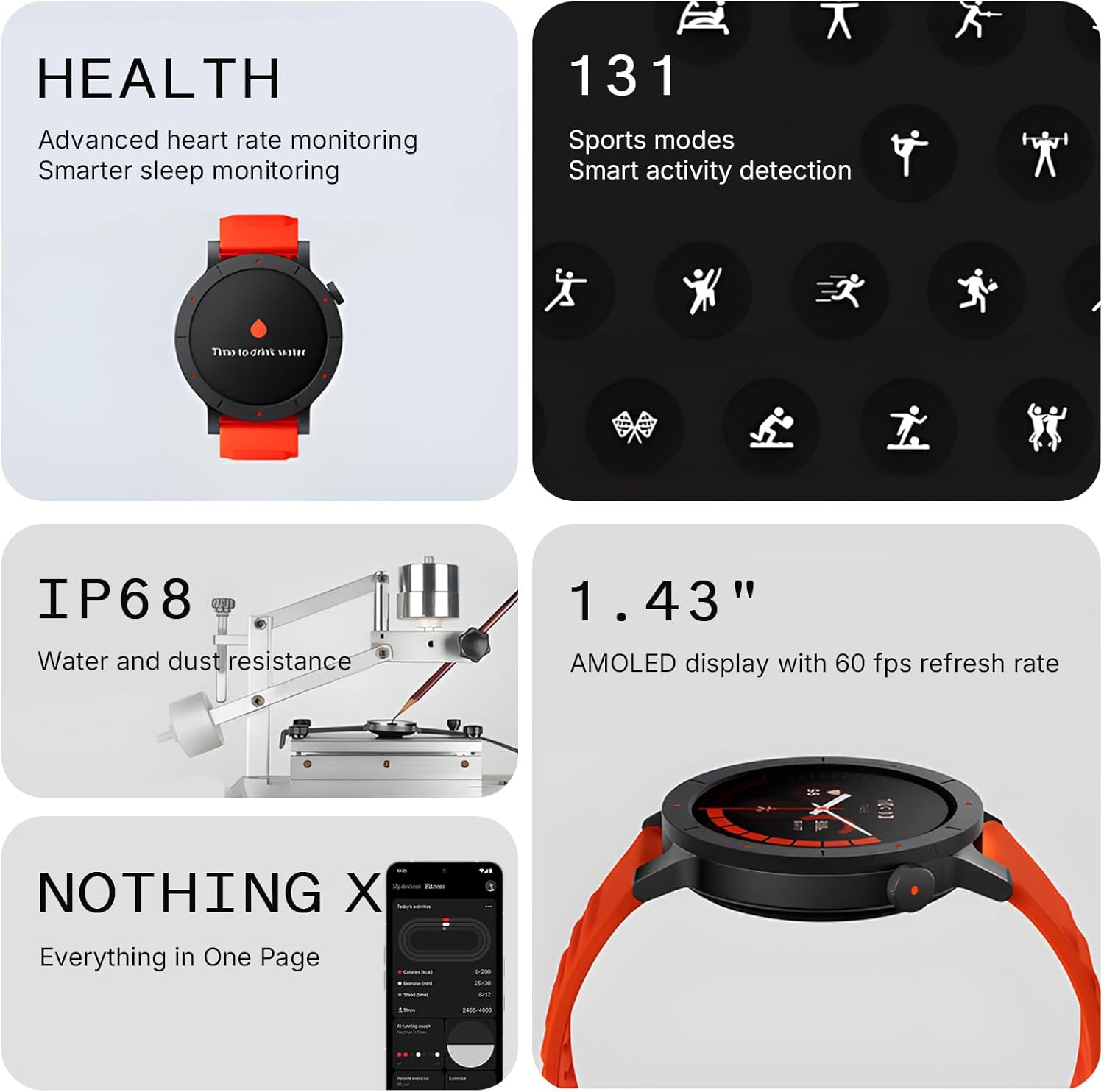
Image: A side view of the CMF Watch 3 Pro, highlighting its sleek profile and the side button. This view emphasizes the physical design of the smartwatch.
2.3 Health Monitoring
The watch features advanced 4-channel heart rate tracking, precise sleep monitoring (with sleep zone tracking), stress level monitoring, and SpO₂ level measurement. Access these features via the watch's menu or the Nothing X App.
2.4 Sport Modes & GPS
Select from over 130 sport modes. The watch features L1+L5 Dual Band GPS for ultra-accurate navigation during outdoor activities. Performance analysis is powered by GOMORE technology.

Image: A person wearing the CMF Watch 3 Pro on their wrist, actively using the GPS tracking feature during an outdoor activity. The watch face displays navigation data.
3. Key Features
- 1.43” AMOLED Display: Vibrant display with sharp resolution and up to 10% more screen area.
- AI Energy Score: Tracks daily wellness by combining sleep, activity, and recovery data.
- 150+ AOD Watch Faces: Extensive customization options for the Always-on Display.
- IP68 Water Resistance: Protected against sweat and water splashes.
- 13-Day Battery Life: Long-lasting battery for extended use.
- Smart Movement Algorithm: Tracks workouts in detail, including aerobic/anaerobic performance, training load, and recovery time.
- Compatibility: Seamlessly syncs with Apple Health, Google Fit, and Strava.

Image: A collage showcasing various features of the CMF Watch 3 Pro, including its AMOLED display, multiple watch faces, long battery life, and Bluetooth calling capabilities.
4. Maintenance
4.1 Cleaning the Watch
Wipe the watch screen and strap regularly with a soft, damp cloth. Avoid using harsh chemicals or abrasive materials that could damage the device.
4.2 Charging Best Practices
Use only the provided charging cable. Avoid exposing the charging port to moisture. Ensure the watch is dry before charging.
4.3 Strap Replacement
The watch strap features quick-release pins for easy replacement. Gently slide the pin to detach the strap and attach a new one.
5. Troubleshooting
5.1 Watch Not Turning On
Ensure the watch is fully charged. If the issue persists, try performing a soft reset by pressing and holding the side button for 10-15 seconds.
5.2 Pairing Issues
Check that Bluetooth is enabled on your smartphone and the watch. Ensure the Nothing X App is updated to the latest version. Try restarting both devices.
5.3 Inaccurate Health Data
Ensure the watch is worn snugly on your wrist, not too tight or too loose. Clean the sensor on the back of the watch. Update the Nothing X App and watch firmware.
6. Specifications
| Feature | Detail |
|---|---|
| Model Number | D399 |
| Display Size | 1.43 Inches |
| Display Technology | AMOLED |
| Water Resistance | IP68 |
| Battery Life | Up to 13 days |
| Connectivity | Bluetooth |
| GPS | L1+L5 Dual Band GPS |
| Operating System | ROTS |
| Item Weight | 1.8 ounces (51 Grams) |
| Manufacturer | CMF BY NOTHING |
7. Warranty & Support
For warranty information and support, please refer to the official CMF BY NOTHING website or contact their customer service directly. Protection plans are available for purchase separately.
- 2-Year Protection Plan
- 3-Year Protection Plan
Official Product Videos
CMF Watch 3 Pro by Nothing
Video: An official seller video showcasing the CMF Watch 3 Pro by Nothing, highlighting its design and key features.


