
CREATE WIND MODERN M
CREATE WIND MODERN M Ceiling Fan User Manual
Model: WIND MODERN M | Brand: CREATE
1. Introduction
Thank you for choosing the CREATE WIND MODERN M Ceiling Fan. This silent ceiling fan is designed for optimal air circulation and lighting in your home. It features a powerful yet quiet 40W DC motor, a versatile LED light with three temperature settings, and a convenient remote control for easy operation. Its innovative summer/winter function ensures comfort throughout the year, while the programmable timer adds to its energy efficiency.
This manual provides essential information for the safe installation, operation, and maintenance of your ceiling fan. Please read it thoroughly before installation and keep it for future reference.
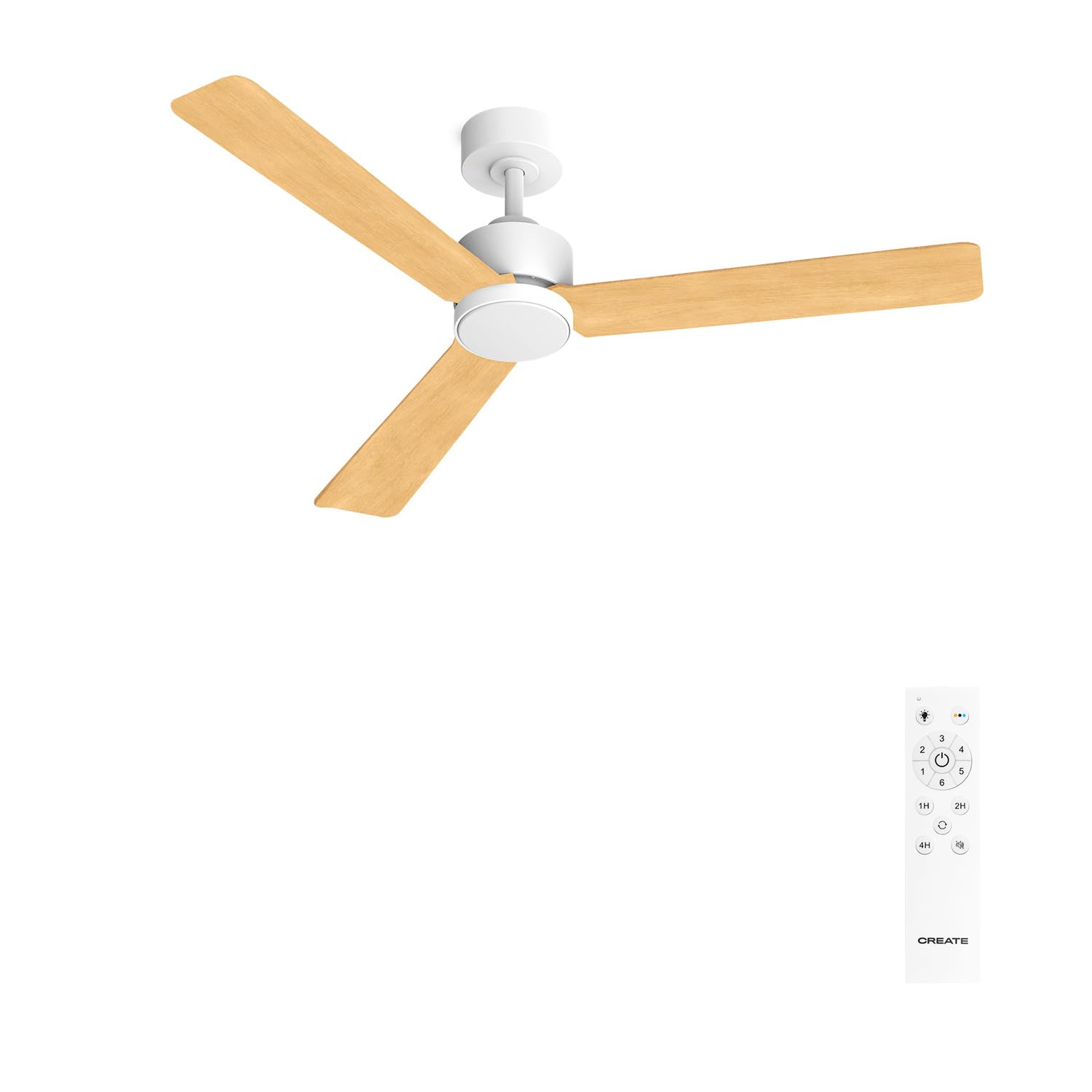
Figure 1: CREATE WIND MODERN M Ceiling Fan and Remote Control. This image shows the complete ceiling fan unit, including the light-colored wooden blades and the white motor housing, alongside its dedicated remote control, highlighting its modern design and primary control interface.
2. Safety Precautions
Always follow basic safety precautions when installing and operating electrical appliances to reduce the risk of fire, electric shock, and personal injury.
- Ensure the power supply is disconnected before installation or maintenance.
- Installation must be performed by a qualified electrician and in accordance with local electrical codes.
- The mounting structure must be capable of supporting the weight of the fan (refer to specifications for weight).
- Do not insert objects into the path of the rotating blades.
- Keep children and pets away from the fan during operation.
- Use only original replacement parts and accessories.
3. Installation Guide
This section outlines the general steps for installing your ceiling fan. For detailed diagrams and specific instructions, please refer to the separate installation manual included in your product packaging.
3.1 Pre-Installation Checklist
- Verify all components are present (refer to parts list in separate manual).
- Ensure the electrical box is securely mounted and rated for ceiling fan support.
- Confirm adequate clearance from walls and ceiling (minimum 30 cm from blade tip to wall).
3.2 Mounting the Fan
- Turn off power at the circuit breaker.
- Attach the mounting bracket to the electrical junction box.
- Carefully lift the fan motor assembly and hang it from the mounting bracket.
3.3 Wiring Connections
- Connect the fan's electrical wires to the household wiring according to the wiring diagram provided in the separate installation manual (typically live, neutral, and ground).
- Ensure all connections are secure and insulated with wire nuts.
3.4 Blade Attachment
- Attach the fan blades to the motor housing using the provided screws. Ensure they are securely fastened.
- Install the light kit and glass shade, if applicable, following the specific instructions.
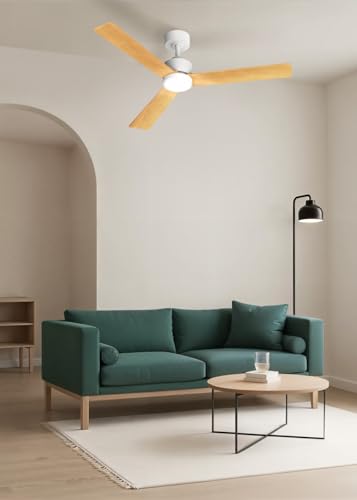
Figure 2: Ceiling fan installed in a modern living room. This image illustrates the fan's aesthetic integration into a contemporary living space, demonstrating its size and placement relative to furniture, providing a visual reference for typical installation.
4. Operating Instructions
Your CREATE WIND MODERN M ceiling fan is controlled via the included remote control, offering a range of functions for personalized comfort.
4.1 Remote Control Functions
The remote control allows you to manage all fan and light settings. Ensure the remote has fresh batteries installed.
- Power On/Off: Press the dedicated button to turn the fan and/or light on or off.
- Fan Speed Control: Cycle through 6 different fan speeds to adjust airflow. Higher speeds provide greater air circulation.
- Light Control: Turn the LED light on or off.
- Light Temperature Adjustment: Switch between 3 light temperatures: warm white (2700K), neutral white (4000K), and cool white (6000K). This allows you to set the ambiance.
- Timer Function: Program the fan to turn off automatically after 1, 2, or 4 hours.
- Summer/Winter Mode: Toggle between summer and winter modes to optimize air distribution.
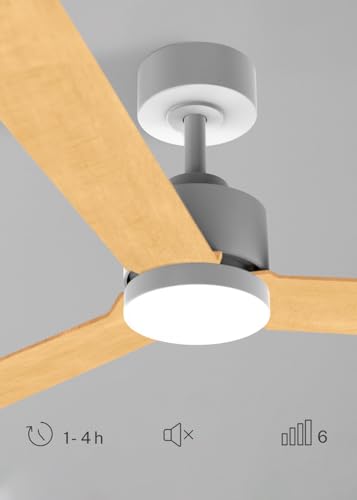
Figure 3: Detail of the integrated LED light. This image provides a closer look at the fan's integrated LED light, emphasizing its sleek design and how it blends with the fan's overall structure, indicating its function as both a fan and a light source.
4.2 Summer/Winter Function
This feature helps optimize energy usage and comfort throughout the year:
- Summer Mode (Counter-clockwise rotation): The blades rotate counter-clockwise, pushing cool air downwards, creating a refreshing breeze. This mode is ideal for cooling rooms during warmer months.
- Winter Mode (Clockwise rotation): The blades rotate clockwise, drawing cool air upwards and pushing warm air (which rises to the ceiling) back down into the room. This helps to redistribute heat and can reduce heating costs during colder months.
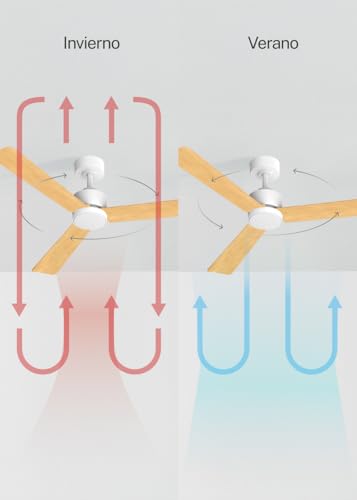
Figure 4: Airflow diagram for Summer and Winter modes. This diagram visually explains how the fan's blade rotation changes airflow patterns to provide cooling in summer (downward airflow) and heat redistribution in winter (upward airflow), illustrating the energy-saving benefits of each mode.
4.3 LED Light Temperature Settings
The integrated LED light offers three distinct color temperatures to suit your preference and mood:
- Warm White (2700K): Provides a cozy and inviting atmosphere, similar to traditional incandescent lighting.
- Neutral White (4000K): A balanced light, suitable for general illumination and daily activities.
- Cool White (6000K): A brighter, more invigorating light, ideal for tasks requiring focus or for a modern aesthetic.
Note: The intensity of the light is not adjustable.
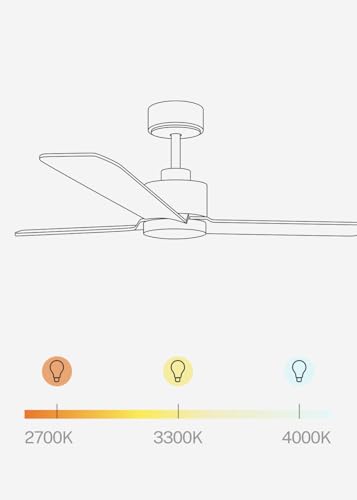
Figure 5: LED light temperature options. This graphic illustrates the three available light color temperatures (2700K, 4000K, 6000K), demonstrating the range from warm to cool light that the fan's integrated LED can produce, allowing users to select their preferred ambiance.
5. Maintenance
Regular maintenance ensures the longevity and optimal performance of your ceiling fan.
- Cleaning: Dust the fan blades and motor housing regularly with a soft, damp cloth. Do not use abrasive cleaners or solvents.
- Blade Tightness: Periodically check that all blade screws are tight. Loose blades can cause wobbling and noise.
- Light Source: The integrated LED light source is designed for long life and is generally not user-replaceable. If the light fails, contact qualified service personnel.
- Motor Lubrication: The DC motor is permanently lubricated and does not require additional oiling.
Always disconnect power before performing any cleaning or maintenance.
6. Troubleshooting
Before contacting customer support, please refer to the following common issues and their solutions:
| Problem | Possible Cause | Solution |
|---|---|---|
| Fan does not start | No power supply Loose wiring connection Remote control battery low | Check circuit breaker and wall switch Verify all wiring connections are secure (power off first!) Replace remote control batteries |
| Fan wobbles | Loose blade screws Unbalanced blades Loose mounting bracket | Tighten all blade screws Ensure blades are balanced (use balancing kit if necessary) Check mounting bracket for secure attachment |
| Light does not work | Loose wiring connection LED driver issue | Check light kit wiring connections Contact qualified service personnel for LED driver issues |
| Remote control not working | Low batteries Obstruction between remote and receiver Remote not paired (if applicable) | Replace batteries Ensure clear line of sight Refer to remote pairing instructions in separate manual |
7. Product Specifications
| Feature | Specification |
|---|---|
| Brand | CREATE |
| Model Name | WIND MODERN M |
| Color | Blanc Bois Clair |
| Diameter | 132 Centimeters |
| Product Dimensions | 132P x 132l x 45.5H Centimeters |
| Power | 40 Watts |
| Voltage | 240 Volts |
| Noise Level | 40 dB |
| Airflow Capacity | 183 cubic feet per minute |
| Control Method | Remote Control |
| Energy Class | A to G |
| LED Light | 18W, 3 Temperatures (Warm, Neutral, Cool) |
| Timer | Programmable (1-4 hours) |
| Speeds | 6 Speeds |
| Summer/Winter Function | Yes |
8. Warranty and Support
For warranty information, technical support, or to inquire about replacement parts, please refer to the documentation provided with your purchase or visit the official CREATE brand website. Warranty terms and conditions may vary by region and retailer.
Manufacturer: CREATE
ASIN: B0F66JPQVM
Parent ASIN: B0F7Y9G4WJ
Related documentsWIND MODERN M

Ask a question about this manual
Ask about setup, troubleshooting, compatibility, parts, safety, or missing instructions. Manuals+ will review the question and use this page’s manual context to help answer it.