1. Introduction
Thank you for choosing the LawnMaster MX 24V 2.0Ah Battery. This battery is designed to provide reliable power for your compatible LawnMaster 24V tools. This manual provides important information on the safe and proper use, maintenance, and troubleshooting of your battery. Please read this manual thoroughly before first use and keep it for future reference.

Image 1.1: The LawnMaster MX 24V 2.0Ah Battery, a compact and robust power source for cordless tools.
2. Safety Information
Always observe basic safety precautions when using battery-powered products to reduce the risk of fire, electric shock, and personal injury.
2.1 General Battery Safety Warnings
- Do not disassemble, open, or shred battery pack.
- Do not short-circuit a battery pack.
- Do not expose battery pack to heat or fire. Avoid storage in direct sunlight.
- Do not subject battery pack to mechanical shock.
- In the event of battery leakage, do not allow the liquid to come into contact with the skin or eyes. If contact has been made, wash the affected area with copious amounts of water and seek medical advice.
- Do not use any charger other than that specifically provided for use with the equipment.
- Keep battery pack clean and dry.
- Do not leave a battery pack on charge when not in use.
- Do not store your battery pack in temperatures above 50°C (122°F).
- Dispose of battery pack properly according to local regulations.
2.2 Integrated Safety Features
The LawnMaster MX 24V 2.0Ah Battery is equipped with multiple safety features for your peace of mind:
- Overheat Protection: Prevents the battery from reaching unsafe temperatures during operation or charging.
- Over Voltage Protection: Safeguards against excessive voltage input during charging.
- Short Circuit Protection: Automatically cuts off power in case of a short circuit.
- Over Current Protection: Protects against drawing too much current, which can damage the battery or tool.
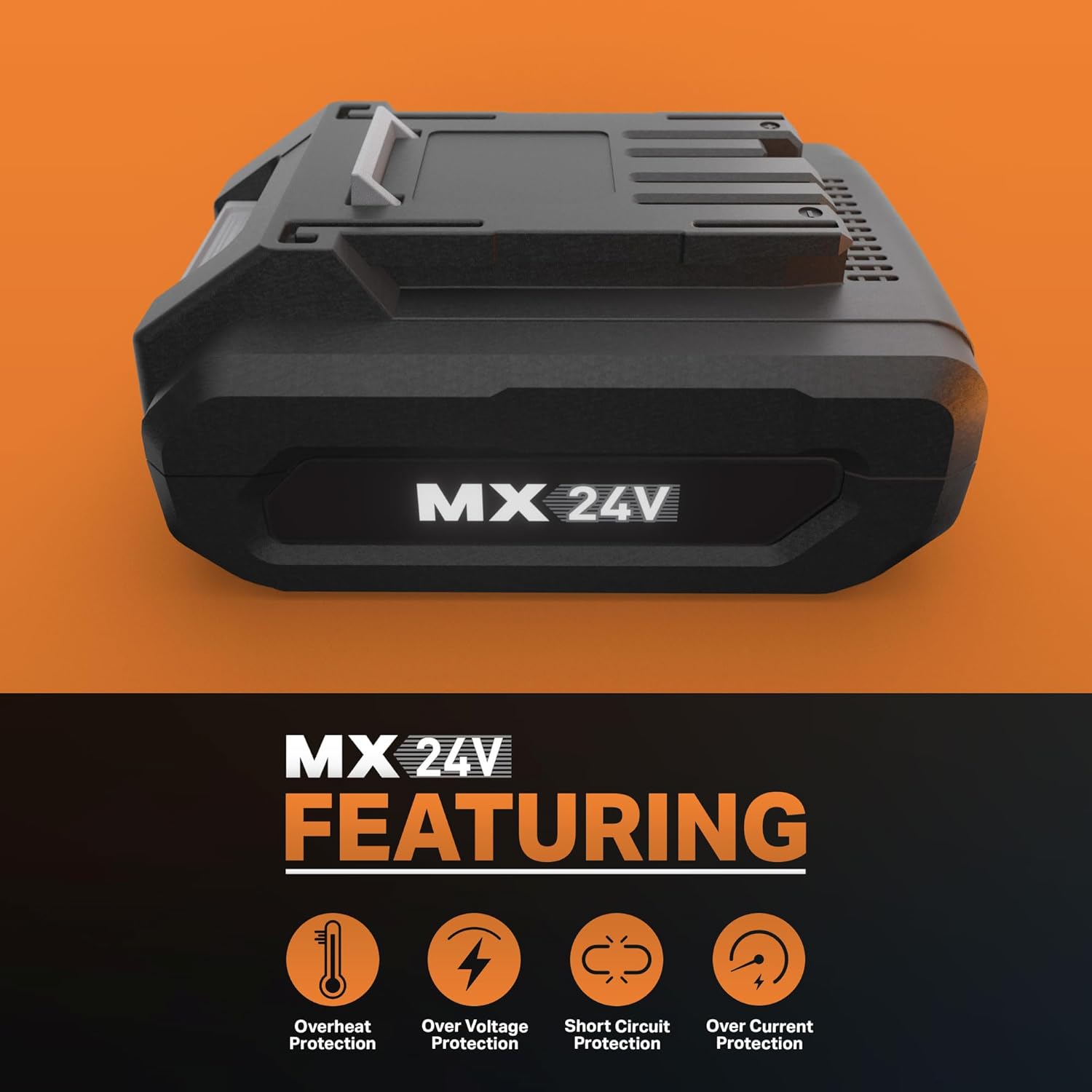
Image 2.1: Visual representation of the integrated safety features: Overheat, Over Voltage, Short Circuit, and Over Current Protection.
3. Setup
3.1 Initial Charging
Before first use, fully charge the battery. Insert the battery pack into a compatible LawnMaster 24V charger. The charger's indicator lights will show the charging status. A full charge typically takes approximately 60 minutes when using a 2.5A charger.

Image 3.1: The LawnMaster MX 24V battery is designed for quick charging, reaching full capacity in approximately 60 minutes with a 2.5A charger.
3.2 LED Power Indicator
The battery features an LED power indicator to show the remaining charge. Press the button on the battery to activate the indicator lights. Each light represents a portion of the battery's charge. Refer to the specific tool's manual for detailed interpretation of the LED indicators.
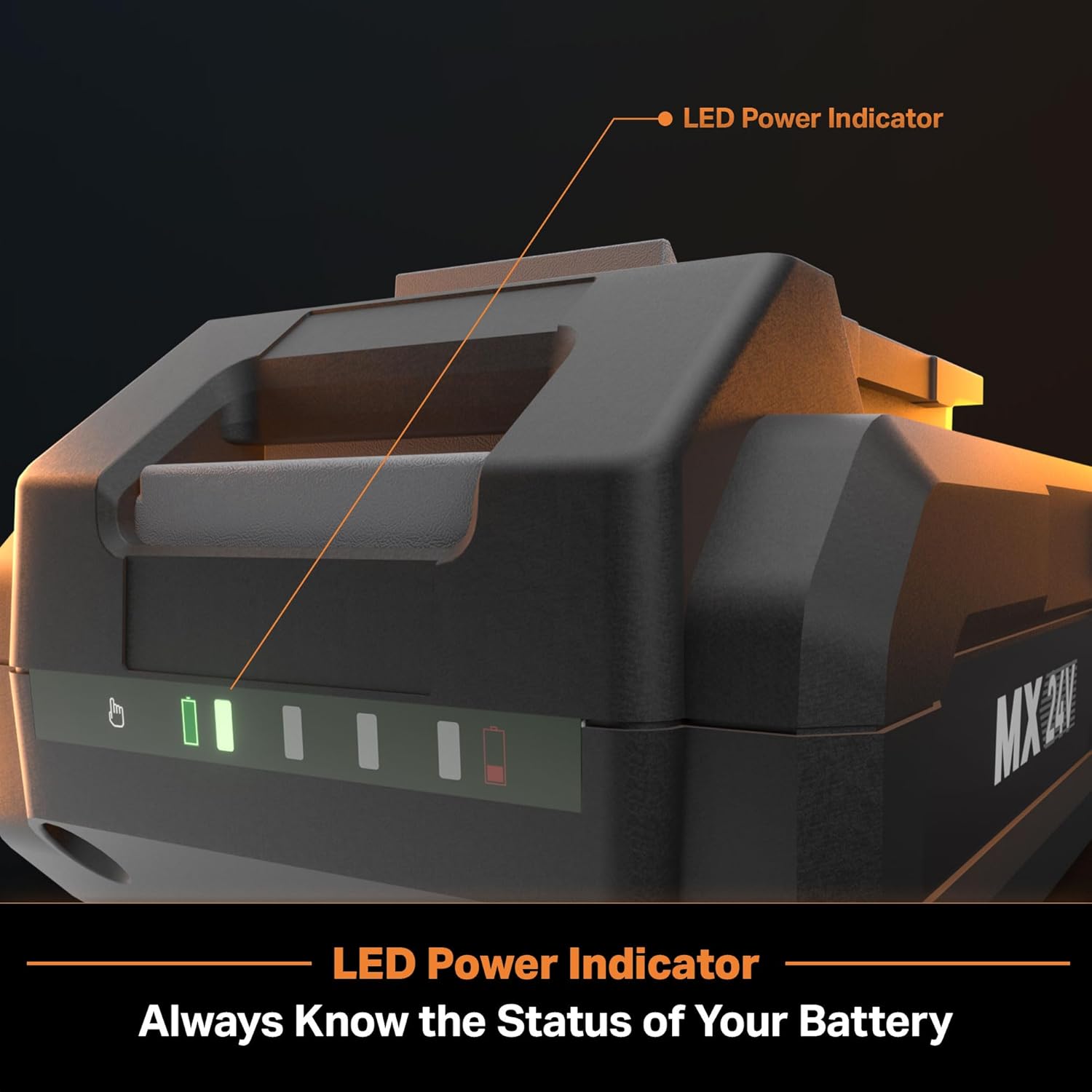
Image 3.2: Close-up view of the LED power indicator on the LawnMaster MX 24V battery, allowing users to quickly check the battery's charge status.
4. Operating Instructions
4.1 Installing the Battery
- Ensure the tool is turned off and disconnected from any power source.
- Align the battery pack with the battery port on your LawnMaster 24V tool.
- Slide the battery into the port until it clicks securely into place. Ensure it is fully seated and does not wobble.
4.2 Removing the Battery
- Ensure the tool is turned off.
- Press and hold the battery release button(s) located on the battery pack or tool.
- Slide the battery out of the tool.
4.3 Compatible Tools
This LawnMaster MX 24V 2.0Ah Battery is compatible with the following LawnMaster 24V grass trimmers and hedge trimmer models:
- LawnMaster CLGT2412S Grass Trimmer
- LawnMaster CLGT2410S Grass Trimmer
- LawnMaster CLHT2422 Hedge Trimmer
It may also be compatible with other LawnMaster 24V and 48V tools. Always refer to your tool's manual for battery compatibility.

Image 4.1: The LawnMaster MX 24V battery is part of a shared system, compatible with various LawnMaster 24V and 48V tools, including grass trimmers and hedge trimmers.
5. Maintenance
5.1 Cleaning
Keep the battery pack and its terminals clean and free of debris. Use a clean, dry cloth to wipe down the battery. Do not use water or chemical cleaners.
5.2 Storage
When not in use for extended periods, store the battery pack in a cool, dry place, away from direct sunlight and extreme temperatures. For optimal battery life, store the battery with a partial charge (around 50%).
5.3 Battery Life and Charging
The LawnMaster MX 24V 2.0Ah Battery is designed to be recharged fully or partially without affecting its overall capacity or battery life. This means there is no 'memory effect' common in older battery technologies. Always use the recommended LawnMaster charger for optimal performance and longevity.
6. Troubleshooting
If you encounter issues with your LawnMaster MX 24V 2.0Ah Battery, refer to the table below for common problems and solutions.
| Problem | Possible Cause | Solution |
|---|---|---|
| Battery not charging. | Charger not plugged in. Battery not properly seated in charger. Faulty charger or battery. Extreme temperature. | Ensure charger is securely plugged into a working outlet. Re-seat the battery firmly into the charger. Test with another known good charger/battery if available. Move battery and charger to a room temperature environment (10°C-40°C / 50°F-104°F). |
| Battery not powering tool. | Battery not charged. Battery not properly installed in tool. Tool malfunction. Battery protection activated. | Charge the battery fully. Ensure battery is fully clicked into place in the tool. Test the tool with another known good battery. Remove battery from tool, wait a few minutes, then re-insert. If protection persists, contact support. |
| LED indicator not working. | Battery completely discharged. Faulty LED or internal issue. | Attempt to charge the battery. If it still doesn't light up, the battery may be deeply discharged or faulty. If charging doesn't resolve, contact customer support. |
7. Specifications
Below are the technical specifications for the LawnMaster MX 24V 2.0Ah Battery:
| Feature | Detail |
|---|---|
| Model Number | 24LB2004-CN |
| Battery Type | Lithium Ion |
| Voltage | 24V |
| Capacity | 2.0Ah |
| Item Weight | 1.08 pounds (0.49 kg) |
| Package Dimensions | 4.96 x 3.39 x 2.72 inches (12.6 x 8.6 x 6.9 cm) |
| Manufacturer | Cleva |
| Country of Origin | China |
| Reusability | Rechargeable |
8. Warranty and Support
LawnMaster products are manufactured to high-quality standards. For information regarding warranty coverage, please refer to the warranty card included with your purchase or visit the official LawnMaster website.
For technical support, replacement parts, or service inquiries, please contact LawnMaster Customer Service:
- Website: Visit the LawnMaster official website for FAQs and support resources.
- Phone: Refer to your product packaging or the LawnMaster website for customer service contact numbers.
Please have your model number (24LB2004-CN) and purchase date ready when contacting support.


