
KOKEBREN KLy4qeG1HuKkk1k1mgrqbwMR2h4M
KOKEBREN 24 Inch 2.5 Cu.ft Built-in Electric Single Wall Oven Instruction Manual
Model: KLy4qeG1HuKkk1k1mgrqbwMR2h4M
Brand: KOKEBREN
1. Introduction
Thank you for choosing the KOKEBREN 24 Inch 2.5 Cu.ft Built-in Electric Single Wall Oven. This manual provides essential information for the safe and efficient operation, installation, and maintenance of your new appliance. Please read these instructions thoroughly before use and retain them for future reference.
2. Important Safety Instructions
To reduce the risk of fire, electric shock, injury to persons, or damage when using the oven, follow basic precautions, including the following:
- Read all instructions before using the appliance.
- Ensure proper installation by a qualified technician in accordance with all local codes and ordinances.
- Do not touch hot surfaces. Use oven mitts or potholders.
- Never use the appliance for warming or heating a room.
- Do not store flammable materials in or near the oven.
- Always supervise children when the oven is in use.
- Disconnect power before servicing the appliance.
- Do not repair or replace any part of the appliance unless specifically recommended in this manual. All other servicing should be referred to a qualified technician.
3. Product Overview and Features
The KOKEBREN 24 Inch Electric Single Wall Oven is designed for efficient and versatile cooking. Key features include:
- Spacious Capacity: 2.5 cubic feet interior space, accommodating up to 5 racks simultaneously for enhanced cooking efficiency.
- 8 Cooking Modes: Offers a variety of functions including Roasting, Broiling, Baking, and Grilling, with a maximum temperature of 500°F.
- 3-Layer Tempered Glass Door: Upgraded visible triple-layer hollow tempered glass panel for effective heat retention and energy efficiency. The large oven window provides a clear view of food.
- Easy to Clean: Features an enamel cavity and baking tray for corrosion protection and durability. The oven door can be removed for convenient maintenance and cleaning.
- Mechanical Knob Control: Intuitive and easy-to-use mechanical knobs for function, timer, and temperature settings.

Image: Front view of the KOKEBREN 24 Inch Single Wall Oven with food baking inside.

Image: The oven interior highlighting its 2.5 cubic feet large capacity.

Image: Illustration of 3D surround heating within the oven, cooking a roasted chicken.

Image: Detailed view of the oven's triple insulated glass doors, durable enamelled interior, and high-temperature cast iron grate.
4. Installation
This KOKEBREN electric wall oven is designed for built-in installation. Ensure the installation area meets the specified dimensions and electrical requirements.
4.1 Dimensions
- Product size: 23.4" (Width) x 22.1" (Depth) x 23.4" (Height)
- Built-in size: 22.0" (Width) x 21.6" (Depth) x 23.4" (Height)
4.2 Electrical Requirements
The oven requires a 220-240V power supply with a wattage of 3000W. Consult a qualified electrician for proper wiring and connection.

Image: Dimensional diagram for proper installation of the KOKEBREN oven.

Image: Examples of the KOKEBREN oven installed under a counter and built into a cabinet.
5. Operating the Oven
Your KOKEBREN oven features intuitive mechanical knob controls for ease of use.
5.1 Control Panel Overview
The oven features three main mechanical knobs:
- Functions Knob: Selects the desired cooking mode (e.g., Grill, Broil Lo, Keep Warm, Bake, Light).
- Timer Knob: Sets the cooking duration.
- Temperature Knob: Adjusts the oven temperature.
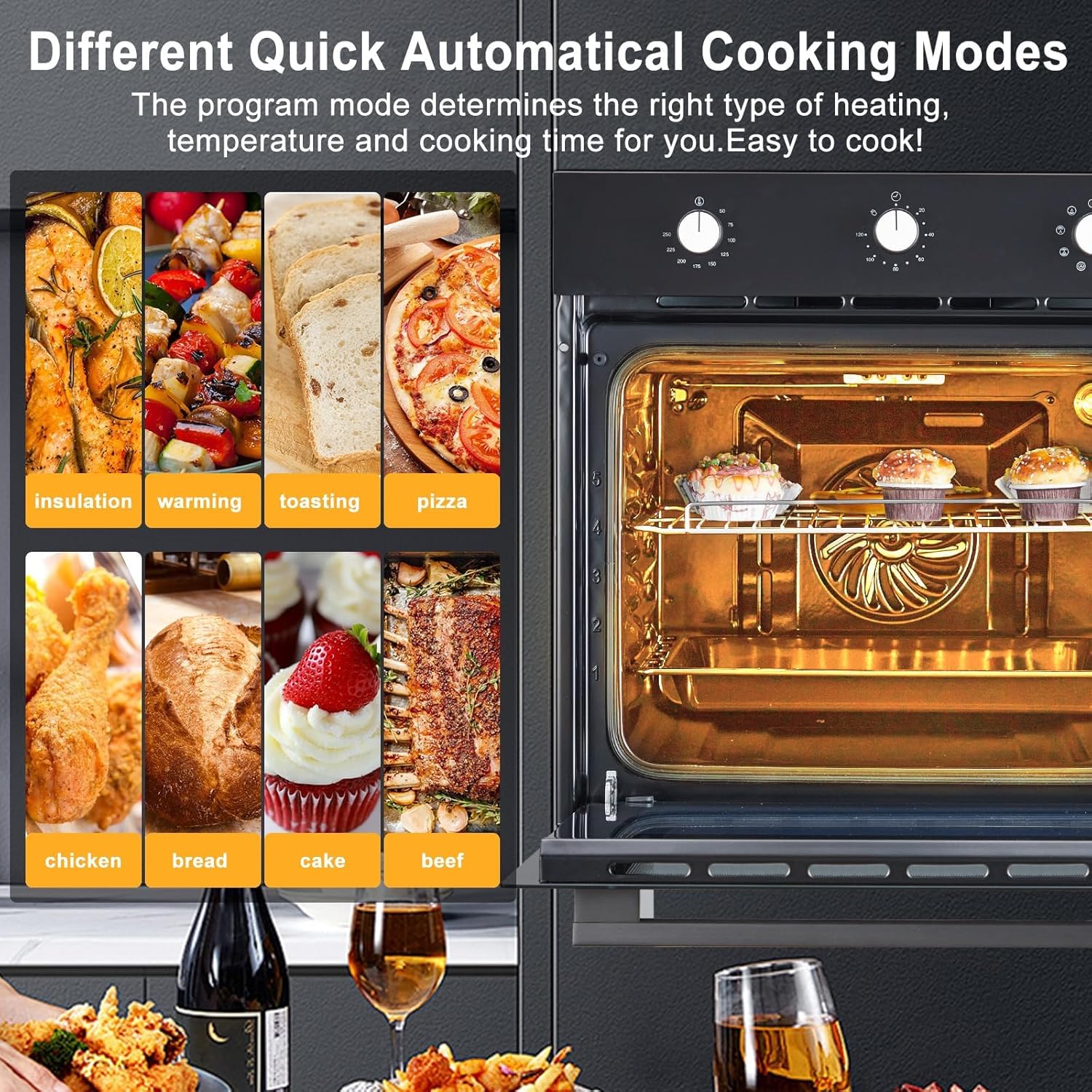
Image: The oven's control panel displaying various quick automatic cooking modes.
5.2 Setting Temperature and Cooking Functions
Turn the temperature knob to select the desired temperature. Turn the functions knob to select one of the 8 available cooking modes. The oven's sensor probe precisely monitors internal temperature for optimal results.
Video: Instructions on how to change the temperature display between Fahrenheit and Celsius on the oven's control panel.
Video: Guide on how to set the desired cooking temperature using the oven controls.
Video: Demonstrates how to select and set various cooking functions on the oven.
5.3 Using the Rotisserie Function
For even cooking of poultry or roasts, utilize the rotisserie function. Secure the food onto the spit and place it in the designated rotisserie slots within the oven.
Video: Detailed instructions on how to assemble and use the rotary grill fork (rotisserie) for cooking.
5.4 Rack Positions
The oven features 5 rack positions, allowing flexibility for different cooking needs and dish sizes.
Video: Overview of the oven's features, including the 5 rack positions and mechanical knob controls.
6. Maintenance and Cleaning
Regular cleaning and maintenance will ensure the longevity and optimal performance of your oven.
- Enamel Cavity: The oven's enamel cavity is designed for easy cleaning. Wipe spills and food residue with a damp cloth and mild detergent after each use.
- Removable Door: For thorough cleaning, the oven door can be removed. Refer to the detailed instructions in the full product manual for safe removal and reinstallation.
- Baking Tray and Grate: Clean the baking tray and high-temperature cast iron grate with warm soapy water.
- Exterior: Wipe the stainless steel exterior with a soft cloth and a non-abrasive cleaner designed for stainless steel surfaces.
7. Troubleshooting
If you encounter issues with your oven, please refer to the following common troubleshooting steps. For more complex problems, contact customer support.
- Oven Not Heating: Check if the oven is properly plugged in and the circuit breaker has not tripped. Ensure the temperature and function knobs are correctly set.
- Uneven Cooking: Verify that food is placed centrally on the rack and that the correct cooking mode is selected. Avoid overcrowding the oven.
- Light Not Working: The oven light bulb may need replacement. Refer to the full manual for instructions on how to safely replace the bulb.
- Control Panel Unresponsive: Ensure the oven is powered on. If the issue persists, try resetting the oven by turning off the power at the circuit breaker for a few minutes, then turning it back on.
8. Specifications
| Attribute | Detail |
|---|---|
| Brand Name | KOKEBREN |
| Model Info | KLy4qeG1HuKkk1k1mgrqbwMR2h4M |
| Item Model Number | KLy4qeG1HuKkk1k1mgrqbwMR2h4M |
| Capacity | 2.5 Cubic Feet |
| Installation Type | Built-In |
| Voltage | 220-240V |
| Wattage | 3000 Watts |
| Heating Method | Convection |
| Oven Cooking Mode | Convection |
| Special Features | Temperature Control |
| Material Type | Stainless Steel |
| Color | Black |
| Item Weight | 81.4 pounds |
| Package Dimensions | 26.85 x 25.94 x 25.87 inches |
9. What's in the Box
- 1 x KOKEBREN Electric Oven
10. Warranty and Support
For warranty information, technical support, or service inquiries, please refer to the contact details provided with your purchase documentation or visit the official KOKEBREN website. Please have your model number and purchase date available when contacting support.