
Introduction
This manual provides detailed instructions for the safe and efficient operation, installation, and maintenance of your Electactic NCAA-06C/X1E Window Air Conditioner. Please read this manual thoroughly before using your appliance and retain it for future reference. Proper use and care will ensure optimal performance and longevity of your air conditioner.
Setup and Installation
The Electactic NCAA-06C/X1E features a unique saddle design for simplified installation. No specialized tools are required for basic setup. Ensure your window meets the specified dimensions for proper fit and function.
Window Requirements
- Window Width Range: 24 inches to 48 inches.
- Minimum Window Opening Height: 16 inches.
- Maximum Sill Clearance (Depth): 11 inches.
- Minimum 12-inch High Clearance from the bottom of the unit to the ground outside.
- Minimum 8-inch High Clearance from the top of the unit to the window frame.
This unit is designed for double/single hung windows.
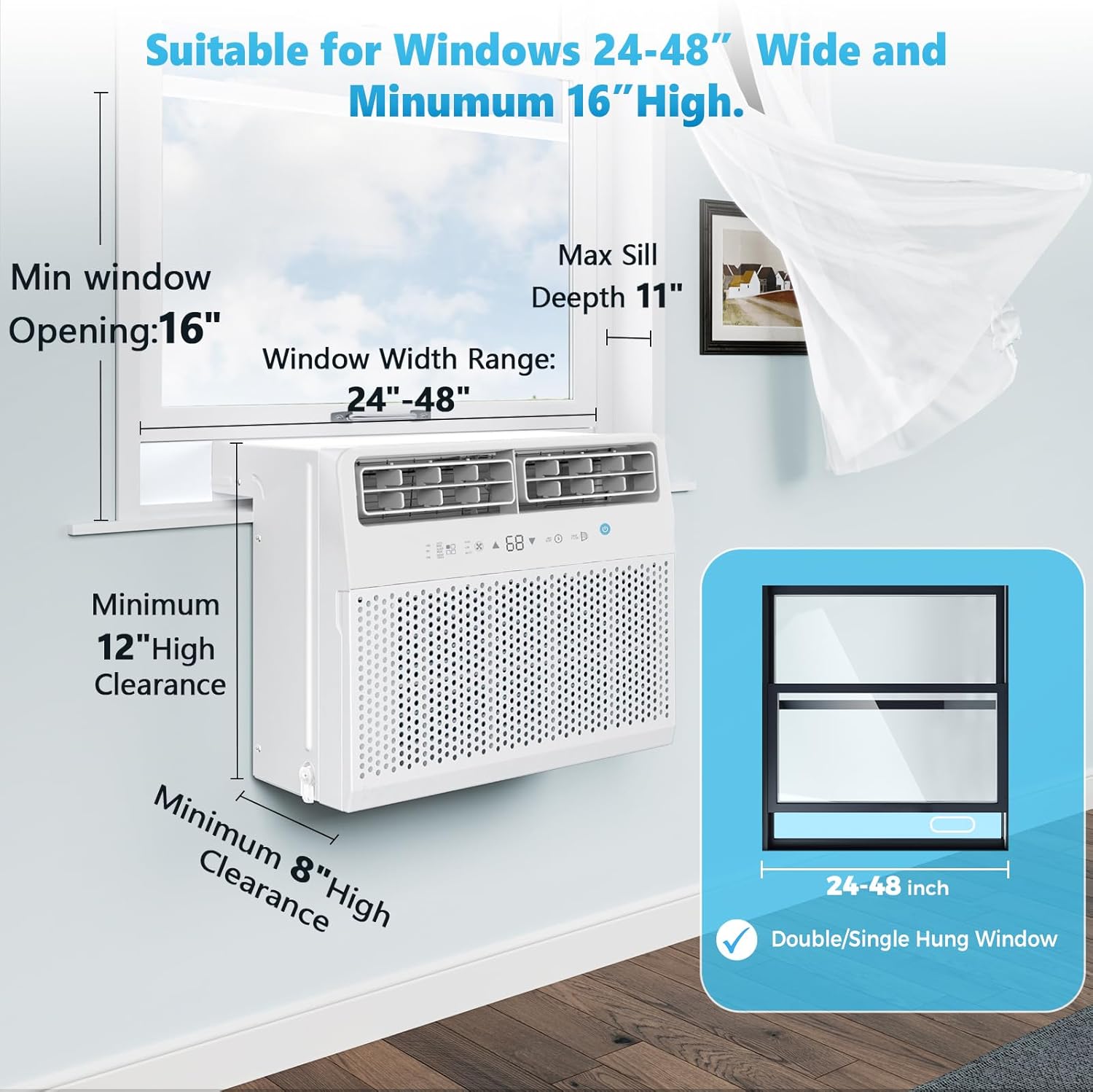
Image: Diagram illustrating the required window dimensions and clearances for installing the Electactic NCAA-06C/X1E window air conditioner. It shows a minimum window opening height of 16 inches, a window width range of 24-48 inches, a maximum sill depth of 11 inches, and minimum clearances of 12 inches and 8 inches for the unit's height.
Installation Steps (General Overview)
- Carefully unpack the air conditioner and all accessories.
- Open your window to the minimum required height.
- Position the saddle-shaped unit over the windowsill, ensuring it is securely seated. The compressor section will rest outside the window.
- Extend the side panels to fill the window opening, securing them as per the detailed instructions in the full manual (not provided here).
- Ensure the unit is level or slightly tilted outwards to allow for proper condensate drainage.
- Plug the unit into a dedicated 115V AC outlet.

Image: The Electactic NCAA-06C/X1E window air conditioner, shown from the front and side, with its remote control. The unit is white with a perforated front panel and a digital display showing '68'. The saddle design is visible, with the rear section extending outwards.
Operating Instructions
Your Electactic NCAA-06C/X1E air conditioner offers multiple modes and features for customized comfort.
Control Panel and Remote Control
The unit can be operated using the touch control panel on the front of the unit or the included full-function remote control. The remote allows for convenient adjustment from across the room.
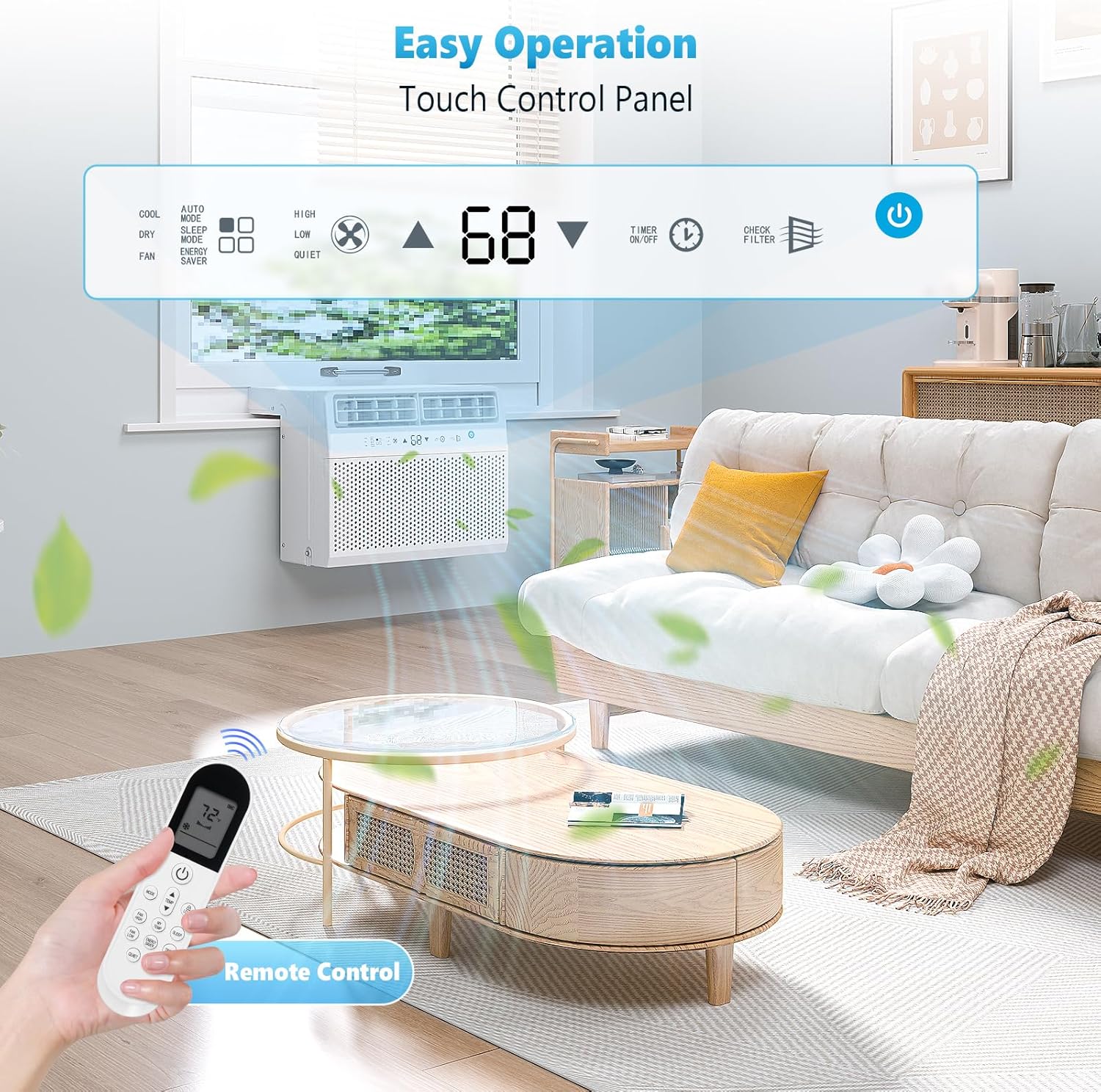
Image: A close-up view of the Electactic NCAA-06C/X1E air conditioner's digital control panel, displaying '68', along with the remote control. The control panel shows icons for Cool, Auto Mode, Dry, Fan, Energy Saver, Sleep Mode, High, Low, Quiet fan speeds, Timer On/Off, and Check Filter. The remote control mirrors these functions.
Operating Modes
- Cool Mode: Provides 10,000 BTU of cooling power, suitable for rooms up to 450 square feet. Temperature is adjustable between 62°F and 86°F.
- Dry Mode (Dehumidifier): Functions as a dehumidifier, removing up to 69 pints of moisture per day.
- Fan Mode: Circulates air without cooling. Three fan speeds (High, Low, Quiet) are available.
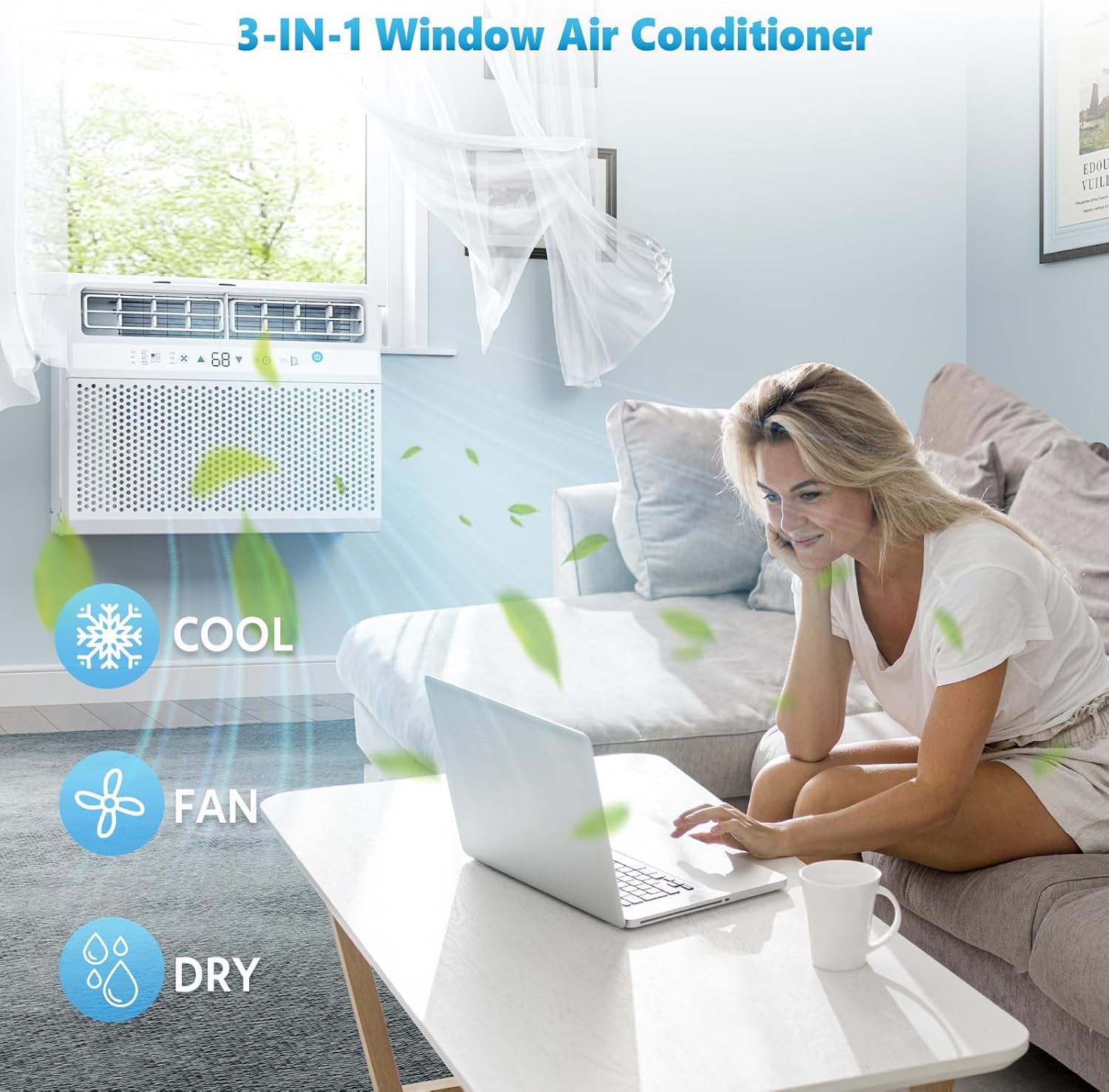
Image: An Electactic NCAA-06C/X1E air conditioner installed in a window, with graphic overlays indicating its 3-in-1 functionality: Cool (snowflake icon), Fan (fan icon), and Dry (water droplet icon). The unit is shown cooling a living space.

Image: The Electactic NCAA-06C/X1E air conditioner installed in a window, with graphic overlays highlighting its cooling capabilities: 10,000 BTU, 450 square feet cooling area, 20 feet air flow, and a temperature range of 62°F-86°F.
Special Features
- Auto Mode: Automatically selects the appropriate operating mode (Cool, Dry, Fan) based on the room temperature.
- Energy Saver Mode: Optimizes cooling to reduce energy consumption.
- Sleep Mode: Adjusts temperature and fan speed for quiet operation and comfortable sleep, gradually increasing the set temperature over time.
- 24-Hour Timer: Allows you to program the unit to turn on or off automatically within a 24-hour period.
- Adjustable Louvers: Direct the airflow in the desired direction.
- Quiet Operation: With the compressor located outside the window, the unit operates between 38 and 45 decibels, significantly quieter than standard window air conditioners.

Image: An Electactic NCAA-06C/X1E air conditioner operating quietly in a bedroom, with graphic overlays indicating 'Sleep Mode for Sound Sleep', noise level '<45dB', '24H Timer', and 'Automatic Shutoff'. A comparison bar chart shows the unit's 45dB noise level against 30-40dB (Gentle Breeze) and 60-70dB (Daily Conversation).
Maintenance
Regular maintenance ensures the efficiency and longevity of your air conditioner.
Cleaning the Air Filter
The air filter should be cleaned regularly, typically every two weeks, or when the 'Check Filter' alert appears on the control panel. A dirty filter can reduce cooling efficiency and airflow.
- Turn off and unplug the air conditioner before cleaning.
- Locate the filter access panel on the front of the unit.
- Tilt out the filter for easy removal.
- Wash the filter with warm, soapy water. Rinse thoroughly.
- Allow the filter to air dry completely before reinserting it. Do not use direct heat to dry.
- Once the filter is reinserted, plug in the unit and reset the 'Check Filter' indicator if necessary (refer to the full manual for specific reset instructions).
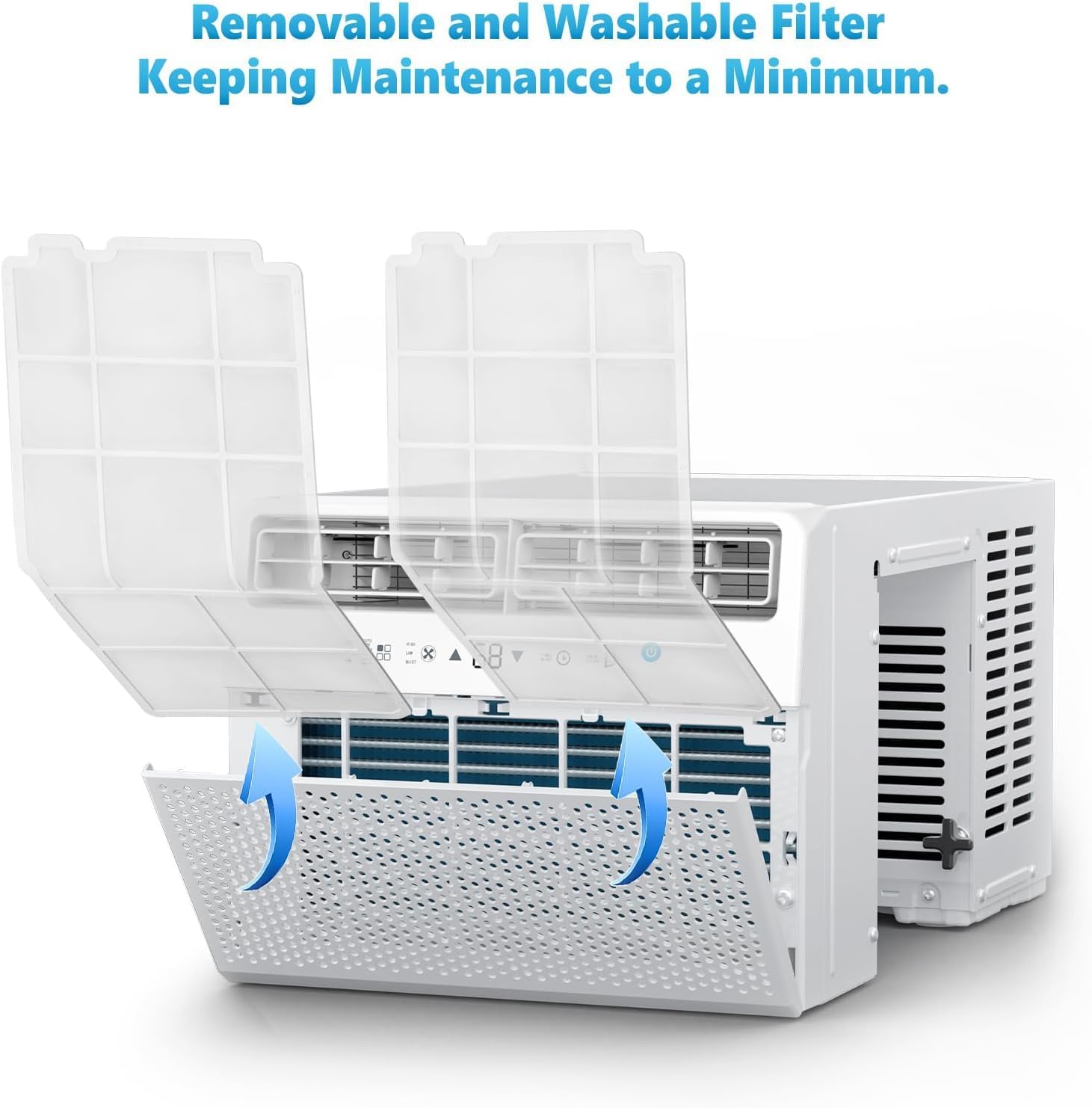
Image: A visual guide demonstrating the removal of the washable air filter from the Electactic NCAA-06C/X1E air conditioner. The front panel is shown open, with arrows indicating the filter tilting out for maintenance.
General Cleaning
- Wipe the exterior of the unit with a soft, damp cloth. Do not use harsh chemicals or abrasive cleaners.
- Ensure the drainage area at the back of the unit is clear of debris.
Troubleshooting
Before contacting customer service, please refer to the following common issues and solutions:
| Problem | Possible Cause | Solution |
|---|---|---|
| Air conditioner does not start. | No power, tripped circuit breaker, or unit unplugged. | Check power cord connection, reset circuit breaker, ensure outlet is functional. |
| Unit not cooling effectively. | Dirty air filter, blocked air intake/outlet, room too large, or temperature setting too high. | Clean air filter, ensure clear airflow, verify room size is within specifications, lower set temperature. |
| Excessive noise. | Loose parts, unit not level, or foreign object in fan. | Check for loose components, ensure unit is level, inspect for obstructions (with unit unplugged). |
| Water dripping inside. | Unit not tilted slightly outwards, or drain blocked. | Ensure proper outward tilt during installation, check and clear drain if accessible. |
Specifications
| Feature | Detail |
|---|---|
| Brand | Electactic |
| Model Number | NCAA-06C/X1E |
| Cooling Power | 10,000 British Thermal Units (BTU) |
| Cooling Area | Up to 450 square feet |
| Temperature Range | 62°F - 86°F |
| Dehumidifier Capacity | Up to 69 pints/day |
| Noise Level | 38 - 45 dB |
| Voltage | 115 Volts (AC) |
| Refrigerant | R-410A |
| Product Dimensions | 73.51 x 47.5 x 38 cm (28.94 x 18.7 x 14.96 inches) |
| Item Weight | 28.94 kg (63.8 lbs) |
| Color | White |
| Special Features | Dehumidifier, Fast Cooling, Remote Controlled, 24H Timer, Sleep Mode, Energy Saver Mode |
Warranty Information
Electactic products are manufactured to high-quality standards and are warranted against defects in materials and workmanship. Please refer to the warranty card included with your purchase for specific terms, conditions, and duration of the warranty. Keep your proof of purchase for warranty claims.
Customer Support
If you have any questions, require assistance, or encounter issues not covered in this manual, please contact Electactic customer support. Contact information can typically be found on the product packaging, the official Electactic website, or your purchase documentation.


