
Introduction
This manual provides detailed instructions for the setup, operation, and maintenance of your moudou Wireless Lavalier Microphone system. Designed for clear audio recording with iPhone 15/16 and other compatible devices, this system offers a reliable solution for vlogging, interviews, and video production. Please read this manual thoroughly before use to ensure optimal performance and longevity of your device.
What's in the Box
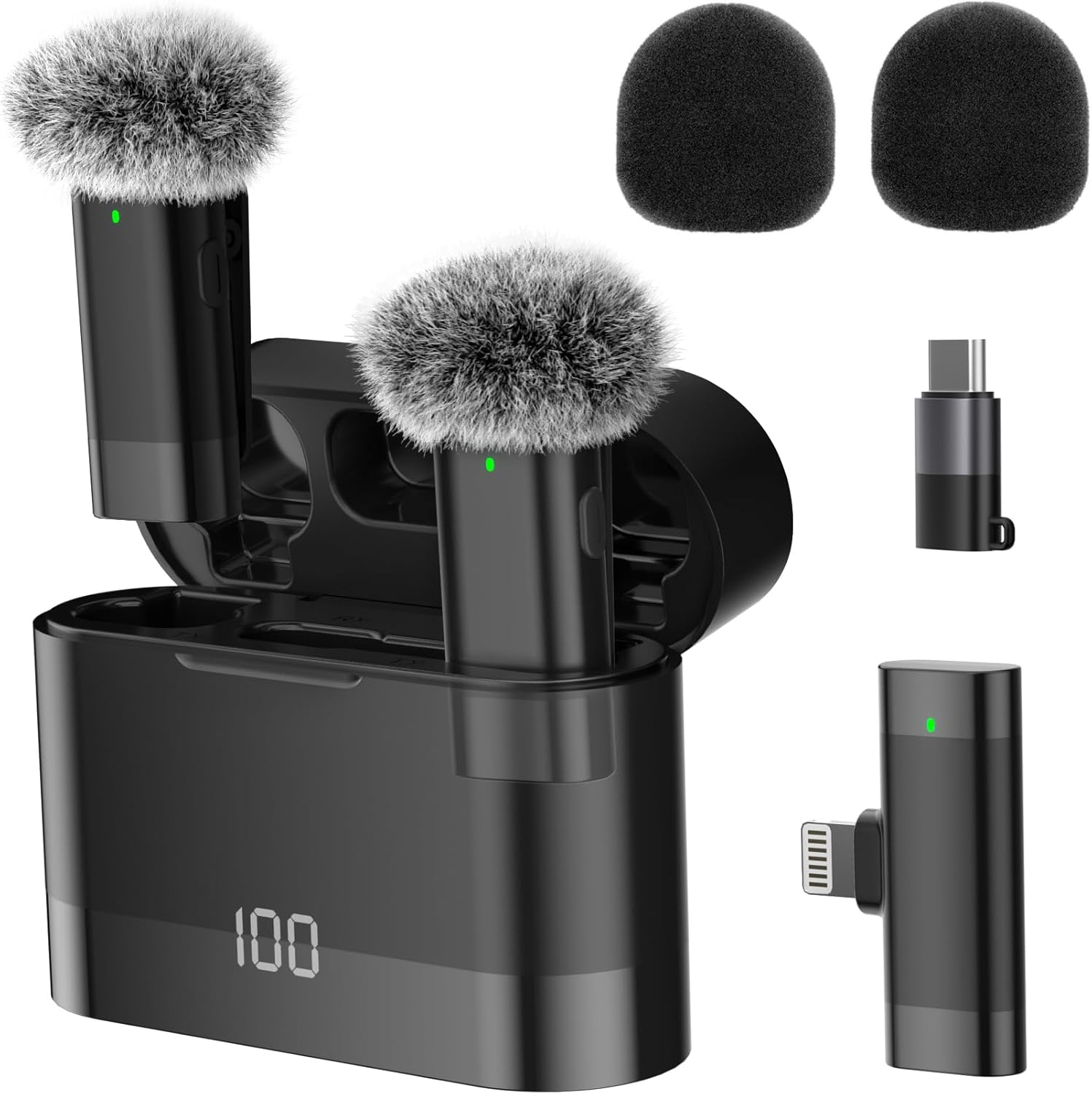
Verify that all components are present upon unboxing:
- Wireless microphone transmitter (2 units)
- Wireless microphone Lightning receiver (1 unit)
- Lightning to USB-C Adapter (1 unit)
- Rabbit windscreen (2 units) & Sponge windscreen (2 units)
- Charging box (1 unit) & USB-C Cable (1 unit)
Product Overview
The moudou Wireless Lavalier Microphone system consists of compact, lightweight components designed for portability and ease of use. The system includes two wireless transmitters (microphones), a receiver, and a portable charging case. Accessories such as windscreens and a Lightning to USB-C adapter are also provided for versatile use.
- Transmitter (Microphone): Clips onto clothing, captures audio. Features a power button and indicator light.
- Receiver: Plugs directly into your mobile device's charging port (Lightning or USB-C via adapter). Receives audio from the transmitter(s).
- Charging Case: Stores and charges both transmitters and the receiver. Features a digital display for battery percentage.
- Windscreens: Foam and 'rabbit' (furry) windscreens are included to reduce wind noise in outdoor environments.
Setup Instructions
- Charge the Devices: Before first use, ensure the transmitters and receiver are fully charged using the provided charging case and USB-C cable. The charging case's digital display indicates the battery level.
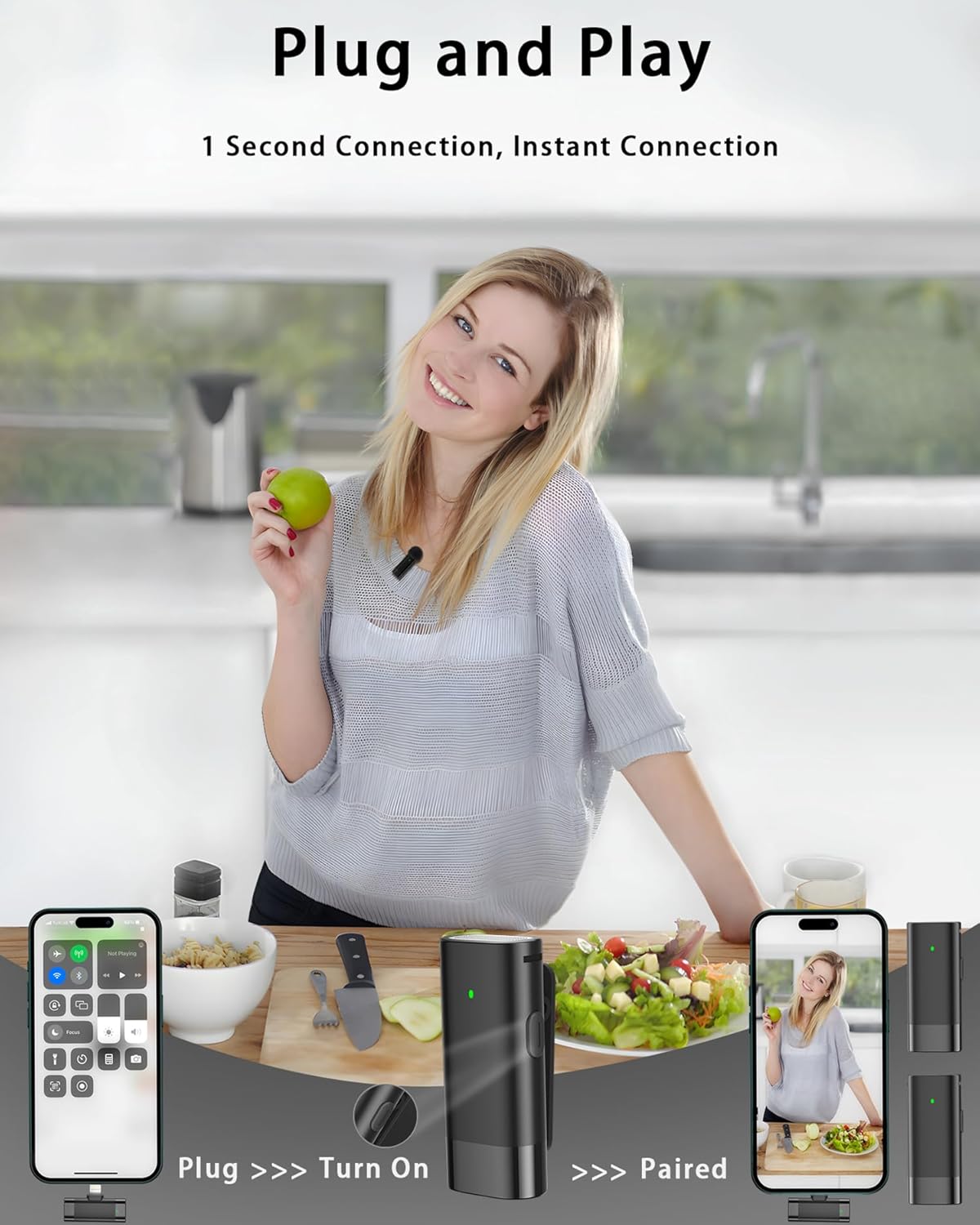
- Connect the Receiver: Insert the Lightning receiver directly into your iPhone's charging port. If using a USB-C device, attach the Lightning-to-USB-C adapter to the receiver first, then plug it into your device. The receiver's LED will blink, indicating it is ready to pair.
- Power On Transmitters: Press and hold the power button on each microphone transmitter for three seconds. The microphone will automatically pair with the receiver. A steady green LED on both the receiver and the microphone confirms a successful connection.
- Position the Microphone: Clip the microphone to your clothing, ideally near your collar or chest, ensuring it is as close to the speaker's mouth as possible for optimal sound capture. Attach a windscreen if recording in windy conditions.
Operating Instructions
Once connected, the microphone system is ready for use with your preferred audio or video recording application on your mobile device.
Recording
Simply open your recording app and begin recording. The system will automatically use the external microphone for audio input.

Noise Reduction Mode
The microphone features an advanced dual noise reduction system, combining a physical windshield with AI-powered digital noise reduction. To activate or deactivate the digital noise reduction mode:
- Activate: Briefly press and release the power button on the microphone. The LED on the microphone will turn blue to indicate noise reduction mode is active.
- Deactivate: Briefly press and release the power button again. The LED will switch back to green, indicating normal operating mode.

Reverberation Mode
For specific audio effects, the microphone offers a reverberation mode:
- Activate: Press and release the power button on the microphone three times in quick succession. The LED on the microphone will flash blue twice before returning to green, indicating reverberation mode is active.
- Deactivate: Repeat the three-press sequence to exit reverberation mode.
Features
- Studio-Grade Sound Quality: Captures rich audio details with a 48kHz sampling rate, preserving subtle audio nuances for professional-level recordings.
- Advanced Dual Noise Reduction: Combines physical windshields with AI-powered digital noise reduction to minimize ambient sounds, ensuring clear recordings in various environments.
- Ultra-Low Latency & Stability: Utilizes advanced 2.4GHz transmission for seamless connectivity with latency below 25ms, providing studio-quality audio synchronization without noticeable lag.
- 131ft Long-Range Transmission: The 2.4GHz wireless technology enables stable audio transmission up to 131 feet (40 meters) in open areas, maintaining a strong connection up to 65 feet (20 meters) even through obstacles.

Charging
The moudou Wireless Lavalier Microphone system is designed for extended use with its portable charging case.
- Charging Case: The charging case provides 5 full charges to the microphones, offering up to 30 hours of total usage time.
- Individual Device Runtime: Both the microphone transmitters and the receiver operate continuously for 6-7 hours on a single full charge.
- Charging the Case: Use the provided USB-C cable to charge the charging case. The digital display on the case will show the current battery percentage.

Compatibility
The moudou Wireless Lavalier Microphone system offers broad compatibility with various mobile devices:
- iOS Devices: Fully compatible with iOS devices featuring standard Lightning ports, including iPhone 15/16 and earlier models.
- USB-C Devices: The included Lightning-to-USB-C adapter extends compatibility to USB-C enabled laptops, tablets, smartphones, and iPads.

Troubleshooting
- No Sound/Poor Sound Quality:
- Ensure both the microphone transmitter(s) and receiver are fully charged and powered on.
- Verify that the receiver's LED is solid green, indicating a successful connection.
- Check that the receiver is securely plugged into your mobile device's charging port. For some devices, ensure the receiver's LED is pointed towards the back of the phone to ensure proper recognition as an external microphone.
- Confirm that your recording application is set to use the external microphone input.
- If using a windscreen, ensure it is properly attached and not obstructing the microphone's input.
- Interference/Dropouts:
- Reduce the distance between the transmitter and receiver.
- Minimize obstacles between the transmitter and receiver.
- Avoid environments with strong Wi-Fi or other 2.4GHz wireless signals that may cause interference.
- Ensure noise reduction mode is appropriately enabled or disabled for your environment.
- Microphone Not Pairing:
- Ensure both the transmitter and receiver have sufficient battery.
- Power off and then power on both the transmitter and receiver.
- If issues persist, try resetting the devices by powering them off and placing them back in the charging case for a few seconds, then retry the pairing process.
Specifications
| Brand | moudou |
| Model Number | E1 |
| Connectivity Technology | 2.4G Wireless |
| Connector Type | Lightning, USB-C (via adapter) |
| Microphone Form Factor | Lavalier |
| Polar Pattern | Omnidirectional |
| Special Features | 1-Touch Recording, Mute Function, Noise Reduction |
| Compatible Devices | Laptop, Smartphone, Tablet, iPad (iOS and USB-C devices) |
| Power Source | Battery Powered (Lithium Ion) |
| Battery Life (Transmitter/Receiver) | 6-7 hours per charge |
| Total Battery Life (with Charging Case) | Up to 30 hours |
| Transmission Range | Up to 131ft (40m) in open areas; 65ft (20m) through obstacles |
| Item Weight | 5.3 ounces |
| Material | Metal, Plastic |
Warranty and Support
For warranty information or technical support, please refer to the product packaging or contact moudou customer service directly. Keep your purchase receipt for warranty claims.
You can visit the moudou store for more information: moudou Store