
Introduction
The IK Multimedia TONEX Cab Professional is a 700-watt Full-Range Flat Response (FRFR) powered guitar cabinet designed to accurately reproduce the sound of amp modelers and profilers. This manual provides essential information for the safe and effective use of your TONEX Cab Professional, including setup, operation, maintenance, and troubleshooting.

Image: Front view of the TONEX Cab Professional, showcasing its compact design and TONEX branding.
Safety Information
Please read and understand all safety instructions before operating this device. Retain this manual for future reference.
- Power Supply: Use only the provided power cord and connect to a grounded AC outlet with the correct voltage.
- Moisture: Do not expose the unit to rain, moisture, or excessive humidity.
- Ventilation: Ensure adequate ventilation around the unit. Do not block ventilation openings.
- Placement: Place the unit on a stable, level surface. Avoid placing near heat sources.
- Servicing: Do not attempt to service this unit yourself. Refer all servicing to qualified personnel.
What's in the Box
Carefully unpack your TONEX Cab Professional and ensure all items are present:
- TONEX Cab Professional unit
- Power cord
- User Manual (this document)
Setup
1. Physical Placement
Position the TONEX Cab Professional on a stable surface. The cabinet features integrated tilt-back legs, allowing you to angle the speaker upwards for improved sound projection towards the user, especially in live or studio settings.

Image: The TONEX Cab Professional shown with its tilt-back legs extended, demonstrating an angled position for optimal sound projection.
2. Connections
Before connecting any cables, ensure the TONEX Cab Professional is powered off.
- Power: Connect the supplied power cord to the AC IN port on the rear panel and then to a grounded power outlet.
- Input: Connect your amp modeler, profiler, or other audio source to the INPUT (XLR/TRS combo) jacks. The TONEX Cab Professional features two inputs for stereo operation or connecting multiple sources.
- AUX In: Use the AUX IN (3.5mm TRS) for connecting external audio devices like media players for practice or backing tracks.
- MIDI I/O: For advanced control and integration with MIDI-compatible devices, connect MIDI cables to the MIDI IN and OUT ports.
- Output: The OUTPUT (XLR) allows you to send the processed signal to a mixing console, audio interface, or another powered speaker. Use the GND LIFT switch to eliminate ground hum if present.
- USB: The USB port is for firmware updates and potential future functionality.

Image: Close-up of the rear panel of the TONEX Cab Professional, showing the power input, USB port, INPUT, AUX IN, MIDI I/O, and OUTPUT connections.
Operating
1. Power On/Off
After all connections are made, flip the POWER switch on the rear panel to the ON position. The unit will initialize. To power off, flip the switch to the OFF position.
2. DSP Controls
The TONEX Cab Professional features built-in Digital Signal Processing (DSP) for sound shaping. Controls are located on the top panel:
- BASS, MID, TREBLE: These knobs adjust the 3-band EQ to fine-tune the frequency response of your sound.
- AMP TONE: This control allows for subtle adjustments to the overall character of the amplifier tone.
- MIX: Adjusts the blend between the direct input signal and the internal DSP processing.
- LIVE: Engages a specific mode optimized for live performance environments.
- HOLD/SAVE PRESET: This knob allows you to select and save up to 8 user presets. Rotate to select a preset, press to activate, and hold to save current settings to the selected preset slot.

Image: Detailed view of the DSP control knobs on the TONEX Cab Professional, including Bass, Mid, Treble, Amp Tone, Mix, Live, and Preset controls.
3. Integration with Modelers
The TONEX Cab Professional is designed for seamless integration with amp modelers and profilers such as TONEX, Kemper, and Line 6 Helix. Connect the output of your modeler directly to the TONEX Cab Professional's input. The FRFR design ensures that the cabinet accurately reproduces the tones generated by your modeler without adding unwanted coloration.

Image: A TONEX Cab Professional in use on a stage, connected to a guitar and a pedalboard, demonstrating its application with amp modelers.
Maintenance
Proper maintenance ensures the longevity and optimal performance of your TONEX Cab Professional.
- Cleaning: Use a soft, dry cloth to clean the exterior of the unit. Do not use abrasive cleaners, solvents, or waxes.
- Storage: When not in use for extended periods, store the unit in a dry, dust-free environment.
- Grille: The TONEX Cab Professional features swappable grilles. To change the grille, carefully remove the existing one and replace it with a new one. Ensure it is securely fastened.

Image: A selection of three different grille designs for the TONEX Cab Professional, highlighting the customization option.
Troubleshooting
If you encounter issues with your TONEX Cab Professional, refer to the following common problems and solutions:
| Problem | Possible Cause | Solution |
|---|---|---|
| No power | Power cord not connected; Power switch off; Faulty outlet | Check power cord connection; Ensure power switch is ON; Try a different power outlet. |
| No sound | Input cable not connected; Volume too low; Source device off/muted; Incorrect input selected | Check input cable connections; Increase volume on TONEX Cab and source; Ensure source device is active; Verify correct input. |
| Distorted sound | Input signal too high; EQ settings extreme; Faulty cable | Reduce input level from source; Adjust EQ settings; Try a different input cable. |
| Hum or noise | Ground loop; Faulty cable; Interference | Engage GND LIFT switch on rear panel; Try different cables; Ensure proper grounding of all equipment. |
Specifications
Key technical specifications for the TONEX Cab Professional:
- Output Wattage: 700 Watts
- Speaker Drivers: Custom Celestion 12" woofer + Lavoce 1" compression driver
- Item Weight: 28 Pounds (12.7 kg)
- Product Dimensions: 9"D x 21.5"W x 17"H (22.86 cm D x 54.61 cm W x 43.18 cm H)
- Compatible Devices: Guitar, Acoustic Guitar, Keyboard, All amp modelers and profilers
- Model Number: 8025813937031
- ASIN: B0F63LF1N9
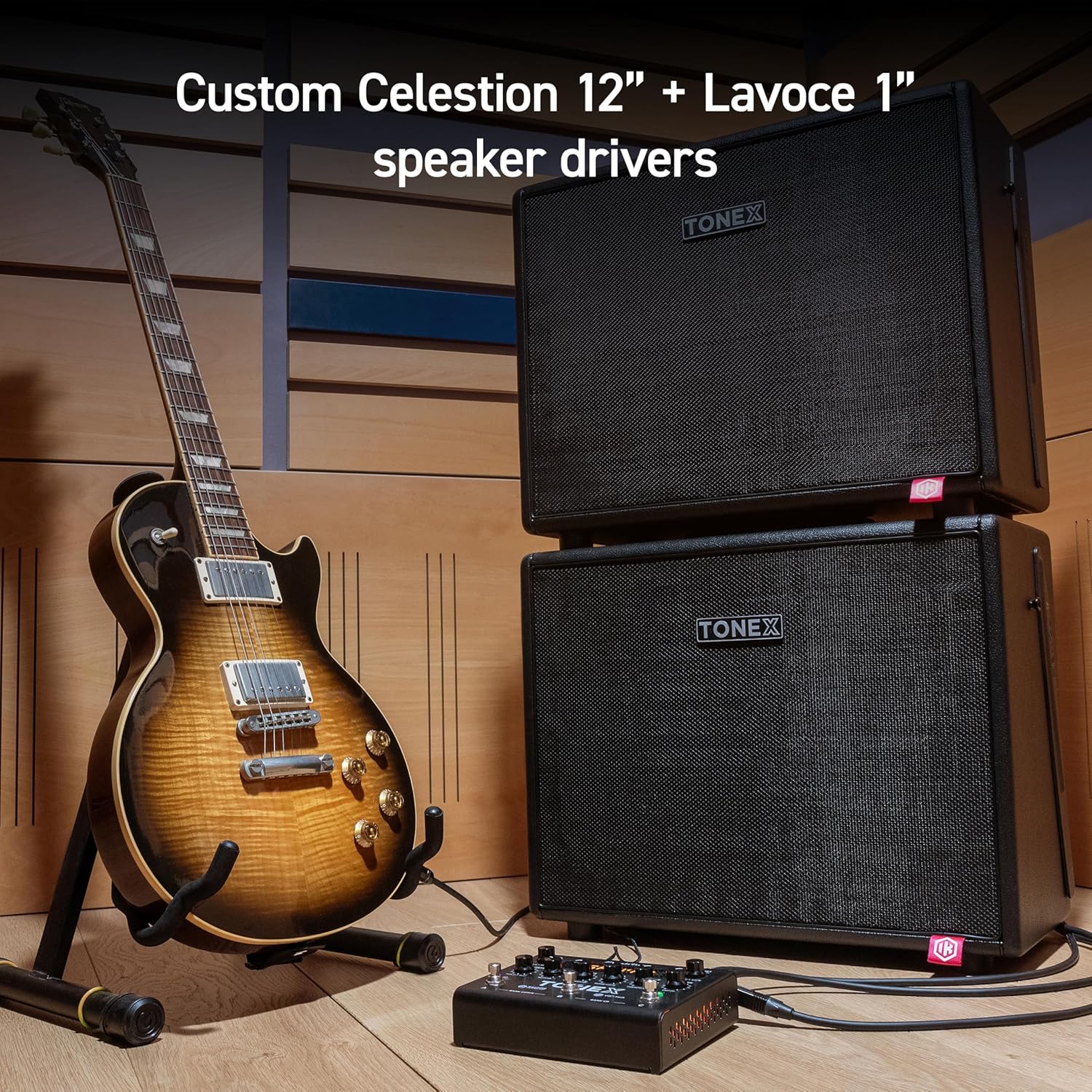
Image: An internal view of the TONEX Cab Professional, showing the custom Celestion 12-inch woofer and Lavoce 1-inch compression driver.
Warranty Information
IK Multimedia products are covered by a limited warranty. For detailed information regarding warranty terms, conditions, and registration, please refer to the official IK Multimedia website or the warranty card included with your product. Keep your proof of purchase for warranty claims.
Support
For technical assistance, product inquiries, or further support, please visit the official IK Multimedia support page. You can find FAQs, software downloads, and contact information for customer service.
IK Multimedia Website: www.ikmultimedia.com