
1. Introduction
This manual provides essential information for the proper installation, operation, and maintenance of the Xqscvqwfa 6870C-0805A V19_UHD_TM120_V0.3 TCON Board. This board is a critical component for display equipment, specifically compatible with LG televisions, responsible for processing video signals and transmitting them to the display panel. Understanding its function and proper handling is crucial for optimal performance and longevity.
2. Product Overview
The Xqscvqwfa 6870C-0805A TCON Board is designed to ensure high-definition support and system stability for compatible LG TV models. Key features include:
- Easy to install: Designed for straightforward integration into compatible TV systems.
- System stability: Contributes to reliable and consistent display performance.
- Fix multiple faults: Can resolve various display-related issues.
- High definition support: Ensures compatibility with high-resolution displays.
- Anti-static and overvoltage protection: Incorporates features to protect against electrical damage.

Figure 2.1: Top view of the Xqscvqwfa 6870C-0805A TCON Board, showing the main chip and various components. This image provides a clear view of the board's layout and primary integrated circuits.

Figure 2.2: Bottom view of the Xqscvqwfa 6870C-0805A TCON Board, illustrating the solder points and circuit traces on the underside of the component. This perspective is useful for understanding the board's physical construction.
3. Safety Information
Handling electronic components requires adherence to safety precautions to prevent damage to the product and personal injury. It is highly recommended that installation and replacement be performed by a qualified technician.
- Power Disconnection: Always ensure the television is completely unplugged from the power source before attempting any installation or removal of components.
- Electrostatic Discharge (ESD) Protection: Electronic components are sensitive to static electricity. Use an anti-static wrist strap and work on an anti-static mat to prevent ESD damage.
- Handle with Care: Avoid touching the integrated circuits and connectors directly. Hold the board by its edges.
- No User-Serviceable Parts: The TCON board itself contains no user-serviceable parts. Do not attempt to repair or modify the board.
- Ventilation: Ensure adequate ventilation around the television to prevent overheating of internal components.
4. Setup and Installation
The Xqscvqwfa 6870C-0805A TCON Board is a replacement part. Installation should only be performed by individuals with experience in TV repair and electronics handling. Refer to your specific LG TV service manual for detailed disassembly and reassembly instructions.
General Installation Steps:
- Prepare the Work Area: Ensure a clean, well-lit, and anti-static environment.
- Disconnect Power: Unplug the television from the wall outlet.
- Access the TCON Board: Carefully remove the TV's back cover and any shielding to gain access to the existing TCON board.
- Disconnect Cables: Gently disconnect all ribbon cables (LVDS cables) and power cables connected to the old TCON board. Note their orientation and connection points.
- Remove Old Board: Unscrew and carefully remove the faulty TCON board.
- Install New Board: Position the new Xqscvqwfa 6870C-0805A TCON Board in place and secure it with the appropriate screws.
- Connect Cables: Reconnect all ribbon cables and power cables to the new board. Ensure all connections are firm and correctly oriented. Pay close attention to the delicate ribbon cables connecting to the display panel.
- Test Functionality: Before fully reassembling the TV, temporarily connect the power and test the display. If the picture is normal, proceed to reassembly.
- Reassemble TV: Carefully reattach any shielding and the TV's back cover.

Figure 4.1: The TCON board with ribbon cables connected, illustrating typical connection points for the display panel. The text on the image highlights a specific component, 'R125 has resistance+Cable', indicating a detail relevant to board configuration or troubleshooting.
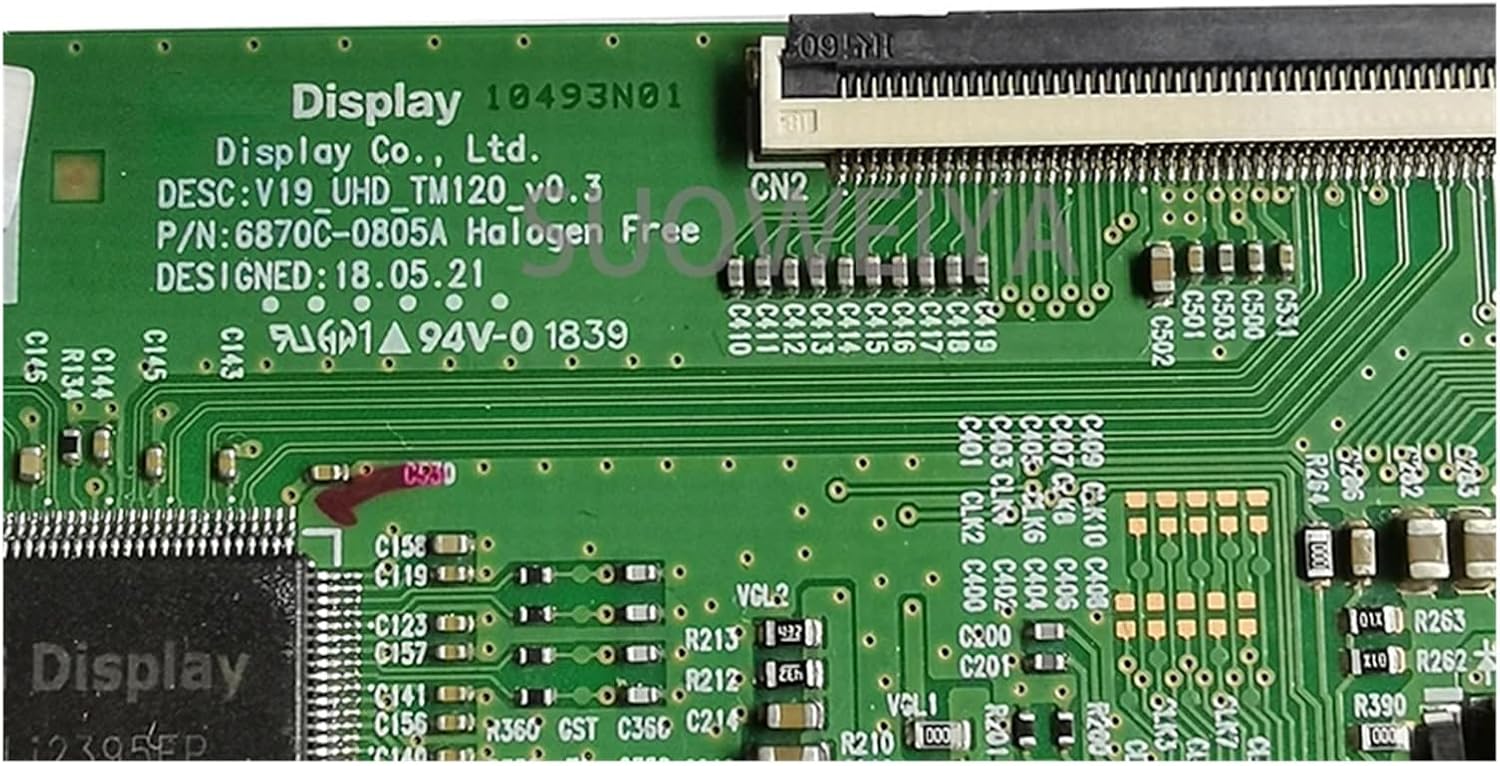
Figure 4.2: A detailed view of a connector on the TCON board, showing the precise alignment required for ribbon cable insertion. Proper connection of these cables is vital for correct display operation.
5. Operating Instructions
Once correctly installed, the Xqscvqwfa 6870C-0805A TCON Board operates automatically as part of the television's display system. There are no user-adjustable settings or operational controls on the board itself. The board's function is to receive video signals from the main board and convert them into a format suitable for the LCD/LED panel, ensuring a stable and clear image.
Proper installation is the primary factor in ensuring correct operation. If the TV powers on and displays an image without distortion or artifacts, the TCON board is functioning as intended.
6. Maintenance
The Xqscvqwfa 6870C-0805A TCON Board requires minimal maintenance. As an internal component, it is protected from external elements. However, general care for the television can contribute to the longevity of all its internal parts, including the TCON board.
- Keep Clean: Ensure the television's ventilation openings are free from dust and debris to allow for proper airflow and prevent overheating.
- Avoid Moisture: Keep the television in a dry environment, away from liquids and high humidity.
- Stable Power Supply: Use a surge protector to protect the television from power fluctuations and surges, which can damage electronic components.
Do not attempt to clean the TCON board directly unless you are a qualified technician and the TV is fully disassembled and unplugged. Use compressed air to gently remove dust if necessary, ensuring no moisture is introduced.
7. Troubleshooting
If you experience display issues after installing the TCON board, consider the following troubleshooting steps. It is recommended to consult a professional technician for complex issues.
- No Picture / Black Screen:
- Verify all power cables are securely connected to the TCON board and the TV's power supply.
- Check the LVDS (Low-Voltage Differential Signaling) cables connecting the main board to the TCON board, and the TCON board to the display panel. Ensure they are fully seated and not damaged.
- Confirm the TV's backlight is functioning. A black screen with sound often indicates a TCON or panel issue, while no backlight suggests a backlight driver or LED strip problem.
- Distorted Picture / Lines / Incorrect Colors:
- Re-check all ribbon cable connections for proper seating and alignment. Even a slight misalignment can cause severe display artifacts.
- Inspect the ribbon cables for any physical damage, kinks, or tears.
- Ensure the TCON board is correctly seated and secured within its mounting points.
- Intermittent Display Issues:
- This could indicate a loose connection. Power off the TV, unplug it, and re-seat all cables.
- Overheating can sometimes cause intermittent issues. Ensure proper ventilation.
If these steps do not resolve the issue, the problem may lie with another component of the television (e.g., main board, power supply board, or the display panel itself) or the TCON board may be faulty. Professional diagnosis is recommended.
8. Specifications
| Specification | Detail |
|---|---|
| Model Number | 6870C-0805A |
| Compatible Audio & Video Equipment Style | Digital-to-Analog Converter (DAC), Professional Audio Equipment, Display Equipment |
| Product Dimensions | 0.39 x 0.39 x 0.39 inches (approximate) |
| Item Weight | 1.76 ounces (50 Grams) |
| Brand | Xqscvqwfa |
| Color / Size Variant | 65 Inch (This specific model is for 65-inch displays) |
| Assembly Required | No (refers to the board itself, installation into TV is required) |
9. Warranty and Support
Specific warranty terms for the Xqscvqwfa 6870C-0805A TCON Board are provided by the seller at the time of purchase. Please retain your proof of purchase for any warranty claims. For technical support or further inquiries, please contact the seller or manufacturer directly through the platform where the product was acquired.
It is important to note that improper installation or handling may void any applicable warranty. Always follow safety guidelines and consider professional installation.