
Introduction
This manual provides essential instructions for the safe and efficient use of your Ulefone Armor X31 4G Rugged Smartphone and the accompanying Mount AM02. Please read this manual thoroughly before operating your device to ensure optimal performance and longevity.
1. Setup
1.1 Unboxing and Initial Inspection
Carefully unpack all components. Verify that all items listed in the packaging contents are present and undamaged. If any items are missing or damaged, contact customer support.
1.2 SIM Card and Storage Card Installation
Locate the SIM card tray on the side of the device. Use the provided SIM ejector tool to open the tray. Insert your Nano-SIM card(s) and an optional microSD (TF) card (up to 2TB) into the designated slots. Ensure the cards are correctly oriented before reinserting the tray firmly into the phone.
1.3 Initial Charging and Power On
Before first use, fully charge the device using the provided 18W fast charger. Connect the charger to the USB-C port. Once charged, press and hold the power button located on the side of the phone until the Ulefone logo appears. Follow the on-screen prompts to complete the initial setup of Android 14.
1.4 Mount AM02 Installation
The Mount AM02 is designed for secure attachment. Attach the mount to your desired surface (e.g., bicycle handlebars) and tighten the theft-resistant screw. The double socket arm base allows for angle adjustment by loosening the knob. Once the phone is placed in the mount, engage the safety lock to ensure it remains in position, even during high-speed movement.

Image: The Ulefone Mount AM02, designed to securely hold the smartphone. It features a safety lock and a theft-resistant screw for stable attachment.
2. Operating Instructions
2.1 Basic Phone Functions
- Calls and Messaging: Use the Phone and Messages applications for communication.
- Internet Connectivity: Connect to Wi-Fi networks or use 4G mobile data for internet access.
- Navigation: Utilize the integrated GPS for location services and navigation.
2.2 Display and Interaction
The Armor X31 features a 6.56-inch HD+ display with a 90Hz refresh rate for smooth visuals. The screen offers 800 nits brightness for visibility in bright sunlight and is protected by Corning Gorilla Glass for durability.

Image: The 6.56-inch large display of the Ulefone Armor X31, highlighting its Corning Gorilla Glass protection and high brightness.
- Gloves Mode: Enable Gloves Mode in settings to improve touch sensitivity when wearing gloves.
- Custom Key: Program the custom key for quick access to frequently used functions or applications.
2.3 Camera Functions
The device is equipped with a versatile camera system:
- 48MP Main Camera: For high-resolution photos in various conditions.
- 20MP Night Vision Camera: Designed for capturing images in low-light or complete darkness.
- 2MP Macro Camera: For detailed close-up shots.
- 16MP Front Camera: For selfies and video calls.
- Underwater Mode: Activate this mode before taking photos or videos underwater to prevent accidental touches and optimize settings.

Image: Overview of the Ulefone Armor X31's camera setup, including the 48MP main, 20MP night vision, 2MP macro, and 16MP front cameras, along with example photos.
2.4 Battery Management
The 6050mAh battery provides extended usage times. Use the 18W fast charging feature for quick recharges. The device also supports reverse charging, allowing it to act as a power bank for other devices via a compatible USB-C cable.

Image: Illustration of the Ulefone Armor X31's 6050mAh battery, detailing its long standby, talk, music playback, and video playback times.
2.5 Additional Features
- NFC & G Pay: Utilize Near Field Communication for contactless payments and data transfer.
- IR Blaster: Control compatible infrared devices.
- Headset-free FM: Listen to FM radio without needing a wired headset as an antenna.

Image: A comprehensive overview of the Ulefone Armor X31's key features, including its ruggedness, display, processor, memory, camera system, battery, and additional functionalities like NFC and IR Blaster.
3. Maintenance
3.1 Cleaning Your Device
As a rugged smartphone with IP68/IP69K ratings, the Armor X31 is resistant to dust and water. To clean, wipe the device with a soft, damp cloth. For stubborn dirt, a mild soap solution can be used, followed by rinsing with clean water. Ensure all ports are closed before cleaning with liquids. Do not use harsh chemicals or abrasive materials.
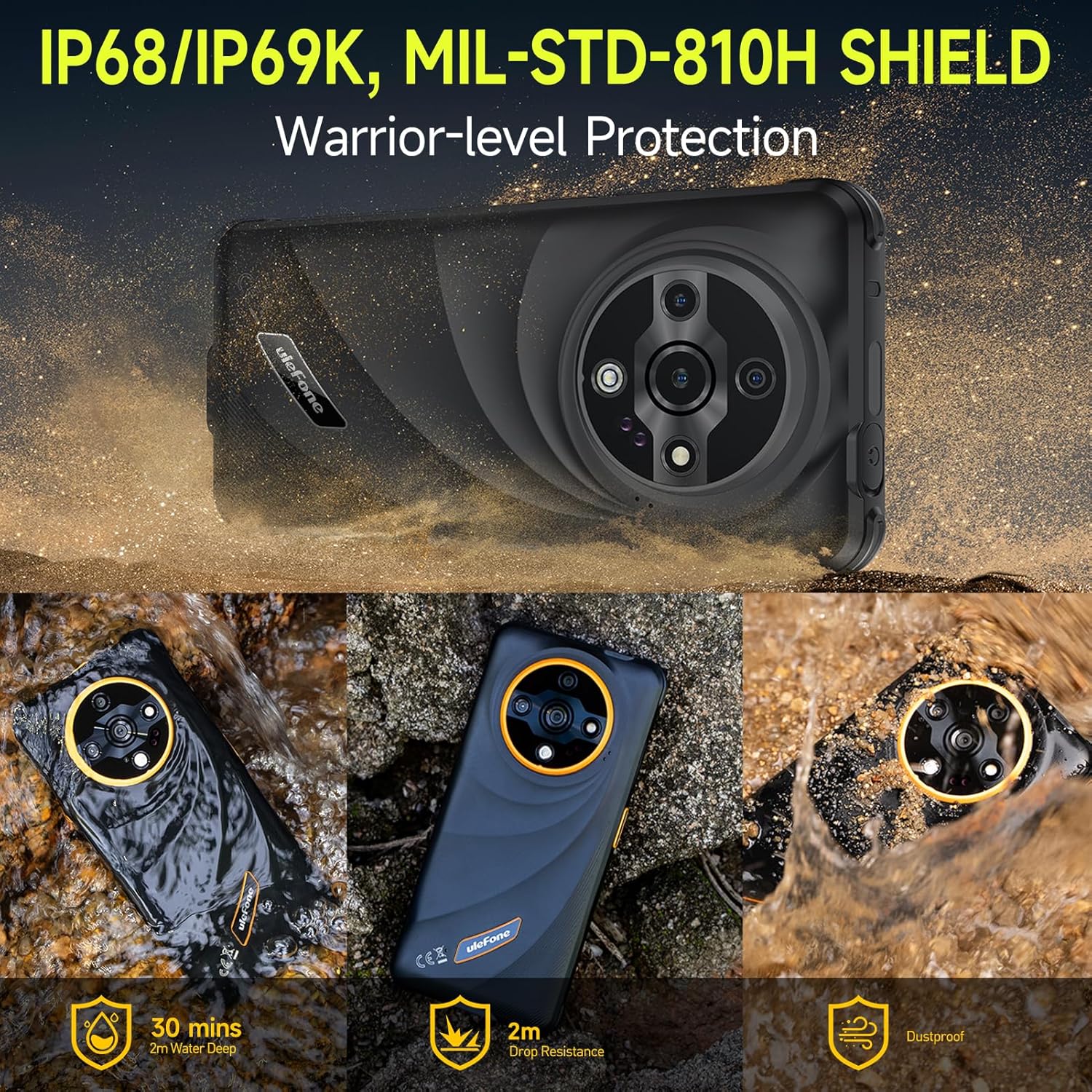
Image: The Ulefone Armor X31 demonstrating its IP68/IP69K and MIL-STD-810H certifications, showing its resistance to water, drops, and dust.
3.2 Battery Care
To prolong battery life, avoid extreme temperatures. Do not leave the device fully charged or completely discharged for extended periods. Use only Ulefone-approved chargers and cables.
3.3 Software Updates
Regularly check for and install system updates to ensure optimal performance, security, and access to new features. Navigate to Settings > System > System update to check for available updates.
3.4 Storage Management
The device comes with 128GB of internal storage, expandable up to 2TB with a microSD card. Regularly manage your files and applications to free up space and maintain device performance.

Image: An illustration detailing the Ulefone Armor X31's memory specifications, including 6GB physical RAM (up to 12GB with virtual RAM), 128GB internal storage, and 2TB expandable storage.
4. Troubleshooting
If you encounter issues with your Ulefone Armor X31, refer to the following common solutions:
- Device not powering on: Ensure the battery is charged. Press and hold the power button for at least 10-15 seconds.
- Poor network signal: Check SIM card installation. Ensure you are in an area with network coverage. Note that this device is not compatible with AT&T or Cricket networks.
- Applications crashing: Clear the cache of the problematic application or reinstall it. Ensure sufficient free storage space.
- Touchscreen unresponsive: Restart the device. If the issue persists, perform a factory reset (backup data first).
- Camera issues: Ensure camera permissions are granted. Restart the camera app or the device.
- Water damage concerns: While rugged, ensure all port covers are securely closed before exposure to water. If water ingress is suspected, power off immediately and allow to dry completely before attempting to power on.
For persistent issues, contact Ulefone customer support.
5. Specifications
| Feature | Detail |
|---|---|
| Model Name | Armor X31 |
| Operating System | Android 14 |
| Processor | MediaTek Helio G91, 8-core, up to 2.0GHz |
| RAM | 12 GB (6GB physical + up to 6GB virtual) |
| Internal Storage | 128 GB |
| Expandable Storage | Up to 2 TB (microSD/TF card) |
| Display Size | 6.56 Inches |
| Display Resolution | 720 x 1612 HD+ |
| Refresh Rate | 90 Hz |
| Display Protection | Corning Gorilla Glass |
| Main Camera | 48 MP |
| Night Vision Camera | 20 MP |
| Macro Camera | 2 MP |
| Front Camera | 16 MP |
| Battery Capacity | 6050 mAh |
| Charging | 18W Fast Charging, Reverse Charging |
| Connectivity | 4G, Wi-Fi, Bluetooth, GPS, NFC |
| Ruggedness | IP68/IP69K Waterproof & Dustproof, MIL-STD-810H Drop Protection |
| Audio Jack | No headphone jack |
| Color | Green |

Image: Detailed view of the MediaTek Helio G91 processor, highlighting its 12nm advanced process, 2.0GHz clock speed, Cortex-A75 cores, and 8-core CPU architecture.
6. Warranty and Support
6.1 Warranty Information
For detailed warranty information, please refer to the warranty card included with your product or visit the official Ulefone website. Keep your proof of purchase for warranty claims.
6.2 Customer Support
If you require further assistance or have questions not covered in this manual, please contact Ulefone customer support through their official website or the contact information provided in your product packaging.


