
CRONY S32
CRONY S32 Kids Foldable E-Scooter User Manual
Model: S32
1. Introduction
Thank you for choosing the CRONY S32 Kids Foldable E-Scooter. This manual provides essential information for the safe operation, assembly, maintenance, and troubleshooting of your new e-scooter. Please read this manual thoroughly before first use to ensure proper function and to prevent injury.
Important Safety Information
WARNING: Not suitable for children under 6 years of age. Adult supervision is required at all times. Always wear appropriate safety gear, including a helmet, knee pads, and elbow pads, when riding the e-scooter. Do not ride in traffic, on wet surfaces, or on uneven terrain. Ensure the scooter is fully charged and all components are securely fastened before each use.
The CRONY S32 E-Scooter is designed for children aged 6 and above, supporting a maximum load of 100KG. It features a 130W motor, adjustable speed (10-16 KM/H), LED lights, and a convenient folding mechanism.
2. Product Components
Familiarize yourself with the different parts of your CRONY S32 E-Scooter:

Figure 2.1: Overview of CRONY S32 E-Scooter components including LED Headlamp, LED Light, Foldable Area, Tyre, and LED Colorful Light.

Figure 2.2: Close-up of the CRONY S32 E-Scooter handlebar showing the Speed Display, Hand Brake, Accelerator, Battery Indicator, Power ON/OFF button, and Hook.
- LED Headlamp: Front light for visibility.
- LED Light Bar: Integrated light bar on the stem for enhanced visibility.
- Foldable Area: Mechanism for folding the scooter for storage and transport.
- Tyre: Durable wheels for riding.
- LED Colorful Light (Deck Lights): RGB lights on the deck for aesthetic appeal and visibility.
- Speed Display: Digital screen showing current speed.
- Hand Brake: Lever for engaging the front brake.
- Accelerator: Thumb or finger control to adjust speed.
- Battery Indicator: Shows remaining battery life.
- Power ON/OFF Button: To turn the scooter on or off.
- Hook: For securing the scooter when folded or for carrying light items.
- Extended Footrest: Provides ample space for comfortable foot placement.
3. Setup and Initial Use
3.1 Unfolding the Scooter
- Place the scooter on a flat, stable surface.
- Locate the folding mechanism (usually a latch or lever near the base of the stem).
- Release the latch and carefully lift the handlebar stem until it locks into an upright position. Ensure it clicks securely into place.
- Check that all connections are firm and the handlebar is stable.
3.2 Charging the Battery
Before first use, fully charge the scooter's battery. The CRONY S32 is equipped with a 21V/2.5AH lithium battery.
- Locate the charging port on the scooter (typically near the battery compartment).
- Connect the charger to the charging port, then plug the charger into a standard power outlet.
- The charging indicator light on the charger will typically turn red while charging and green when fully charged.
- Charging time is approximately 2-3 hours for a full charge. Do not overcharge.
- Disconnect the charger once charging is complete.
4. Operating Instructions
4.1 Power On/Off
Press and hold the Power ON/OFF button on the handlebar display to turn the scooter on or off. The LED display will illuminate when powered on.
4.2 Riding the Scooter
- Place one foot firmly on the deck of the scooter.
- Push off with your other foot to gain initial momentum.
- Gently press the accelerator (E-Accelerator) to engage the motor and increase speed. The scooter offers a speed range of 10-16 KM/H.
- To slow down or stop, release the accelerator and gently apply the hand brake or use the rear foot brake.
- Maintain balance and keep both hands on the handlebars while riding.
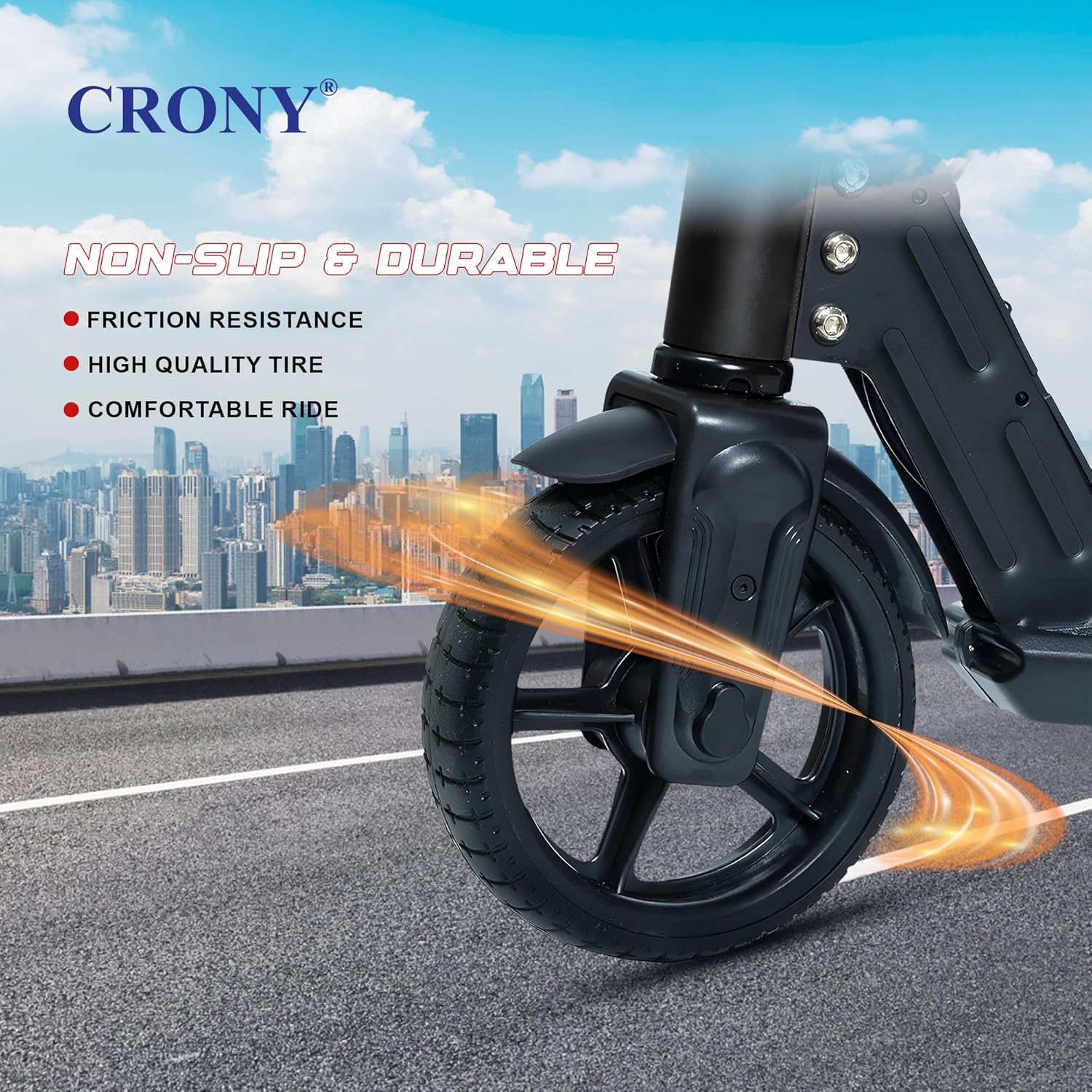
Figure 4.1: The CRONY S32 features a non-slip deck and durable, high-quality tires for a comfortable and stable ride.

Figure 4.2: The integrated LED base lights enhance visibility and safety during rides.

Figure 4.3: The CRONY S32 is designed with lightweight materials, high-quality wheels, and a shock-absorbing deck for a comfortable and easy riding experience.

Figure 4.4: The scooter's design emphasizes ease of folding, integrated LED base lights, lightweight construction, and portability.

Figure 4.5: The LED Headlamp and LED Light bar contribute to safe riding, making the S32 a reliable choice for kids.
4.3 Folding the Scooter
To fold the scooter for storage or transport, reverse the unfolding process:
- Ensure the scooter is powered off.
- Locate and release the folding latch.
- Carefully fold the handlebar stem downwards until it clicks into the folded position.
5. Maintenance
5.1 Cleaning
Regularly clean your scooter to maintain its appearance and function:
- Wipe the scooter with a damp cloth. Do not use harsh chemicals or abrasive cleaners.
- Avoid spraying water directly onto electrical components.
5.2 Battery Care
Proper battery care extends its lifespan:
- Charge the battery fully after each use, especially if storing for an extended period.
- Do not allow the battery to completely drain before recharging.
- Store the scooter in a cool, dry place, away from direct sunlight and extreme temperatures.
5.3 General Checks
- Periodically check all screws and fasteners to ensure they are tight.
- Inspect tires for wear and tear.
- Ensure brakes are functioning correctly.
6. Troubleshooting
If you encounter issues with your CRONY S32 E-Scooter, refer to the following common problems and solutions:
| Problem | Possible Cause | Solution |
|---|---|---|
| Scooter does not turn on | Battery is low or depleted | Charge the battery fully. |
| Scooter loses power quickly | Battery not fully charged or aging battery | Ensure full charge. If issue persists, battery may need replacement (contact support). |
| Motor not engaging or weak acceleration | Low battery, loose connection, or motor issue | Check battery level. Ensure all visible connections are secure. If problem persists, contact support. |
| LED lights not working | Loose connection or light component failure | Check for visible loose wires. Contact support if lights remain non-functional. |
| Unusual noises during operation | Loose parts, debris in wheels, or motor issue | Inspect for loose components or foreign objects. If noise persists, discontinue use and contact support. |
7. Specifications
Detailed technical specifications for the CRONY S32 Kids Foldable E-Scooter:
| Feature | Specification |
|---|---|
| Model | CRONY S32 |
| Motor Power | 130W |
| Speed Range | 10-16 KM/H |
| Battery | 21V/2.5AH Lithium |
| Range per Charge | 5-8 KM |
| Charging Time | 2-3 Hours |
| Max Loading Weight | 100 KG |
| Frame Material | Aluminum Alloy |
| Brake Type | Rear Foot Brake (NIL/Normal) |
| Product Dimensions (L x W x H) | 80 x 35 x 87 cm |
| Item Weight | 7 KG |
| Color | Black |
| Assembly Required | No |
| Recommended Age | 6 years and above |
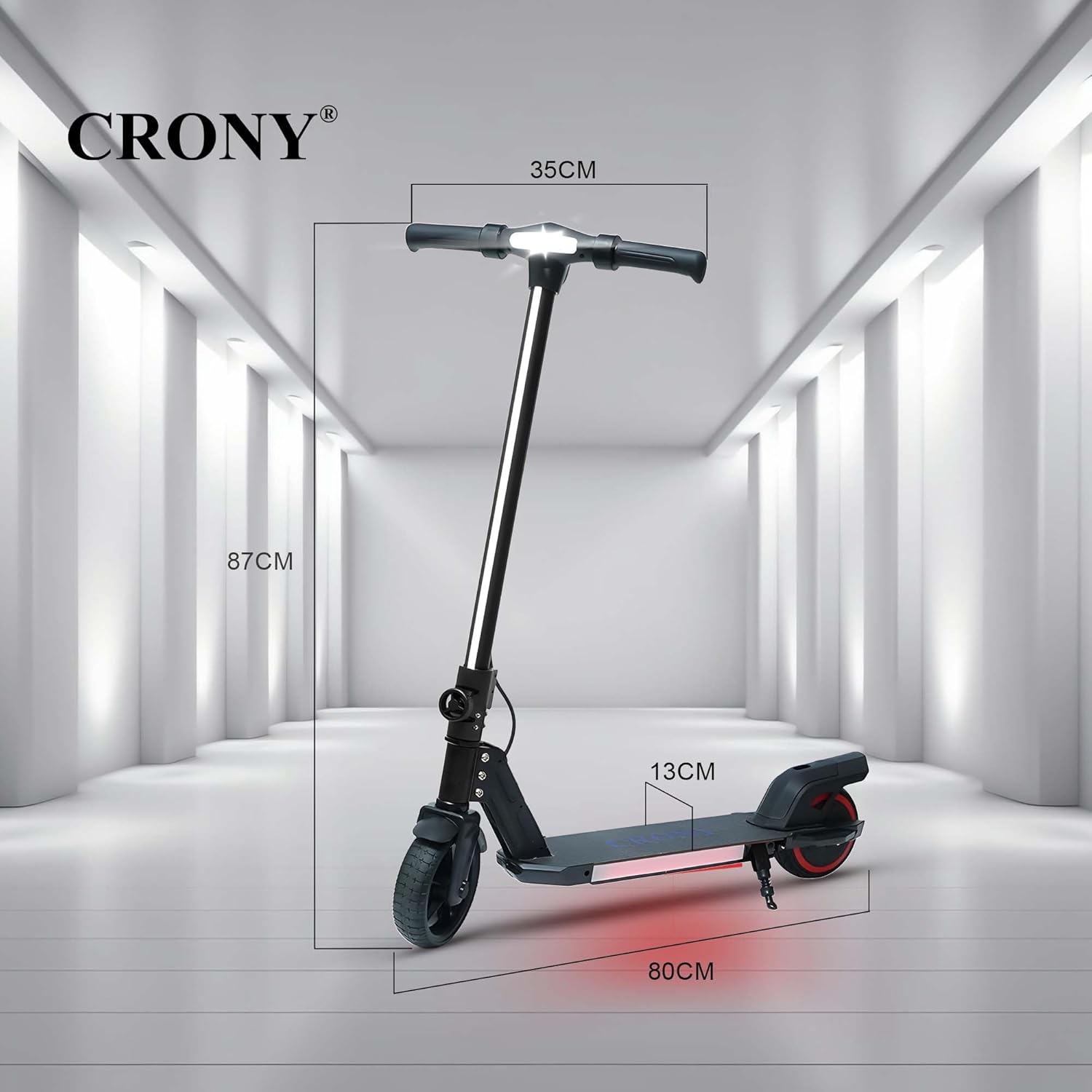
Figure 7.1: CRONY S32 E-Scooter dimensions.
8. Warranty Information
CRONY provides the following warranty for the S32 E-Scooter:
- Motor: 1-year warranty.
- Battery and Control Box: 3-month warranty.
Please note that man-made damage not related to product quality is not covered by the free warranty. Keep your purchase receipt as proof of purchase for warranty claims.
9. Customer Support
For any inquiries, technical assistance, or repair services, please contact the authorized seller:
Gulf Land Auto Parts Trading FZCO
Products purchased from this store are guaranteed authentic and can enjoy offline high-quality repair and maintenance services. For specific contact details or to arrange service, please refer to your purchase documentation or the seller's information on the platform where the product was purchased.
Ask a question about this manual
Ask about setup, troubleshooting, compatibility, parts, safety, or missing instructions. Manuals+ will review the question and use this page’s manual context to help answer it.