
1. Introduction
Thank you for choosing the Rolosar 10000mAh Portable Charger, Model DY201. This device is designed to provide reliable and fast charging for your electronic devices on the go. Please read this manual carefully before use to ensure optimal performance and safety.
2. Package Contents
- 1 x Rolosar 10000mAh Portable Charger (Model DY201)
- 1 x 0.3M/1ft USB-A to USB-C Cable
- 1 x Travel Pouch
- 1 x User Manual
3. Product Overview
The Rolosar DY201 portable charger features a compact design with multiple ports for versatile charging. It includes a digital display to show the remaining battery percentage.

Image: The Rolosar portable charger (right) shown next to a smartphone (left) for size comparison, highlighting its compact dimensions of 14.4cm (5.6in) height and 6.97cm (2.74in) width, with a thickness of 1.7cm (0.67in).
Ports and Indicators:
- USB-C Port (Input/Output): Used for both charging the power bank and charging compatible devices.
- Micro-USB Port (Input): Used for charging the power bank.
- USB-A Ports (Output): Two ports for charging various devices.
- Digital LED Display: Shows the remaining battery percentage.

Image: A close-up diagram illustrating the USB-C port functioning as both input and output, and the Micro-USB port as input, along with two USB-A output ports.
4. Setup and Charging the Power Bank
Initial Charge:
Before first use, fully charge your Rolosar portable charger. This ensures optimal battery performance.
Charging Procedure:
- Connect the provided USB-A to USB-C cable (or your own Micro-USB cable) to the corresponding input port on the power bank.
- Connect the other end of the cable to a USB wall charger (not included) or a computer's USB port.
- The digital display will show the charging progress. The power bank is fully charged when the display shows '100'.
Charging times vary depending on the input port used:
- USB-C Input: Approximately 4 hours for a full charge.
- Micro-USB Input: Approximately 6 hours for a full charge.
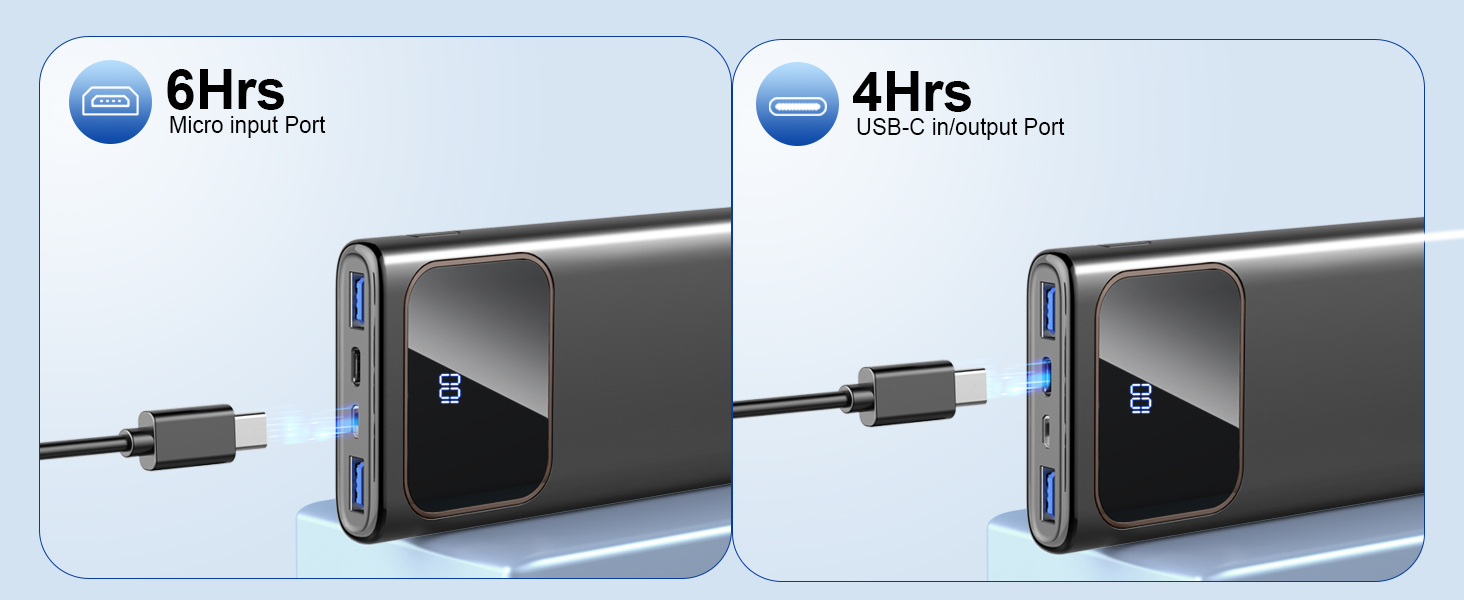
Image: A visual comparison showing the Rolosar power bank charging via Micro-USB (6 hours) and USB-C (4 hours), indicating faster charging with the USB-C input.
5. Operating Instructions
Charging Your Devices:
- Connect your device's charging cable to one of the output ports (USB-A or USB-C) on the power bank.
- Connect the other end of the cable to your electronic device.
- The power bank will automatically begin charging your device. The digital display will show the remaining battery percentage.
- To stop charging, simply disconnect your device.
The power bank supports 15W fast charging, capable of charging compatible devices significantly faster than standard chargers.

Image: A smartphone connected to the Rolosar power bank, displaying a fast charging icon and 78% charge, illustrating the 3A high-speed charging capability.
Multi-Device Charging:
You can charge up to three devices simultaneously using the available output ports.
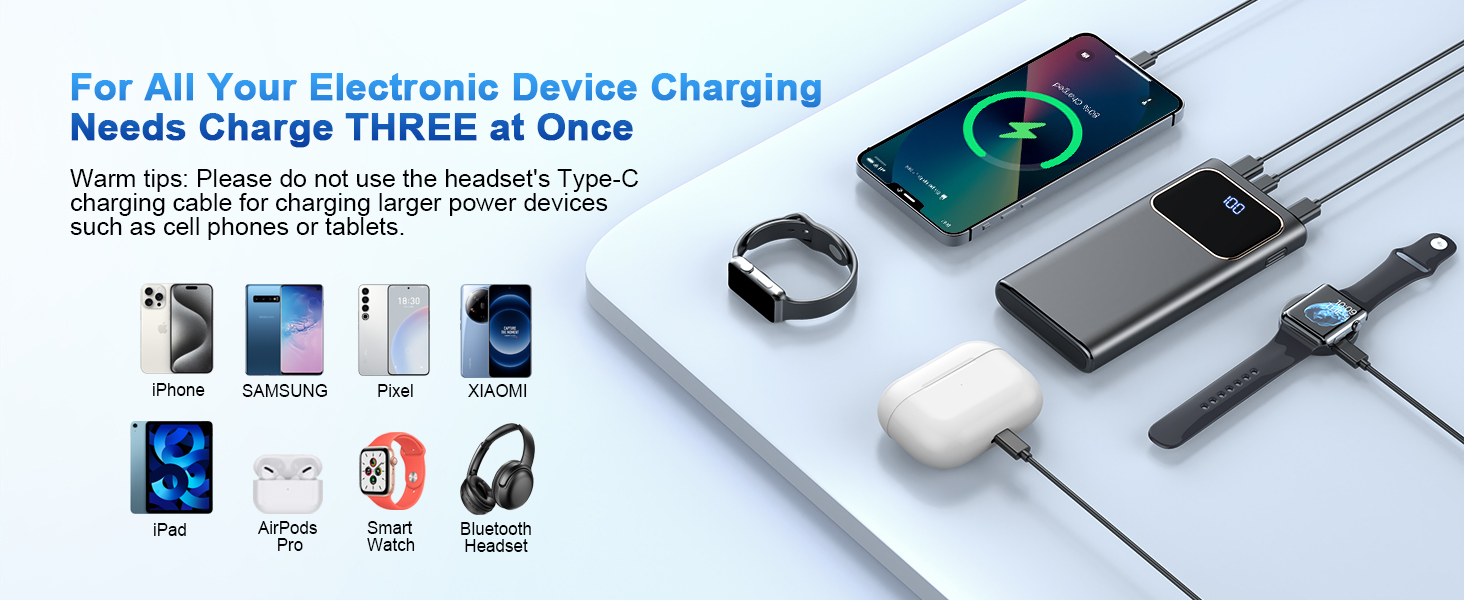
Image: The power bank connected to and charging a smartphone, a smartwatch, and wireless earbuds, demonstrating its ability to charge three devices at once.
Digital Display:
The clear digital display accurately shows the remaining battery percentage of the power bank. Touch the button to activate the display and check the battery level.
Low-Current Mode:
For charging low-power devices such as headphones, smartwatches, or other small electronic devices, activate the low-current mode to provide greater protection and optimize charging.
- Activation: Long press the on/off button for approximately 5 seconds. Wait a few seconds until the single digit of the power display starts to turn around, indicating that low-current mode is active.
- Deactivation: After charging small devices, switch back to normal mode by long pressing the on/off button again. If not deactivated, the display will remain on for 2 hours before turning off.
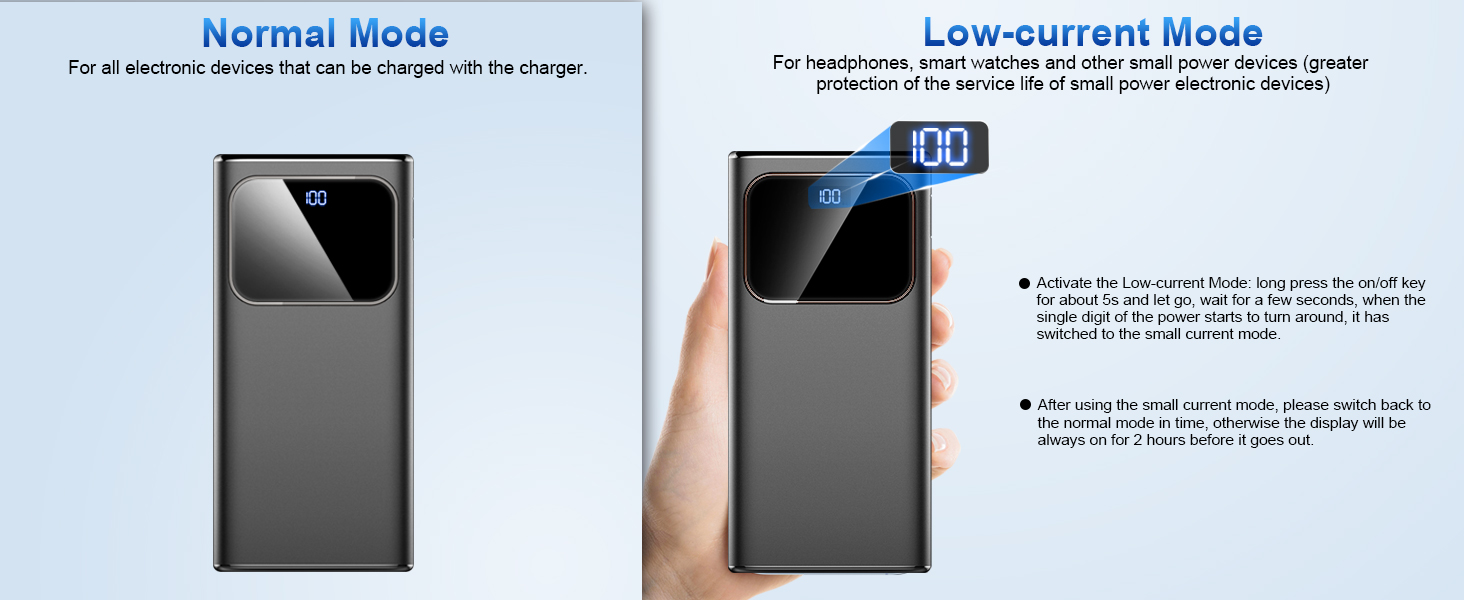
Image: A visual guide explaining the difference between Normal Mode (for all electronic devices) and Low-Current Mode (for headphones, smartwatches, and small power devices), with instructions on how to activate and deactivate the latter.
6. Safety Features
The Rolosar DY201 portable charger is equipped with a 15-layer SmartProtect System to ensure safe and reliable operation. This system includes protections against:
- Charge low and high temperature
- Discharge low and high temperature
- Battery short-circuit
- Output overvoltage
- Charging undervoltage
- Battery temperature
- Battery overdischarge
- Output overcurrent
- Charging overvoltage
- USB-C overcharge
- USB-A overcharge
- Type-C port overheat
- Output short-circuit
- Discharge overcurrent
- Charging overcurrent
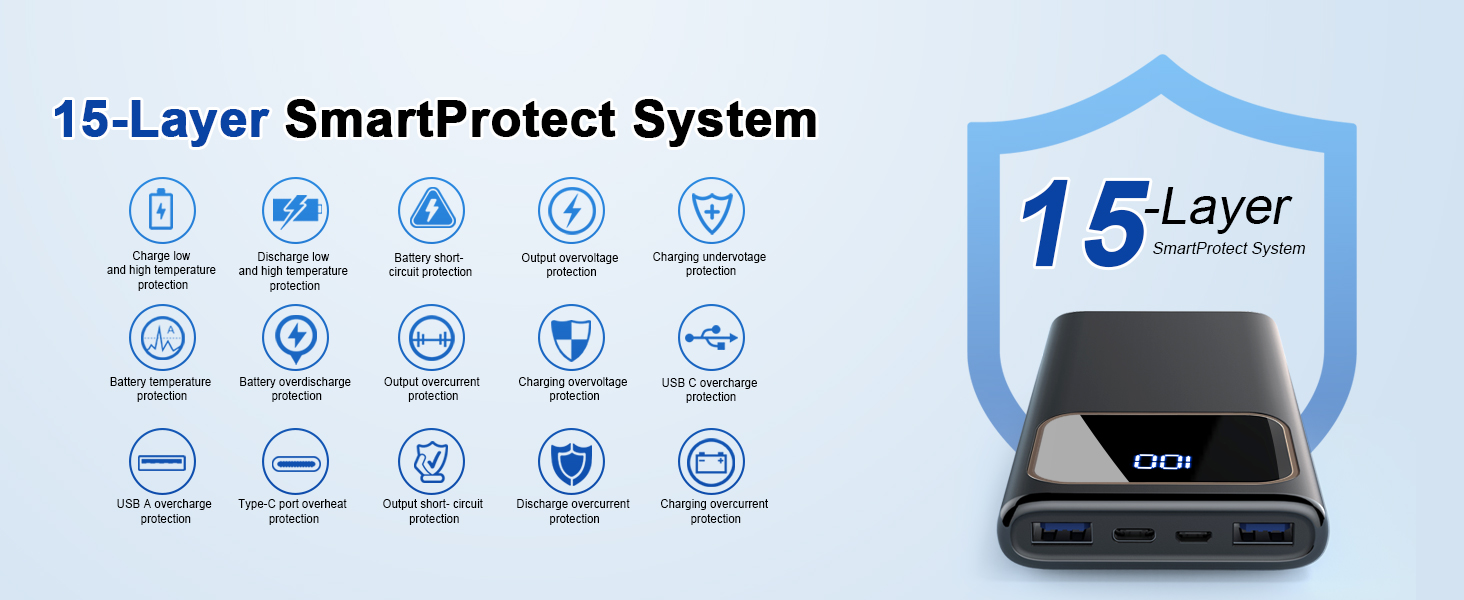
Image: An infographic detailing the 15 different types of protection integrated into the power bank's SmartProtect System, including temperature, voltage, current, and short-circuit safeguards.
This power bank is also designed to be airline approved, making it suitable for travel.
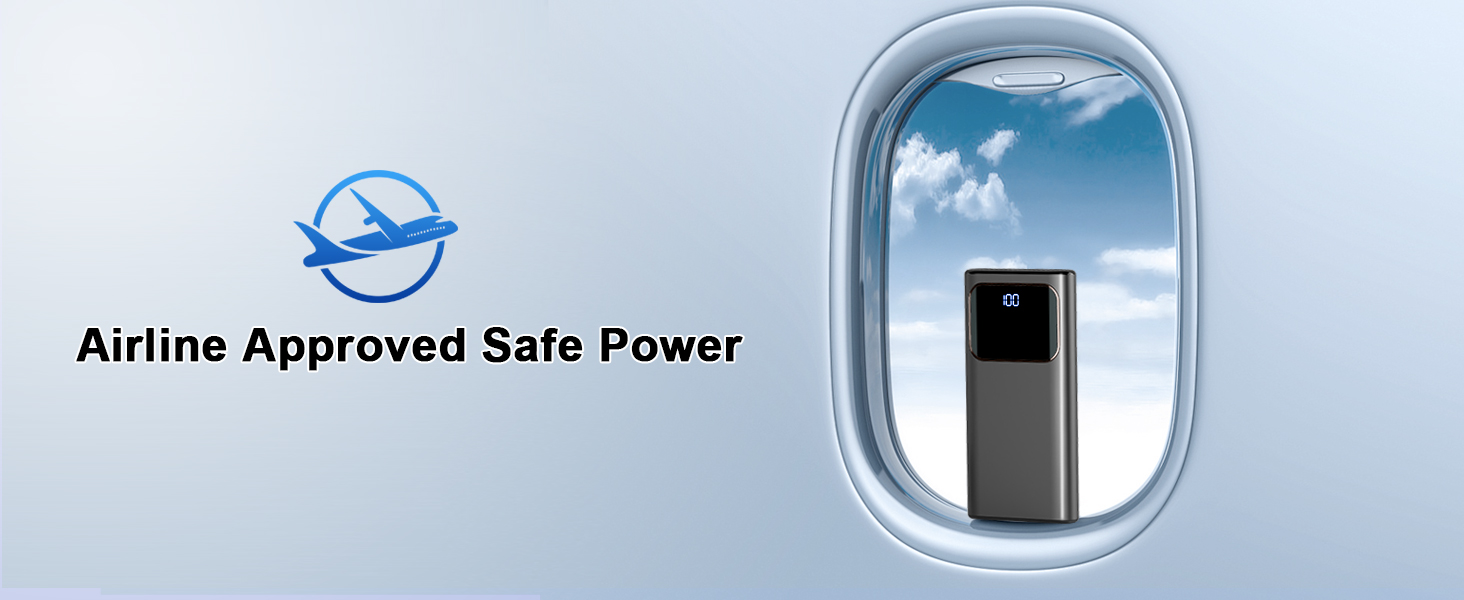
Image: An icon indicating 'Airline Approved Safe Power' with the power bank shown in an airplane window, signifying its suitability for air travel.
7. Specifications
| Feature | Specification |
|---|---|
| Model Number | DY201 |
| Battery Capacity | 10000mAh (10 Amp Hours) |
| USB-C Input | 15W |
| Micro-USB Input | 10W |
| USB-C Output | 15W |
| USB-A Output | 2 x 15W |
| Product Dimensions | 1 x 1 x 1 inches (approximate) |
| Item Weight | 10.2 ounces |
| Special Features | Lightweight, Digital Display, PD Fast Charging |
8. Maintenance and Care
- Keep the power bank away from water, moisture, and extreme temperatures.
- Avoid dropping or subjecting the device to strong impacts.
- Clean the power bank with a dry, soft cloth. Do not use harsh chemicals or abrasive materials.
- Store the power bank in a cool, dry place when not in use.
- Recharge the power bank at least once every three months to maintain battery health if not used regularly.
9. Troubleshooting
- Power bank not charging: Ensure the charging cable is securely connected to both the power bank's input port and the power source. Try a different cable or wall adapter.
- Device not charging from power bank: Ensure the power bank has sufficient charge. Check that the charging cable is securely connected to both the power bank's output port and your device. Try a different cable or output port.
- Slow charging: Ensure you are using a fast-charging compatible cable and your device supports fast charging. For optimal speed, use the USB-C output.
- Digital display not working: Press the power button briefly to activate the display. If it remains unresponsive, ensure the power bank is charged.
10. Important Safety Information
- Do not disassemble, open, or shred the power bank.
- Do not expose the power bank to heat or fire. Avoid storage in direct sunlight.
- Do not short-circuit the power bank.
- Do not expose the power bank to mechanical shock.
- In case of a battery leak, do not allow the liquid to come into contact with skin or eyes. If contact has been made, wash the affected area with copious amounts of water and seek medical advice.
- Keep the power bank out of reach of children.
- Do not use the power bank if it has been damaged or modified.
- Dispose of the power bank according to local regulations. Do not dispose of it with household waste.
11. Warranty and Support
Rolosar products are designed and manufactured to the highest quality standards. For any technical support or warranty inquiries, please refer to the contact information provided with your purchase or visit the official Rolosar website. Please retain your proof of purchase for warranty claims.