
Genérico KS37
Linyuvo KS37 Bluetooth Controller User Manual
Model: KS37
Introduction
This manual provides comprehensive instructions for the Linyuvo KS37 Wireless Bluetooth Controller, designed for use with Nintendo Switch and Switch OLED consoles. It covers setup, operation, maintenance, troubleshooting, and product specifications to ensure optimal performance and user experience.
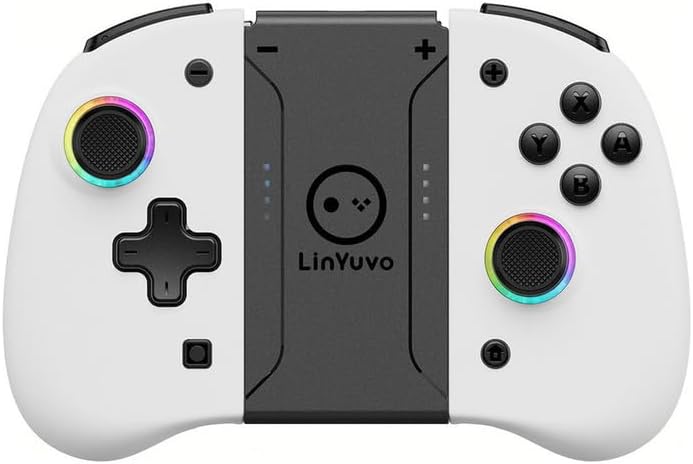
Figure 1: Linyuvo KS37 Bluetooth Controller. This image displays the white and black controller with its central Linyuvo logo and colorful LED rings around the joysticks.
Product Compatibility
The Linyuvo KS37 controller is designed for perfect compatibility with various Nintendo Switch models, including the original Nintendo Switch, Nintendo Switch Lite, and Nintendo Switch OLED.

Figure 2: Compatibility Overview. This image illustrates the controller's compatibility with the standard Switch, Switch OLED, and Switch Lite models, shown alongside a gaming screen.
Setup Guide
1. Initial Pairing
- Ensure your Nintendo Switch console is powered on and updated to the latest system software.
- From the HOME Menu, select "Controllers" > "Change Grip/Order".
- On the Linyuvo KS37 controller, press and hold the pairing button (usually a small button on the top or back) until the indicator lights begin to flash rapidly.
- Once the controller appears on the Switch screen and the indicator lights become solid, the pairing is complete.
2. Charging the Controller
The controller features a 500 mAh high-quality battery. To charge:
- Connect the provided USB-C cable to the charging port on the controller.
- Connect the other end of the cable to a USB power source (e.g., Switch dock, USB wall adapter, computer USB port).
- A full charge takes approximately 3 hours, providing up to 6.5 hours of continuous gameplay.
Operating Instructions
Key Features and Functions
- One-Click Wake-Up: Press the Home button to quickly wake up your Switch console and enter the game world.
- Screenshot Sharing: Utilize the dedicated screenshot button to capture in-game moments and share them instantly.
- Adjustable RGB Lighting: The joysticks feature 8 adjustable LED colors. Cycle through different lighting modes to match your game atmosphere.
- Enhanced Metal Joystick: The 360° joystick is designed for precise control, durability, and resistance to wear.
- Programmable Macro Buttons: Map X/Y/A/B/ZR/ZL keys to the rear buttons for convenient and optimized operations.
- Adjustable Dual Vibration: Experience immersive feedback with two internal vibration motors offering 4 levels of intensity.
- Turbo Function: Activate rapid-fire with a single click, allowing for quick and repetitive actions (e.g., 5, 12, or 20 shots per second).
- High-Precision Gyroscope: The built-in six-axis gyroscope sensor provides precise and natural motion control for immersive gaming experiences.

Figure 3: Wireless Joycon Features. This image highlights key features such as motion detection, vibration feedback, Turbo function, wireless connection, and colorful RGB lighting.
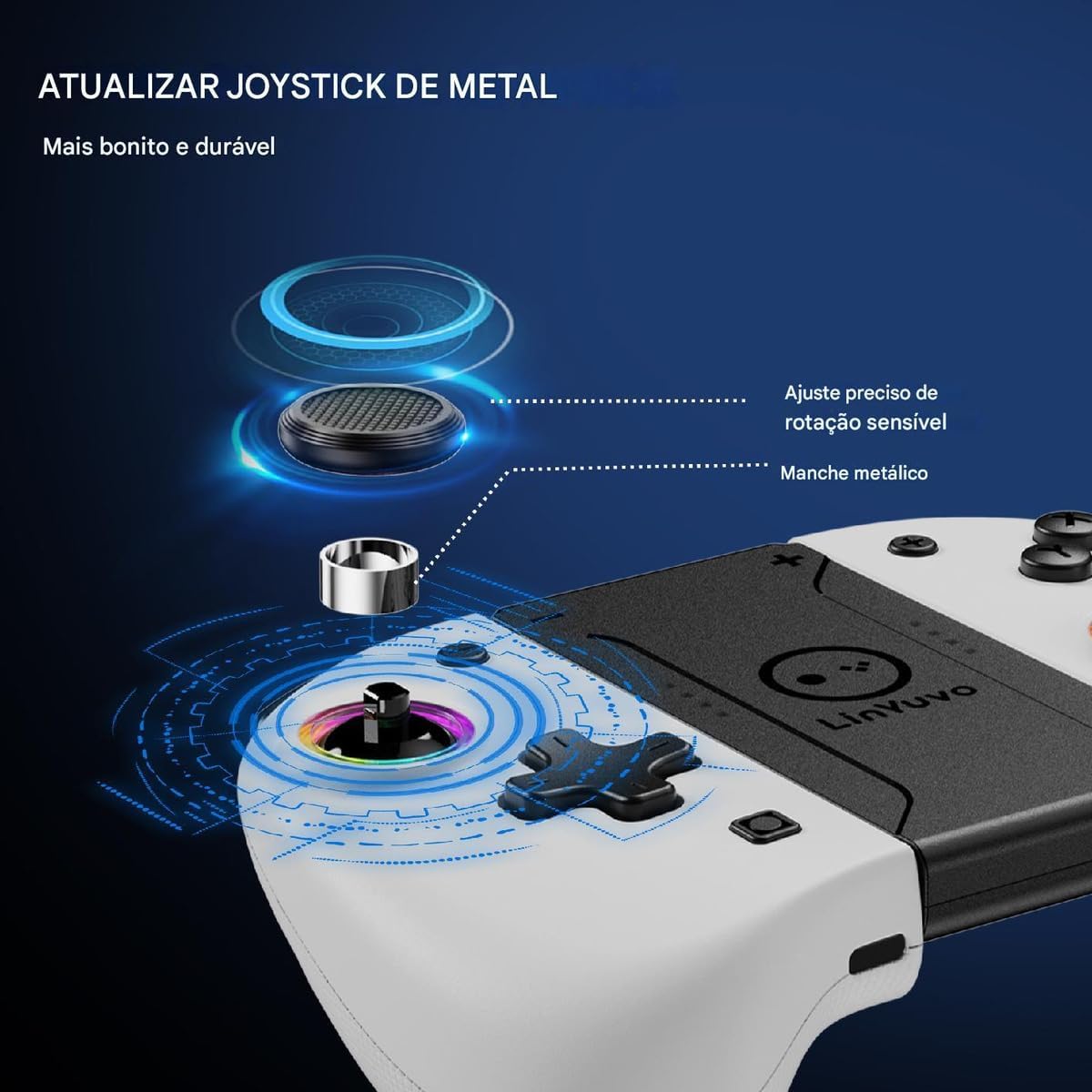
Figure 4: Updated Metal Joystick. This image details the durable metal joystick, emphasizing its precise rotation adjustment and metallic shaft for enhanced longevity.
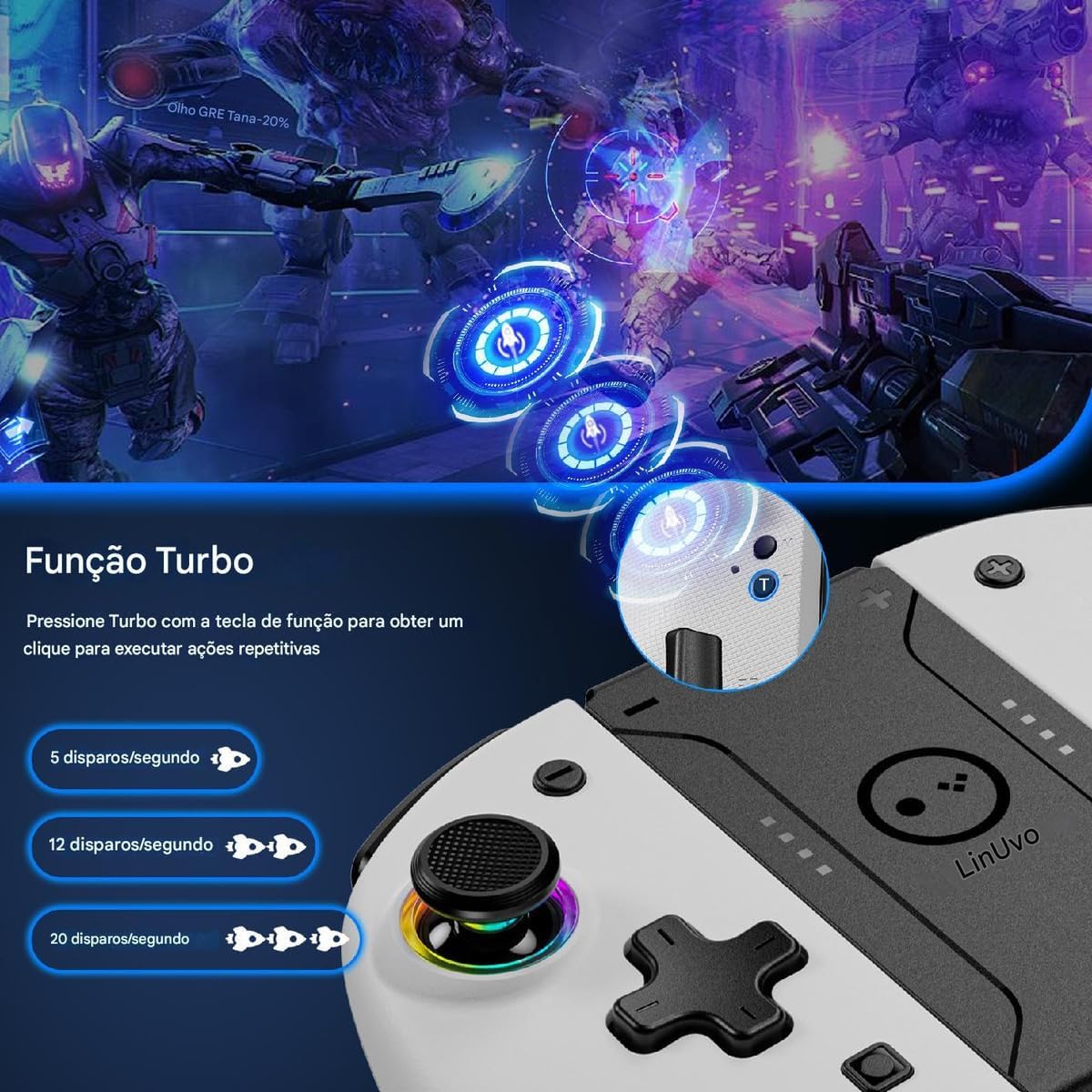
Figure 5: Turbo Function. This image explains how to activate the Turbo function for repetitive actions, showing options for 5, 12, and 20 shots per second.

Figure 6: 6-Axis Gyroscope Control. This image demonstrates the motion control capabilities provided by the 6-axis gyroscope, illustrating immersive experiences in various game scenarios.

Figure 7: Programmable Mapping Function. This image shows how to program buttons (X, Y, A, B, ZR, ZL) to the rear macro buttons for easier gameplay.

Figure 8: Portable Controller Features. This image summarizes the 360° precise joystick, programmable buttons, and screenshot capture function of the Linyuvo portable controller.

Figure 9: Adjustable Dual Vibration. This image illustrates the dual vibration motors and the four levels of adjustable feedback (0%, 25%, 50%, 75%, 100%) for an enhanced immersive experience.
Maintenance
Cleaning
To maintain your controller's appearance and functionality:
- Use a soft, dry cloth to wipe down the surface of the controller.
- For stubborn dirt, slightly dampen the cloth with water or a mild, non-abrasive cleaner. Avoid excessive moisture.
- Do not use harsh chemicals, solvents, or abrasive materials, as these can damage the controller's finish.
Battery Care
- Avoid fully discharging the battery frequently to prolong its lifespan.
- If storing the controller for an extended period, charge it to approximately 50% before storage.
- Store in a cool, dry place away from direct sunlight and extreme temperatures.
Troubleshooting
| Problem | Possible Cause | Solution |
|---|---|---|
| Controller does not connect/pair. | Low battery; out of range; interference; incorrect pairing mode. | Charge the controller fully. Ensure it is within 10 meters of the console. Re-attempt pairing following the "Initial Pairing" steps. Turn off other Bluetooth devices nearby. |
| Buttons or joysticks are unresponsive. | Software glitch; physical damage; calibration issue. | Restart the controller and the Switch console. Check for any physical obstructions. If the issue persists, try recalibrating the joysticks via Switch system settings. |
| Vibration is not working or too weak/strong. | Vibration setting incorrect; game does not support vibration; internal issue. | Adjust vibration intensity using the controller's dedicated function (if available) or through game/Switch settings. Ensure the game supports vibration. |
| Controller does not fit into the Switch dock. | This controller is designed as a standalone wireless controller and is not intended to physically attach to or fit into the Nintendo Switch dock like Joy-Cons. | This is expected behavior. The controller connects wirelessly to the Switch. |
Specifications
- Model: KS37
- Connectivity: Wireless Bluetooth
- Compatibility: Nintendo Switch, Nintendo Switch Lite, Nintendo Switch OLED
- Battery Capacity: 500 mAh
- Charging Time: Approximately 3 hours
- Play Time: Up to 6.5 hours (continuous)
- Special Features: One-click wake-up, screenshot function, adjustable RGB lighting (8 colors), enhanced metal joysticks, programmable macro buttons, adjustable dual vibration (4 levels), Turbo function, 6-axis gyroscope.
Warranty and Support
Specific warranty information for the Linyuvo KS37 controller is not provided in this manual. Please refer to your purchase documentation or contact the retailer/manufacturer directly for details regarding warranty coverage and technical support.
For further assistance or inquiries, please reach out to the customer service department of the seller from whom you purchased this product.
Official Product Videos
No official product videos from the seller are available for embedding in this manual.
Related documentsKS37

Ask a question about this manual
Ask about setup, troubleshooting, compatibility, parts, safety, or missing instructions. Manuals+ will review the question and use this page’s manual context to help answer it.