
Mkilp Bejia HM-22
Mkilp Bejia HM-22 Wireless Earbuds User Manual
Model: HM-22
Introduction
Thank you for choosing Mkilp Bejia HM-22 Deep Bass Sound Clip on Earbuds. These wireless earbuds are designed to provide an immersive audio experience with powerful bass, comfortable open-ear wear, and advanced Bluetooth 6.0 connectivity. This manual will guide you through the setup, operation, and maintenance of your new earbuds to ensure optimal performance and longevity.
What's in the Box
- Open Ear Earbuds x2
- Charging Case x1
- Type-C Charging Cable x1
- User Manual x1

Image: All components included in the Mkilp Bejia HM-22 package.
Product Features
Unrivaled Sound, Powerful Bass
The HM-22 earbuds feature innovative 12mm dynamic drivers that precisely direct sound, significantly reducing leakage while delivering powerful bass, up to 3 times stronger than standard open-ear or clip-on earbuds. Experience every deep bass note and crystal-clear vocal with exceptional clarity.
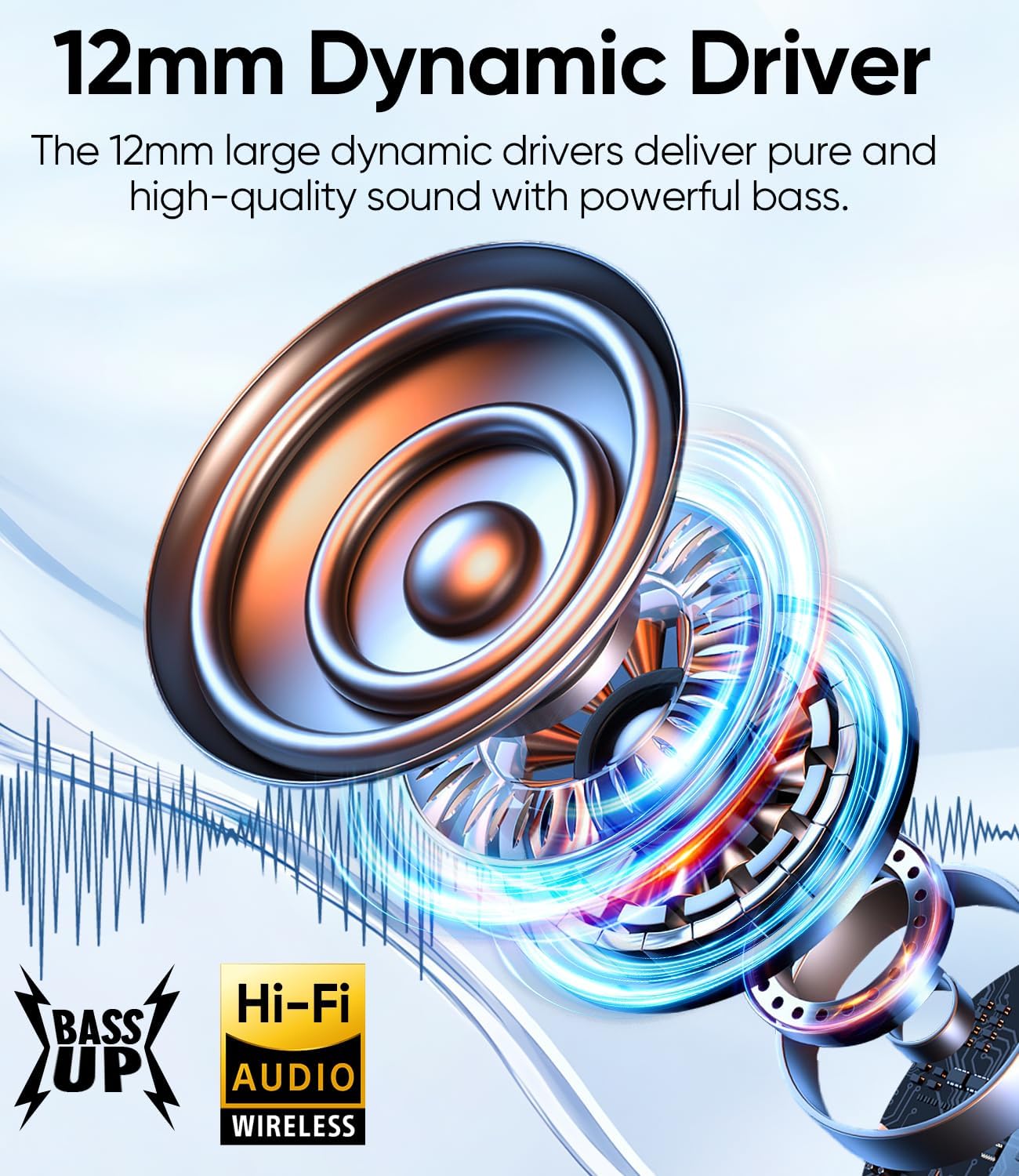
Image: Detailed view of the 12mm dynamic driver responsible for the powerful bass and clear audio.
Bluetooth 6.0 Efficient Connectivity
Equipped with the latest Bluetooth 6.0 technology, these earbuds offer 80% faster connection speeds, 2x better stability, and 30% lower audio latency, minimizing signal drops. Once paired, the earbuds automatically reconnect to your device. Dual-device connectivity allows seamless switching between your computer and phone.

Image: The earbuds connected to multiple devices, demonstrating the multipoint connection capability.
Dual Operation Modes & Physical Buttons
The HM-22 features both physical buttons for precise control of song playback, track switching, and call answering, and touch controls for quick volume adjustment. The oversized physical buttons are tested for over 50,000 clicks, ensuring durability and preventing accidental triggers.

Image: A robotic finger interacting with the physical button on the earbud, highlighting its multifunctionality.
Unmatched Comfort and Secure Fit
Designed for comfort, the C-shaped ear bridge with a built-in memory alloy automatically conforms to your ear shape, providing a secure and comfortable fit suitable for various sports scenarios. Each earbud weighs only 0.2 ounces (5.9g), allowing for pain-free, extended wear.

Image: A user demonstrating the comfortable and lightweight fit of the earbuds during daily use.
Two Wearing Styles
The HM-22 offers two distinct wearing modes: Aware Style, where earbuds sit outside the ear canal for open-ear comfort and environmental awareness, and Immersive Style, where earbuds nestle snugly in your ear canal for deeper sound immersion and boosted bass, ideal for intense workouts or noisy commutes.

Image: Visual representation of the two available wearing styles: Aware Style and Immersive Style.
Stay Aware, Stay Connected
The innovative open-ear design keeps you connected to your surroundings while listening to music, podcasts, or joining online meetings. This feature enhances safety during activities like working out, running, cycling, or in office environments.

Image: Users engaged in various activities while wearing the earbuds, highlighting the open-ear design for situational awareness.
AI-Powered Call Clarity & Water Resistance
Enjoy crystal-clear communication thanks to two beamforming microphones with advanced AI noise reduction technology. The earbuds are also IPX5 water-resistant, making them suitable for workouts and outdoor activities.
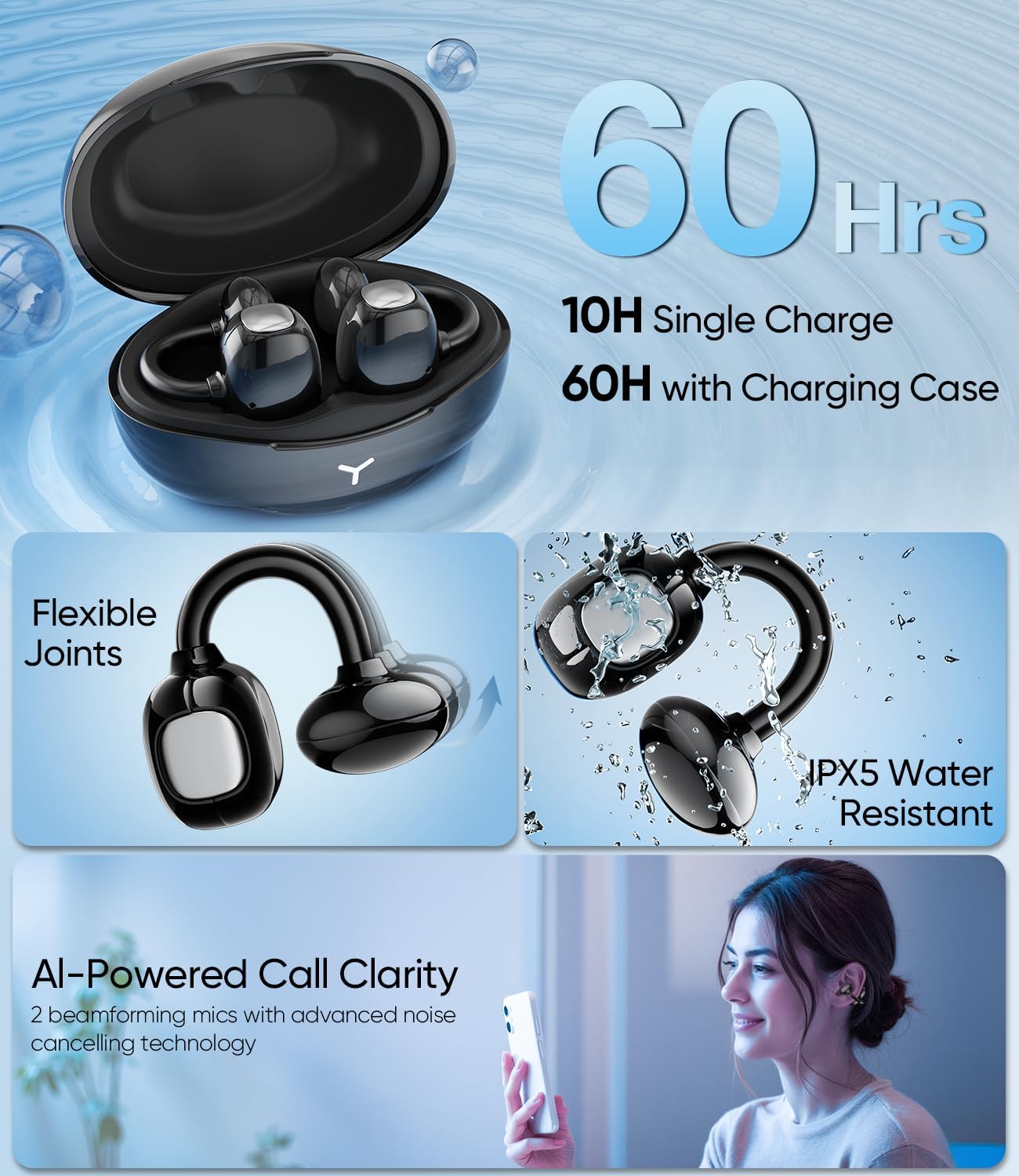
Image: A comprehensive view of multiple features including battery life, flexibility, water resistance, and call clarity.
Official Product Video
Video: An official product video from Mkilp Bejia demonstrating the key features and benefits of the HM-22 earbuds, including deep bass, Bluetooth 6.0, and comfortable fit.
Setup
Initial Charging
Before first use, fully charge the earbuds and the charging case. Connect the Type-C charging cable to the charging case and a power source. The indicator lights on the case will show charging status. A full charge for the case takes approximately 1.5 hours.
Pairing with Your Device
- Open the charging case. The earbuds will automatically enter pairing mode.
- On your device (smartphone, tablet, laptop), enable Bluetooth.
- Search for "HM-22" in the list of available Bluetooth devices and select it to connect.
- Once connected, a voice prompt will confirm successful pairing.
For dual-device connectivity, after pairing with the first device, disconnect the earbuds from it (do not unpair). Then, pair with the second device. After successful pairing with the second device, reconnect to the first device. The earbuds will now remember both devices and allow seamless switching.
Wearing Tips
To ensure optimal sound performance and comfort, follow these wearing tips:
- Aware Style: Clip the earbuds onto the thinnest part of your ear, allowing them to sit outside the ear canal. This style keeps you aware of your surroundings.
- Immersive Style: Gently adjust the earbuds to aim the ear tips at your ear canal. This provides a more secure fit and boosted bass for an immersive audio experience.

Image: Instructions on how to properly wear the earbuds for both Aware and Immersive styles.
Operating Instructions
Controls
The HM-22 earbuds feature both physical buttons and touch controls for various functions:
| Action | Function |
|---|---|
| Physical Button: Click x1 | Play/Pause Music |
| Physical Button: Click x2 | Next Track / Answer Call / Hang Up Call |
| Physical Button: Click x3 | Previous Track |
| Physical Button: Long Press 2s | Reject Call / Voice Assistant |
| Touch Zone: Tap x2 | Volume + (Right Earbud) / Volume - (Left Earbud) |
| Touch Zone: Long Press 1.5s | Volume - (Right Earbud) / Volume + (Left Earbud) |

Image: A visual guide to the earbud controls, detailing button presses and touch gestures.
Charging and Battery Life
The earbuds provide up to 10 hours of playtime on a single charge. With the included charging case, the total listening time extends to an impressive 60 hours. The charging case has a 400 mAh battery capacity and takes approximately 1.5 hours to fully charge.

Image: Visual summary of the earbud and charging case battery life and charging specifications.
Maintenance
- Cleaning: Regularly clean the earbuds and charging case with a soft, dry, lint-free cloth. Avoid using abrasive materials or harsh chemicals.
- Storage: When not in use, store the earbuds in their charging case to protect them from dust and damage. Store in a cool, dry place away from extreme temperatures.
- Water Exposure: While the earbuds are IPX5 water-resistant, avoid submerging them in water or exposing them to strong jets of water. Dry them thoroughly if they get wet.
Troubleshooting
Earbuds Not Pairing
- Ensure the earbuds are charged and the charging case has power.
- Make sure Bluetooth is enabled on your device.
- Place the earbuds back in the case, close the lid, wait a few seconds, then open it again to re-enter pairing mode.
- Try forgetting the device in your phone's Bluetooth settings and re-pairing.
No Sound or Low Volume
- Check the volume levels on both your device and the earbuds.
- Ensure the earbuds are properly connected to your device.
- Clean any debris from the earbud speakers.
Charging Issues
- Verify the charging cable is securely connected to both the case and the power source.
- Try a different charging cable or power adapter.
- Ensure the charging contacts on the earbuds and inside the case are clean and free of obstruction.
Specifications
| Feature | Detail |
|---|---|
| Model Name | HM-22 |
| Connectivity Technology | Wireless |
| Wireless Communication Technology | Bluetooth 6.0 |
| Bluetooth Range | 15 Meters |
| Noise Control | Environmental Noise Cancellation |
| Frequency Response | 20 KHz |
| Sensitivity | 123 dB |
| Battery Life (Earbuds) | 10 Hours |
| Carrying Case Battery Average Life | 60 Hours |
| Carrying Case Battery Capacity | 400 Milliamp Hours |
| Carrying Case Battery Charging Time | 1.5 Hours |
| Water Resistance Level | Water Resistant (IPX5) |
| Control Type | Button Control, Touch Control |
| Material | Plastic |
| Item Weight | 5 ounces |
| Ear Placement | Open Ear |
| Audio Driver Type | Dynamic Driver |
| Audio Driver Size | 12 Millimeters |
| Impedance | 22 Ohm |
Warranty and Support
Mkilp Bejia provides a 1-Year After-Sales Service for your HM-22 Wireless Earbuds. For any product inquiries, technical support, or warranty claims, please contact Mkilp Bejia customer service through the official Amazon store or the contact information provided in your product packaging.

Image: Emblem signifying the 1-year after-sales service.
You can also visit the official Mkilp Bejia Store on Amazon for more information and support: Mkilp Bejia Amazon Store
Ask a question about this manual
Ask about setup, troubleshooting, compatibility, parts, safety, or missing instructions. Manuals+ will review the question and use this page’s manual context to help answer it.