
Hover-1 H1-ALP2
Hover-1 Alpha 2.0 Foldable Electric Scooter User Manual
Brand: Hover-1
Model: H1-ALP2
1. Product Overview
The Hover-1 Alpha 2.0 is a high-performance foldable electric scooter designed for efficient commuting and recreational riding. It combines a powerful motor with user-friendly features and a durable, portable design.

Figure 1: The Hover-1 Alpha 2.0 Electric Scooter in its upright position, showcasing its sleek black design and robust build.
Key Features:
- Excellent Performance & Ride Quality: Equipped with a 450W brushless motor, reaching speeds up to 18 mph and climbing inclines of up to 15 degrees. Features 10" air-filled tires for a smooth ride.
- Bright LED Display: Visible in direct sunlight, showing current speed, speed mode, and battery level.
- Cruise Control: For comfortable long commutes, maintaining a constant speed without throttle pressure.
- Extra Wide Deck: Provides enhanced comfort and stability during your ride.
- Portable Folding Design: One-step folding system for easy lifting and storage in most car trunks.
- Safe and Reliable: UL2272 and UL2271 certified for safety.
Video 1: Official product overview of the Hover-1 Alpha 2.0 Electric Scooter, highlighting its main features and capabilities.
2. Setup and Assembly
The Hover-1 Alpha 2.0 comes mostly pre-assembled. Follow these steps to complete the setup and prepare your scooter for its first ride.
Included Components:
- Hover-1 Alpha 2.0 Electric Scooter (main unit)
- Hover-1 Wall Charger
- Alpha 2.0 User Manual (this document)
Assembly Steps:
- Unfold the Scooter: Carefully lift the handlebar stem until it clicks into place. Ensure the folding mechanism is securely locked.
- Attach Handlebars: If detached, align the handlebars with the stem and secure them using the provided screws. (Typically 4 screws are used for secure attachment).
- Initial Charge: Before first use, fully charge the scooter's battery. Locate the charging port on the side of the deck and connect the Hover-1 Wall Charger. The LED display will indicate charging status.

Figure 2: Illustration of the Hover-1 Alpha 2.0 in both its unfolded (4ft 2in tall) and folded (1ft 9in tall, 3ft 11in long) states, demonstrating its compact portability.
3. Operating Your Scooter
Familiarize yourself with the controls and operating modes for a safe and enjoyable ride.
Controls and Display:

Figure 3: Close-up view of the Hover-1 Alpha 2.0's handlebars, showing the digital display, power button, thumb throttle, brake lever, and bell.
- Power Button: Press and hold to turn the scooter ON/OFF.
- Digital Display: Shows speed, battery level, and selected mode.
- Thumb Throttle: Located on the right handlebar, press down to accelerate.
- Brake Lever: Located on the left handlebar, squeeze to activate the rear brake.
- Bell: Use to alert pedestrians and other riders.
Speed Modes:
The scooter offers different speed modes for varying riding conditions:
- Eco Mode (E): Energy-saving mode for extended range and lower speeds.
- Sport Mode (S): Provides maximum speed and power for dynamic riding.
To switch between modes, quickly press the power button after the scooter is on.
Cruise Control:
To activate cruise control, reach your desired speed and quickly press the thumb throttle down twice. The scooter will maintain this speed until the brake is applied or the throttle is pressed again.
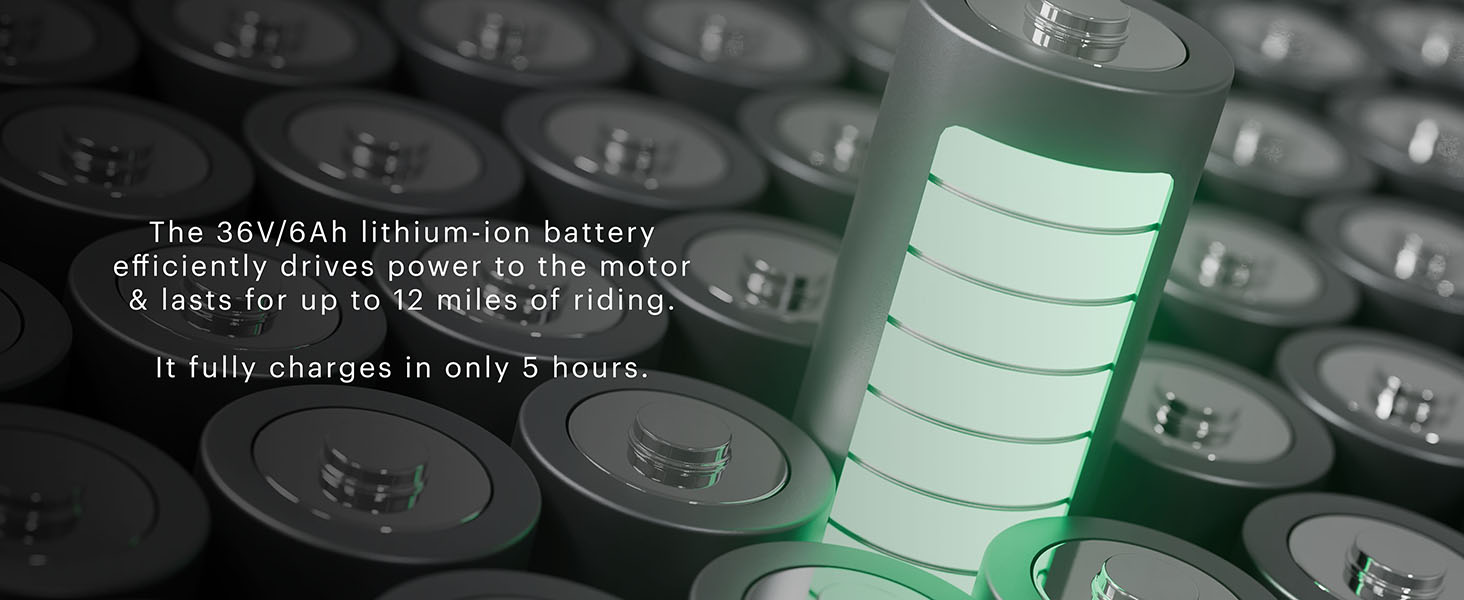
Figure 4: Detailed view of the digital display icons, including Eco Mode, Sport Mode, Speedometer, Speed Units, Battery Indicator, Low/High Beam, Cruise Control, Temperature, and Service Indicator.
4. Maintenance
Regular maintenance ensures the longevity and optimal performance of your Hover-1 Alpha 2.0 scooter.
Battery Care:
- Charging: Always use the official Hover-1 Wall Charger. A full charge takes approximately 5 hours.
- Storage: If storing for extended periods, ensure the battery is charged to about 50-70% and recharge every 30-60 days to prevent deep discharge.
- Temperature: Avoid charging or storing the scooter in extreme temperatures.

Figure 5: Visual representation of the 36V/6Ah lithium-ion battery, highlighting its 12-mile range and 5-hour charging time.
Tire Maintenance:
- Pressure: Regularly check and maintain the recommended tire pressure for optimal ride quality and battery efficiency.
- Inspection: Inspect tires for any signs of wear, punctures, or damage before each ride.

Figure 6: The Hover-1 Alpha 2.0 showcasing its 10-inch air-filled tires, which contribute to a smooth and comfortable ride by absorbing shocks.
General Cleaning:
Wipe down the scooter with a damp cloth after use. Avoid using harsh chemicals or excessive water, especially near electronic components.
5. Troubleshooting
This section addresses common issues you might encounter with your Hover-1 Alpha 2.0 scooter.
| Problem | Possible Cause | Solution |
|---|---|---|
| Scooter not turning on. | Low battery; Power button not pressed correctly. | Charge the battery fully. Press and hold the power button for 3-5 seconds. |
| Reduced speed or range. | Low battery; Overweight rider; Uphill terrain; Low tire pressure. | Ensure battery is fully charged. Check rider weight against limit (264 lbs). Maintain proper tire pressure. |
| Scooter not accelerating. | Throttle issue; Safety mechanism engaged. | Ensure the scooter is powered on and in a valid speed mode. Some scooters require a kick-start before the throttle engages. |
| Bluetooth speaker not connecting. | Bluetooth not enabled on device; Scooter not in pairing mode. | Ensure Bluetooth is active on your device. Refer to the scooter's specific instructions for Bluetooth pairing. |
For more complex issues, please contact Hover-1 customer support.
6. Specifications
| Feature | Detail |
|---|---|
| Brand | Hover-1 |
| Model Name | H1-ALP2 |
| Motor | 450W Brushless |
| Max Speed | 18 mph |
| Max Distance Range | 12 Miles |
| Weight Limit | 264 Pounds |
| Tire Type | 10" Air-Filled Pneumatic |
| Frame Material | Aluminum |
| Special Feature | Digital Display, Bluetooth Speaker |
| Safety Certification | UL2272 and UL2271 Certified |
| Item Dimensions (LxWxH) | 46 x 9 x 23 inches |
| Package Weight | 22.11 Kilograms |
7. Warranty and Support
The Hover-1 Alpha 2.0 is backed by a 6-month parts and labor warranty, ensuring peace of mind with your purchase.

Figure 7: Image confirming the UL2272 certification for comprehensive electric mobility device safety tests and the 6-month parts and labor warranty.
For warranty claims, technical support, or any inquiries, please visit the official Hover-1 website or contact their customer service department. Refer to the contact information provided in the product packaging or on the Hover-1 brand store page.
Online Support: Visit the Hover-1 Store on Amazon
Related documentsH1-ALP2


Ask a question about this manual
Ask about setup, troubleshooting, compatibility, parts, safety, or missing instructions. Manuals+ will review the question and use this page’s manual context to help answer it.