
TECPHILE P3
TECPHILE AI Smart Car Air Freshener User Manual
Model: P3
Introduction
Thank you for choosing the TECPHILE AI Smart Car Air Freshener. This advanced atomizer diffuser is designed to enhance your driving experience with intelligent fragrance diffusion, customizable ambient lighting, and smart auto on/off functionality. This manual provides detailed instructions for setup, operation, maintenance, and troubleshooting to ensure optimal performance and longevity of your device.
Safety Information
- Keep the device out of reach of children and pets.
- Do not disassemble, repair, or modify the device yourself. Contact customer support for assistance.
- Use only TECPHILE approved aroma oil tanks. Using unauthorized liquids may damage the device and void the warranty.
- Avoid placing the device in direct sunlight or near heat sources.
- Ensure the device is placed on a stable, flat surface to prevent spills, especially when in a vehicle.
- Do not block the mist outlet.
- If the device emits unusual odors, smoke, or heat, immediately turn it off and disconnect the power.
Package Contents
Please check the package for the following items:
- TECPHILE AI Smart Car Air Freshener (Main Unit)
- Aroma Oil Tank (Mystic-Mountain-Aroma)
- Type-C Charging Cable
- User Manual
Product Overview

The TECPHILE AI Smart Car Air Freshener main unit shown alongside a replaceable aroma oil tank.
Detailed view of the diffuser's top panel, highlighting the LED display for oil percentage and mode indicators, and the slot for the replaceable aroma oil tank.
The device features a sleek design with a top-mounted LED display, control buttons, and a slot for the replaceable aroma oil tank. It also includes a Type-C charging port at the base.
Setup
1. Charging the Device
Before first use, fully charge the device. The device is equipped with a 900mAh lithium battery for long-lasting performance.
- Connect the provided Type-C charging cable to the charging port on the device.
- Connect the other end of the cable to a compatible USB power adapter (not included) or a car USB port.
- The ambient light will indicate charging status. A red ambient light indicates a low battery.
- Once fully charged, the light indicator will change (refer to LED indicator section for details).

The device features a 900mAh battery, providing extended usage and supporting fast Type-C charging.
2. Installing the Aroma Oil Tank
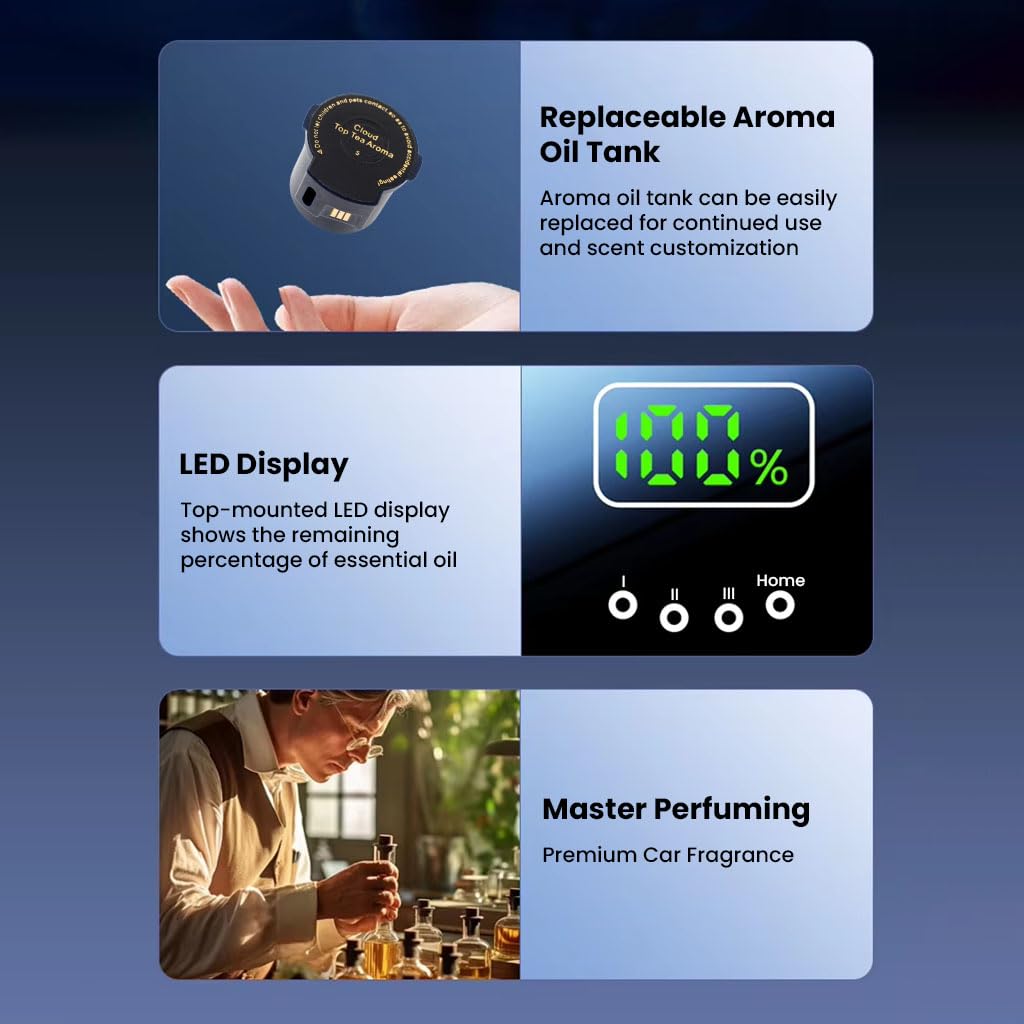
The device uses replaceable aroma oil tanks for convenience and scent customization.
- Gently remove the top cover of the diffuser.
- Insert the aroma oil tank into the designated slot, ensuring it clicks into place. The tank is designed for easy, secure installation.
- Replace the top cover.

The essential oil tank features a fully sealed design, preventing leaks even when inverted, unlike traditional car air fresheners.
Operating Instructions
Power On/Off
- To Power On: Press and hold the power button on the top panel until the LED display illuminates.
- To Power Off: Press and hold the power button again until the LED display turns off.
Smart Auto On/Off (Car Mode)
The device features intelligent motion detection, activating automatically when your car is on or moving and entering standby mode when the car is off or stationary. This conserves essential oil and battery life.

The smart auto on/off feature automatically activates the diffuser when driving and deactivates it when the car is off or parked.

Intelligent sensing ensures the aroma activates only when your car is in motion, providing freshness that follows you.
Customizable Fragrance Modes
Press the mode button (usually indicated by a wave icon) to cycle through the three fragrance intensity modes:
- Micro Mode: Sprays every 8 minutes (for subtle scent).
- Light Mode: Sprays every 5 minutes (for moderate scent).
- Strong Mode: Sprays every 3 minutes (for intense scent).

Easily adjust the scent intensity with three customizable fragrance modes: Micro, Light, and Strong.
Adjustable Ambient Lighting
The device features customizable ambient lighting with four color options. Press the light button (usually indicated by a lightbulb icon) to cycle through the colors:
- Blue
- Sky Blue
- Purple
- Green

Customize your car's ambiance with adjustable ambient lighting, offering four distinct colors to match your mood or interior.
Dual Car and Home Modes
The diffuser is designed primarily for automotive use but can also function in Home Mode. In Home Mode, it includes a 3-hour auto shut-off for safety and energy efficiency.
- To switch between Car Mode and Home Mode, press the dedicated mode button (often labeled "Home" or similar on the display).
LED Display for Oil Monitoring
The top-mounted LED display shows the remaining essential oil percentage in real-time. This allows you to monitor oil levels and plan refills.
- When 10% oil is remaining, a yellow light will turn on.
- When the oil is completely used up, the yellow light will flash.
Maintenance
Replacing the Aroma Oil Tank
When the aroma oil tank is empty, or you wish to change scents:
- Power off the device.
- Gently remove the top cover.
- Carefully pull out the empty aroma oil tank.
- Insert a new TECPHILE aroma oil tank, ensuring it is securely seated.
- Replace the top cover.
Cleaning the Device
Regular cleaning helps maintain optimal performance.
- Ensure the device is powered off and disconnected from any power source.
- Wipe the exterior of the device with a soft, damp cloth. Do not use abrasive cleaners or solvents.
- Do not immerse the device in water or any other liquid.
- For the mist outlet, use a dry cotton swab to gently clean any residue.
Battery Care
- Charge the device regularly to maintain battery health.
- Avoid completely draining the battery frequently.
- Store the device in a cool, dry place if not in use for extended periods.
Troubleshooting
| Problem | Possible Cause | Solution |
|---|---|---|
| Device does not turn on. | Low battery; Device not powered on correctly. | Charge the device fully; Press and hold the power button to turn on. |
| No mist or weak mist. | Aroma oil tank empty; Mist outlet blocked; Incorrect mode selected. | Replace aroma oil tank; Clean mist outlet; Select a stronger fragrance mode. |
| Auto On/Off not working. | Device not in Car Mode; Sensor obstructed; Car is stationary. | Ensure device is in Car Mode; Check for obstructions around the sensor; The feature activates when the car is moving. |
| LED display not showing correct oil percentage. | Aroma tank not properly seated. | Re-insert the aroma oil tank firmly. |
| Ambient light not changing colors. | Light button not pressed correctly. | Press the light button repeatedly to cycle through colors. |
If the problem persists, please contact TECPHILE customer support.
Specifications
- Model: P3
- Brand: TECPHILE
- Product Dimensions: 11 x 7 x 7 cm
- Item Weight: 360 g
- Power Source: Battery Powered
- Battery Capacity: 900mAh Lithium Battery
- Charging Port: Type-C
- Fragrance Modes: Micro (8 min), Light (5 min), Strong (3 min)
- Ambient Light Colors: Blue, Sky Blue, Purple, Green
- Oil Tank Capacity: 50.0 Milliliters
- Country of Origin: China
Warranty and Support
TECPHILE products come with a standard manufacturer's warranty. For warranty details, product support, or any inquiries, please contact TECPHILE customer care:
- Email: customercare@conceptkart.com
- Address: A36 2nd Floor Naraina Industrial Area Phase-2, Delhi 110028, India.
Please retain your purchase receipt for warranty claims.
Ask a question about this manual
Ask about setup, troubleshooting, compatibility, parts, safety, or missing instructions. Manuals+ will review the question and use this page’s manual context to help answer it.