
Product Overview
The Haofy 15W Dual Port Output Portable Solar Panel is designed to provide stable and efficient power for your outdoor activities. This compact and lightweight solar panel converts sunlight into electricity, allowing you to charge your devices on the go. It features dual Type C output ports for simultaneous charging and is built with durable monocrystalline silicon material for high conversion efficiency.
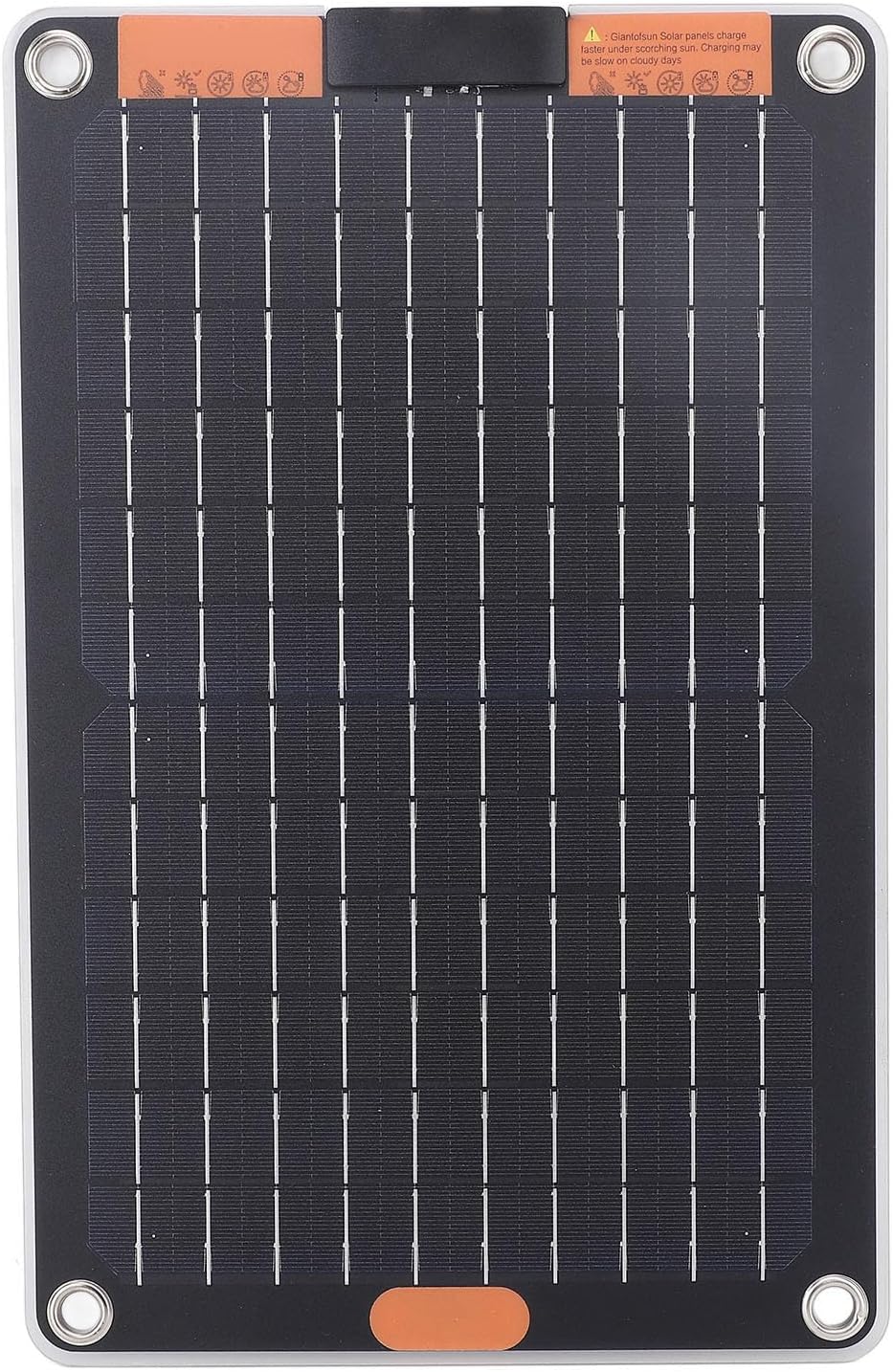
Figure 1: Front view of the Haofy 15W Portable Solar Panel, showcasing its solar cells and compact design.
What's in the Box
Upon opening the package, please verify that all components are present and in good condition:
- 1 x Haofy Portable Solar Panel
- 4 x Suction Cups
- 1 x Connecting Cable
- 2 x Carabiners

Figure 2: All components included with the Haofy Portable Solar Panel, laid out for inspection.
Setup Instructions
- Unpack the Solar Panel: Carefully remove the solar panel and all accessories from its packaging.
- Choose a Location: Select an outdoor location that receives direct and unobstructed sunlight. For optimal performance, ensure the panel is angled directly towards the sun.
- Secure the Panel:
- Use the provided suction cups to attach the panel to a smooth, non-porous surface like a window or car windshield.
- Alternatively, use the carabiners to hang the panel from a backpack, tent, or other suitable structure.
- Connect Your Device: Locate the dual Type C output ports on the panel. Use the provided connecting cable or your device's charging cable to plug your electronic device into one of the Type C ports.

Figure 3: Detail view of the dual Type C output ports, ready for device connection.
Operating Instructions
The Haofy Portable Solar Panel is designed for simple operation. No external power source or complex setup is required beyond placing it in sunlight and connecting your device.
- Initiating Charge: Once the panel is exposed to sufficient sunlight, it will automatically begin generating power. A red indicator light will illuminate when the product is actively working in a well-lit environment.
- Optimal Sunlight: For the fastest and most efficient charging, ensure the solar panel receives ample, direct sunlight. Performance may be reduced on cloudy days or in shaded areas.
- Dual Device Charging: The panel is equipped with two Type C ports, allowing you to charge two compatible devices simultaneously. Each port provides 5V2A output.
- No Storage Function: Please note that this solar panel does not have an internal battery for power storage. It generates electricity directly from sunlight, so devices must be connected while the panel is exposed to the sun.

Figure 4: The solar panel positioned to maximize exposure to direct sunlight for efficient charging.
Maintenance
To ensure the longevity and optimal performance of your Haofy Portable Solar Panel, follow these simple maintenance guidelines:
- Cleaning: Regularly wipe the surface of the solar panel with a soft, damp cloth to remove dust, dirt, or debris. Avoid using abrasive cleaners or harsh chemicals that could damage the panel's surface.
- Inspection: Periodically inspect the panel for any signs of physical damage, such as cracks, scratches, or frayed cables. If damage is found, discontinue use and contact customer support.
- Storage: When not in use, store the solar panel in a cool, dry place away from direct sunlight and extreme temperatures. Ensure it is clean and dry before storage.
- Handling: Handle the panel with care. While durable, dropping or subjecting it to strong impacts can cause damage.
Troubleshooting
If you encounter issues with your solar panel, refer to the following common problems and solutions:
| Problem | Possible Cause | Solution |
|---|---|---|
| Device not charging or charging slowly. | Insufficient sunlight. Panel surface is dirty. Incorrect cable connection. Device requires more power than 15W. | Relocate the panel to direct sunlight. Ensure no shadows are cast on the panel. Clean the panel surface with a soft, damp cloth. Ensure the cable is securely connected to both the panel and the device. Verify your device's power requirements. This panel provides 5V/2A (10W) per port, 15W total. |
| Red indicator light is off. | Not enough light. Panel is not functioning. | Move the panel to a brighter, sunnier location. The light indicates active power generation. If in direct sunlight and still no light, contact customer support. |
| Panel appears damaged. | Physical impact or improper handling. | Discontinue use immediately. Do not attempt to repair. Contact customer support for assistance. |
Specifications
| Feature | Detail |
|---|---|
| Item Type | Portable Solar Panel |
| Model | Haofyxukmg4hatd |
| Power Output | 15W |
| Voltage | 5V |
| Current | 2A (per port, dual Type C output) |
| Material | Monocrystalline Silicon, ABS |
| Dimensions (L x W) | Approx. 33.6 x 21.6 cm / 13.23 x 8.50 in |
| Product Dimensions (Packaged) | 15.35 x 11.42 x 1.18 inches |
| Weight | Approx. 545.00 g / 19.22 oz (Product) 1.2 pounds (Packaged) |
Warranty and Support
The Haofy Portable Solar Panel is manufactured with high-quality materials and designed for long-lasting durability. While specific warranty details are not provided in this manual, we recommend retaining your proof of purchase for any potential warranty claims.
For technical support, troubleshooting assistance, or inquiries regarding product defects, please contact Haofy customer service through the retailer where you purchased the product or visit the official Haofy brand store online. Refer to the product packaging or retailer's website for the most current contact information.