
VersLife S6PRO
VersLife S6PRO Cordless Vacuum Cleaner User Manual
Model: S6PRO | Brand: VersLife
Introduction
Thank you for choosing the VersLife S6PRO Cordless Vacuum Cleaner. This manual provides essential information for the safe and efficient operation, maintenance, and troubleshooting of your new vacuum cleaner. Please read this manual thoroughly before first use and retain it for future reference.
Important Safety Instructions
When using an electrical appliance, basic precautions should always be followed, including the following:
- Read all instructions before using this appliance.
- Do not use outdoors or on wet surfaces.
- Do not allow to be used as a toy. Close attention is necessary when used by or near children.
- Use only as described in this manual. Use only manufacturer's recommended attachments.
- Do not use with damaged cord or plug. If appliance is not working as it should, has been dropped, damaged, left outdoors, or dropped into water, return it to a service center.
- Do not pull or carry by cord, use cord as a handle, close a door on cord, or pull cord around sharp edges or corners. Do not run appliance over cord. Keep cord away from heated surfaces.
- Do not unplug by pulling on cord. To unplug, grasp the plug, not the cord.
- Do not handle plug or appliance with wet hands.
- Do not put any object into openings. Do not use with any opening blocked; keep free of dust, lint, hair, and anything that may reduce airflow.
- Keep hair, loose clothing, fingers, and all parts of body away from openings and moving parts.
- Do not pick up anything that is burning or smoking, such as cigarettes, matches, or hot ashes.
- Do not use to pick up flammable or combustible liquids, such as gasoline, or use in areas where they may be present.
- Do not pick up toxic material, such as chlorine bleach, ammonia, or drain cleaner.
- Do not use without dust cup and/or filters in place.
- Turn off all controls before unplugging.
- Use extra care when cleaning on stairs.
- Store the appliance indoors.
- Recharge only with the charger specified by the manufacturer. A charger that is suitable for one type of battery pack may create a risk of fire when used with another battery pack.
- Prevent unintentional starting. Ensure the switch is in the off-position before connecting to battery pack, picking up or carrying the appliance.
- Under abusive conditions, liquid may be ejected from the battery; avoid contact. If contact accidentally occurs, flush with water. If liquid contacts eyes, additionally seek medical help. Liquid ejected from the battery may cause irritation or burns.
- Do not use a battery pack or appliance that is damaged or modified. Damaged or modified batteries may exhibit unpredictable behavior resulting in fire, explosion or risk of injury.
- Do not expose a battery pack or appliance to fire or excessive temperature. Exposure to fire or temperature above 130°C (265°F) may cause explosion.
- Follow all charging instructions and do not charge the battery pack or appliance outside of the temperature range specified in the instructions. Charging improperly or at temperatures outside of the specified range may damage the battery and increase the risk of fire.
- Have servicing performed by a qualified repair person using only identical replacement parts. This will ensure that the safety of the product is maintained.
- Do not modify or attempt to repair the appliance or the battery pack (as applicable) except as indicated in the instructions for use and care.
Package Contents
Please check the package contents upon unboxing to ensure all parts are present and undamaged.

Image: All components included in the VersLife S6PRO Cordless Vacuum Cleaner package.
- Extension Tube
- Motor (Main Unit)
- Motorized Brush Head
- HEPA Filters (x2)
- 2-in-1 Brush Tool
- User Manual
- Power Adapter
- Crevice Brush Tool
Assembly
Follow these steps to assemble your VersLife S6PRO Cordless Vacuum Cleaner:
- Attach the Extension Tube: Insert the top end of the extension tube into the main motor unit until it clicks securely into place.
- Connect the Motorized Brush Head: Insert the bottom end of the extension tube into the motorized brush head until it clicks securely.
- Install Accessories: For handheld use, attach the 2-in-1 brush tool or crevice brush tool directly to the main motor unit. For extended reach, attach them to the end of the extension tube.

Image: The VersLife S6PRO assembled in stick vacuum configuration, alongside its various attachments.
Operation
Charging the Battery
Before first use, fully charge the vacuum cleaner. Connect the power adapter to the charging port on the main motor unit and plug it into a wall outlet. The indicator lights will show the charging status. A full charge typically takes approximately 2 hours and provides up to 40 minutes of runtime.
Powering On/Off and Suction Mode
Press the power button on the main unit to turn the vacuum cleaner on. Press it again to turn it off. The VersLife S6PRO operates with a single powerful suction mode, delivering 40Kpa for effective cleaning on various surfaces.

Image: Demonstrating the powerful suction of the VersLife S6PRO on a hard floor, effectively cleaning debris.
Using the Green LED Light
The motorized brush head features a built-in green LED light. This light illuminates fine dust, pet hair, and debris that may be invisible to the naked eye, ensuring a thorough clean.

Image: The green LED light on the brush head highlights hidden dust and particles on the floor.
Versatile Cleaning Modes
The VersLife S6PRO can be used in various configurations:
- Stick Vacuum Mode: For general floor cleaning on hard floors and carpets.
- Handheld Mode: Detach the extension tube and motorized brush head to use the main unit with attachments for cleaning upholstery, car interiors, stairs, and tight spaces.
- Extended Reach Mode: Attach the 2-in-1 brush or crevice tool to the extension tube for cleaning high areas like ceilings or under furniture.

Image: The vacuum's versatility, demonstrating its use as a handheld unit and for extended reach cleaning.
Self-Standing Design
The vacuum features a self-standing design, allowing it to remain upright on its own when not in use or during pauses in cleaning. This eliminates the need to lean it against a wall.
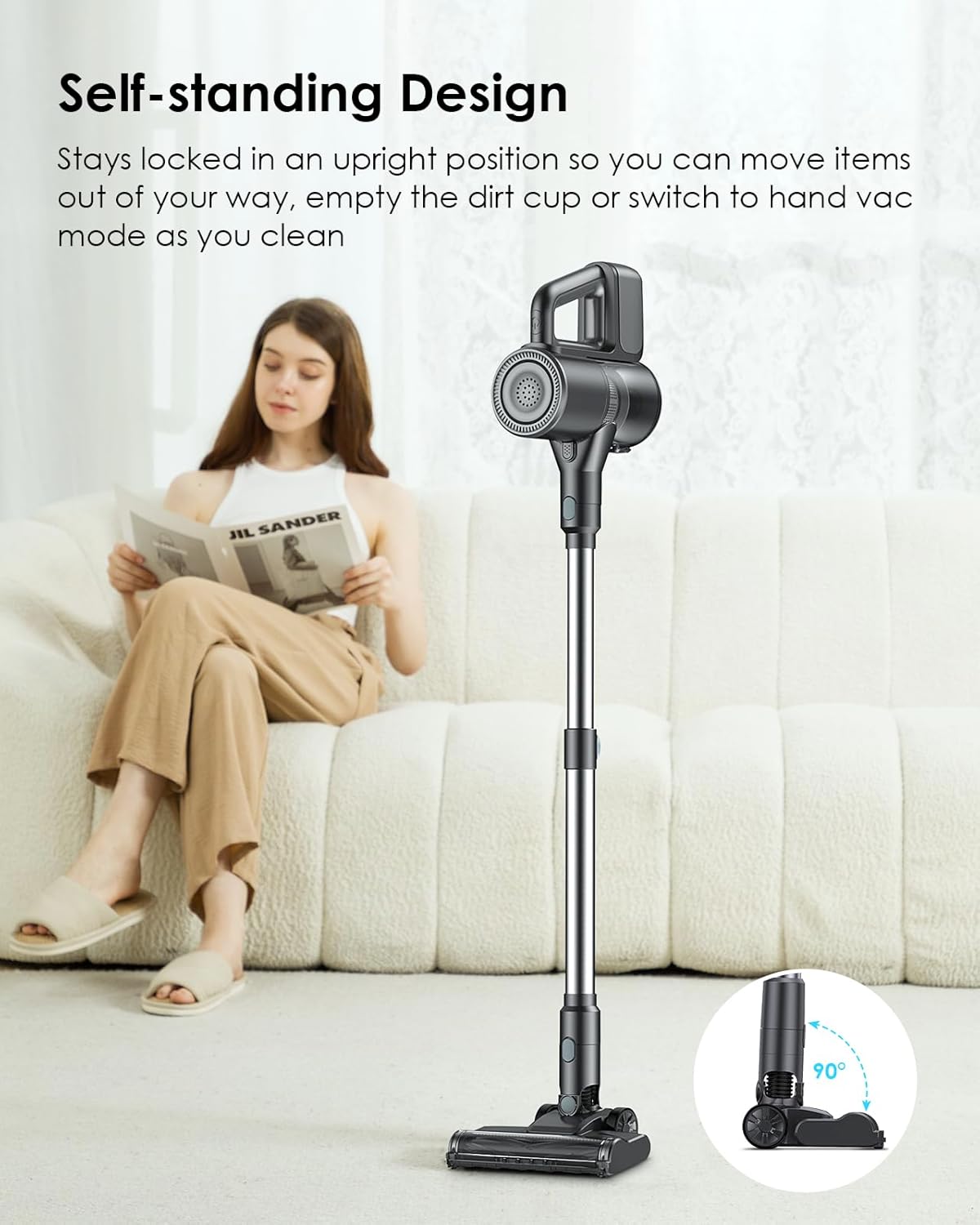
Image: The self-standing capability of the VersLife S6PRO, shown upright without support.
Maintenance
Regular maintenance ensures optimal performance and extends the lifespan of your vacuum cleaner.
Emptying the Dust Cup
Empty the dust cup after each use or when the MAX fill line is reached. To empty, detach the dust cup from the main unit and press the release button to open the bottom flap, allowing debris to fall into a trash bin.

Image: Illustration of how to empty the dust cup with a single click.
Cleaning the Filters
The VersLife S6PRO features a multi-stage filtration system, including a washable HEPA filter. For optimal suction, clean the filters regularly.
- Disassembly: Twist and pull to remove the dust cup from the main unit. Then, remove the internal filter components, including the stainless steel filter and HEPA filter.
- Washing: Rinse the stainless steel filter and HEPA filter under running water until clean. Do not wash the main motor unit.
- Drying: Allow all filter components to air dry completely for at least 24 hours before reassembling. Ensure they are completely dry to prevent mold or damage to the motor.
- Reassembly: Reinsert the dry filters into the dust cup, then reattach the dust cup to the main unit.

Image: Exploded view of the vacuum's 99.99% high-efficiency filtration system.
Image: Washable HEPA filters, highlighting their reusability.
Cleaning the Brush Roll
Periodically check the motorized brush roll for tangled hair or debris. To clean, remove the brush roll from the brush head and use scissors or a brush to remove any obstructions. Reinsert the brush roll securely after cleaning.
Troubleshooting
If you encounter issues with your VersLife S6PRO, refer to the following common problems and solutions:
| Problem | Possible Cause | Solution |
|---|---|---|
| Vacuum does not turn on. | Battery is not charged. | Charge the battery fully using the provided adapter. |
| Low suction power. | Dust cup is full. | Empty the dust cup. |
| Low suction power. | Filters are clogged. | Clean and dry the filters thoroughly. |
| Low suction power. | Brush roll or nozzle is blocked. | Remove any obstructions from the brush roll or nozzle. |
| Brush roll not spinning. | Hair or debris tangled in brush roll. | Remove and clean the brush roll. |
| Short battery runtime. | Battery not fully charged or aging battery. | Ensure battery is fully charged. If issue persists, contact customer support for battery replacement options. |
Specifications
| Feature | Detail |
|---|---|
| Brand | VersLife |
| Model Number | S6PRO |
| Suction Power | 40Kpa |
| Battery Life | Up to 40 minutes |
| Power Levels | 1 |
| Product Dimensions | 9.42 x 12.8 x 7.46 inches |
| Item Weight | 7.09 pounds |
| Indoor/Outdoor Usage | Indoor |
| Battery Type | 1 AAA battery (included) - Note: This likely refers to a small battery for a remote or indicator, not the main power source. The main battery is rechargeable. |
Warranty and Support
For warranty information or technical support, please refer to the contact details provided with your purchase documentation or visit the official VersLife website. Keep your purchase receipt as proof of purchase for any warranty claims.
For further assistance, you may contact VersLife customer service through their official channels.
Related documentsS6PRO


Ask a question about this manual
Ask about setup, troubleshooting, compatibility, parts, safety, or missing instructions. Manuals+ will review the question and use this page’s manual context to help answer it.