
KOKEBREN QAZ-PHO_0XHWSTFL-fT
KOKEBREN 8000 BTU Portable Air Conditioner User Manual
Model: QAZ-PHO_0XHWSTFL-fT
1. Introduction
Thank you for choosing the KOKEBREN 8000 BTU Portable Air Conditioner. This unit is designed to provide efficient cooling, dehumidification, and fan circulation for spaces up to 350 sq.ft. Please read this manual thoroughly before operating your new appliance to ensure safe and optimal performance. Keep this manual for future reference.
2. Safety Information
Always follow basic safety precautions when using electrical appliances to reduce the risk of fire, electric shock, or injury.
- Read all instructions before using the appliance.
- Connect to a properly grounded outlet only.
- Do not operate the unit with a damaged cord or plug.
- Do not block air outlets or inlets.
- Do not insert fingers or foreign objects into the air inlet/outlet.
- Keep the unit away from flammable materials.
- Always unplug the unit before cleaning or servicing.
- Ensure the unit is placed on a flat, stable surface.
3. Product Overview
Unit and Remote Control

Image: The KOKEBREN portable air conditioner unit shown with its accompanying remote control. The unit is white and black, featuring a sleek, upright design with casters for easy mobility.
Included Accessories

Image: A visual representation of all components included with the portable air conditioner, including the main unit dimensions, remote control, exhaust hose, slide bar, slide bar connector, and exhaust pipe joint.
Your KOKEBREN Portable Air Conditioner package includes:
- Portable Air Conditioner Unit
- Remote Control
- Exhaust Hose
- Window Slide Bar Kit (includes slide bar and connector)
- Exhaust Pipe Joint
4. Setup and Installation
The portable air conditioner is designed for easy setup. Follow these steps for proper installation:
Window Kit Installation

Image: The portable air conditioner unit positioned in a room, demonstrating the exhaust hose connected to the window kit for proper ventilation.
- Position the Unit: Place the air conditioner on a flat, stable surface near a window and a grounded electrical outlet. Ensure there is at least 20 inches of space around the unit for proper airflow.
- Assemble Window Kit: Connect the exhaust hose to the exhaust pipe joint. Adjust the window slide bar to fit your window opening.
- Install Window Kit: Insert the assembled exhaust hose and joint into the opening of the window slide bar. Secure the window kit in the window frame, ensuring a tight seal to prevent air leakage.
- Connect Hose to Unit: Attach the other end of the exhaust hose to the exhaust port on the back of the portable air conditioner unit. Ensure it is securely fastened.
- Plug In: Plug the power cord into a grounded 110V electrical outlet.
5. Operating Instructions
Control Panel and Remote

Image: A detailed view of the LED touch control panel on top of the unit and the remote control, highlighting various buttons and their functions such as Power, Mode, Sleep, Swing, Speed, and Timer.
The unit can be controlled using the LED touch panel on top of the unit or the included remote control. The remote control has a range of up to 23 feet.
Modes of Operation

Image: Three distinct illustrations showing the portable air conditioner operating in Cool mode (with temperature range 61°F-88°F), Dry (Dehumidify) mode (removing 45 pints/day), and Fan mode (with Low/High speed options).
Press the MODE button to cycle through the available modes:
- Cool Mode: Provides powerful cooling for your space. Adjust the temperature between 61°F and 90°F using the Up/Down arrows.
- Dehumidify (Dry) Mode: Removes excess moisture from the air, with a capacity of 1.5L (approximately 45 pints) per hour. The fan speed is automatically set to low in this mode.
- Fan Mode: Circulates air without cooling. Choose between Low and High fan speeds using the SPEED button.
Automatic Dehumidification Technology
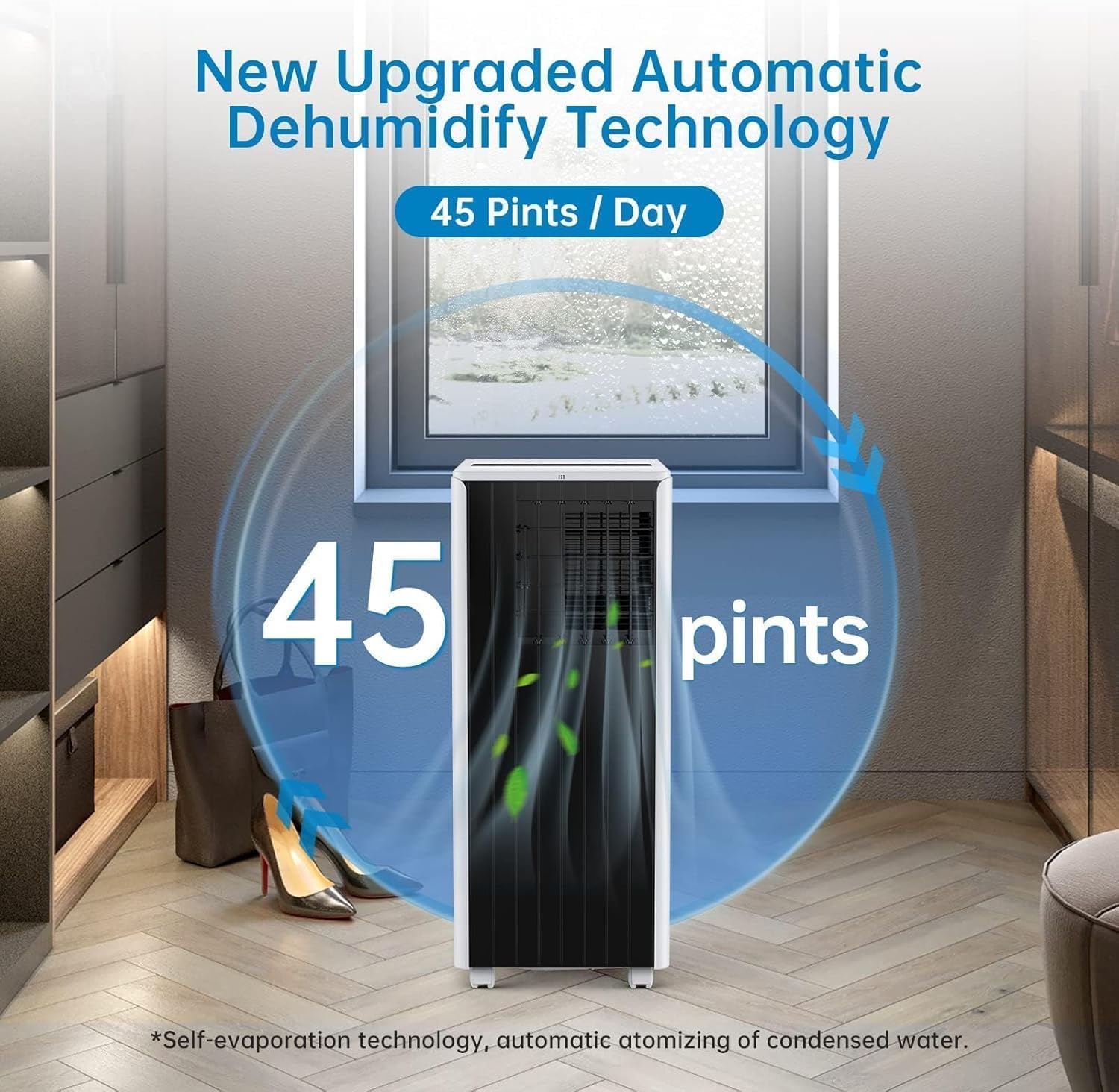
Image: The portable air conditioner in a room setting, with an overlay indicating its dehumidification capability of 45 pints per day, emphasizing its self-evaporation and automatic atomizing of condensed water technology.
The unit features an upgraded automatic dehumidify technology that can remove up to 45 pints of moisture per day. It utilizes self-evaporation technology and automatically atomizes condensed water, reducing the need for frequent manual draining.
Airflow Direction

Image: The portable air conditioner unit with visual cues demonstrating its ability to direct cool wind in four directions, indicating both automatic swing and manual louver adjustment options.
The unit supports cool wind blowing in 4 directions. Use the SWING button for automatic louver movement or manually adjust the directional louvers to direct airflow where desired.
Timer Function
Set the 24-hour programmable timer to automatically turn the unit ON or OFF at a desired time. Press the TIMER button and use the Up/Down arrows to set the desired hours.
Sleep Mode
Activate Sleep Mode for quiet operation and energy saving during nighttime. In Cool mode, the temperature will gradually increase by 1°F after the first hour and another 1°F after the second hour, maintaining a comfortable sleeping environment. Press the SLEEP button to activate.
6. Maintenance
Regular maintenance ensures the longevity and efficiency of your portable air conditioner.
- Filter Cleaning: The 3-stage filtration system helps improve indoor air quality. Clean the air filter every two weeks or more frequently depending on usage. Remove the filter, wash it with warm, soapy water, rinse thoroughly, and let it air dry completely before reinstalling.
- Draining Water: While the unit features self-evaporation, in high humidity conditions, the internal water tank may fill up. When the tank is full, the unit will stop operating and display an indicator. Drain the water by removing the drain plug at the back of the unit and allowing water to flow into a suitable container.
- Unit Cleaning: Wipe the exterior of the unit with a soft, damp cloth. Do not use harsh chemicals or abrasive cleaners.
- Storage: If storing the unit for an extended period, ensure it is completely drained, clean, and dry. Store it in a cool, dry place, covered to protect from dust.
7. Troubleshooting
Refer to the table below for common issues and their solutions.
| Problem | Possible Cause | Solution |
|---|---|---|
| Unit does not turn on | No power; Power cord not plugged in; Full water tank | Check power outlet; Plug in power cord securely; Drain water tank |
| Unit not cooling effectively | Air filter dirty; Exhaust hose not properly installed; Room too large; Doors/windows open | Clean air filter; Ensure exhaust hose is sealed; Use in recommended room size; Close doors/windows |
| Unit is noisy | Unit not on a level surface; Obstruction in fan | Place unit on a flat surface; Check for and remove any obstructions |
| Water leakage | Drain plug loose; Unit tilted | Secure drain plug; Ensure unit is upright and level |
8. Specifications
| Feature | Specification |
|---|---|
| Brand | KOKEBREN |
| Model Name | QAZ-PHO_0XHWSTFL-fT |
| Cooling Capacity | 8000 BTU |
| Coverage Area | Up to 350 sq.ft |
| Dehumidification Capacity | 1.5L/hour (approx. 45 pints/day) |
| Noise Level | 55 dB |
| Voltage | 110V |
| Product Dimensions (L x W x H) | 32.99 x 33.5 x 87.5 cm (13 x 13.2 x 34.4 inches) |
| Item Weight | 22.92 kg (50.5 lbs) |
| Special Feature | Remote Controlled, 3-in-1 (Cool, Dehumidify, Fan), 24H Timer, Sleep Mode |
9. Warranty and Support
For warranty information or technical support, please refer to the warranty card included with your product or contact KOKEBREN customer service. Contact details are typically available on the manufacturer's official website or through your point of purchase.