
MJWW Treadmill (9% Incline All Black)
MJWW Walking Pad Treadmill User Manual
Model: Treadmill (9% Incline All Black)
Introduction
This manual provides essential information for the safe and effective operation, maintenance, and troubleshooting of your MJWW Walking Pad Treadmill. Please read this manual thoroughly before initial use and retain it for future reference.

Image: A woman actively running on the MJWW Walking Pad Treadmill, demonstrating its use with the handle bar in the upright position.
Safety Information
To reduce the risk of serious injury, read all important precautions and instructions in this manual and all warnings on your treadmill before using it. MJWW assumes no responsibility for personal injury or property damage sustained by or through the use of this product.
- Always consult with a physician before beginning any exercise program.
- Keep children and pets away from the treadmill during operation.
- Place the treadmill on a level surface with at least 2 feet of clear space on all sides and 6 feet behind it.
- Wear appropriate exercise clothing and athletic shoes.
- Do not operate the treadmill if it has a damaged power cord or plug, or if it is not working properly.
- Always use the safety key. Attach the clip to your clothing before starting the treadmill.
- Do not step on or off the treadmill while the belt is moving.
- Maximum user weight capacity is 300 lbs.
Included Components
Upon unpacking, please verify that all components listed below are present:
- MJWW Walking Pad Treadmill Unit
- Power Cord
- Safety Key
- Remote Control
- Lubricant (for belt maintenance)
- Tool Kit (for minor adjustments)
- User Manual (this document)
Setup
The MJWW Walking Pad Treadmill is designed for minimal assembly. Follow these steps for initial setup:
- Unpack: Carefully remove the treadmill from its packaging.
- Positioning: Place the treadmill on a flat, stable surface. Ensure there is adequate clearance around the unit.
- Unfold (if applicable): If the handle bar is folded, gently raise it until it locks into the upright position.
- Connect Power: Plug the power cord into the treadmill's power input, then into a grounded electrical outlet.
- Install PITPAT App: This treadmill requires the PitPat app for activation and full functionality. Download the PitPat app from your device's app store (iOS App Store or Google Play Store). Follow the in-app instructions to connect and activate your treadmill.
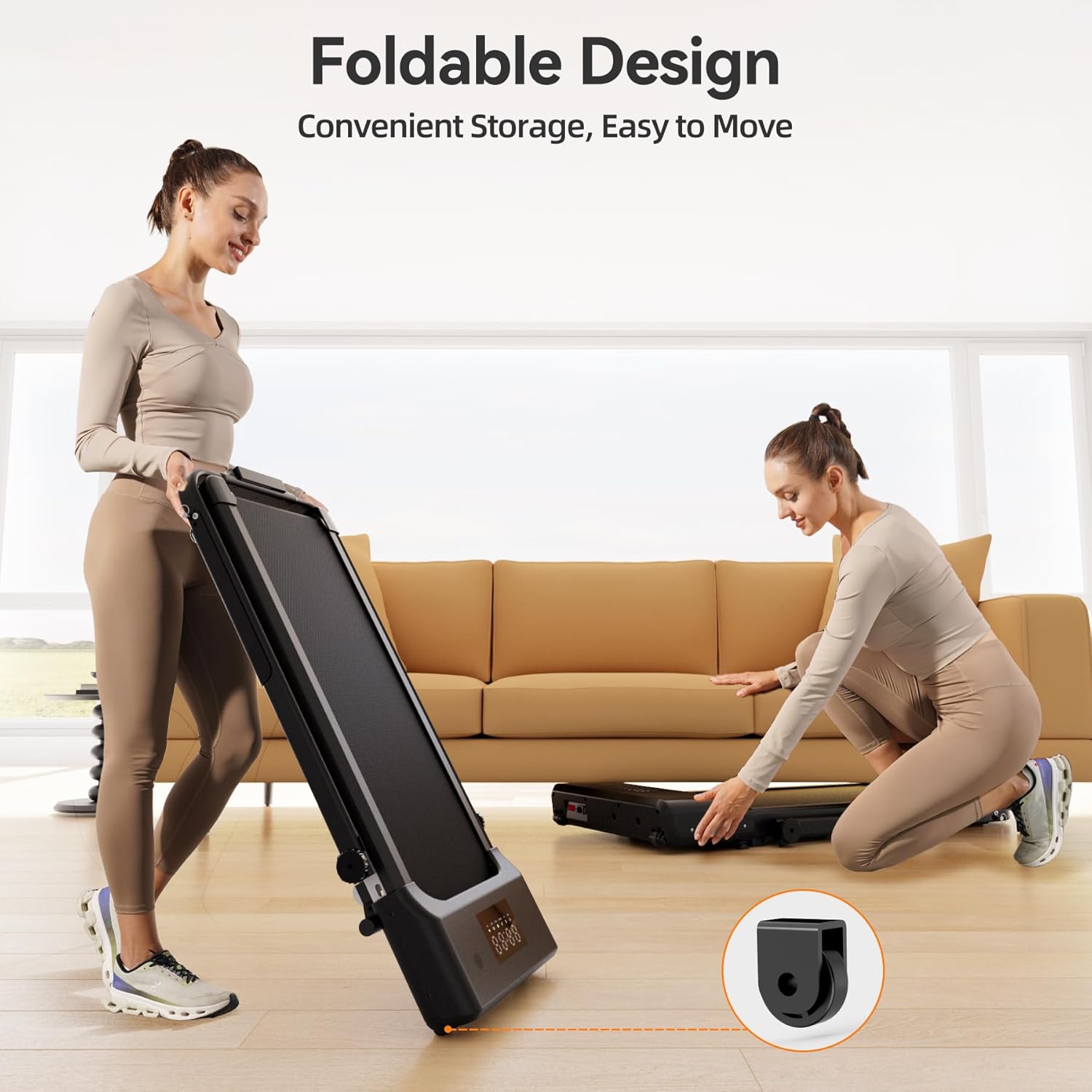
Image: Two individuals demonstrating the compact, foldable design of the treadmill, highlighting its ease of storage. One person is holding the treadmill upright, while the other is positioning it flat under a sofa.
Operation
Your MJWW Walking Pad Treadmill offers versatile operation modes for walking and running, controlled via the remote or the PitPat app.
Modes of Operation:
- Walking Pad Mode (Handle Bar Folded): When the handle bar is folded down, the treadmill operates as an under-desk walking pad with a speed range of 0.6-3.8 mph. This mode is ideal for light exercise while working.
- Treadmill Mode (Handle Bar Raised): With the handle bar in the upright position, the treadmill supports jogging or running with a speed range of 0.6-7.5 mph. This mode provides stability and higher speed capabilities.
Using the Remote Control:
The remote control allows for basic speed adjustments:
- Power Button: Turns the treadmill on/off.
- Speed Up (+): Increases the belt speed.
- Speed Down (-): Decreases the belt speed.
Using the PitPat App:
The PitPat app provides advanced control and features:
- Activation: The treadmill must be activated through the PitPat app for initial use.
- Speed Control: Adjust speed precisely via the app interface.
- Exercise Data Tracking: Record and monitor your workout data, including distance, calories burned, and pace.
- Training Programs: Access various training courses and guided workouts.
- Social Features: Connect with other users, participate in events, and engage in multiplayer races.

Image: A visual representation of the PitPat app's capabilities, displaying multiple training sessions, multiplayer race options, and detailed running reports, enhancing the user's fitness experience.
Incline Feature:
This treadmill features a 9% fixed incline, simulating uphill walking or running to enhance calorie burning and muscle engagement.
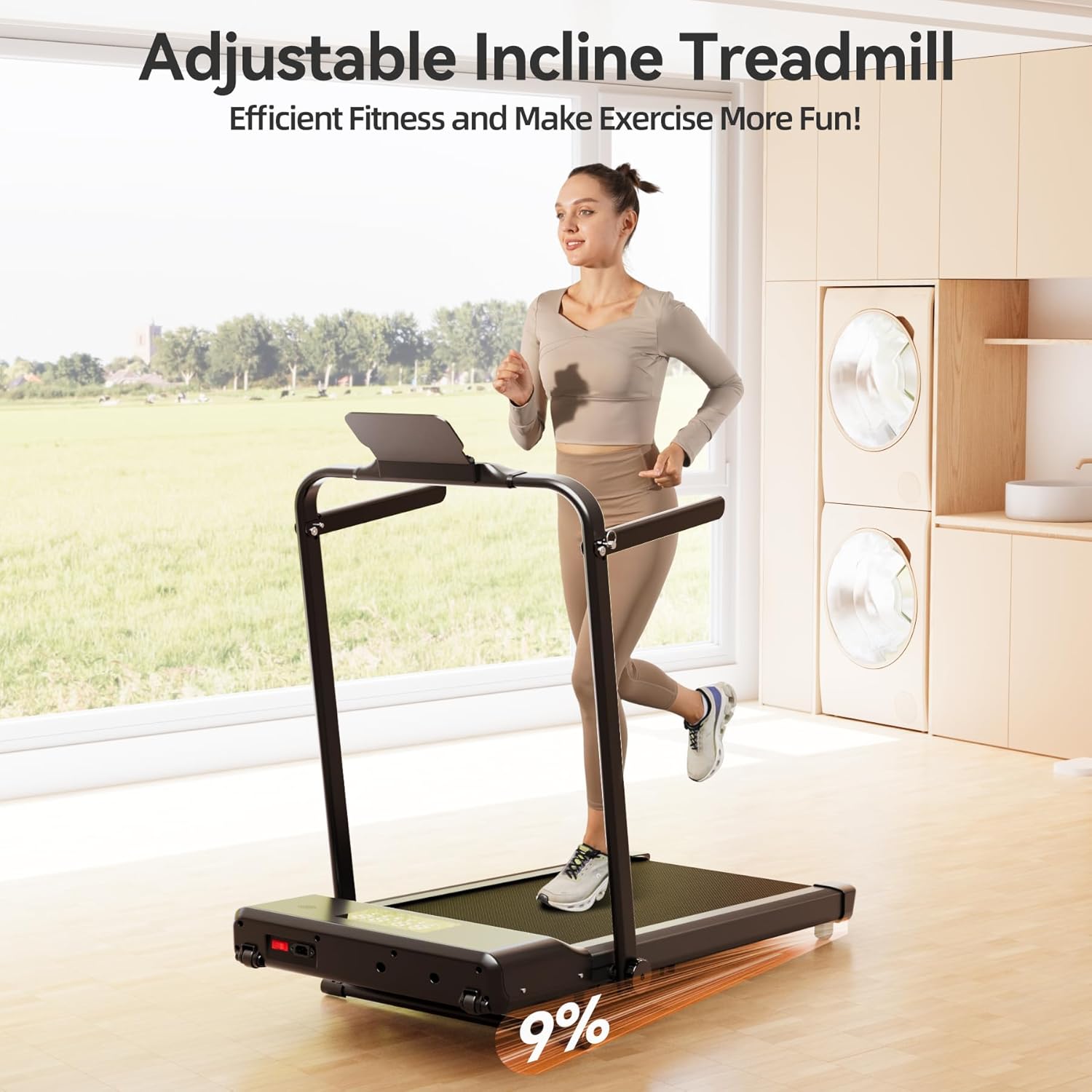
Image: A visual depiction of the treadmill's 9% incline feature, illustrating how the running surface is elevated to simulate an uphill workout.
Maintenance
Regular maintenance ensures the longevity and optimal performance of your treadmill.
Cleaning:
- Daily: Wipe down the console and other surfaces with a soft, damp cloth after each use. Avoid abrasive cleaners.
- Weekly: Vacuum under the treadmill to prevent dust and debris buildup from affecting motor performance.
Lubrication:
The running belt requires periodic lubrication to reduce friction and extend its lifespan. Use the provided lubricant or a 100% silicone treadmill lubricant.
- Turn off and unplug the treadmill.
- Loosen the rear roller bolts slightly to lift the belt.
- Apply a thin line of lubricant evenly under the center of the running belt.
- Tighten the rear roller bolts.
- Plug in the treadmill and run it at a slow speed (e.g., 1 mph) for 2-3 minutes to distribute the lubricant.
Frequency: Lubricate every 3-6 months, or after approximately 50 hours of use, depending on usage frequency.
Belt Adjustment:
If the running belt shifts to one side or slips, it may need adjustment. Use the included tool kit.
- Centering the Belt: If the belt drifts to the left, turn the left rear roller bolt clockwise in quarter-turn increments. If it drifts to the right, turn the right rear roller bolt clockwise. Run the treadmill for 1-2 minutes after each adjustment to check.
- Tightening the Belt: If the belt slips during use, turn both rear roller bolts clockwise in quarter-turn increments simultaneously until the slipping stops. Do not overtighten.
Troubleshooting
Refer to this section for common issues and their solutions.
| Problem | Possible Cause | Solution |
|---|---|---|
| Treadmill does not power on. | Power cord not connected; circuit breaker tripped; safety key not inserted. | Ensure power cord is securely plugged in. Check household circuit breaker. Insert safety key fully. |
| Running belt stops or slips. | Belt too loose; insufficient lubrication. | Adjust belt tension (see Maintenance). Lubricate the running belt (see Maintenance). |
| Treadmill makes unusual noise. | Loose parts; belt misalignment; motor issue. | Check for and tighten any loose bolts. Adjust belt alignment. If noise persists, contact customer support. |
| Cannot connect to PitPat App. | Bluetooth off; app not updated; treadmill not in pairing mode. | Ensure Bluetooth is enabled on your device. Update PitPat app to the latest version. Follow app instructions for pairing. |
If you encounter issues not listed here or if solutions do not resolve the problem, please contact MJWW customer support.
Specifications
Key technical specifications for your MJWW Walking Pad Treadmill:
| Brand | MJWW |
| Model Name | Treadmill |
| Color | All Black |
| Product Dimensions (D x W x H) | 50.06" x 24.41" x 38.35" |
| Item Weight | 61.51 Pounds |
| Material | Alloy Steel |
| Maximum Speed | 7.5 Miles per Hour |
| Maximum Horsepower | 3 Horsepower |
| Maximum Incline Percentage | 9% (Fixed) |
| Maximum Weight Recommendation | 300 Pounds |
| Running Belt Length | 37.4 Inches |
| Running Belt Width | 15.35 Inches |
| Assembly Required | No |

Image: An overhead perspective of the treadmill's running surface, clearly indicating the running belt dimensions (37.40" x 15.35") and the maximum load capacity of 300 lbs.
Warranty and Support
MJWW provides a 1-year warranty for this Walking Pad Treadmill, covering manufacturing defects and major component failures under normal use.
For warranty claims, technical assistance, or any questions regarding your product, please contact MJWW customer support. Have your purchase receipt and product model information ready when contacting support.
Customer Support: Refer to the contact information provided on the product packaging or the official MJWW website for the most current support channels.
Ask a question about this manual
Ask about setup, troubleshooting, compatibility, parts, safety, or missing instructions. Manuals+ will review the question and use this page’s manual context to help answer it.