
sprtoybat Q22
Wireless Earbuds Q22 User Manual
Brand: sprtoybat | Model: Q22
Introduction
Thank you for choosing the sprtoybat Q22 Wireless Earbuds. These earbuds are designed to provide a superior audio experience with advanced features such as Bluetooth 5.3 connectivity, long battery life, and comfortable wear. This manual will guide you through the setup, operation, and maintenance of your new earbuds to ensure optimal performance.
The Q22 earbuds feature a 40mAh battery for up to 6 hours of use, complemented by an 800mAh charging case that provides up to 9 additional charges, totaling 68 hours of playtime. They include an LED digital display for battery status, ergonomic design with multiple ear cap sizes for comfort, and smart touch controls for easy operation. With 14.2mm composite diaphragm drivers, they deliver powerful stereo sound with enhanced bass.
What's in the Box
Please check the package contents to ensure all items are present:
- Earbuds (2)
- 2600 mAh Charging Case (1)
- Type-C Charging Cable (1)
- Ear Caps (6) (S/M/L sizes)
- User Manual (1)

Image: The retail packaging for the sprtoybat Q22 Wireless Earbuds, showing the product name and a diagram of the earbuds and charging case.

Image: Side of the product box displaying regulatory compliance marks such as FCC ID, UKCA, CE, and RoHS, indicating manufacturing in China.
Product Overview
The sprtoybat Q22 earbuds are designed for comfort and performance, featuring a secure over-ear hook design and intuitive controls.

Image: The sprtoybat Q22 wireless earbuds, one removed from the charging case, showcasing their orange color and over-ear hook design. The charging case is open, displaying the earbuds nestled inside and an LED digital power display.
Comfortable and Secure Fit
The Q22 sport earbuds are ergonomically designed to be lightweight (only 6 grams) and comfortable. The flexible earhooks ensure a secure fit during extreme sports and other outdoor activities. Three different sizes of silicone ear caps (S/M/L) are included to perfectly fit various ear canals, preventing fatigue or soreness even after long hours of wear.
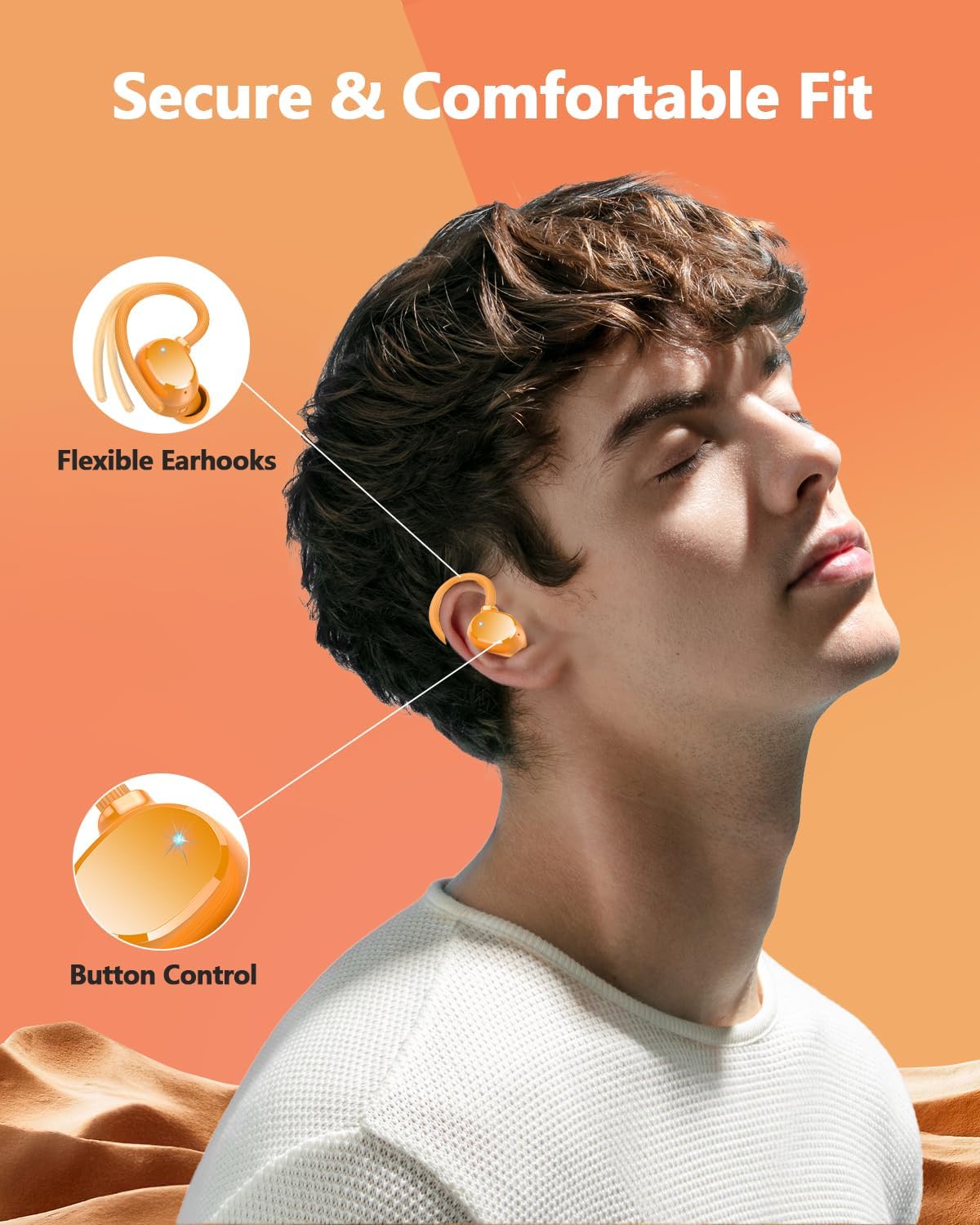
Image: A visual representation highlighting the secure and comfortable fit of the earbuds, emphasizing the flexible earhooks and the button control area on the earbud.
Smart Touch Control
The earbuds are equipped with smart touch technology, allowing for easy control without needing to operate your cell phone. Functions include switching tracks, adjusting volume, answering/hanging up calls, and activating voice assistant.
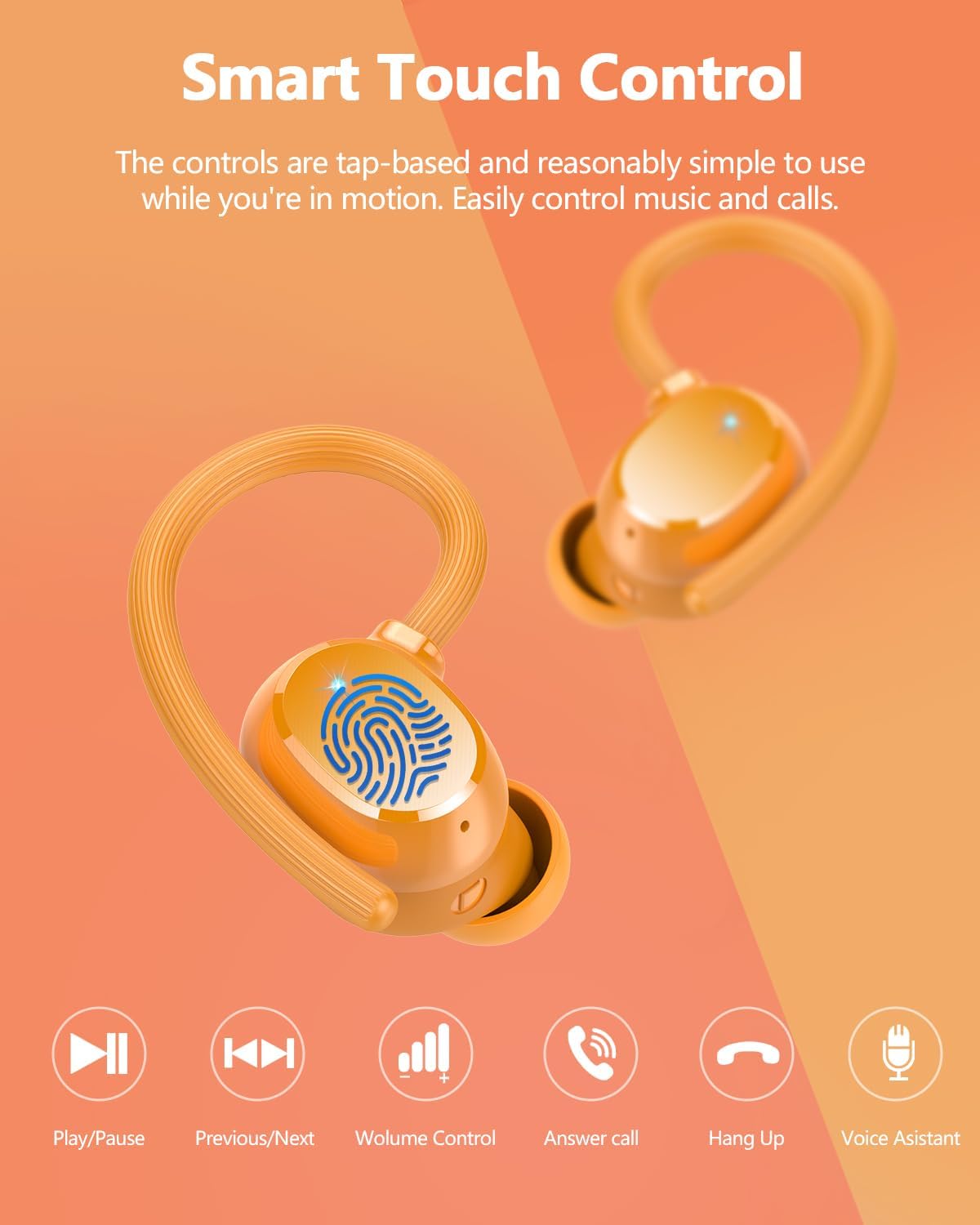
Image: An infographic detailing the smart touch control functions of the earbuds, showing icons for Play/Pause, Previous/Next, Volume Control, Answer Call, Hang Up, and Voice Assistant.
Setup
One-Step Pairing
The Q22 wireless headphones are powered by an upgraded Bluetooth 5.3 chip, ensuring fast, stable, and uninterrupted connections with lower energy consumption. After the initial connection, the device will automatically pair with the earbuds. Simply remove the Bluetooth earbuds from the charging case, and they will automatically connect to your phone.

Image: A smartphone screen showing the Bluetooth settings with "Q22" listed as a discoverable device, illustrating the one-step pairing process where earbuds automatically connect upon removal from the case.

Image: A visual emphasizing the Bluetooth 5.3 technology, indicating fast, stable, and uninterrupted connections.
Operating Instructions
Music Playback
- Play/Pause: Tap the touch control area once on either earbud.
- Next Track: Double-tap the right earbud.
- Previous Track: Double-tap the left earbud.
- Volume Up: Triple-tap the right earbud.
- Volume Down: Triple-tap the left earbud.
Call Management
- Answer/End Call: Tap the touch control area once on either earbud.
- Reject Call: Press and hold the touch control area for 2 seconds on either earbud.
Voice Assistant
- Activate Voice Assistant: Press and hold the touch control area for 3 seconds on either earbud.
Charging and Battery Life
The Q22 earbuds offer extended playtime and convenient charging features.
- Earbud Playtime: Up to 8 hours on a single charge.
- Charging Case Capacity: 2600 mAh, providing up to 120 hours of additional music playback (multiple charges).
- Fast Charging: Type-C fast charging technology allows for 2 hours of music listening time with just 10 minutes of charging.
- LED Digital Display: The charging case features a dual LED digital display that accurately shows the remaining power of the charging case and the charging status of each earbud, ensuring timely recharging.

Image: A graphic illustrating the impressive 128-hour total battery life with the charging case and the convenience of Type-C fast charging.
Emergency Power Bank Function
The 2600 mAh charging case not only powers your earbuds but can also serve as an emergency power bank for your cell phone, tablet, or other devices. When fully charged, it can provide over 30% charge to your cell phone, making it a convenient companion for on-the-go charging.

Image: The sprtoybat Q22 charging case connected via a USB-C cable to a smartphone, demonstrating its emergency power bank capability, with the phone displaying a 75% charge.
Sound Quality and Noise Cancellation
Experience immersive audio with the Q22 earbuds' advanced sound technology.
- Hi-Fi Stereo Sound: Equipped with 14.2mm composite diaphragm drivers, these earbuds enhance bass by 80% for a powerful music experience.
- ENC Noise Cancelling Mic: Features 4 ENC noise-cancelling microphone technology that automatically attenuates ambient noise, ensuring clear and uninterrupted calls.
- IPX7 Waterproof: Designed to withstand common splashes and rain, making them suitable for workouts and outdoor activities without worry of sweat or water damage.

Image: An exploded view diagram showcasing the internal components responsible for Hi-Fi Stereo Sound Quality, including the 13.44mm dynamic driver, CVC 8.0 Noise Cancelling, and HD Call features.

Image: A close-up view of an earbud highlighting the ENC (Environmental Noise Cancellation) noise-cancelling microphone, explaining its function in attenuating ambient noise for clear calls.
Maintenance
To ensure the longevity and optimal performance of your sprtoybat Q22 Wireless Earbuds, follow these maintenance guidelines:
- Cleaning: Regularly clean the earbuds and charging case with a soft, dry, lint-free cloth. For ear tips, remove them and clean with a damp cloth, then dry thoroughly before reattaching. Do not use abrasive cleaners or solvents.
- Storage: When not in use, store the earbuds in their charging case to protect them from dust and damage. Store in a cool, dry place away from extreme temperatures.
- Charging: Always use the provided Type-C charging cable or a certified equivalent. Avoid overcharging by disconnecting once fully charged.
- Water Exposure: While IPX7 waterproof, avoid submerging the earbuds in water for extended periods. Dry them completely if they get wet before placing them back in the charging case.
Troubleshooting
If you encounter any issues with your earbuds, please refer to the following common solutions:
| Problem | Solution |
|---|---|
| Earbuds not pairing | Ensure earbuds are charged. Turn off Bluetooth on your device, then turn it back on. Forget "Q22" from your device's Bluetooth list and try pairing again. Place earbuds back in the case, close, then reopen and remove to re-initiate pairing. |
| Only one earbud working | Ensure both earbuds are charged. Place both earbuds back in the charging case, close the lid for a few seconds, then open and remove them simultaneously. This should re-sync them. |
| Charging case not charging | Check the Type-C cable and power adapter. Ensure the cable is securely connected to both the case and the power source. Try a different cable or adapter. |
| Low volume or poor sound quality | Adjust the volume on both your device and the earbuds. Ensure ear tips are clean and properly seated in your ear canal for a good seal. Try different sized ear tips. |
| Earbuds frequently disconnect | Ensure you are within the Bluetooth range (up to 15 meters). Avoid obstacles between the earbuds and your device. Reduce interference from other wireless devices. |
Specifications
| Model Name | Q22 |
| Brand | sprtoybat |
| Connectivity Technology | Wireless (Bluetooth 5.3) |
| Bluetooth Range | 15 Meters |
| Earbud Battery Life | 8 Hours |
| Charging Case Battery Capacity | 2600 mAh |
| Total Playtime (with case) | Up to 128 Hours |
| Charging Time | 2 Hours (for case) |
| Control Type | Touch Control |
| Water Resistance Level | IPX7 Waterproof |
| Noise Control | Passive Noise Cancellation (ENC Mic) |
| Audio Driver Type | Dynamic Driver (14.2mm) |
| Earpiece Shape | Hook (Over Ear) |
| Material | Plastic |
| Item Weight | 4.6 ounces |
| Product Dimensions | 0.79 x 0.39 x 0.39 inches |
Note: Specifications are subject to change without prior notice.

Image: Side of the product box detailing technical specifications such as product model, impedance, distortion, response frequency, and wireless protocol.
Warranty and Support
Your sprtoybat Q22 Wireless Earbuds come with a standard return policy and options for extended protection.
- Return Policy: This product is eligible for a refund or replacement within 30 days of purchase. Please refer to your retailer's return policy for specific details.
- Protection Plans: Extended protection plans are available for purchase, including 2-Year and 3-Year options, as well as a Complete Protect plan. These plans offer additional coverage beyond the standard warranty.
Manufacturer Information
For technical support, warranty claims, or further inquiries, please contact the manufacturer:
Manufacturer: sprtoybat
Producer Name: Shenzhen Guanghong Times Technology Co.LTD
Address: Floor2, Building 3, Zhifeng Industrial Park, No. 68 Shahe Road, Longgang District, Shenzhen, 518000 China
Phone: +86-18123845677

Image: Side of the product box displaying the producer's name, address, and phone number for support and inquiries.
Related documentsQ22

Ask a question about this manual
Ask about setup, troubleshooting, compatibility, parts, safety, or missing instructions. Manuals+ will review the question and use this page’s manual context to help answer it.