
Introduction
Thank you for choosing the SpaceAid 4 Tier Rotating Bookshelf Tower. This manual provides essential information for the safe assembly, operation, and maintenance of your new bookshelf. Please read these instructions carefully before beginning assembly and retain them for future reference.

Image: The SpaceAid 4 Tier Rotating Bookshelf Tower, black, standing in a room, showcasing its capacity for books.
Safety Information
- Ensure all components are present and undamaged before assembly. Do not use if any parts are missing or broken.
- Assemble the bookshelf on a soft, clean surface to prevent scratches.
- Do not overtighten screws during assembly, as this may damage the material.
- Place the bookshelf on a level, stable surface to prevent tipping.
- Distribute weight evenly across the shelves to maintain stability.
- Keep small parts away from children during assembly to avoid choking hazards.
Package Contents
Verify that all the following components are included in your package:
- Top and Bottom Base Plates
- Intermediate Shelf Plates (4 pieces for 4-tier model)
- Vertical Support Rods
- Book Retainer Bars (U-shaped)
- Assembly Hardware (screws, bolts, Allen wrench)
- Instruction Manual
Setup and Assembly
Assembly is designed to be straightforward. Follow these steps carefully:
- Unpack Components: Carefully remove all parts from the packaging and lay them out on a clean, soft surface to prevent damage.
- Attach Bottom Base: Secure the vertical support rods to the bottom base plate using the provided hardware. Ensure they are firmly tightened.
- Install First Shelf: Slide the first intermediate shelf plate onto the support rods. Secure it in place with the appropriate hardware.
- Attach Book Retainer Bars: Install the U-shaped book retainer bars to the first shelf, ensuring they face outwards to hold books.
- Repeat for Remaining Tiers: Continue installing the remaining intermediate shelf plates and book retainer bars in sequence, working your way up.
- Attach Top Plate: Finally, secure the top base plate to the uppermost support rods.
- Final Check: Verify that all screws are tightened and the bookshelf is stable.

Image: A diagram illustrating the dimensions of the 4-tier bookshelf, showing its height of 44.3 inches and width/depth of 17.8 inches.
Operating Instructions
The SpaceAid Rotating Bookshelf is designed for easy access and efficient storage.
- Loading Books: Place books between the retainer bars on each shelf. Ensure books are not excessively heavy or protruding to maintain balance and rotation.
- Rotation: Gently push any shelf to rotate the entire unit 360 degrees. The smooth rotation mechanism allows for easy access to all stored items.
- Weight Distribution: For optimal stability and smooth rotation, distribute the weight of your items as evenly as possible across all tiers. Avoid concentrating heavy items on one side or one shelf.

Image: The rotating bookshelf with an arrow demonstrating its 360-degree swivel capability.

Image: A visual comparison highlighting how the rotating bookshelf efficiently stores a large volume of books in a compact footprint.
Maintenance
- Cleaning: Wipe the bookshelf with a soft, damp cloth. Avoid abrasive cleaners or harsh chemicals that may damage the finish.
- Inspection: Periodically check all screws and connections to ensure they remain tight. Retighten if necessary.
- Environment: Avoid exposing the bookshelf to excessive moisture or direct sunlight for prolonged periods, as this may affect the material and finish.
Troubleshooting
| Problem | Possible Cause | Solution |
|---|---|---|
| Bookshelf wobbles or is unstable. | Uneven surface; loose connections; uneven weight distribution. | Move to a level surface; check and tighten all screws; redistribute items evenly. |
| Rotation is not smooth or gets stuck. | Overloaded shelf; debris in the rotating mechanism; uneven weight distribution. | Reduce load on shelves; inspect for and remove any obstructions; ensure weight is balanced. |
| Parts do not fit during assembly. | Incorrect orientation of parts; manufacturing defect. | Review assembly instructions carefully; contact customer support if parts are defective. |
Specifications
| Model Name | 56XZSJ-TJ12-B4 |
| Brand | SpaceAid |
| Dimensions (W x D x H) | 17.8" x 17.8" x 44.3" (45.2 cm x 45.2 cm x 112.5 cm) |
| Number of Tiers | 4 |
| Material | Solid Board (Wood) |
| Color | Black |
| Item Weight | 15 Pounds (6.8 kg) |
| Special Features | Revolving, Space Saving, Stackable |
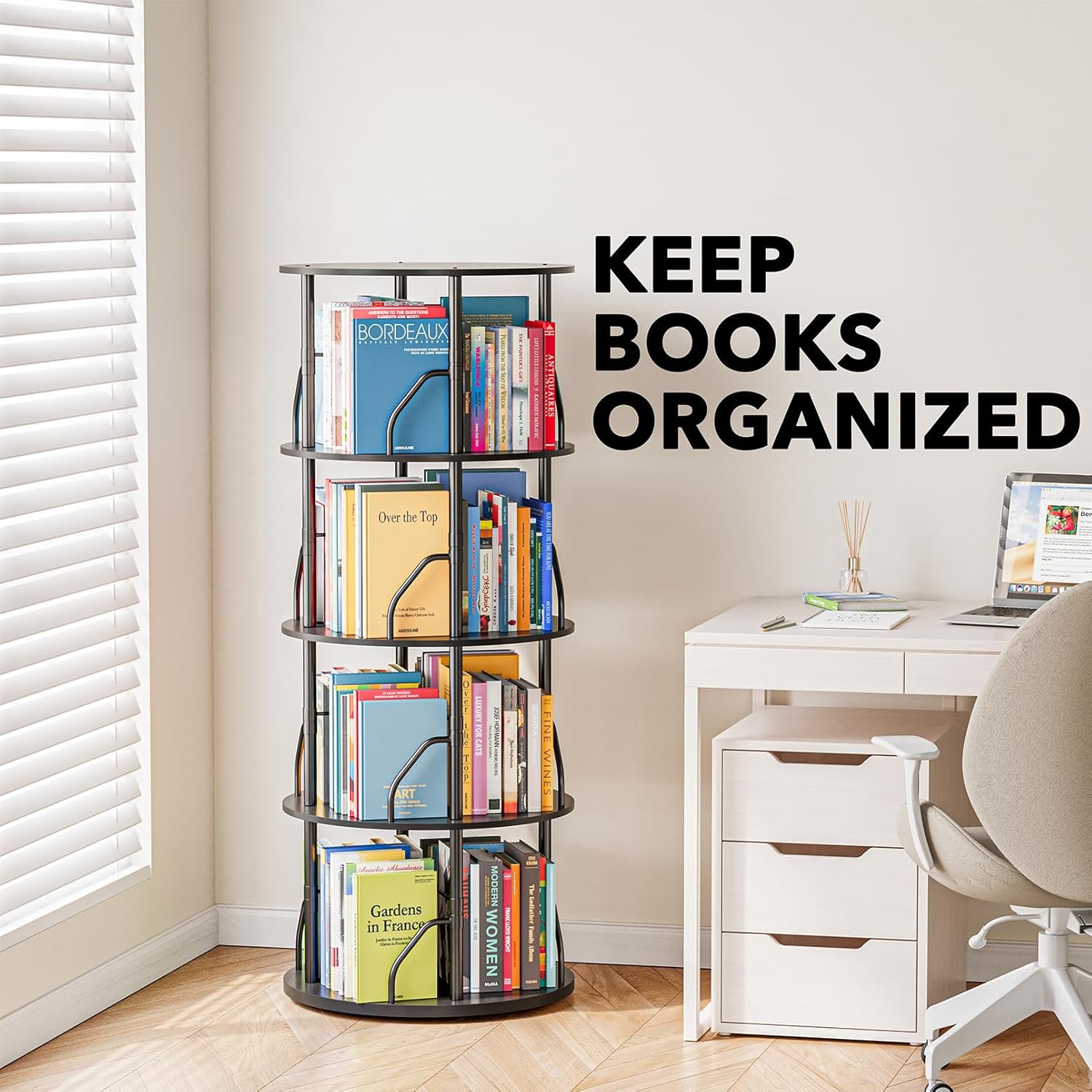
Image: The SpaceAid bookshelf in a home office, demonstrating its ability to keep books neatly organized.
Warranty and Support
For warranty information, product support, or to purchase replacement parts, please refer to the official SpaceAid website or contact their customer service directly. Details can typically be found on the product packaging or the brand's online presence.
Online Support: Visit the SpaceAid Store on Amazon