
1. Introduction
The LEMEGA PR2-Max is an enhanced portable digital radio designed for versatile listening. It features DAB/DAB+ and FM radio reception, Bluetooth 5.3 for wireless streaming, and a clear LED display. This radio is suitable for use at home, in the office, or on the go, offering reliable audio performance and essential functions like dual alarms and a sleep timer.
This manual provides detailed instructions to help you set up, operate, and maintain your PR2-Max radio, ensuring you get the most out of its features.
2. Package Contents
Please check the box for the following items:
- LEMEGA PR2-Max DAB/FM Radio
- Power Adapter
- USB Cable
- Quick Start Guide

Image: The LEMEGA PR2-Max radio shown alongside its included power cable and quick start guide.
3. Controls and Display
Familiarize yourself with the buttons and display on your PR2-Max radio.

Image: Front view of the LEMEGA PR2-Max radio, highlighting the LED display, speaker grille, and control buttons.
3.1 Front Panel Controls
- Presets Button: Access and save favorite stations.
- Alarm Button: Set and manage alarms.
- Sleep Button: Activate the sleep timer function.
- Menu Button: Access system settings and options.
- Back Button: Return to the previous menu or screen.
- Mode Button: Switch between DAB, FM, and Bluetooth modes.
- Play/Pause/Select Button: Control playback or confirm selections.
- Skip/Tune Buttons: Navigate tracks or tune radio frequencies.
- Info Button: Display additional information about the current station or track.
3.2 Side Panel Controls
- Volume Knob: Adjust the audio volume. Press to mute/unmute.
- Headphone Jack (3.5mm): Connect headphones for private listening.
- DC In Port: Connect the power adapter.
4. Setup and Powering On
4.1 Power Connection
The PR2-Max can be powered by the included AC adapter or by AA batteries for portable use.
- AC Power: Connect the supplied power adapter to the DC In port on the side of the radio and plug it into a wall outlet.
- Battery Power: For portable use, insert 2 x AA batteries (not included) into the battery compartment on the rear of the radio. Ensure correct polarity. The radio provides up to 10 hours of playback on batteries.

Image: The LEMEGA PR2-Max radio, illustrating its portability and 10-hour battery life with AA batteries.
4.2 Antenna Adjustment
Extend the telescopic antenna fully for optimal DAB/DAB+ and FM radio reception.
4.3 Initial Power On
Once powered, the radio will automatically enter DAB mode and perform an initial scan for available stations. This may take a few minutes. The display will show the scanning progress.
5. Operating Instructions
5.1 DAB/DAB+ Radio Mode
- Press the Mode button until "DAB Radio" is displayed.
- The radio will automatically scan for DAB/DAB+ stations upon first use or if no stations are found. To manually scan, press the Menu button, navigate to "Full Scan" using the Skip buttons, and press Select.
- Use the Skip buttons to browse through the list of available stations.
- Press the Select button to tune into a station.
- To save a station as a preset, press and hold the Presets button. Use the Skip buttons to select a preset number (1-40) and press Select to confirm.
- To recall a preset, press the Presets button briefly, use the Skip buttons to select the desired preset, and press Select.

Image: The LEMEGA PR2-Max radio displaying a DAB station, demonstrating clear digital reception.
5.2 FM Radio Mode
- Press the Mode button until "FM Radio" is displayed.
- To auto-scan for stations, press and hold the Skip Forward button. The radio will scan and stop at the next strong station.
- To manually tune, press the Skip Forward/Backward buttons briefly to adjust the frequency in small increments.
- Saving and recalling presets works the same as in DAB mode (refer to section 5.1).
5.3 Bluetooth 5.3 Streaming
Connect your smartphone or tablet to stream audio wirelessly.
- Press the Mode button until "Bluetooth" is displayed. The radio will enter pairing mode, indicated by a flashing Bluetooth icon on the display.
- On your mobile device, enable Bluetooth and search for "LEMEGA PR2-Max" in the list of available devices.
- Select "LEMEGA PR2-Max" to pair. Once connected, the Bluetooth icon on the radio's display will become solid.
- You can now play audio from your device. Use the radio's Play/Pause and Skip buttons to control playback, or control directly from your device.

Image: The LEMEGA PR2-Max radio in Bluetooth mode, showing a smartphone connected and streaming music.
5.4 Dual Alarm and Sleep Timer
The PR2-Max features two independent alarms and a sleep timer function.
Setting Alarms:
- Press the Alarm button. Use the Skip buttons to select Alarm 1 or Alarm 2 and press Select.
- Follow the on-screen prompts to set the alarm time, duration, source (DAB, FM, or Tone), and frequency (Daily, Weekdays, Weekends, Once).
- Press Select to confirm each setting.
- To activate/deactivate an alarm, select the alarm and toggle its status.
Using the Sleep Timer:
- Press the Sleep button repeatedly to cycle through available sleep timer durations (e.g., 15, 30, 45, 60 minutes, Off).
- The radio will automatically turn off after the selected duration.
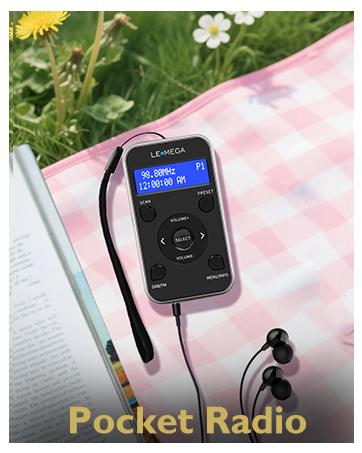
Image: The LEMEGA PR2-Max radio displaying the dual alarm function, set for 6:30 AM.
5.5 Equalizer Modes
Customize your audio experience with built-in equalizer presets.
- Press the Menu button.
- Navigate to "Equalizer" and press Select.
- Choose from options like "Normal", "Speech", "Music", etc., and press Select to apply.
5.6 Headphone Use
For private listening, plug any standard 3.5mm headphones into the headphone jack on the side of the radio. The internal speaker will automatically mute.
6. Maintenance
- Cleaning: Wipe the radio with a soft, dry cloth. Do not use abrasive cleaners or solvents.
- Battery Replacement: If using batteries, replace them when the low battery indicator appears on the display or when performance degrades. Ensure the radio is off or disconnected from AC power before opening the battery compartment.
- Antenna Care: Handle the telescopic antenna gently to prevent damage.
7. Troubleshooting
| Problem | Possible Cause / Solution |
|---|---|
| No power / Radio not turning on |
|
| Poor DAB/FM reception |
|
| Bluetooth not connecting |
|
| Alarm not sounding |
|
8. Specifications

Image: The LEMEGA PR2-Max radio with its dimensions clearly marked: 15.3 cm length, 4.5 cm width, and 9 cm height.
| Feature | Detail |
|---|---|
| Model Number | PR2 Max |
| Brand | LEMEGA |
| Tuning Technology | DAB/DAB+/FM |
| Connectivity Technology | Bluetooth 5.3 |
| Power Source | AC Adapter, 2 x AA Batteries |
| Display Type | LCD |
| Product Dimensions (L x W x H) | 15.3 x 4.5 x 9 cm |
| Special Feature | Portable, Dual Alarm, Sleep Timer, 40 Presets |
| Compatible Devices | Smartphone, Headphones |
9. Warranty and Support
LEMEGA products are designed for reliability and performance. For warranty information and technical support, please refer to the official LEMEGA website or contact their customer service directly.
Keep your purchase receipt as proof of purchase for any warranty claims.
Online Support: Visit the LEMEGA website for FAQs, product registration, and contact information.
Email Support: Refer to your Quick Start Guide for specific contact details.


