
SKUOU HY300 PLUS
SKUOU HY300 PLUS Mini Portable Projector User Manual
Model: HY300 PLUS

SKUOU: Redefining visual experiences.
1. Introduction
This manual provides essential instructions for the safe and efficient operation of your SKUOU HY300 PLUS Mini Portable Projector. Please read this manual thoroughly before use and retain it for future reference.
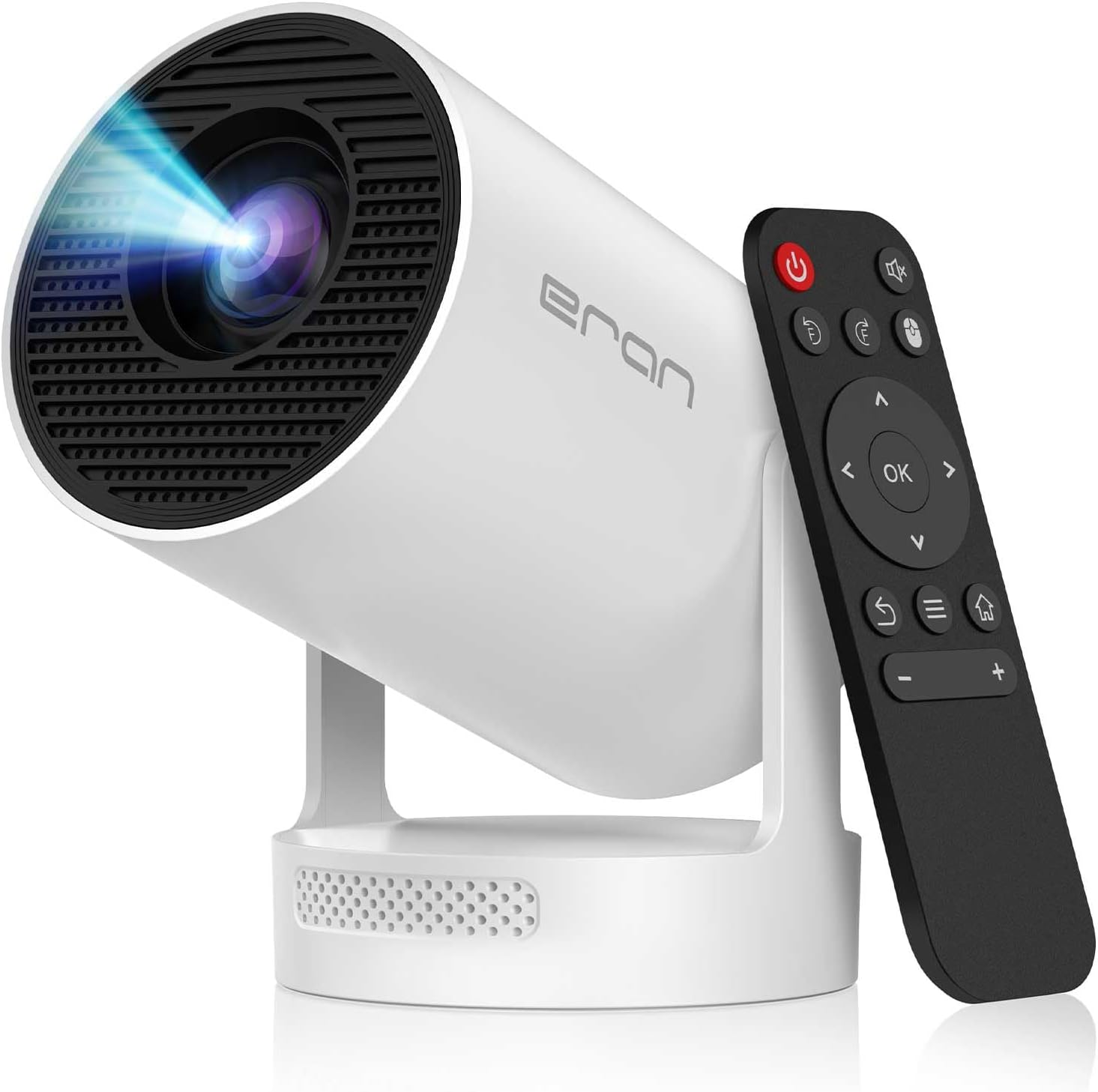
Image: The SKUOU HY300 PLUS projector shown with its remote control, highlighting its compact design.
2. Package Contents
Verify that all items are present in the package:
- SKUOU HY300 PLUS Projector
- Remote Control
- Power Cord
- User Manual (this document)
3. Setup
3.1 Initial Placement
Place the projector on a stable, flat surface. The unique 210° rotatable design allows for flexible projection angles on walls, ceilings, or floors.

Image: The HY300 PLUS projector positioned in a living room, demonstrating its discreet integration into home environments.
3.2 Power Connection
- Connect the power cord to the projector's power input port.
- Plug the other end of the power cord into a suitable electrical outlet.
3.3 Remote Control Setup
Insert two AAA batteries (not included) into the remote control, observing the correct polarity.
4. Operating Instructions
4.1 Power On/Off
Press the power button on the projector or the remote control to turn the device on or off.
4.2 Navigation and Android TV 11.0
The projector runs on Android TV 11.0. Use the remote control's directional pad and 'OK' button to navigate the interface. Access pre-installed applications like Netflix, Prime Video, and YouTube, or download more from the app store.

Image: Screen display showing popular streaming service icons, indicating access to a wide range of content.
4.3 Focus Adjustment (Electric Focus)
The HY300 PLUS features an electric focus function. The projector will automatically adjust the focus for a clear image. Manual fine-tuning may be available via the remote control if needed.
4.4 Keystone Correction (Auto Keystone)
The projector is equipped with six-way auto keystone correction and TOF laser focus, ensuring a flat screen projection within approximately 0.8 seconds. This automatically corrects distorted images when the projector is not perfectly aligned with the screen.
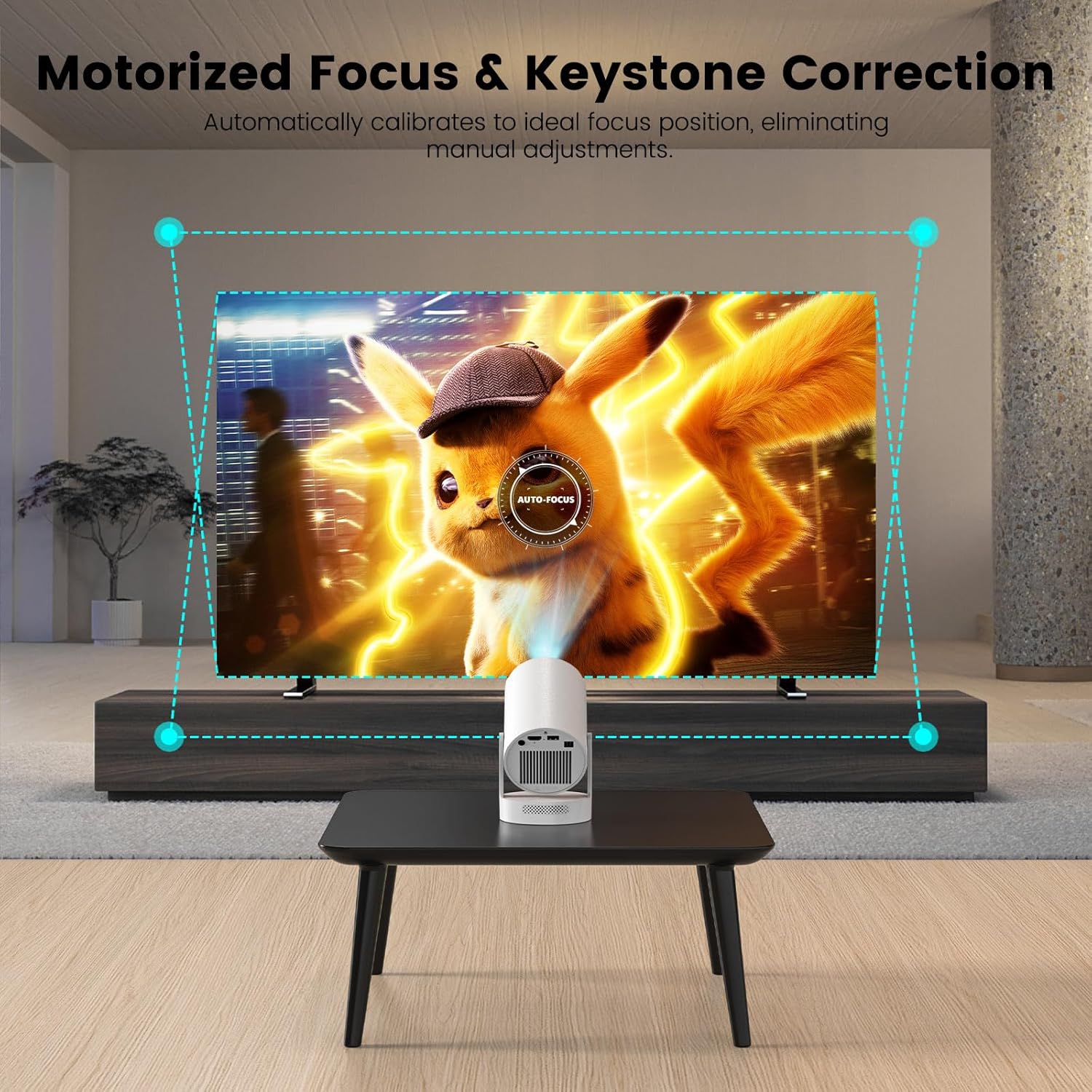
Image: Illustration of the motorized focus and keystone correction feature, showing how the projector automatically adjusts the image to fit the screen perfectly.

Image: Diagram illustrating smart auto-focus, vertical auto keystone, horizontal auto keystone, and 210° rotation capabilities.
4.5 Connectivity
The HY300 PLUS supports multiple connectivity options:
- Wi-Fi 6: For high-speed wireless internet access and buffer-free streaming.
- Bluetooth 5.4: Connect external audio devices like headphones or speakers.
- HDMI 2.1: Connect external video sources such as laptops, gaming consoles, or Blu-ray players.
- USB 3.0: Play media directly from USB drives or connect other USB devices.
- 3.5mm Audio Jack: For wired audio output.

Image: Visual representation of the projector's WiFi 6 and Bluetooth 5.2 capabilities, showing seamless connection to mobile devices.

Image: Close-up of the projector's connectivity ports (USB, HDMI, Audio) and examples of connected devices like headphones and a smartphone.

Image: An array of devices including headphones, smartphones, and gaming consoles shown connecting to the projector, illustrating its versatile compatibility.
4.6 210° Rotatable Projection
The projector's base allows for a 210° rotation, enabling projection onto various surfaces without repositioning the entire unit. Simply adjust the projector head to direct the image where desired.

Image: Diagram illustrating the 210° rotatable projection feature, showing the projector's flexibility in directing the image.

Image: Multiple projectors shown in different rotational positions, projecting onto a wall and ceiling, emphasizing the 210° rotatable feature.
4.7 Audio Output
The projector features upgraded 5W Soundbase speakers with a built-in DSP audio processor for 360° surround sound. For private listening or enhanced audio, connect Bluetooth headphones/speakers or use the 3.5mm audio jack.
5. Maintenance
5.1 Cleaning
- Lens: Gently wipe the projector lens with a soft, lint-free cloth. For stubborn smudges, use a lens cleaning solution designed for optical surfaces.
- Exterior: Clean the projector's exterior with a soft, dry cloth. Do not use abrasive cleaners or solvents.
- Ventilation: Ensure the ventilation openings are clear of dust and obstructions to prevent overheating. The innovative turbo dual air duct design helps maintain optimal operating temperature.
5.2 Storage
When not in use, store the projector in a cool, dry place away from direct sunlight and extreme temperatures. Use the original packaging or a protective case to prevent damage.
6. Troubleshooting
If you encounter issues with your projector, refer to the following common problems and solutions:
| Problem | Possible Cause | Solution |
|---|---|---|
| No image displayed | Power not connected; Input source incorrect; Lens cap on | Check power connection; Select correct input source (HDMI, USB); Remove lens cap |
| Blurred image | Out of focus; Keystone not corrected | Allow auto-focus to adjust; Ensure auto keystone correction is active or manually adjust if available |
| No sound | Volume too low; External audio device not connected; Muted | Increase volume; Connect Bluetooth device or use 3.5mm jack; Unmute the projector |
| Remote control not working | Batteries low/incorrectly inserted; Obstruction between remote and projector | Replace batteries; Ensure clear line of sight to projector's IR receiver |
| Wi-Fi connection issues | Incorrect password; Router too far; Network interference | Verify Wi-Fi password; Move projector closer to router; Check for other devices causing interference |
For further assistance, please contact SKUOU customer support.
7. Specifications
| Feature | Detail |
|---|---|
| Model | HY300 PLUS |
| Operating System | Android TV 11.0 |
| Brightness | 260 ANSI Lumens |
| Native Resolution | 1280 x 720 (1080P physical resolution) |
| 4K Support | Compatible with 4K input |
| Contrast Ratio | 2000:1 |
| Focus | Electric Focus, TOF Laser Focus |
| Keystone Correction | Six-way Auto Keystone Correction |
| Rotation Angle | 210° |
| Wi-Fi | Wi-Fi 6 |
| Bluetooth | Bluetooth 5.4 |
| Audio | 5W Soundbase Speaker, DSP Audio Processor |
| Input Ports | HDMI 2.1, USB 3.0 |
| Output Ports | 3.5mm Audio Jack |
| Item Weight | 1.89 pounds |
| Package Dimensions | 7.13 x 6.42 x 5.59 inches |
Note: Specifications are subject to change without prior notice.
8. Warranty and Support
SKUOU is committed to providing excellent customer service.

24-Hour Quick Response: Expect a response to your inquiries within 24 hours.

30-Day Return Policy: Return the product within 30 days for an exchange or refund.

Lifetime Technical Support: Benefit from lifetime technical customer support for your product.
For support, please visit our official website or contact our customer service team through the contact information provided with your purchase.
Ask a question about this manual
Ask about setup, troubleshooting, compatibility, parts, safety, or missing instructions. Manuals+ will review the question and use this page’s manual context to help answer it.