
1. Introduction
Thank you for choosing the Tengsen MP3 Player. This device is a versatile portable music player featuring Bluetooth 5.3, a full touch screen, built-in speaker, FM radio, and support for expandable storage up to 128GB. This manual provides detailed instructions to help you set up, operate, and maintain your MP3 player for optimal performance.
2. What's in the Box
- 1 x Mp3 player
- 1 x USB cable
- 1 x Earphones
- 1 x User manual
3. Product Features
- Full Touch Screen & Easy Operation: The 2.4-inch high-sensitivity touchscreen offers an intuitive interface for easy function switching. This MP3 player supports 128GB microSD expansion (card not included) and doubles as a USB storage device, making it a versatile portable MP3 player.
- Bluetooth Mp3 & Stable Connection: MP3 player with Bluetooth offers faster transmission, longer range, and stronger anti-interference capabilities. Connect Bluetooth headphones or speakers, with low power consumption to extend playtime. (Note: does not support pairing with phones/computers).
- Multifunctional & Portable Mp3: Includes bluetooth, timing shutdown, FM radio, recording, ebooks, calendar, alarm, stopwatch, photos, and video playback. This Multi mp3 players is perfect for sports, travel, and commuting. MP3 player with Bluetooth making it a thoughtful gift for kids-family-friends.
- Multi Playback Modes & Support: MP3 player supports sequential play, list repeat, single repeat, and shuffle-play. For any inquiries, please refer to the user manual.
- HiFi Lossless Sound & Built-in Speaker: With a professional audio-decoding-chip, this HiFi Mp3 music player supports music formats like MP3、WMA、APE、FLAC、WAV、M4A formats for clear HiFi sound. The built-in HD speaker lets you enjoy music without headphones, making it a great MP3 player with speaker.
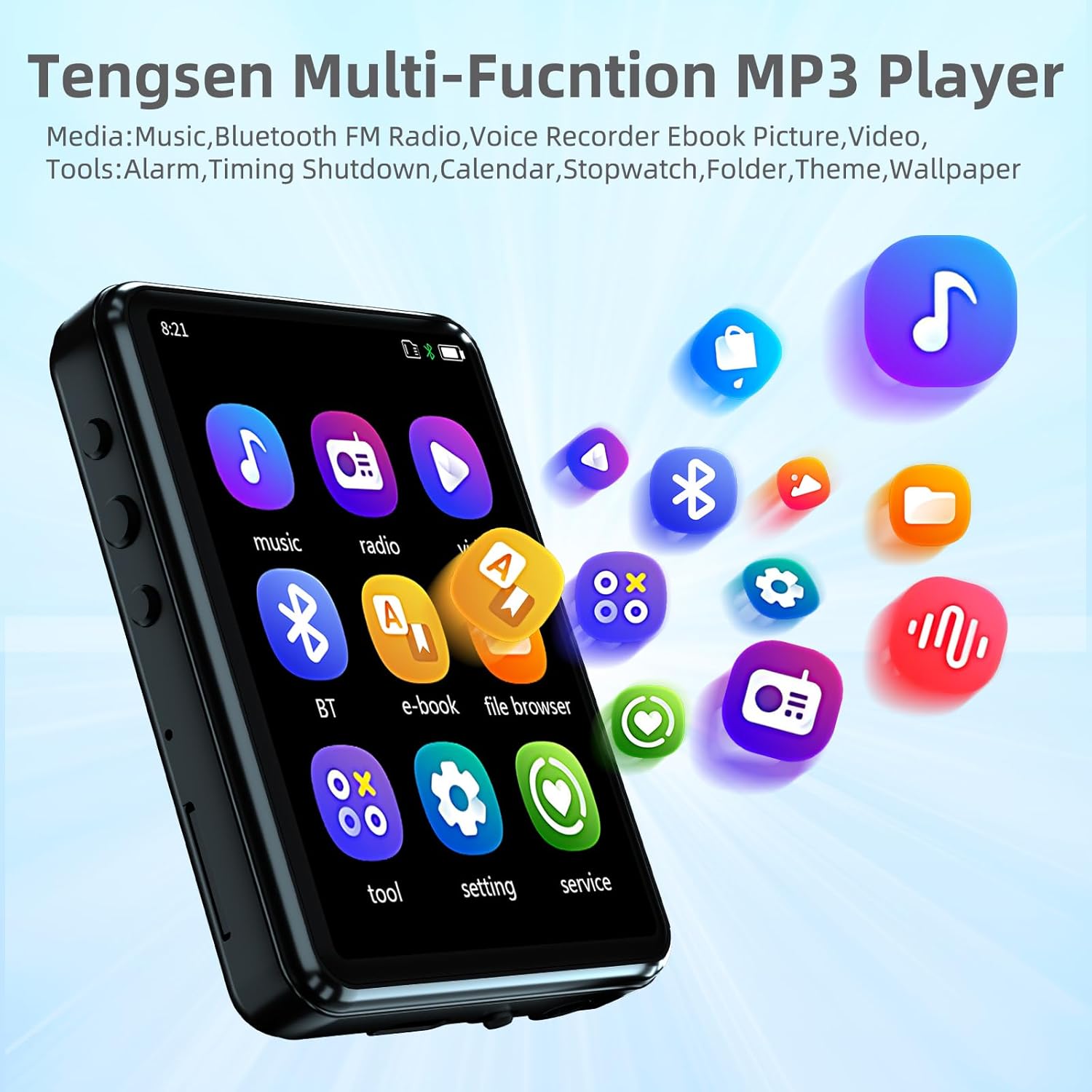
Figure 1: Multi-function interface of the Tengsen MP3 Player.
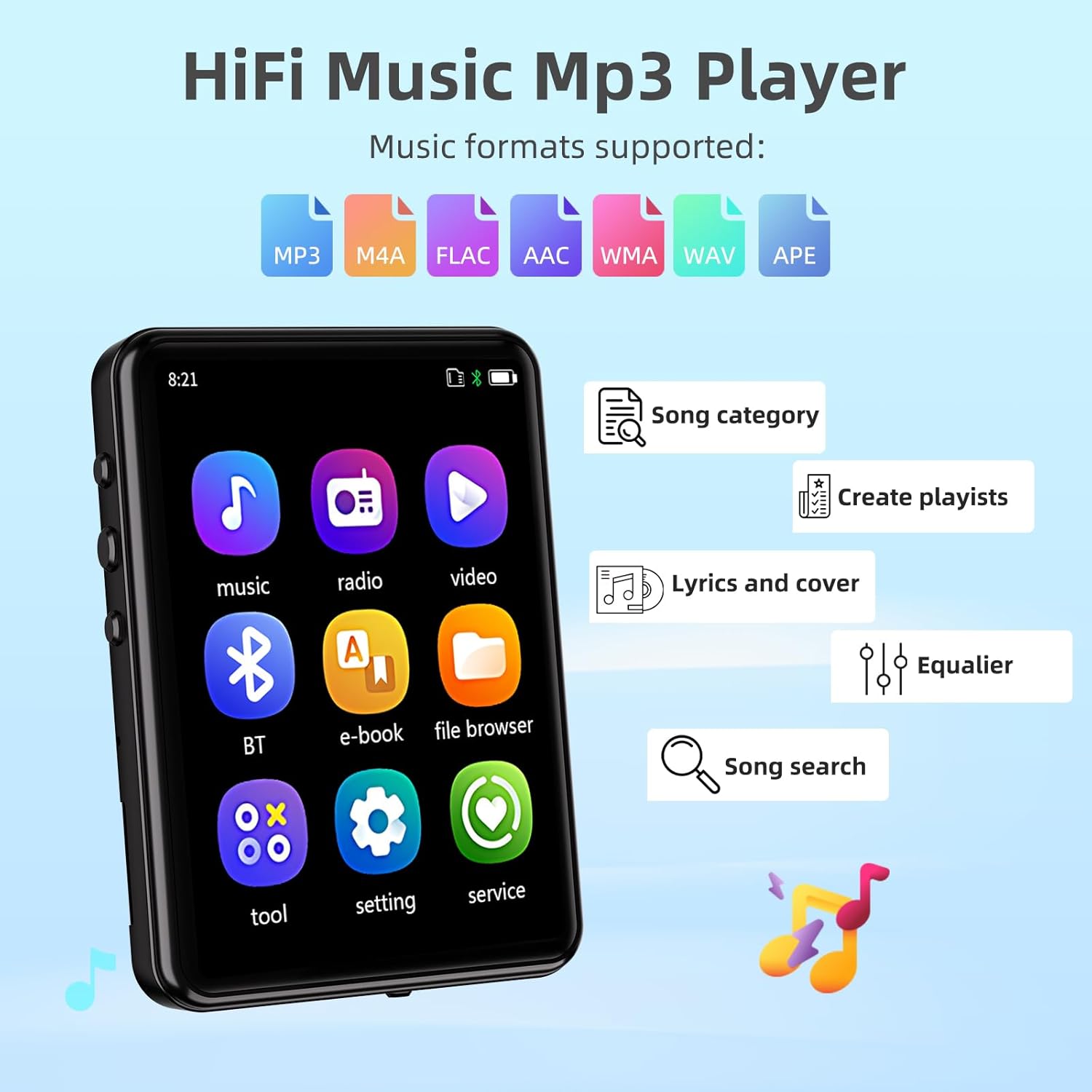
Figure 2: Supported audio formats and playback features.
4. Product Layout and Controls
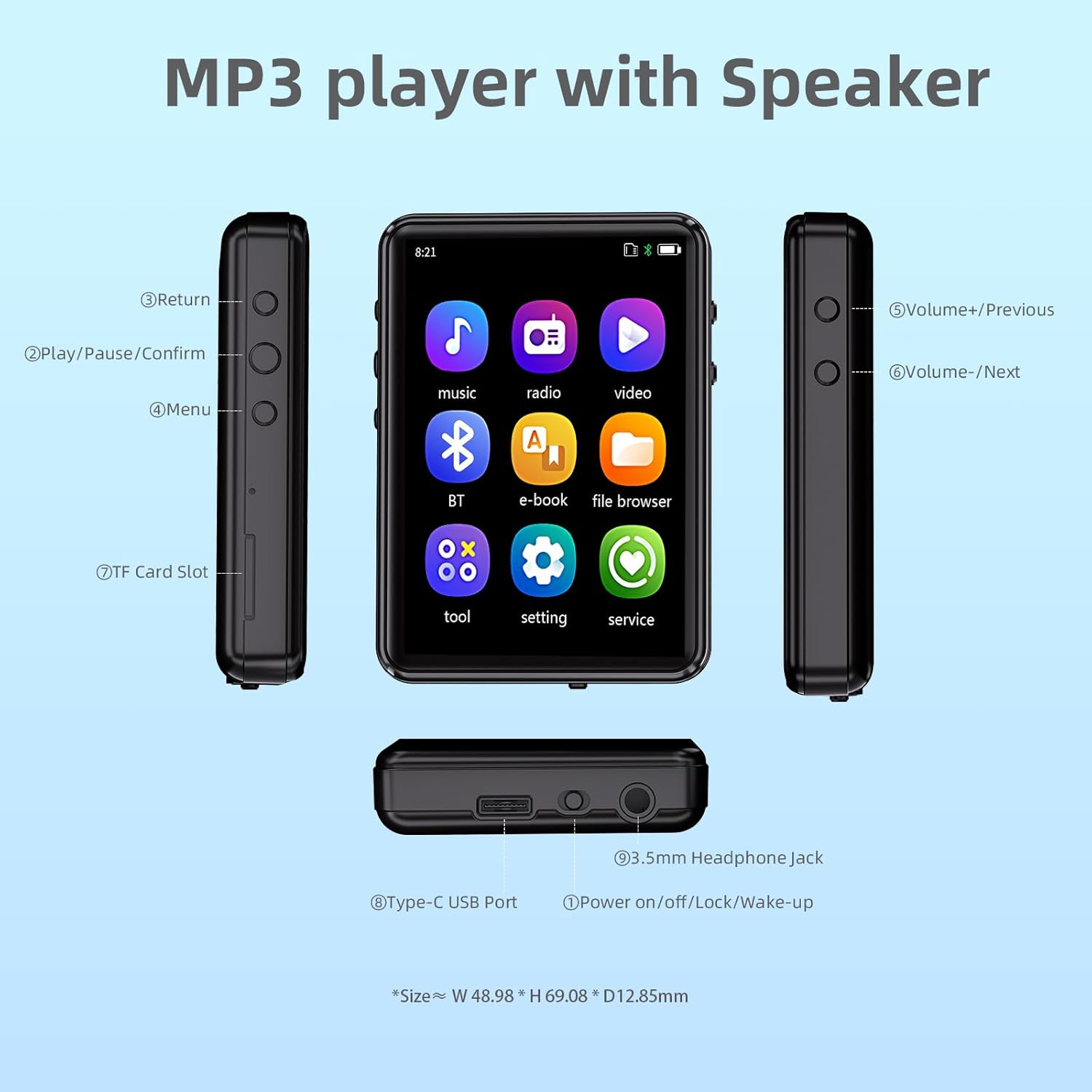
Figure 3: MP3 Player layout with labeled buttons and ports.
Button Functions:
- Return: Navigates back to the previous screen or menu.
- Play/Pause/Confirm: Controls media playback and confirms selections.
- Menu: Accesses context-sensitive menus.
- Volume+/Previous: Increases volume or navigates to the previous track.
- Volume-/Next: Decreases volume or navigates to the next track.
- Power on/off/Lock/Wake-up: Powers the device on/off, locks the screen, or wakes it up.
Ports:
- TF Card Slot: For inserting a microSD card (up to 128GB) to expand storage.
- Type-C USB Port: For charging the device and transferring data.
- 3.5mm Headphone Jack: For connecting wired headphones.
5. Setup
5.1 Charging the Device
Before first use, fully charge the MP3 player. Connect the provided USB Type-C cable to the device's Type-C USB Port and the other end to a USB power adapter (not included) or a computer's USB port. The battery indicator on the screen will show charging status. A full charge typically takes approximately 2 hours.

Figure 4: Battery life overview.
5.2 Installing a MicroSD Card
The MP3 player has 32GB of built-in storage and supports a microSD (TF) card up to 128GB (card not included). To install a microSD card, gently insert it into the TF Card Slot until it clicks into place. To remove, push the card inward until it pops out.

Figure 5: Storage capacity and expansion.
6. Basic Operation
6.1 Power On/Off
- To power on, press and hold the Power button until the screen lights up.
- To power off, press and hold the Power button until the shutdown options appear, then select 'Power Off'.
- To lock/wake up the screen, briefly press the Power button.
6.2 Navigation
The MP3 player features a full touch screen for intuitive navigation. Tap icons to open applications or select options. Swipe to scroll through lists or content.

Figure 6: Full touch screen operation.
7. Bluetooth Connection
The Tengsen MP3 Player supports Bluetooth 5.3 for connecting to Bluetooth headphones and speakers. It does not support pairing with mobile phones or computers.

Figure 7: Bluetooth connectivity options.
7.1 How to Connect
- Disconnect other connections: Before use, make sure that the Bluetooth headset or speaker is not connected to other devices, or that the pairing record has been deleted in the original device.
- Turn on the Bluetooth speaker/headset: Turn on your Bluetooth speaker or headset and enter pairing mode (the Bluetooth indicator light will usually flash quickly). For specific operations, please refer to the speaker/headset manual or contact customer service.
- Turn on the player Bluetooth: Enter "Bluetooth Settings" in the MP3 player and turn on the Bluetooth function.
- Search and connect to the speaker/headset: Tap "Search Devices" to automatically search for available Bluetooth speakers and Bluetooth headphones. Select the device name in the Bluetooth device list and click to connect.
- Connect successfully, start playing: After pairing is successful, the speaker/headset will start playing audio content (if the player is playing).
- Turn off Bluetooth or cancel pairing (recommended): When you are no longer using Bluetooth, turn off the player's Bluetooth function in time to avoid battery consumption and extend battery life. Alternatively, cancel pairing in the device list.
Video: How to use the Bluetooth connection of MP3 players. This video demonstrates the steps for connecting your Tengsen MP3 player to Bluetooth headphones or speakers.
Important Reminders:
- It is recommended to turn off Bluetooth when not in use to avoid affecting the connection of other devices.
- No need to cancel pairing, just turn off Bluetooth.
- The next time you use it, turn on the Bluetooth switch and the device will automatically connect.
- If it does not connect automatically, you can also click the device name in "Paired Devices" to connect manually (provided that the device is not connected to other devices).
- If you need to cancel pairing, please pay attention to the video time period 00:02:28-00:02:53.
Note on Disconnecting/Unpairing:
Clicking "Disconnect" alone does not actually unpair the device. So, as long as you turn Bluetooth back on, the device will automatically reconnect. If you need to disconnect completely and clear the pairing record, you must perform the "Cancel the pairing" operation. This is crucial for managing connections with multiple devices.
8. Music Playback
The MP3 player supports various music formats including MP3, WMA, APE, FLAC, WAV, and M4A. You can browse music by song category, artist, album, or style. The player also supports creating playlists, displaying lyrics and album covers, and includes an equalizer for sound customization.
8.1 Playback Modes
Choose from sequential play, list repeat, single repeat, and shuffle-play to customize your listening experience.
8.2 Sound Quality Note
The sound quality when using a Bluetooth speaker depends not only on the speaker's performance but also on the audio format of the music files (e.g., lossy or lossless). For the best listening experience, we recommend using a high-quality Bluetooth speaker and choosing lossless audio files whenever possible.
9. FM Radio
To use the FM radio function, ensure wired headphones are connected as they act as the antenna. Navigate to the FM Radio application from the main menu and follow the on-screen instructions to scan for stations or tune manually.
10. Other Functions
Your Tengsen MP3 Player is equipped with several additional features:
- Recording: Use the built-in microphone to record audio.
- E-books: Read text files (TXT format) directly on the device.
- Calendar: Access a basic calendar function.
- Alarm: Set alarms for reminders.
- Stopwatch: Utilize a stopwatch for timing activities.
- Photos: View JPG and BMP image files.
- Video Playback: Play MP4 video files. Note that video conversion software may be required for optimal playback.
11. Maintenance & Care
- Keep the device dry. Avoid exposure to moisture or extreme temperatures.
- Clean the screen and body with a soft, dry cloth. Do not use abrasive cleaners or solvents.
- Avoid dropping or subjecting the device to strong impacts.
- Store the device in a cool, dry place when not in use.
- Charge the battery regularly, even if not in frequent use, to maintain battery health.
12. Troubleshooting
Device not turning on:
- Ensure the battery is charged. Connect the device to a power source and try again.
- Press and hold the Power button for at least 10 seconds to perform a hard reset.
Bluetooth connection issues:
- Ensure the MP3 player's Bluetooth is turned on.
- Make sure the target Bluetooth device (headphones/speaker) is in pairing mode and not connected to other devices.
- Try restarting both the MP3 player and the Bluetooth device.
- If previously paired, try to "Cancel the pairing" from the MP3 player's "Paired Devices" list and re-pair.
Cannot transfer files:
- Ensure the USB cable is securely connected to both the MP3 player and the computer.
- Check if the MP3 player is recognized as a removable disk on your computer.
- Try a different USB port or cable.
13. Specifications
| Feature | Detail |
|---|---|
| Product Dimensions | 2.72 x 1.89 x 0.49 inches |
| Item Weight | 3.52 ounces |
| Manufacturer | Tengsen |
| ASIN | B0F5TDWTCH |
| Country of Origin | China |
| Batteries | 1 Lithium Ion batteries required (included) |
| Date First Available | April 21, 2025 |
| Brand | Tengsen |
| Special Feature | Built-In Speaker, Video Playback, Voice Recorder, Touch Screen, Equalizer |
| Connectivity Technology | Bluetooth, Aux |
| Memory Storage Capacity | 32 GB |
| Color | Black |
| Screen Size | 2.4 Inches |
| Media Type | Micro SD |
| Included Components | 1 x Mp3 player, 1 x Earphones, 1 x USB cable, 1 x User manual |
| Display Technology | LCD |
14. Warranty and Support
Your Tengsen MP3 Player comes with a standard manufacturer's warranty. For detailed warranty information, product support, or to inquire about replacement parts, please refer to the warranty card included in your package or contact Tengsen customer service through the retailer's platform where you purchased the product.
For additional resources and frequently asked questions, you may visit the official Tengsen store page on Amazon: Tengsen Store.
