
1. Introduction
This manual provides essential information for the safe and efficient operation of your Voltas 1 Ton 5 Star Inverter Smart Split Air Conditioner, Model 4503701. Please read these instructions thoroughly before installation and use, and retain this manual for future reference.
2. Important Safety Information
To prevent injury to the user or others and property damage, the following instructions must be followed. Incorrect operation due to ignoring instructions may cause harm or damage.
- Professional Installation: Installation, maintenance, and repair must be performed by qualified service personnel.
- Power Supply: Ensure the AC is connected to a properly grounded power outlet with the correct voltage (110-285V). Do not use extension cords.
- No Self-Repair: Do not attempt to repair, relocate, or modify the air conditioner yourself. This can cause electric shock, fire, or injury.
- Clearance: Maintain adequate clearance around both indoor and outdoor units for proper airflow.
- Children and Pets: Keep children and pets away from the unit during operation and maintenance.
- Refrigerant: The unit uses R32 refrigerant. Handle with care and ensure proper ventilation during service.
3. Product Overview
3.1 Components
Your Voltas Split AC system consists of the following main components:
- Indoor Unit (IDU): Mounted inside the room, responsible for cooling and air circulation.
- Outdoor Unit (ODU): Mounted outside, houses the compressor and condenser.
- Remote Control: For convenient operation of the unit.

Image showing the dimensions of the Voltas Split AC indoor unit (80 cm W x 26.5 cm H x 21 cm D) and outdoor unit (83.5 cm W x 55.5 cm H x 29.5 cm D).
3.2 Key Features
The Voltas 1 Ton 5 Star Inverter Smart Split AC is equipped with advanced features for optimal comfort and efficiency:
- 5-in-1 Adjustable Mode: Allows adjustment of cooling capacity based on different needs.
- IoT Enabled: Compatible with Alexa and Google Assistant for smart control.
- Anti-Dust with Anti-Microbial Filter: Filters dust and deactivates air microbes including germs, bacteria, and fungi.
- Copper Condenser Coil: Ensures better cooling, low maintenance, and increased durability.
- Stabilizer Free Operation: Operates within a wide voltage range of 110V - 285V.
- Ice Wash Technology: Helps in cleaning the indoor unit coil.
- Super Silent Mode: Provides quiet operation for undisturbed comfort.
- Anti-Freeze Thermostat: Prevents the indoor unit from freezing.
- Self Diagnosis: Identifies and displays error codes for easier troubleshooting.
- R32 Refrigerant: Environmentally friendly refrigerant with no ozone depletion potential.
- Inverter Compressor: Variable speed compressor adjusts power depending on heat load, enhancing energy efficiency.

Image highlighting key features like 5-stage adjustable mode, IoT enabled, Voltas Smart App connectivity, super silent operation, high ambient temperature cooling, and R32 refrigerant.
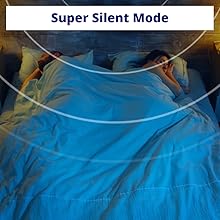
Image illustrating features such as 4-way swing, 100% copper condenser, Ice Wash Technology, and Anti-Corrosive Coating on EVA.

Image showing the anti-dust filter with anti-microbial air filtration, which deactivates air microbes including germs, bacteria, and fungi.

Image depicting features like Sleep Mode for quiet cooling, Memory Restart after power cuts, Anti-Freeze Thermostat, and a Hidden Display for aesthetics.
4. Setup and Installation
4.1 Professional Installation
It is highly recommended that the installation of your Voltas Split AC be performed by a certified and experienced technician. Improper installation can lead to reduced performance, energy inefficiency, and potential safety hazards. The technician will ensure proper placement, electrical connections, refrigerant piping, and drainage.
4.2 Initial Power On
After professional installation is complete:
- Ensure all electrical connections are secure and the main power switch for the AC unit is turned ON.
- Press the POWER button on the remote control to start the unit.
- The unit will typically start in the last used mode or a default mode (e.g., Auto or Cool).
4.3 IoT Connectivity
Your Voltas Smart AC can be controlled via the Voltas Smart App and is compatible with Alexa and Google Assistant. Follow these general steps to connect:
- Download the App: Download the official Voltas Smart App from your smartphone's app store.
- Create Account: Register for a new account or log in if you already have one.
- Add Device: Follow the in-app instructions to add your new AC unit. This usually involves putting the AC into a pairing mode (refer to the app or AC display for specific instructions).
- Connect to Wi-Fi: Connect the AC to your home Wi-Fi network through the app.
- Voice Assistant Integration: If desired, link your Voltas Smart App account to your Alexa or Google Home app to enable voice control.
5. Operating Instructions
5.1 Remote Control Functions
The remote control allows you to manage all functions of your AC. Point the remote control directly at the indoor unit when operating.
- POWER Button: Turns the unit ON or OFF.
- MODE Button: Cycles through operating modes: Auto, Cool, Dry, Fan.
- TEMP ▲/▼ Buttons: Adjusts the desired temperature.
- FAN Button: Selects fan speed (Auto, Low, Medium, High).
- SWING Button: Controls the vertical louver movement for air direction.
- TIMER Button: Sets the ON/OFF timer for automatic operation.
- SLEEP Button: Activates Sleep Mode for quiet and energy-efficient operation during sleep.
- 5-in-1 Adjustable Mode Button: Cycles through different cooling capacities (e.g., 0.8 Ton, 1 Ton, 1.2 Ton equivalent) to optimize energy consumption based on room occupancy or external temperature.
5.2 Operating Modes
- Cool Mode: Provides cooling. Set desired temperature and fan speed.
- Fan Mode: Circulates air without cooling. Only fan speed can be adjusted.
- Dry Mode: Reduces humidity in the room. The fan speed is automatically controlled.
- Auto Mode: The unit automatically selects the operating mode (Cool, Fan, Dry) based on the room temperature and the set temperature.
5.3 Special Features Operation
- 5-in-1 Adjustable Mode: Press the dedicated button on the remote to cycle through the different tonnage settings. This allows you to reduce power consumption when full capacity is not needed.
- Super Silent Mode: Activate this mode via the remote control for reduced fan noise, ideal for sleeping or quiet environments.
- Ice Wash Technology: This feature helps clean the indoor unit's evaporator coil by freezing and then rapidly thawing the coil, washing away accumulated dust and grime. Refer to your remote control or app for activation.
- Hidden Display: The LED display on the indoor unit can be turned off for aesthetic purposes or during sleep. Refer to your remote control for the display ON/OFF button.
6. Maintenance
Regular maintenance ensures optimal performance and longevity of your air conditioner. Always turn off the power supply to the unit before performing any maintenance.
6.1 Air Filter Cleaning
The anti-dust with anti-microbial filter should be cleaned regularly (every 2-4 weeks, depending on usage and air quality).
- Turn off the AC unit and disconnect it from the power supply.
- Open the front panel of the indoor unit.
- Carefully remove the air filters.
- Clean the filters using a vacuum cleaner or wash them with lukewarm water and a mild detergent.
- Rinse thoroughly and allow them to dry completely in a shaded area before re-installing.
- Close the front panel and restore power.
6.2 Indoor Unit Cleaning
Wipe the indoor unit's exterior with a soft, dry cloth. For stubborn dirt, use a damp cloth with a mild detergent, then wipe dry. Do not use harsh chemicals or abrasive cleaners.
6.3 Outdoor Unit Maintenance
Keep the area around the outdoor unit clear of obstructions (leaves, debris, etc.) to ensure proper airflow. Periodically, check for any visible damage to the unit or piping. For thorough cleaning of the outdoor coil and other internal components, it is recommended to schedule professional maintenance annually.
7. Troubleshooting
Before contacting customer support, please refer to the following table for common issues and their solutions. The unit also features a self-diagnosis function that may display error codes on the indoor unit's display.
| Problem | Possible Cause | Solution |
|---|---|---|
| Unit does not start | No power supply; Remote control batteries low; Main power switch OFF | Check power connection; Replace batteries; Turn ON main power switch |
| Insufficient cooling | Dirty air filters; Doors/windows open; Temperature setting too high; Outdoor unit blocked | Clean air filters; Close doors/windows; Lower temperature; Clear obstructions around ODU |
| Unusual noise | Loose parts; Unit not level; Fan obstruction | Check for loose parts; Ensure unit is level; Remove any fan obstructions. If noise persists, contact service. |
| Water leakage from indoor unit | Clogged drain pipe; Improper installation | Check and clear drain pipe; Contact professional service for inspection. |
7.1 Self-Diagnosis Feature
If an error occurs, the unit's self-diagnosis system may display an error code on the indoor unit's LED display. Refer to the Voltas Smart App or contact customer support with the specific error code for further assistance.
8. Technical Specifications
| Specification | Detail |
|---|---|
| Brand | Voltas |
| Model Number | 4503701 |
| Capacity | 1 Ton |
| Energy Rating | 5 Star |
| ISEER Value | 5.0 |
| Annual Energy Consumption | 518.89 Kilowatt Hours Per Year |
| Cooling Power | 3.7 Kilowatts (3700W) |
| Refrigerant | R-32 |
| Noise Level (IDU) | 46 / 44 / 42 / 38 / 25 dB (various settings) |
| Indoor Unit Dimensions (LxBxH) | 80 x 26.5 x 21 cm |
| Outdoor Unit Dimensions (LxBxH) | 83.5 x 55.5 x 29.5 cm |
| Indoor Unit Weight | 8.3 kg |
| Outdoor Unit Weight | 23.7 kg |
| Voltage Range | 110 - 285 Volts |
| Compressor Type | Inverter Rotary Scroll |
| Core Material | Copper |
| Recommended Room Size | Up to 110 sq.ft |
9. Warranty Information
Your Voltas Air Conditioner comes with a comprehensive warranty to ensure peace of mind:
- Product Warranty: 5 Years Comprehensive Warranty on the entire product for purchases made from September 19, 2025, to December 31, 2025.
- Compressor Warranty: 10 Years Warranty on the Inverter Compressor.
- PCB Warranty: 5 Years Warranty on the PCB for purchases made from January 2025 onwards.
To avail warranty services, please retain your Amazon invoice as proof of purchase. The user manual can also be accessed from the official Voltas website.

Image highlighting 5 Star Rating for energy savings, 110V-285V wide voltage operation, BLDC Motor, and warranty details (1 year on product, 10 years on compressor).
10. Customer Support
If you encounter any issues that cannot be resolved using the troubleshooting guide, or if you require professional service, please contact Voltas customer support. Have your product model number (4503701) and purchase details ready when you call.
For the latest contact information and service requests, please visit the official Voltas website or refer to the contact details provided with your product documentation.


