
1. Introduction
This manual provides detailed instructions for the NBD 48MP Digital Camera, Model NBD-48MP. Please read this manual thoroughly before using your camera to ensure proper operation and to maximize its features. Keep this manual for future reference.
2. Package Contents
Verify that all items listed below are included in your package:
- NBD 48MP Digital Camera Body
- Wide-angle/Macro Lens (52mm)
- Microphone
- 32GB Memory Card
- USB Cable
- Battery Charger
- Lithium Ion Batteries (x2)
- Card Reader
- Camera Neck Rope
- Black Leather Bag
- Lens Cleaning Cloth

Image: All components included in the NBD 48MP Digital Camera kit, including the camera body, lenses, microphone, memory card, batteries, and accessories.
3. Setup
3.1 Battery Installation and Charging
- Open the battery compartment cover located on the bottom of the camera.
- Insert the two provided Lithium Ion batteries, ensuring correct polarity.
- Close the battery compartment cover securely.
- Use the included charger and USB cable to fully charge the batteries before first use. The charging indicator will show the charging status.
3.2 Memory Card Installation
- Locate the memory card slot, typically on the side or bottom of the camera.
- Insert the 32GB SD card with the metal contacts facing the correct direction (refer to the diagram near the slot).
- Push the card gently until it clicks into place. To remove, push again until it springs out.
3.3 Lens and Microphone Attachment
- Attaching the Lens: Align the wide-angle/macro lens with the camera's lens mount and twist gently until it locks.
- Attaching the Microphone: Slide the external microphone into the camera's hot shoe mount and connect the audio cable to the microphone input port.

Image: The NBD 48MP Digital Camera shown with its wide-angle lens, external microphone, and other included accessories.
4. Operating Instructions
4.1 Powering On/Off
Press and hold the power button (usually located on the top of the camera) for a few seconds to turn the camera on or off.
4.2 Basic Photography
- Image Resolution: The camera features a 48MP sensor for high-resolution still images.
- Optical Zoom: Utilize the 16X optical zoom to capture distant subjects. The camera supports various zoom levels, including 4x, 8x, and 16x.
- Auto Focus: The intelligent imaging system provides fast and accurate autofocus, even in low-light conditions with its F1.8 aperture lens.
- Macro Lens: Attach the macro lens for detailed close-up shots of small objects like flowers or insects.
- Smart Scene Recognition: The camera automatically optimizes settings for various scenes, ensuring professional-quality results.
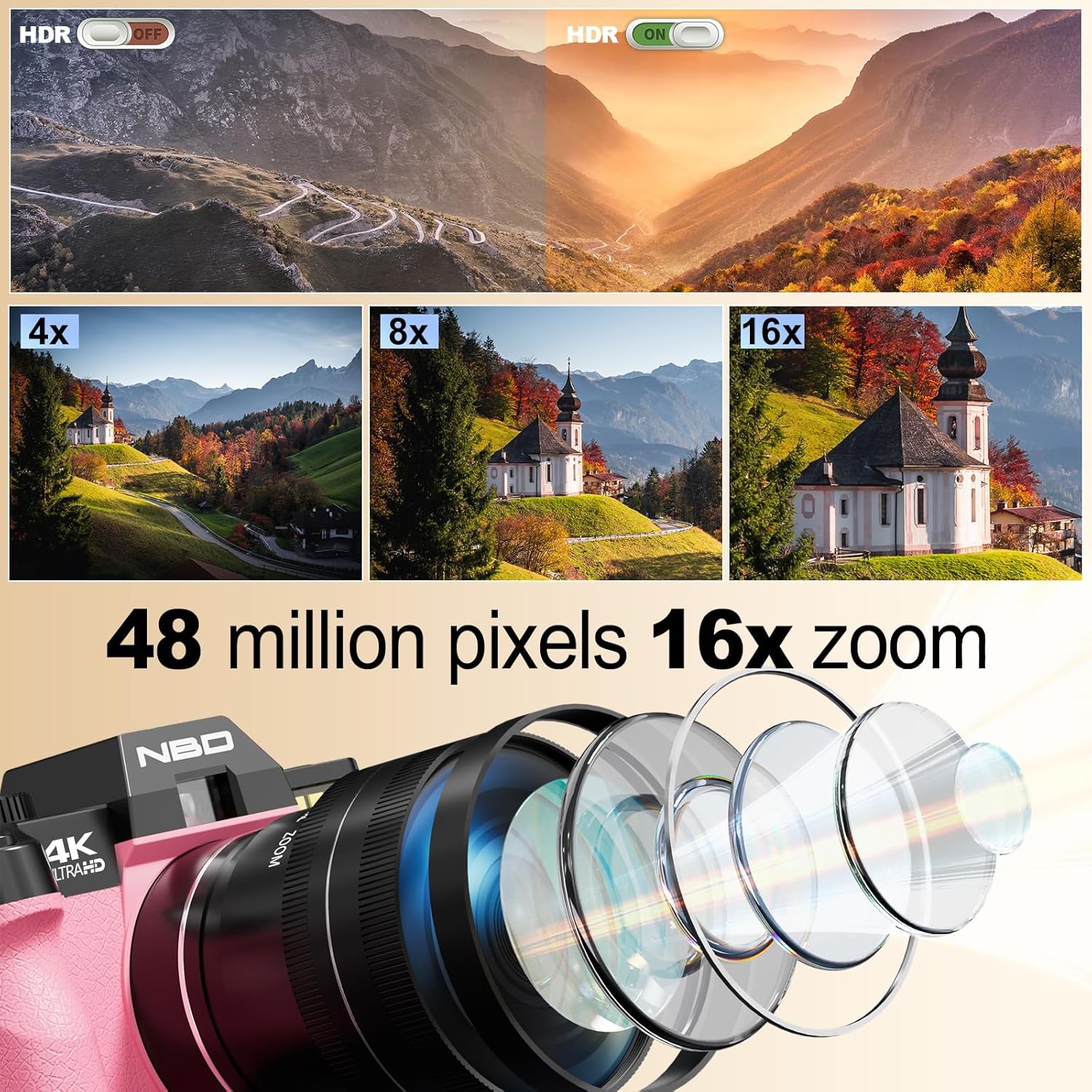
Image: Visual representation of HDR functionality, 4x, 8x, and 16x zoom capabilities, and a diagram illustrating the internal lens structure of the NBD 48MP Digital Camera.

Image: Demonstrates the camera's 48 million effective pixels, autofocus (AF) mode, low-light focusing capabilities, and key lens parameters (F1.8, f=4.58mm, 52mm).
4.3 Video Recording
- The camera supports 4K 30fps and 1080P 60fps video recording for smooth, high-quality footage.
- Use the external microphone for enhanced audio quality during video recording.
- The 180° flip touchscreen allows for easy self-recording and vlogging.

Image: The NBD 48MP Digital Camera being used for recording life, outdoor shooting, and video live streaming, highlighting the included microphone and the 180° flip screen.
4.4 Special Features
- Mode Dial: Rotate the mode switching dial on top of the camera to select different shooting modes.
- Time-lapse: Capture sequences of images over time to create time-lapse videos.
- Slow-motion: Record videos in slow motion for dramatic effects.
- Cinematic Filters: Apply built-in filters to enhance your photos and videos directly in-camera.
- Portrait Mode: Achieve natural background blur for professional-looking portraits.
- Dynamic Tracking: The camera can track moving subjects like pets or children to minimize motion blur.

Image: Illustrates the camera's capabilities including Time-Lapse Recording, Macro Lenses, various Filters, Slow Motion video, and the Mode Switching Dial.
4.5 Connectivity
- Wi-Fi: Connect the camera to your smartphone via Wi-Fi for remote framing, transferring photos and videos, and instant sharing to social media platforms.
- USB Connection: Use the USB cable to connect the camera directly to a computer for file transfer.
- Tripod Mount: A dedicated tripod mount is included for enhanced stability during live streaming or long exposures.

Image: Shows the NBD 48MP Digital Camera connected wirelessly to a smartphone for picture transfer and remote control, alongside a QR code for app download.
5. Maintenance
- Cleaning: Use the provided lens cleaning cloth to gently wipe the lens and screen. For the camera body, use a soft, dry cloth. Avoid harsh chemicals.
- Battery Care: Store batteries in a cool, dry place. Do not expose them to extreme temperatures. Remove batteries if the camera will not be used for an extended period.
- Storage: Store the camera in the included leather bag to protect it from dust and scratches when not in use.
6. Troubleshooting
| Problem | Possible Cause | Solution |
|---|---|---|
| Camera does not power on. | Low or depleted battery. | Ensure batteries are fully charged and correctly inserted. |
| Poor image quality. | Dirty lens, incorrect settings, insufficient lighting. | Clean the lens. Check shooting mode and lighting conditions. Adjust exposure settings if in manual mode. |
| Cannot connect to Wi-Fi. | Incorrect password, camera too far from device, Wi-Fi disabled. | Verify Wi-Fi password. Ensure camera and device are within range. Enable Wi-Fi on the camera. |
| Memory card error. | Card not inserted correctly, card corrupted, card full. | Reinsert the memory card. Format the card (this will erase all data). Use a different card if the issue persists. |
7. Specifications
| Feature | Specification |
|---|---|
| Image Sensor | 48 MP CMOS |
| Optical Zoom | 16x |
| Video Resolution | 4K (2160p) at 30fps, 1080p at 60fps |
| Display | 3-inch LCD, 180° Flip Screen |
| Lens Aperture | F1.8 |
| Image Stabilization | Optical |
| Connectivity | Wi-Fi, USB |
| Storage | Supports SD card (32GB included) |
| Battery Type | Lithium Ion (2 included) |
| Special Features | Auto Focus, Macro Lens, Time-lapse, Slow-motion, Cinematic Filters, Portrait Mode, Dynamic Tracking |
8. Warranty and Support
For warranty information and technical support, please contact NBD customer service. Refer to the product packaging or the official NBD website for contact details.


