
1. Important Safety Information
Read all instructions before using the appliance. Keep this manual for future reference. Always follow basic safety precautions to reduce the risk of fire, electric shock, or injury to persons.
- Ensure the washing machine is properly grounded.
- Do not operate the machine if the power cord or plug is damaged.
- Keep children away from the appliance during operation.
- Do not wash items that are soiled with flammable substances.
- Unplug the appliance before cleaning or performing any maintenance.
- Do not attempt to repair or replace any part of the appliance unless specifically recommended in this manual.
2. Package Contents
Verify that all components are present upon unpacking:
- Haier 10.5 Kg Fully Automatic Top Load Washing Machine (Model ETL105-CAFS8)
- Drain Hose
- Fill Hose
- Power Cord
- User Manual (This document)
3. Installation and Setup
Proper installation is crucial for optimal performance and safety.
3.1 Unpacking
Carefully remove all packaging materials. Ensure no parts are left inside the drum or attached to the exterior. Remove any transit bolts or packing foam from the bottom of the machine.
3.2 Location Requirements
- Place the washing machine on a firm, level surface.
- Ensure adequate ventilation around the appliance.
- Avoid direct sunlight or heat sources.
- Maintain a minimum clearance of 10 cm from walls or other objects.
3.3 Leveling the Machine
Adjust the leveling feet at the bottom of the machine until it is stable and level. This prevents excessive vibration and noise during operation.
3.4 Water Supply Connection
- Connect the fill hose to the water inlet valve at the back of the machine and to a cold water tap.
- Ensure connections are tight to prevent leaks.
- This model supports Near Zero Pressure (NZP) operation, allowing it to function effectively even with low water pressure (0.01MPA).
3.5 Drain Hose Connection
Securely attach the drain hose to a suitable drain pipe or sink, ensuring it is not kinked or blocked.
3.6 Power Connection
Plug the power cord into a grounded electrical outlet. Ensure the voltage matches the appliance's requirements (220 Volts).

Figure 1: Front view of the washing machine, showing the control panel and top-load access.
4. Operating Instructions
This section details how to use your Haier washing machine effectively.
4.1 Control Panel Overview
The control panel features push buttons for various functions and a digital display.

Figure 2: Control panel with options for custom wash cycles.
- Power Button: Turns the machine on/off.
- Start/Pause Button: Starts or pauses the selected wash cycle.
- Program Selection: Choose from 8 available wash programs.
- Water Level: Adjusts the water level according to the load size (Fuzzy Logic for auto-detection).
- Child Lock: Prevents accidental changes to settings during operation.
- Ultra Fresh Air: Activates the Ultra Fresh Air Technology.
4.2 Loading Laundry
Open the top lid and load clothes into the Oceanus Wave Steel Drum. Do not overload the machine; the maximum capacity is 10.5 Kg. Distribute clothes evenly to maintain balance.
4.3 Adding Detergent and Softener
Add appropriate amounts of detergent and fabric softener to their respective dispensers. Refer to detergent packaging for recommended quantities.
4.4 Selecting a Wash Program
Choose one of the 8 wash programs based on your laundry type:

Figure 3: Overview of the 8 available wash programs.
- Wash: Standard washing cycle.
- Rinse: Rinsing cycle.
- Spin: Spinning cycle for water removal.
- Tub Dry: Helps dry the inner tub to prevent mildew.
- Smart: Automatically detects load size and adjusts settings.
- Soak: Pre-soak cycle for heavily soiled items.
- Delicate: Gentle cycle for delicate fabrics.
- Quick: A fast wash cycle, approximately 15 minutes for average loads.
4.5 Special Features
- Ultra Fresh Air Technology: This feature circulates air within the drum after a wash cycle to remove moisture and keep clothes fresh for up to 12 hours, preventing bad odors and bacterial growth.
- Oceanus Wave Drum: The unique design of the steel drum provides a powerful yet gentle wash, aiding in deep cleaning and minimizing creases.
- Magic Filter: Dual magic filters effectively collect lint and debris, ensuring cleaner clothes and preventing drain blockages.
- Toughened Glass Lid: Provides durability and allows visibility into the drum during operation.
- Auto Restart: In case of a power outage, the machine will resume the cycle from where it left off once power is restored.
- Voltage Protection/Shock Proof: Built-in safety features to protect the appliance and user.
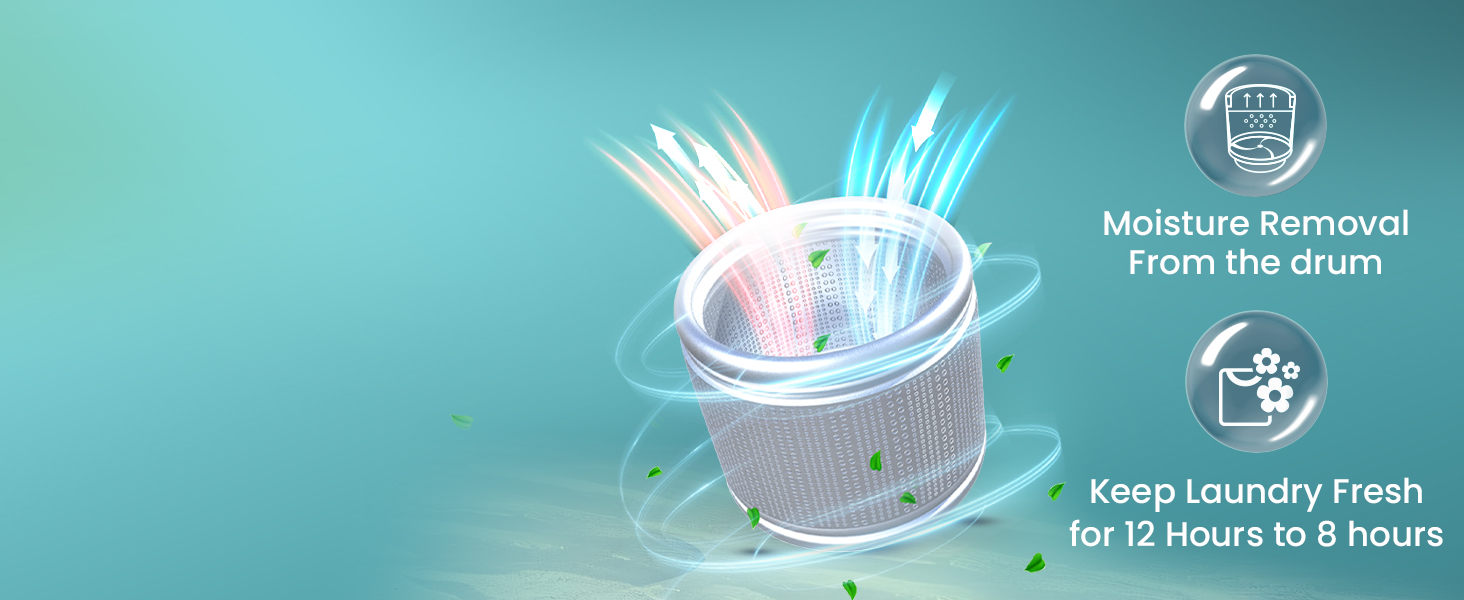
Figure 4: Ultra Fresh Air Technology in action.
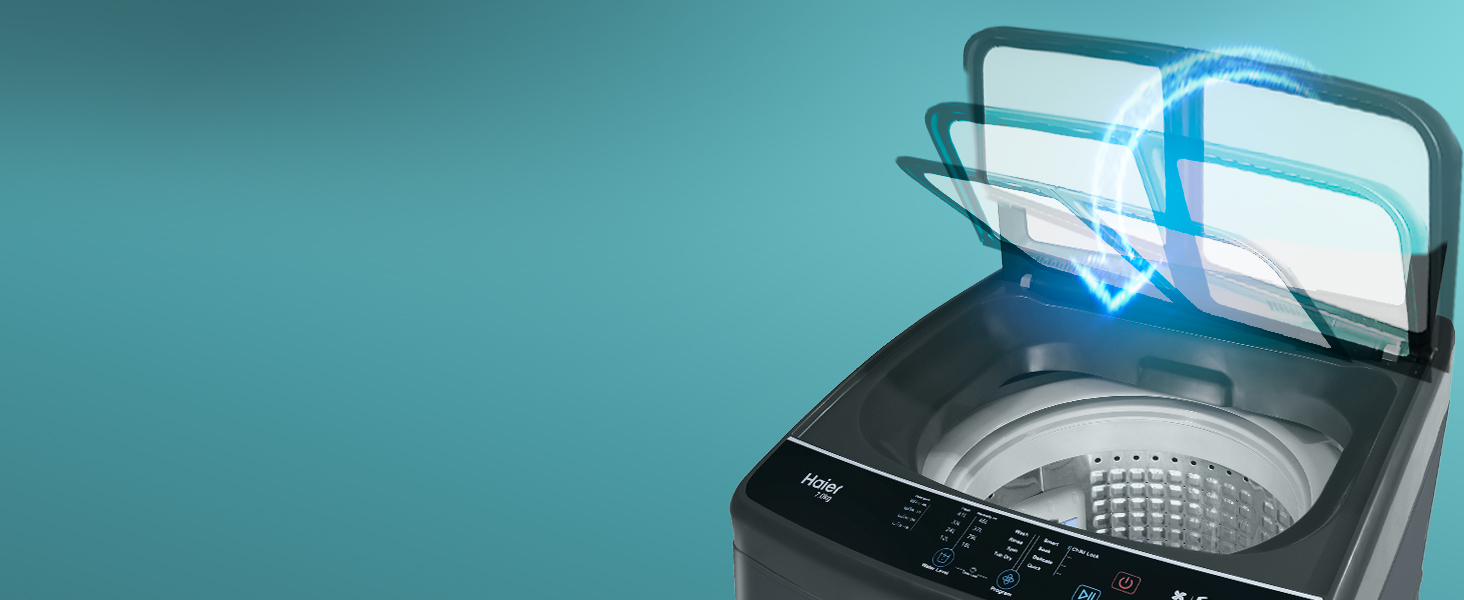
Figure 5: Soft-fall lid mechanism.
4.6 Starting a Wash Cycle
After loading laundry, adding detergent, and selecting a program, press the Start/Pause button to begin the cycle.
Video 1: This video demonstrates various features of the Haier washing machine, including the control panel, Ultra Fresh Air technology, Oceanus Wave Drum, Magic Filter, and Tub Clean function.
5. Maintenance
Regular maintenance ensures the longevity and efficiency of your washing machine.
5.1 Cleaning the Exterior
Wipe the exterior with a soft, damp cloth. Do not use abrasive cleaners or solvents.
5.2 Cleaning the Drum (Tub Clean)
Use the dedicated Tub Clean program regularly to remove detergent residue and prevent mold growth. This self-cleaning function helps maintain hygiene inside the drum.
5.3 Cleaning the Magic Filter
Remove and clean the Magic Filters after every few washes to ensure efficient lint collection. Rinse them under running water and reinsert.
5.4 Cleaning the Detergent Dispenser
Periodically remove and clean the detergent dispenser to prevent buildup and blockages.
6. Troubleshooting
Refer to this section for common issues and their solutions before contacting service.
| Problem | Possible Cause | Solution |
|---|---|---|
| Machine does not start | Power cord unplugged; Door not closed properly; No water supply. | Check power connection; Ensure lid is fully closed; Check water tap. |
| Excessive vibration/noise | Machine not level; Laundry unevenly distributed; Transit bolts not removed. | Adjust leveling feet; Redistribute laundry; Ensure transit bolts are removed. |
| Water leakage | Hoses not properly connected; Drain hose blocked. | Tighten hose connections; Clear drain hose. |
| Clothes not clean | Overloading; Insufficient detergent; Incorrect program selected. | Reduce load size; Use correct detergent amount; Select appropriate program. |
7. Specifications
Detailed technical specifications for the Haier ETL105-CAFS8 washing machine.
| Feature | Description |
|---|---|
| Model Number | ETL105-CAFS8 |
| Brand | Haier |
| Capacity | 10.5 Kilograms |
| Type | Fully Automatic Top Load |
| Energy Rating | 5 Star |
| Spin Speed | 780 RPM |
| Product Dimensions (D x W x H) | 59.5D x 55W x 94.5H Centimeters |
| Item Weight | 34.5 Kilograms |
| Drum Material | Steel (Oceanus Wave Drum) |
| Wash Programs | 8 (Wash, Rinse, Spin, Tub Dry, Smart, Soak, Delicate, Quick) |
| Special Features | Ultra Fresh Air Technology, Near Zero Pressure (NZP), Magic Filter, Fuzzy Logic, Child Lock, Auto Restart, Toughened Glass Lid, Voltage Protection |
| Voltage | 220 Volts |

Figure 6: Product dimensions and energy efficiency guide.
8. Warranty and Support
Your Haier washing machine comes with a comprehensive warranty and dedicated customer support.
8.1 Warranty Information
- Product Warranty: 2 years comprehensive warranty on the product.
- Motor Warranty: 10 years warranty on the motor.
- To avail warranty services, please retain your purchase invoice.
8.2 Customer Support
For any queries, service requests, or technical assistance, please contact Haier customer support:
- Manufacturer: HAIER APPLIANCES INDIA PVT LTD
- Address: Plot No. H-6, DMIC Integrated Industrial Township, Greater Noida, Uttar Pradesh – 201308
- Email: info@haierindia.com


