
1. Introduction
Thank you for purchasing the sandiea LED Desk Lamp LT-TD03. This manual provides detailed instructions for the proper setup, operation, and maintenance of your new desk lamp. Please read this manual thoroughly before use and retain it for future reference.
2. Safety Instructions
- Ensure the power adapter is compatible with your local power supply before connecting.
- Do not disassemble or modify the lamp. This may cause damage and void the warranty.
- Avoid exposing the lamp to water or high humidity.
- Keep the lamp away from heat sources and direct sunlight.
- Clean the lamp with a soft, dry cloth. Do not use abrasive cleaners or solvents.
- Position the lamp on a stable surface or securely attach the clamp to prevent tipping.
3. Package Contents
Verify that all items are present in the package:
- sandiea LED Desk Lamp (Model LT-TD03)
- Power Adapter
- User Manual
4. Product Overview
The sandiea LED Desk Lamp LT-TD03 features a double-head design with flexible goosenecks and a sturdy clamp for versatile lighting. It offers multiple lighting modes to suit various tasks and environments.

Figure 1: Diagram showing the dimensions and key rotational features of the sandiea LED Desk Lamp LT-TD03. It highlights the 360° rotation of the light wings and adjustable bracket gears.

Figure 2: Illustrations demonstrating the 180° swivel capability of the dual arm light wings, allowing for broad or focused illumination.
5. Setup
Follow these steps to set up your sandiea LED Desk Lamp:
- Unpack: Carefully remove all components from the packaging.
- Attach the Clamp: Securely attach the lamp's clamp to the edge of your desk or desired surface. Ensure the clamp is tightened sufficiently to prevent movement.
- Connect Power: Insert the power adapter into the lamp's power port, then plug the adapter into a standard electrical outlet.
- Adjust Position: Adjust the flexible gooseneck and light wings to your preferred lighting angle and height.
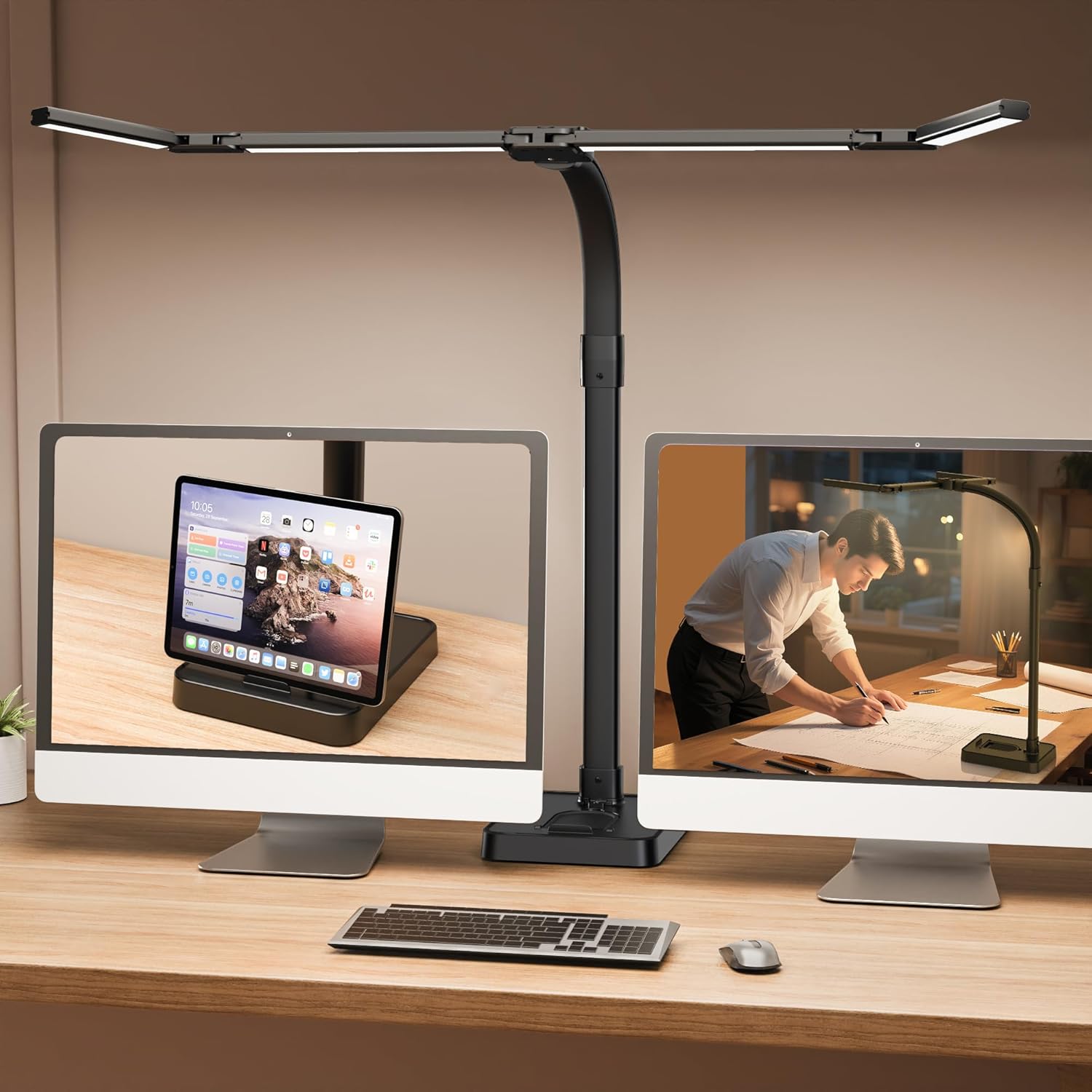
Figure 3: The sandiea LED Desk Lamp LT-TD03 fully assembled and ready for use, showcasing its double-head design and flexible gooseneck.
6. Operating Instructions
The lamp features intuitive touch controls for easy adjustment of lighting settings.

Figure 4: Close-up of the lamp's control panel, detailing buttons for adjusting brightness, color temperature, and setting the timer.
6.1 Power On/Off
- Press the Power Button (usually indicated by a circle with a vertical line) to turn the lamp on or off.
6.2 Adjusting Color Temperature
The lamp offers 5 color temperature settings (3200K-6500K) to match your preference or task.
- Press the Color Temperature Button (often indicated by a sun icon or 'M') to cycle through the 5 available color temperatures.

Figure 5: Visual guide to the 25 lighting modes, illustrating 5 color temperatures (3200K-6500K) and 5 brightness levels (20%-100%).
6.3 Adjusting Brightness
Choose from 5 brightness levels (20%-100%) for optimal illumination.
- Use the + and - buttons to increase or decrease the brightness level.
6.4 Timer Function
Set the lamp to automatically turn off after a specified period.
- Press the Timer Button (indicated by a clock icon or 'T') to set a 1, 2, or 4-hour timer. The lamp will turn off automatically after the selected duration.

Figure 6: Image showing the three-step soft timing feature (1, 2, or 4-hour timer) for automatic shut-off.
6.5 Physical Adjustment
- The lamp's gooseneck is flexible, allowing you to bend and position the light source as needed.
- The light wings can be rotated up to 360 degrees at their joints and swiveled 180 degrees to direct light precisely.
7. Maintenance
- Cleaning: Disconnect the power before cleaning. Use a soft, dry cloth to wipe the lamp's surface. Do not use liquid cleaners or sprays.
- Storage: If storing the lamp for an extended period, ensure it is clean and dry. Store in a cool, dry place away from direct sunlight.
8. Troubleshooting
| Problem | Possible Cause | Solution |
|---|---|---|
| Lamp does not turn on. | No power supply. | Check if the power adapter is securely plugged into both the lamp and the electrical outlet. Ensure the outlet is functional. |
| Light flickers or is unstable. | Loose connection or power issue. | Ensure all connections are secure. Try plugging into a different outlet. |
| Controls are unresponsive. | Temporary electronic glitch. | Unplug the lamp for 30 seconds, then plug it back in to reset. |
9. Specifications
| Model Number | LT-TD03 |
| Brand | sandiea |
| Wattage | 24 watts |
| Color Temperature | 5 levels (3200K-6500K) |
| Brightness Levels | 5 levels (20%-100%) |
| Switch Type | Touch |
| Product Dimensions | 1"D x 1.01"W x 1"H (Note: These dimensions appear to be for a component, not the full lamp. Refer to Figure 1 for overall dimensions.) |
| Material Type | Plastic |
| Included Components | Adapter |
| Indoor/Outdoor Usage | Indoor |
10. Warranty Information
The sandiea LED Desk Lamp LT-TD03 comes with a 1-year manufacturer's warranty from the date of purchase. This warranty covers defects in materials and workmanship under normal use. It does not cover damage caused by misuse, accidents, unauthorized modifications, or improper installation.
Please retain your proof of purchase for warranty claims.
11. Customer Support
If you have any questions, concerns, or require assistance with your sandiea LED Desk Lamp LT-TD03, please contact our customer support team:
- Email: support@sandiea.com (Example email, replace with actual if available)
- Website: Visit the sandiea Store on Amazon
When contacting support, please provide your product model number (LT-TD03) and a detailed description of the issue.