
Introduction
This manual provides detailed instructions for the assembly, operation, and maintenance of your ThreeHio Record Player Stand with Power Outlets and LED Light, Model DOZH-CPJ04PC. Please read these instructions carefully before assembly and use to ensure proper function and longevity of your product.

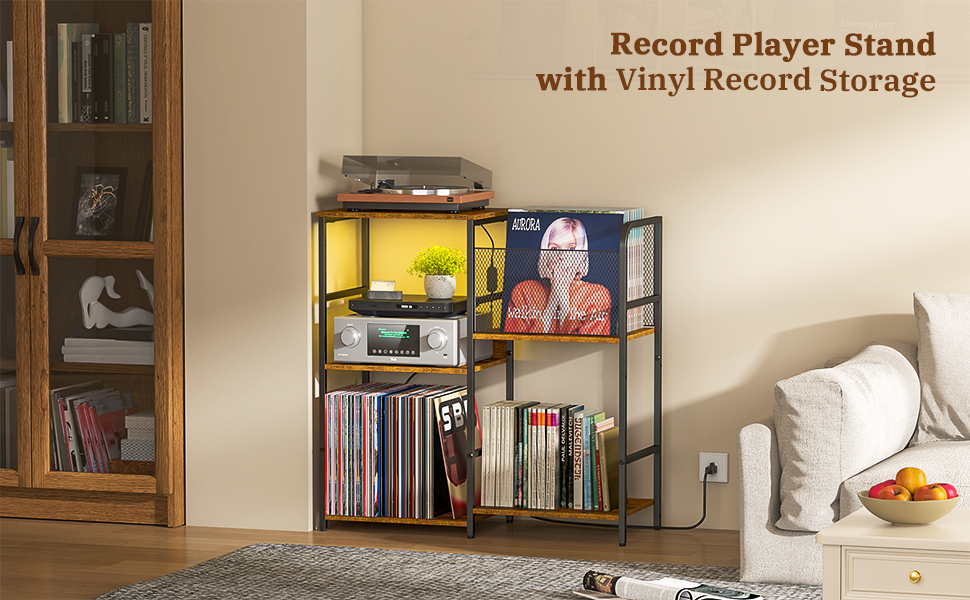
Overview of the ThreeHio Record Player Stand, showcasing its design and storage capabilities.
Safety Information
Before assembly, ensure all components are present and undamaged. Keep small parts away from children. Do not overload the stand beyond its stated weight capacity. Ensure the power outlets are used with compatible devices and within specified electrical limits. Avoid exposing the unit to excessive moisture or direct heat sources.
Package Contents
Verify that all parts listed below are included in your package. If any parts are missing or damaged, please contact customer support.
- Metal frame components
- Wooden shelves
- Mesh vinyl storage baskets
- Power outlet strip with USB ports
- LED light strip
- Assembly hardware (screws, Allen wrench, etc.)
- Instruction manual
Setup and Assembly
The ThreeHio Record Player Stand offers two distinct assembly configurations, allowing you to customize its layout to best suit your space and storage needs. Follow the steps below for assembly.
- Unpack Components: Unpack all components and verify against the package contents list.
- Identify Frame Pieces: Identify the main metal frame pieces.
- Attach Shelves: Attach the wooden shelves to the metal frame using the provided hardware. Pay attention to the orientation for your desired configuration (Model 1 or Model 2).
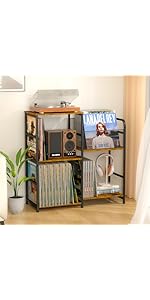
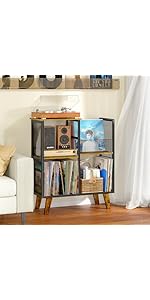
This image illustrates the two possible assembly configurations for the stand. Model 1 features a two-tier shelf on one side and a three-tier shelf on the other, while Model 2 reverses this arrangement. Choose the configuration that best fits your space and storage requirements before proceeding with assembly.
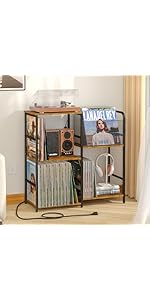
This diagram shows how the shelf unit can be reversed, allowing the two-tier and three-tier sections to be positioned on either the left or right side of the main tabletop. This flexibility enables customization of the stand's layout.
- Install Mesh Baskets: Install the mesh vinyl storage baskets. These can be placed on either the left or right side depending on your chosen configuration.
A close-up view of the mesh panel, which serves as a side barrier for vinyl record storage. These panels are integrated into the frame to secure records.
- Secure Power Outlet: Secure the power outlet strip into its designated slot on the top shelf.

This image displays the integrated power outlet strip, featuring two AC outlets (120V/12A) and two USB ports (5V/2A). It is designed to be securely mounted on the top shelf of the stand.
- Attach LED Light: Attach the LED light strip according to the instructions provided with the lighting kit.
- Adjust Leveling Feet: Adjust the leveling feet at the bottom of the stand to ensure stability on uneven surfaces.
This image highlights the adjustable leveling feet located at the base of the stand. These feet can be screwed in or out to compensate for uneven flooring, ensuring the stand remains stable and level.
- Final Placement: Once assembled, gently place your record player and vinyl collection onto the stand. The tabletop is designed to accommodate most standard record players.

This image provides key dimensions of the assembled record player stand, including its overall height, width, and depth, as well as the height of the individual shelves. These measurements are crucial for planning placement and ensuring compatibility with your record player and vinyl collection.
Operating Instructions
- Power Outlets: Plug the stand's main power cord into a standard wall outlet. The integrated power strip provides two AC outlets and two USB ports for charging or powering your devices.
- LED Light: The LED light strip can be controlled via a remote or a smartphone application (if applicable, based on product details). Refer to the separate LED light instructions for specific control methods and color/brightness adjustments.

This image shows the record player stand illuminated by its LED light strip, with a smartphone displaying a color control interface. The LED lighting can be adjusted to various colors and brightness levels to enhance the ambiance.
Maintenance
To maintain the appearance and longevity of your record player stand, follow these simple guidelines:
- Cleaning: Wipe surfaces with a soft, damp cloth. Avoid abrasive cleaners or harsh chemicals that may damage the finish.
- Dusting: Regularly dust the shelves and frame to prevent buildup.
- Spills: Immediately wipe up any spills to prevent water damage to the wooden components.
- Power Outlets: Ensure the power outlets are kept dry and free from dust. Do not attempt to disassemble the power strip.
Troubleshooting
If you encounter any issues with your record player stand, refer to the following common solutions:
- Stand is Unstable:
- Check that all screws are tightened securely.
- Adjust the leveling feet at the bottom of the stand to ensure it sits evenly on the floor.
- Power Outlets Not Working:
- Verify that the stand's main power cord is securely plugged into a functional wall outlet.
- Ensure the devices plugged into the stand's outlets are functioning correctly.
- Check for any tripped circuit breakers in your home.
- LED Light Not Functioning:
- Ensure the LED light strip is properly connected to its power source.
- Check the remote control or app for battery issues or connectivity problems.
- Refer to the specific LED light instructions for further troubleshooting.
Specifications
Detailed specifications for the ThreeHio Record Player Stand, Model DOZH-CPJ04PC:
| Feature | Specification |
|---|---|
| Material | Metal, Wood (Medium Density Fiberboard) |
| Color | With power outlet |
| Product Dimensions (D x W x H) | 11.81"D x 30.04"W x 30.55"H |
| Shelf Type | Tiered Shelf |
| Number of Shelves | 5 (total across both sections) |
| Item Weight | 16.5 Pounds |
| Maximum Load Capacity (Tabletop) | Up to 110 lbs |
| Power Outlets | 2 AC Outlets (120V/12A), 2 USB Ports (5V/2A) |
| Power Cord Length | 4.92-Foot |
| Assembly Required | Yes |
| Mounting Type | Floor Mount |
| Special Features | Durable construction, LED lighting, integrated power outlets, reversible shelf configuration |
Warranty and Support
For warranty information or technical support, please contact ThreeHio customer service. Keep your purchase receipt for warranty claims. Contact details can typically be found on the manufacturer's website or included in your product packaging.