
1. Introduction and Overview
This manual provides detailed instructions for the TCJJ Kids Sleep Training Alarm Clock with Night Light, Model c26. This multifunctional device is designed to assist children in developing healthy sleep habits through a combination of visual cues, soothing sounds, and a comforting night light. Please read this manual thoroughly before using the product to ensure proper function and safety.

Image 1.1: The TCJJ Kids Sleep Training Alarm Clock, featuring a sheep design and digital display.
2. Safety Information
- Keep the device away from water and high humidity environments.
- Do not expose the device to extreme temperatures or direct sunlight.
- Use only the provided charging cable and a compatible power adapter (not included) to charge the device.
- Do not attempt to disassemble or repair the device yourself. Contact customer support for assistance.
- Ensure the device is placed on a stable, flat surface to prevent accidental falls.
- This product contains a rechargeable battery. Dispose of the battery responsibly according to local regulations.
3. Package Contents
Please check the package for the following items:
- TCJJ Kids Sleep Training Alarm Clock (Model c26)
- USB Charging Cable
- User Manual
If any items are missing or damaged, please contact customer support.
4. Product Features
The TCJJ Kids Sleep Training Alarm Clock is equipped with several features designed to support children's sleep routines:
- Sleep Training Light System: Uses color signals (red for bedtime, yellow for pre-wake, green for wake-up) to teach healthy sleep habits.
- 6 Soothing Sound Options: Includes nature sounds like rain and ocean waves with 8 adjustable volume levels.
- Multi-Function Night Light: Offers 2 brightness levels, gradual color transition, and 7-color rotation with simple tap controls.
- Child-Friendly Controls: Easy one-tap snooze, simple alarm shut-off, and 3-level adjustable display brightness.
- Safe Silicone Construction: Soft, durable silicone casing designed to withstand drops.
- Rechargeable Design: Built-in battery for cordless operation.

Image 4.1: Key features of the alarm clock, including light colors, sound options, and controls.
5. Setup
5.1 Charging the Device
- Connect the provided USB charging cable to the charging port on the back or bottom of the alarm clock.
- Plug the other end of the USB cable into a compatible USB power adapter (e.g., phone charger, computer USB port).
- The charging indicator light will illuminate. Allow approximately [Insert Charging Time, e.g., 3-4 hours] for a full charge.
- Once fully charged, the indicator light may change color or turn off. Disconnect the charging cable.
5.2 Initial Power On and Time Setting
- Press and hold the Power button (usually located on the back or bottom) to turn on the device.
- The display will light up. To set the time, locate the 'Time Set' button or a similar icon (often a clock symbol).
- Press the 'Time Set' button. The hour digits will start flashing. Use the '+' and '-' buttons (or similar navigation buttons) to adjust the hour.
- Press 'Time Set' again to move to the minute digits. Adjust the minutes using the '+' and '-' buttons.
- Press 'Time Set' one more time to confirm the time.
- If applicable, select 12-hour or 24-hour format using the designated button or by cycling through options during time setting.
6. Operating Instructions
6.1 Setting Alarms
The clock supports dual alarms. Refer to the specific buttons for Alarm 1 and Alarm 2 (often labeled with bell icons).
- Press the 'Alarm 1 Set' button. The alarm hour digits will flash. Use '+' and '-' to adjust the hour.
- Press 'Alarm 1 Set' again to adjust the minutes.
- Press 'Alarm 1 Set' a third time to confirm. You may then be prompted to select a ringtone or sound for this alarm.
- Repeat the process for 'Alarm 2 Set' if desired.
- To activate/deactivate an alarm, press its respective 'Alarm On/Off' button (often a toggle switch or a short press of the 'Alarm Set' button after setting). An alarm icon will appear on the display when active.
6.2 Sleep Training Light System
This system uses color changes to signal sleep and wake times.
- Bedtime (Red Light): At a set bedtime, the clock will emit a red light, often accompanied by a 30-minute white noise timer, indicating it's time to sleep.
- Pre-Wake (Yellow Light): Approximately 30 minutes before the set wake-up time, the clock will glow yellow, simulating a sunrise and gently preparing the child for waking.
- Wake-Up (Green Light): At the set wake-up time, the clock will turn green, signaling that it is "OK to wake." An alarm sound will also play if set.
To set the sleep training times, refer to the 'Sleep Training' or 'OK to Wake' settings in the menu, typically accessed by holding a specific button or navigating through the main settings.

Image 6.1: Visual representation of the sleep training light system, showing yellow pre-wake and green wake-up lights.
6.3 Night Light Functions
The clock features a multi-function night light:
- Color Selection: Tap the designated 'Light' button (often a light bulb icon) to cycle through 7 different colors.
- Brightness Adjustment: Some models allow adjusting brightness levels (e.g., 2 levels) by tapping or holding the 'Light' button.
- Gradual Color Transition: A mode where colors smoothly fade from one to another can be activated by a specific button press or holding the 'Light' button.

Image 6.2: The alarm clock displaying various night light colors, demonstrating its multi-color functionality.
6.4 Sound Machine
The built-in sound machine offers soothing sounds:
- Sound Selection: Press the 'Sound' button (often a music note icon) to cycle through 6 different sound options (e.g., rain, ocean waves, white noise).
- Volume Adjustment: Use the '+' and '-' buttons to adjust the volume across 8 levels.
- Timer: The sound machine may have a timer function (e.g., 30 minutes) that can be set to automatically turn off the sound.
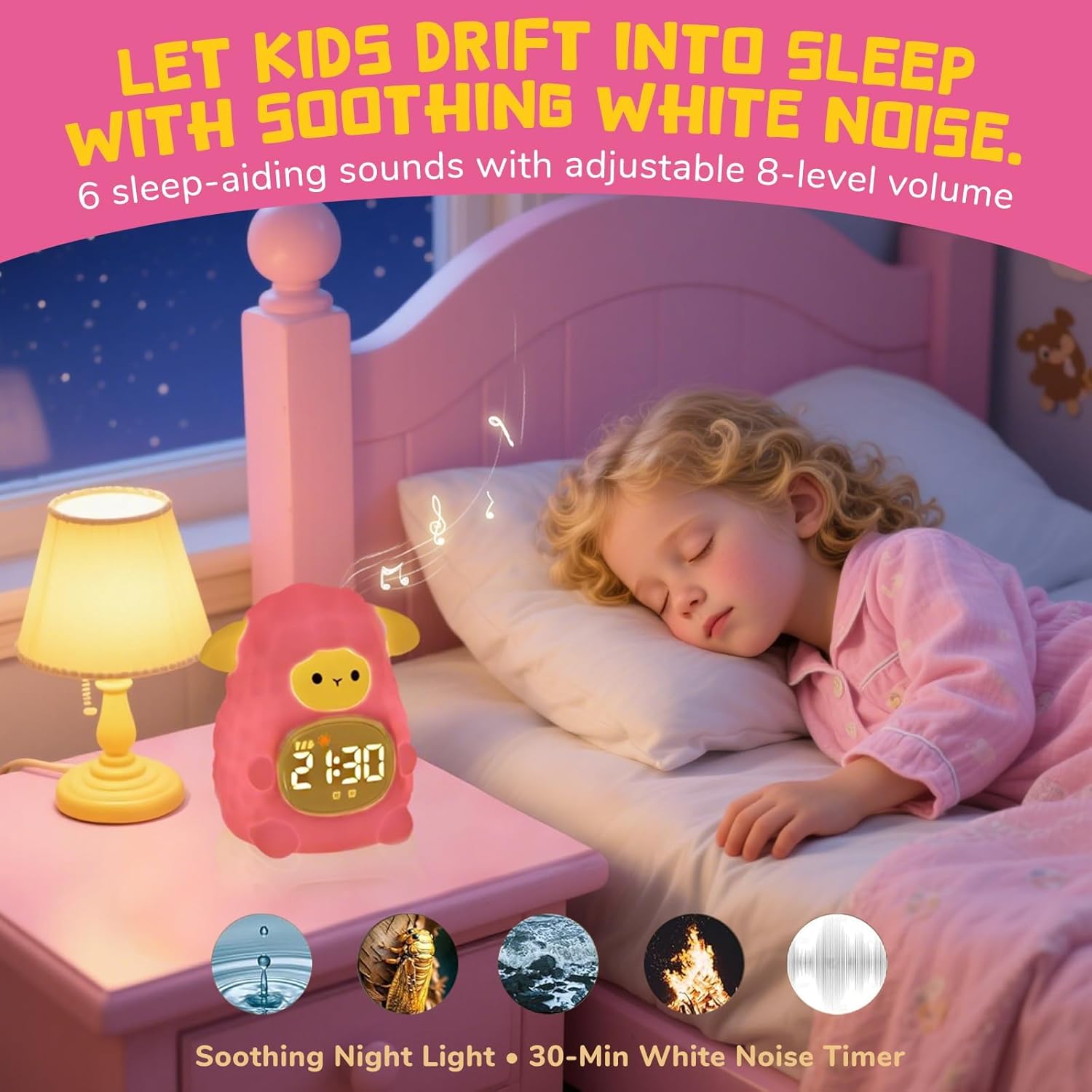
Image 6.3: The alarm clock providing soothing white noise for sleep, with examples of available sounds.
6.5 Snooze Function
When an alarm sounds, tap the top of the clock or the designated 'Snooze' button to activate the snooze function. The alarm will pause for approximately 5 minutes and then sound again. This can typically be repeated up to 3 times.
6.6 Alarm Shut-Off
To turn off a sounding alarm completely, press any button other than the 'Snooze' button, or press the 'Alarm On/Off' button for the active alarm.
6.7 Display Brightness
Adjust the display brightness by pressing the 'Display' or 'Brightness' button (often a sun icon). There are typically 3 levels of brightness to choose from for comfortable viewing in different lighting conditions.

Image 6.4: The alarm clock integrated into various daily routines, highlighting its multi-functional use.
7. Maintenance
7.1 Cleaning
To clean the device, gently wipe the surface with a soft, dry, or slightly damp cloth. Do not use abrasive cleaners, solvents, or immerse the device in water.
7.2 Battery Care
The device contains a rechargeable battery. To prolong battery life:
- Avoid fully discharging the battery frequently.
- Charge the device regularly, even if not in constant use.
- Store the device in a cool, dry place when not in use for extended periods.
8. Troubleshooting
- Device not turning on: Ensure the device is fully charged. Connect it to a power source and try again.
- Alarm not sounding: Check if the alarm is activated (alarm icon on display). Verify the alarm time is set correctly. Ensure the volume is not set to zero.
- Night light not working: Ensure the device is powered on. Cycle through the light modes to see if it responds.
- Sleep training light not changing colors: Verify that the sleep and wake times are correctly programmed in the settings.
- Buttons unresponsive: Try resetting the device (if a reset button is available, or by holding the power button for an extended period).
If issues persist, please refer to the support section or contact customer service.
9. Specifications
| Feature | Detail |
|---|---|
| Brand | TCJJ |
| Model Number | c26 |
| Color | White |
| Display Type | Digital |
| Product Dimensions | 5"W x 4"H |
| Item Weight | 9.1 ounces |
| Power Source | Battery Powered (Rechargeable) |
| Material | Silicone, Acrylonitrile Butadiene Styrene (ABS) Plastic |
| Batteries Included | Yes (1 Nonstandard Battery) |
| Mounting Type | Tabletop |
| Alarm Clock Function | Yes |
10. Warranty and Support
The TCJJ Kids Sleep Training Alarm Clock (Model c26) comes with a standard manufacturer's warranty. Please refer to the product packaging or the official TCJJ website for specific warranty terms and conditions.
For technical support, troubleshooting assistance, or warranty claims, please contact TCJJ customer service through their official channels. Contact information can typically be found on the product packaging or the brand's website.