
1. Introduction
The Amaran Verge Desk Clamp Stand is a fully-adjustable mounting solution designed for the amaran Verge or Verge Max lighting units. It provides a secure and tool-free method to attach your light directly to a desk or other mounting surface, offering flexible positioning for various creative needs.
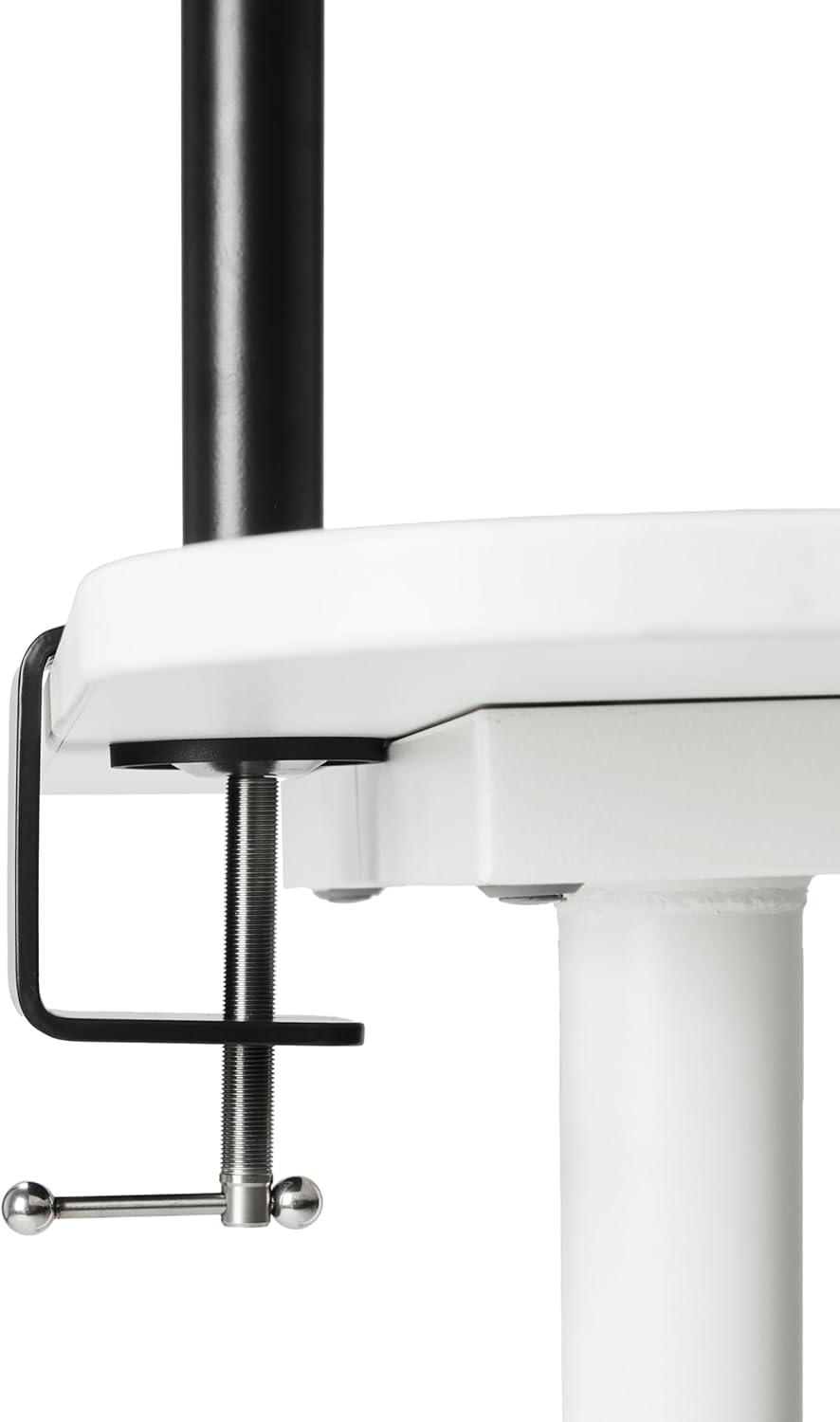
Figure 1: Amaran Verge Desk Clamp Stand in use, holding a light panel.
2. What's in the Box
Verify that all components are present before proceeding with assembly:
- 1 x amaran Verge Desk Clamp
- 1 x amaran Verge Desk Clamp Extension Column
- 1 x amaran Verge Lock Extension Arm

Figure 2: Included components of the Amaran Verge Desk Clamp Stand.
3. Setup
- Attach the Desk Clamp: Position the amaran Verge Desk Clamp onto the edge of your desk or mounting surface. Ensure the surface thickness is between 2cm (0.79in) and 7cm (2.75in). Tighten the clamp securely until it is firm and stable.
- Insert the Extension Column: Slide the amaran Verge Desk Clamp Extension Column into the vertical receiver on the desk clamp. Tighten the locking knob on the clamp to secure the column at your desired height. The column offers up to 1m (3.28ft) of vertical height adjustment.
- Attach the Extension Arm: Connect the amaran Verge Lock Extension Arm to the top of the extension column. The quick-locking system ensures fast and secure attachment.
- Mount Your Amaran Verge Light: Attach your amaran Verge or Verge Max light directly to the end of the extension arm using its integrated mounting point.

Figure 3: Securely attaching the desk clamp.

Figure 4: The extension arm, ready for attachment.
4. Operating Instructions
The Amaran Verge Desk Clamp Stand offers versatile positioning for your lighting:
- Vertical Height Adjustment: Loosen the locking knob on the desk clamp to adjust the height of the extension column. Re-tighten to secure.
- Horizontal Reach: The 360º swing mounting arm allows you to extend and position your light precisely over your workspace. Loosen the knob on the arm to adjust its horizontal position, then tighten to lock.
- Pan & Tilt Control: Utilize the 180º pan and tilt control on the extension arm to angle your light for dynamic overhead or low-angle illumination.
- Cable Management: Use the integrated cable management hooks to keep your desk setup clean and clutter-free.

Figure 5: Detail of the adjustable arm joint for precise positioning.
Demonstration Video
Video 1: An official Amaran video demonstrating the Amaran Verge Bi-color, edge-lit rectangular panel, which is compatible with this desk clamp stand. This video showcases the light's features and potential applications when mounted.
5. Maintenance
To ensure the longevity and optimal performance of your Amaran Verge Desk Clamp Stand:
- Cleaning: Wipe the stand with a soft, dry cloth to remove dust and debris. Avoid using abrasive cleaners or solvents.
- Inspection: Periodically check all screws, knobs, and joints for tightness. Re-tighten as necessary to maintain stability.
- Storage: When not in use for extended periods, store the stand in a clean, dry environment.
6. Troubleshooting
If you encounter issues with your Amaran Verge Desk Clamp Stand, consider the following:
- Stand Instability: Ensure the desk clamp is fully tightened to the desk surface. Verify that the desk surface is sturdy and within the recommended thickness range (2cm to 7cm). Check all locking knobs on the extension column and arm for tightness.
- Difficulty Adjusting Height/Position: Loosen the relevant locking knob sufficiently before attempting to adjust. Do not force adjustments if resistance is met.
- Light Panel Not Secure: Ensure your amaran Verge or Verge Max light is correctly attached to the extension arm's mounting point and securely fastened.
7. Specifications
| Feature | Detail |
|---|---|
| Product Name | amaran Verge Desk Clamp Stand |
| Brand | Amaran |
| Model | Verge Desk Clamp Stand |
| Material | Adjustable Aluminum |
| Mounting Type | Desk Clamp |
| Desk Thickness Compatibility | 2cm (0.79in) to 7cm (2.75in) |
| Vertical Height Adjustment | Up to 1m (3.28ft) |
| Arm Swing | 360º |
| Pan & Tilt Control | 180º |
| Color | Black |
| Item Weight | 6.78 pounds |
| Package Dimensions | 27.56 x 8.5 x 3.94 inches |
8. Warranty & Support
This Amaran Verge Desk Clamp Stand is covered by the manufacturer's standard warranty. For detailed warranty information, product support, or service inquiries, please visit the official Amaran website or contact their customer service department.
You can also visit the Amaran Store on Amazon for additional product information and support resources.