
1. Product Overview
The WONICO X131 Ultra Toothbrush Sanitizer Holder is designed to provide a hygienic storage solution for toothbrushes. It features an automatic lid, UV light cleaning, and heated air drying functions to maintain toothbrush cleanliness.

Image 1.1: Front view of the WONICO X131 Ultra Toothbrush Sanitizer Holder.
2. Package Contents
Verify that all items listed below are included in your package:
- Automatic sensing toothbrush disinfection box x 1
- TYPE-C charging cable x 1
- Wall bracket x 1
- Adhesive backing x 1
- Manual x 1
- 1 Toothbrush holder x 1
- 2 Toothbrush holder x 1
- Shaver holder x 1
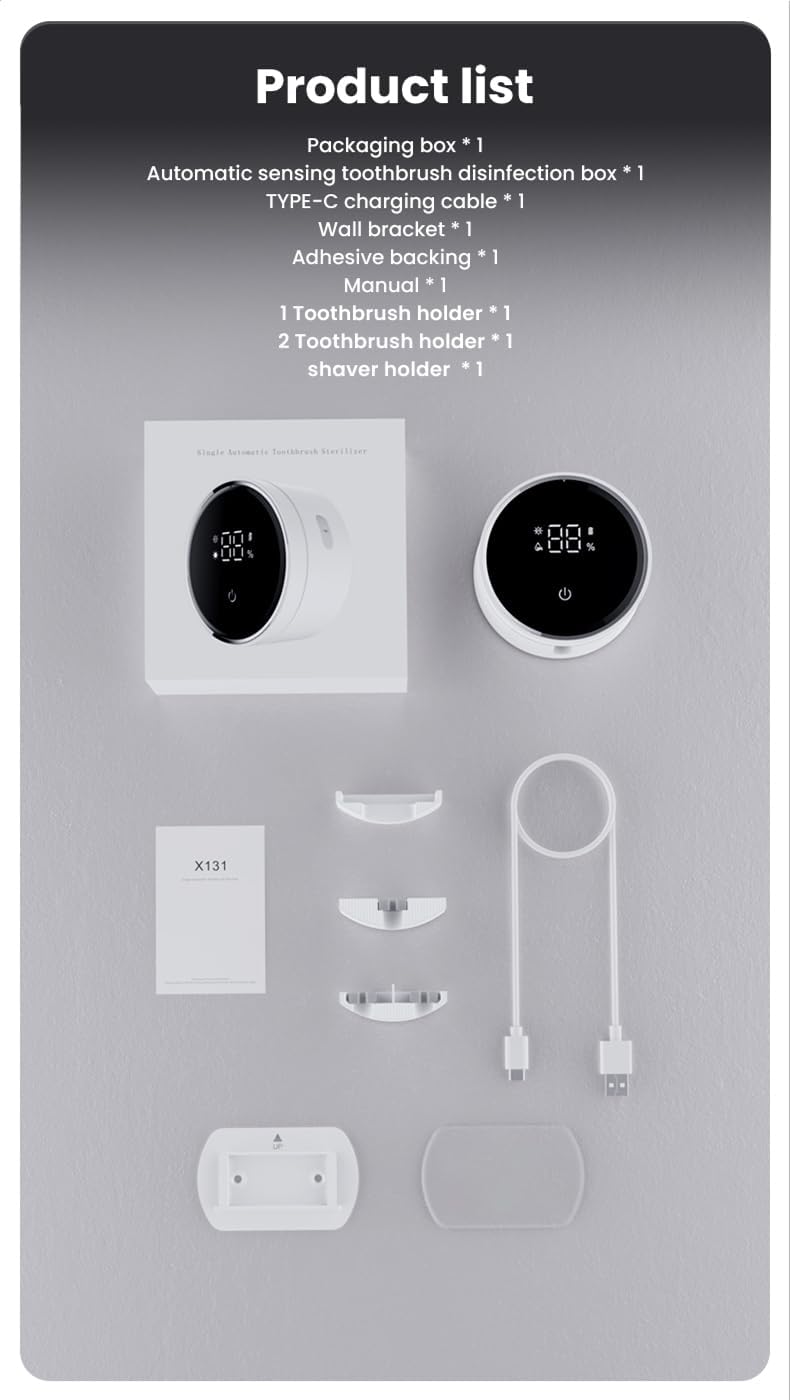
Image 2.1: All components included in the WONICO X131 Ultra package.
3. Setup and Installation
3.1 Wall Mounting
- Clean the Wall Surface: Ensure the wall area is clean, dry, and free of dust or grease.
- Apply Adhesive: Peel the protective film from the adhesive backing.
- Attach Wall Bracket: Firmly press the wall bracket onto the cleaned surface. Apply pressure for several seconds.
- Allow Adhesive to Set: Wait for 24 hours before attaching the main unit and placing toothbrushes. This ensures maximum adhesion.
- Attach Holder: Slide the main unit onto the wall bracket.
Applicable Wall Surfaces: Smooth tile, smooth marble, smooth metal, mirror, glass, wooden wall.
Not Recommended for: Wallpaper, plaster walls, painted surfaces, or any uneven surfaces.

Image 3.1: Visual guide for wall mounting and compatible wall types.
3.2 Attaching Interchangeable Hangers
The device comes with three interchangeable hangers to accommodate different items:
- Single Toothbrush Holder: For one toothbrush.
- Double Toothbrush Holder: For two toothbrushes.
- Shaver Holder: For one razor.
Select the appropriate hanger and insert it into the designated slot at the bottom of the main unit.
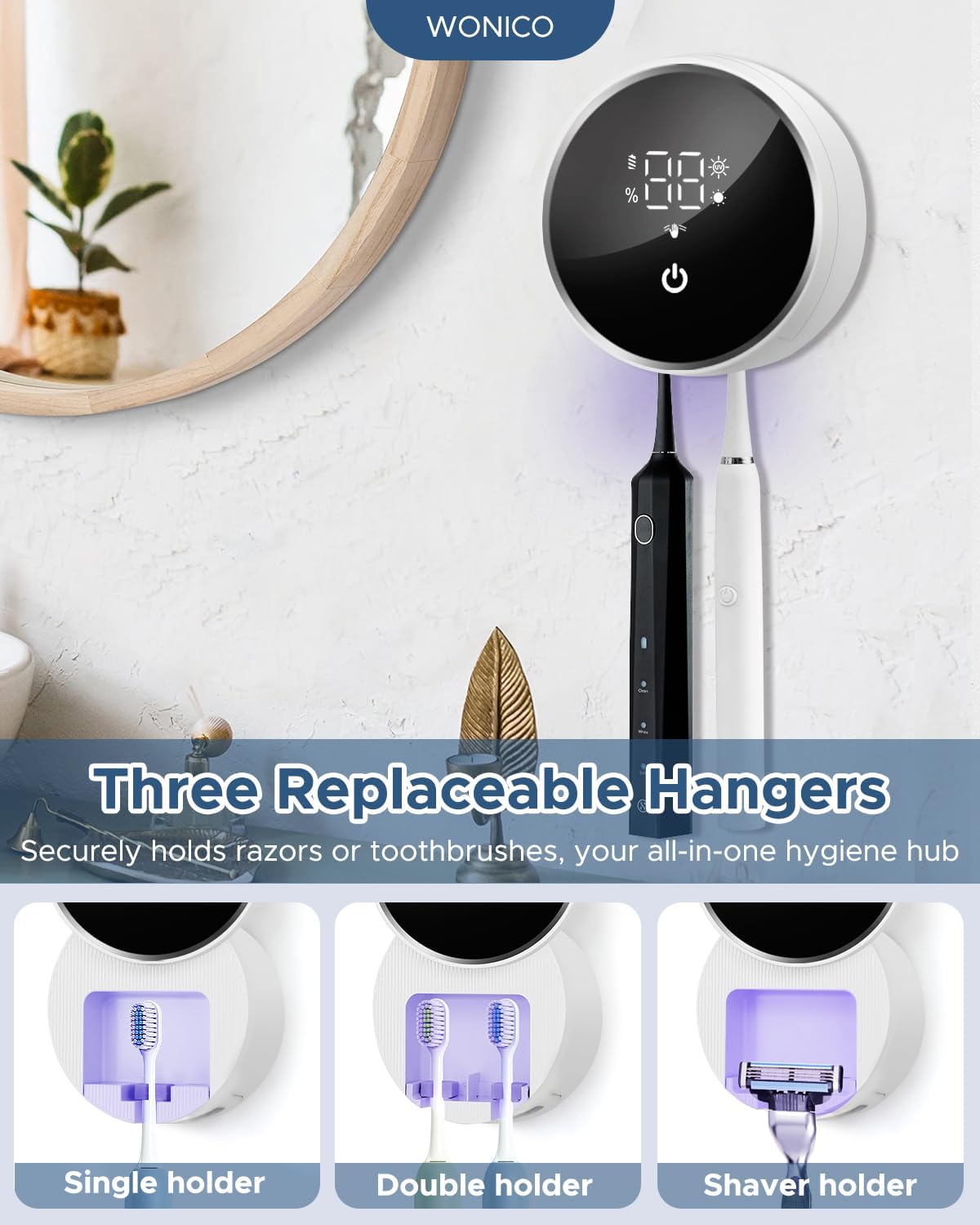
Image 3.2: Different hanger options for various items.
3.3 Initial Charging
Before first use, fully charge the device using the provided TYPE-C charging cable. Connect the cable to the device and a suitable USB power source. The LED display will indicate charging status.
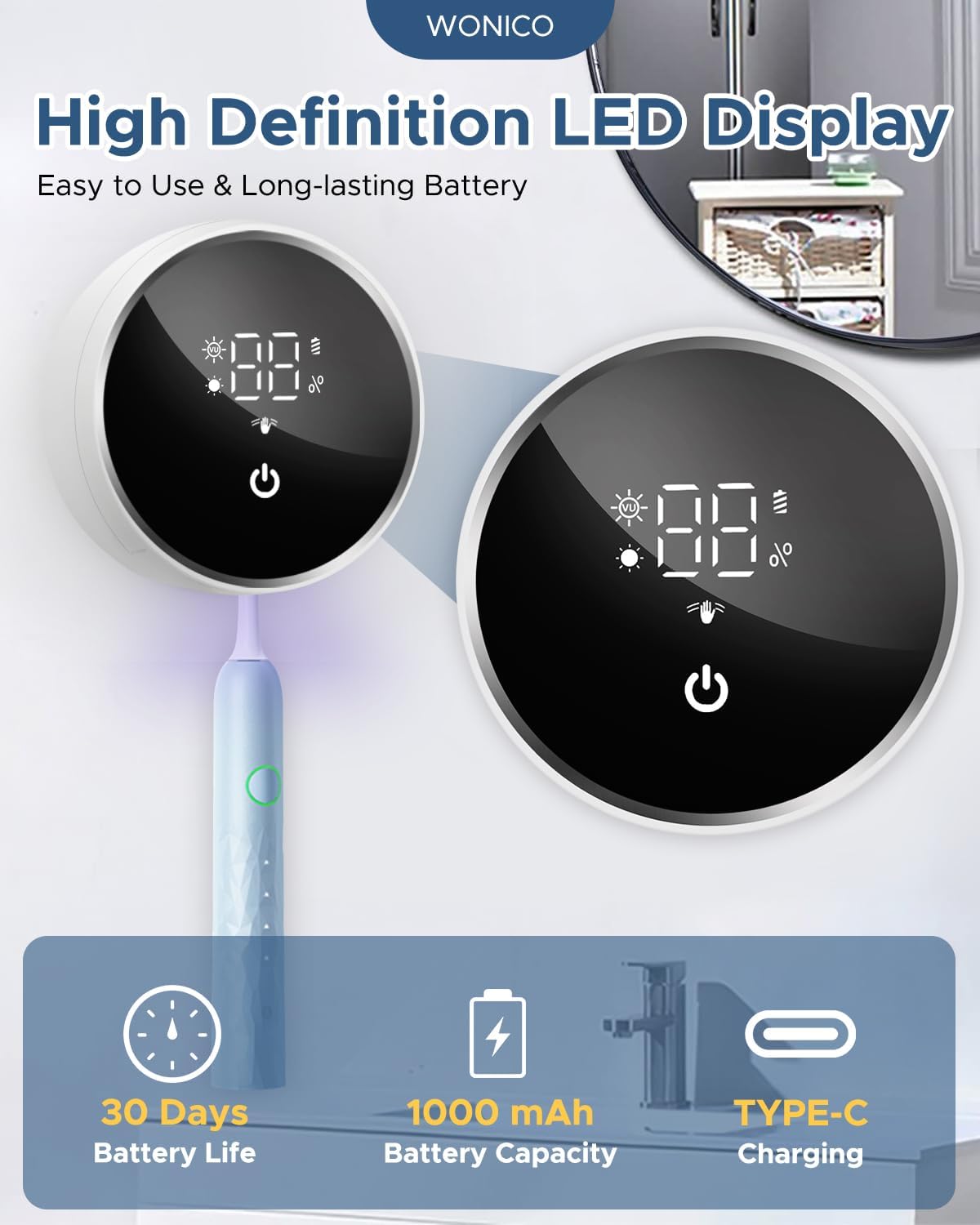
Image 3.3: LED display indicating battery level and charging port.
4. Operating Instructions
4.1 Automatic Lid Operation
The device features a motion sensor for hands-free operation. Wave your hand within 1-3.5 inches (5-10 cm) in front of the screen to automatically open or close the cover.

Image 4.1: Demonstrating the motion sensor for automatic lid control.
4.2 UV Light Cleaning
The device utilizes UV light technology for cleaning. It operates in two modes:
- Unplugged Mode: When not connected to power, the device performs a 99-second UV cleaning cycle every 4 hours. This mode is energy-saving and suitable for travel.
- Plugged Mode: When connected via USB-C, the device performs a 99-second UV cleaning cycle every 2 hours. This mode is ideal for continuous use in shared bathrooms.

Image 4.2: UV cleaning cycles for both unplugged and plugged operation.
4.3 Heated Air Drying
The heated air drying function operates at 60°C (140°F) and is activated when the device is plugged in via USB-C. It removes moisture from toothbrush bristles within 60 minutes, preventing moisture buildup. This feature is only available in plugged mode.
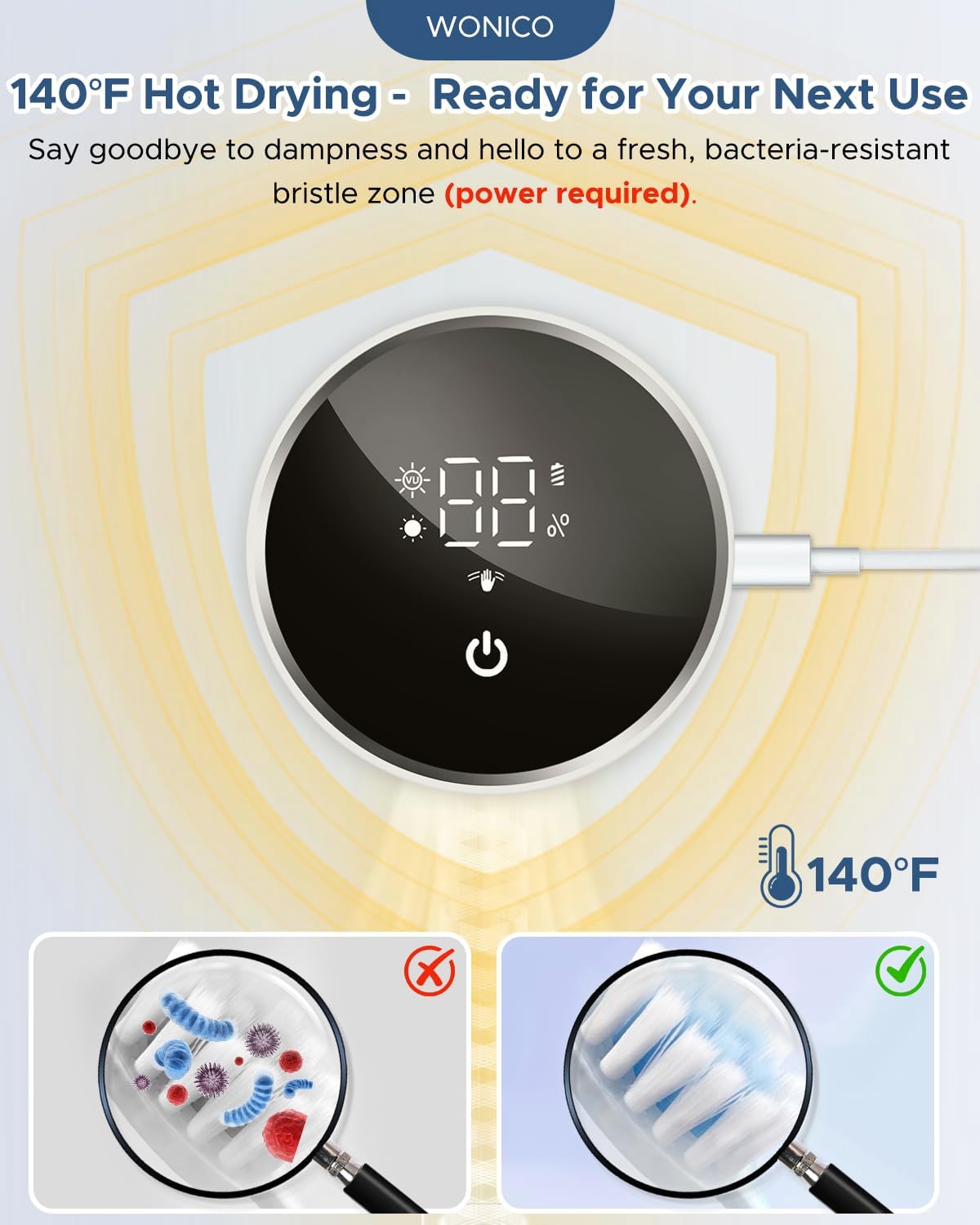
Image 4.3: Illustration of the heated air drying process.
4.4 LED Display Indicators
The LED display provides information on the device's status, including battery level, cleaning cycle, and drying function activation.
4.5 Toothbrush Compatibility
The WONICO X131 Ultra is designed to fit most electric, manual, and children's toothbrushes. It includes three interchangeable holders to accommodate various brush head sizes and razors. It may not be suitable for very tiny, large, or wide brush heads.

Image 4.4: Examples of compatible toothbrush types.
5. Maintenance
5.1 Cleaning the Device
- Wipe the exterior of the device with a soft, damp cloth. Do not use abrasive cleaners or solvents.
- Periodically clean the interior toothbrush chamber to remove any residue. Ensure the device is unplugged before cleaning the interior.
- Do not immerse the device in water.
6. Troubleshooting
- Lid not opening/closing automatically: Ensure there are no obstructions around the sensor area. Wave your hand within the specified sensing distance (1-3.5 inches). Check if the device has sufficient battery charge.
- UV light not activating: Verify the device is powered on and has sufficient battery. In plugged mode, ensure the USB-C cable is securely connected.
- Heated drying not working: The heated drying function only operates when the device is plugged in via the USB-C cable. Ensure it is connected to a power source.
- Short battery life: Ensure the device is fully charged before use. Battery performance can vary based on usage patterns. If persistent issues occur, contact customer support.
7. Specifications
| Feature | Detail |
|---|---|
| Brand | WONICO |
| Model Name | X131 Ultra |
| Material | Plastic |
| Color | Black White |
| Product Dimensions | 3.5"L x 1.5"W x 3.65"H |
| Mounting Type | Wall Mount |
| Special Feature | Lightweight, Quick Dry |
| Number of Compartments | 3 |
| Item Weight | 8 ounces (0.5 Pounds) |
| Battery | 1000mAh Lithium Polymer (Built-in) |
8. Warranty and Support
8.1 Warranty Information
This WONICO product is covered by a 1-Year Hassle-Free Warranty from the date of purchase. This warranty covers manufacturing defects and malfunctions under normal use. It does not cover damage caused by misuse, accidents, unauthorized modifications, or improper installation.
8.2 Customer Support
For technical assistance, warranty claims, or any questions regarding your WONICO Toothbrush Sanitizer Holder X131 Ultra, please contact WONICO customer support. Refer to the product packaging or the official WONICO website for contact details.